
Jennycraft Mod (26.3, 1.20.1) – Virtual Girlfriend in Minecraft
 862,408
 156
156


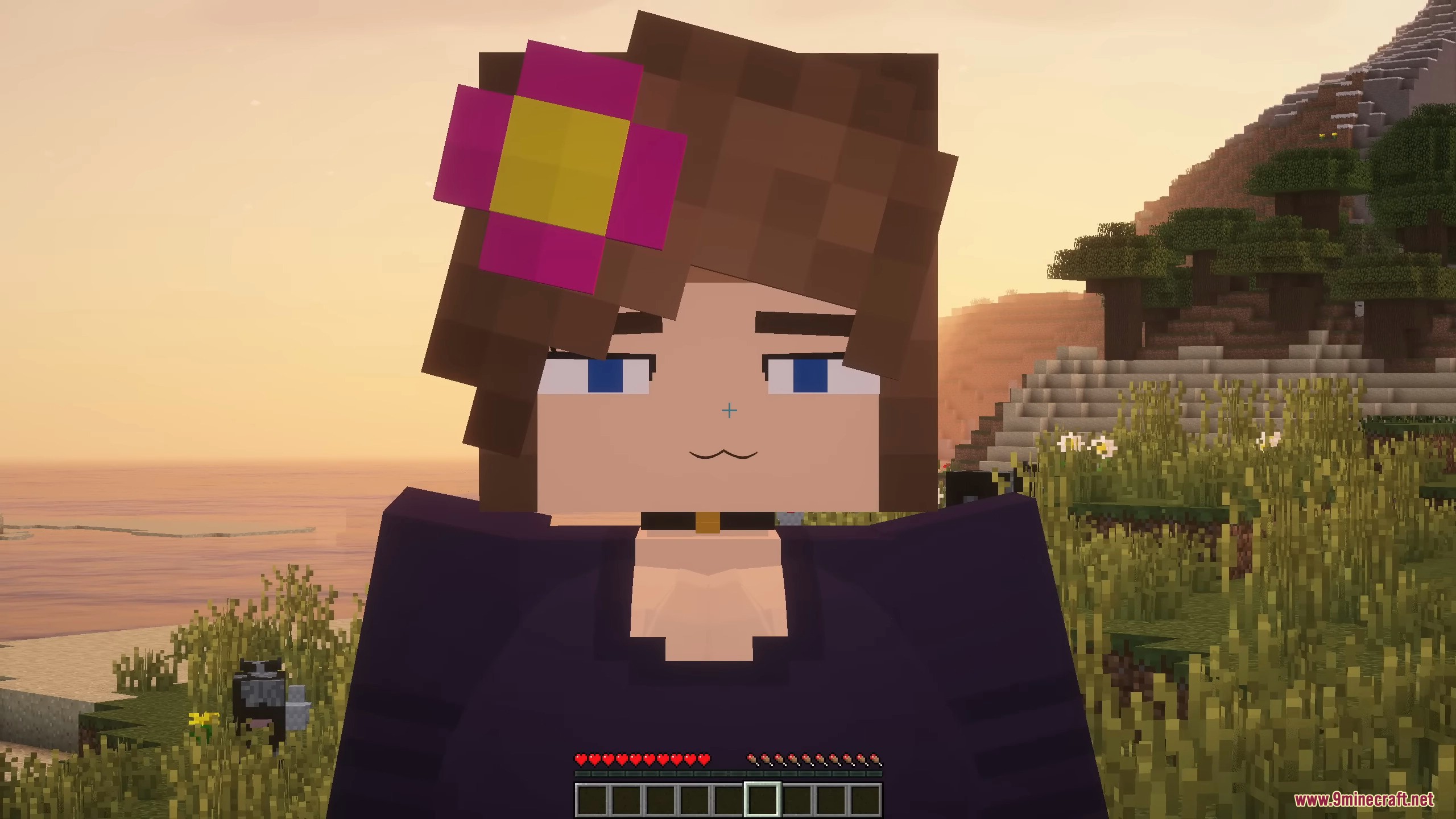
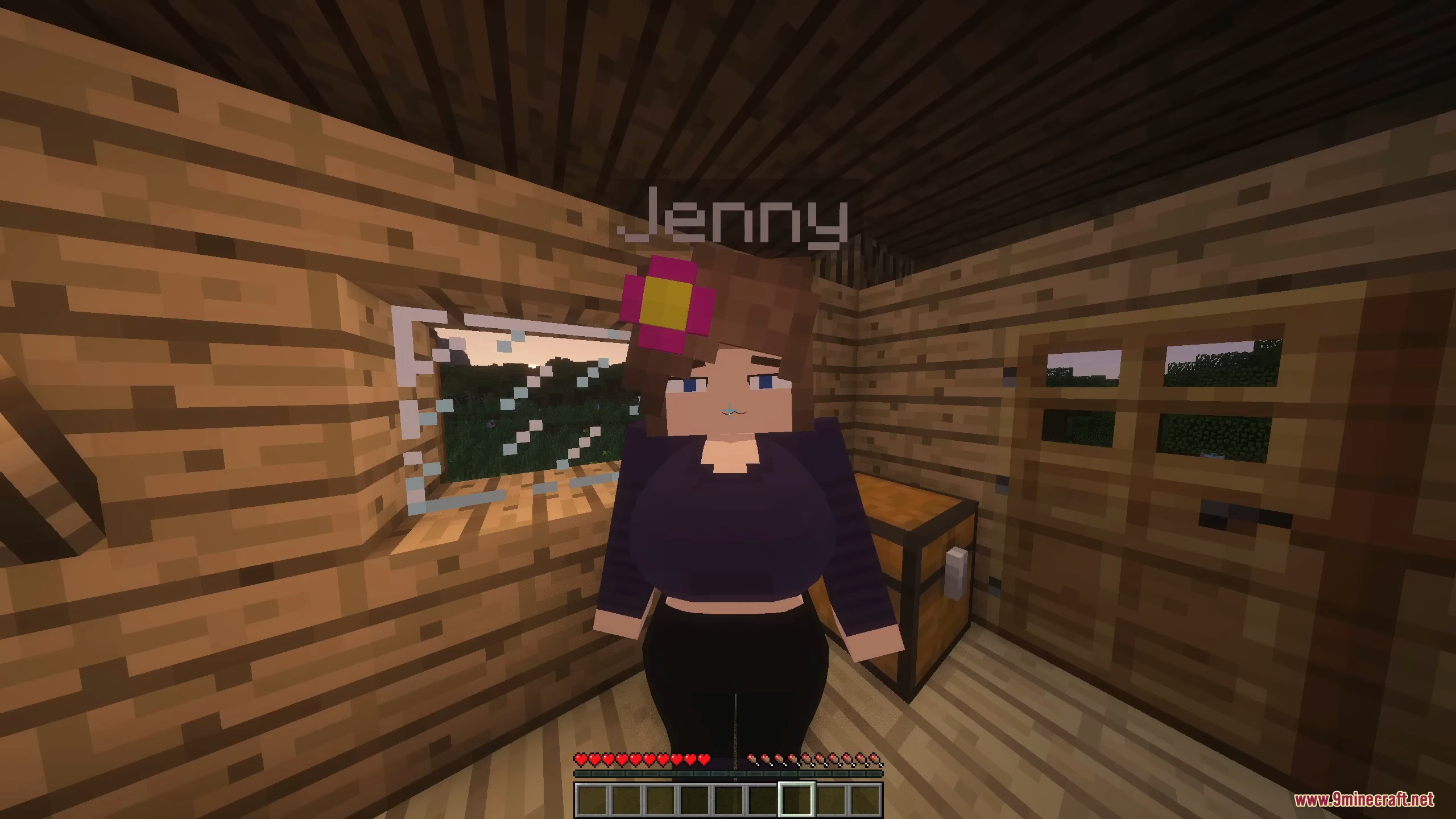
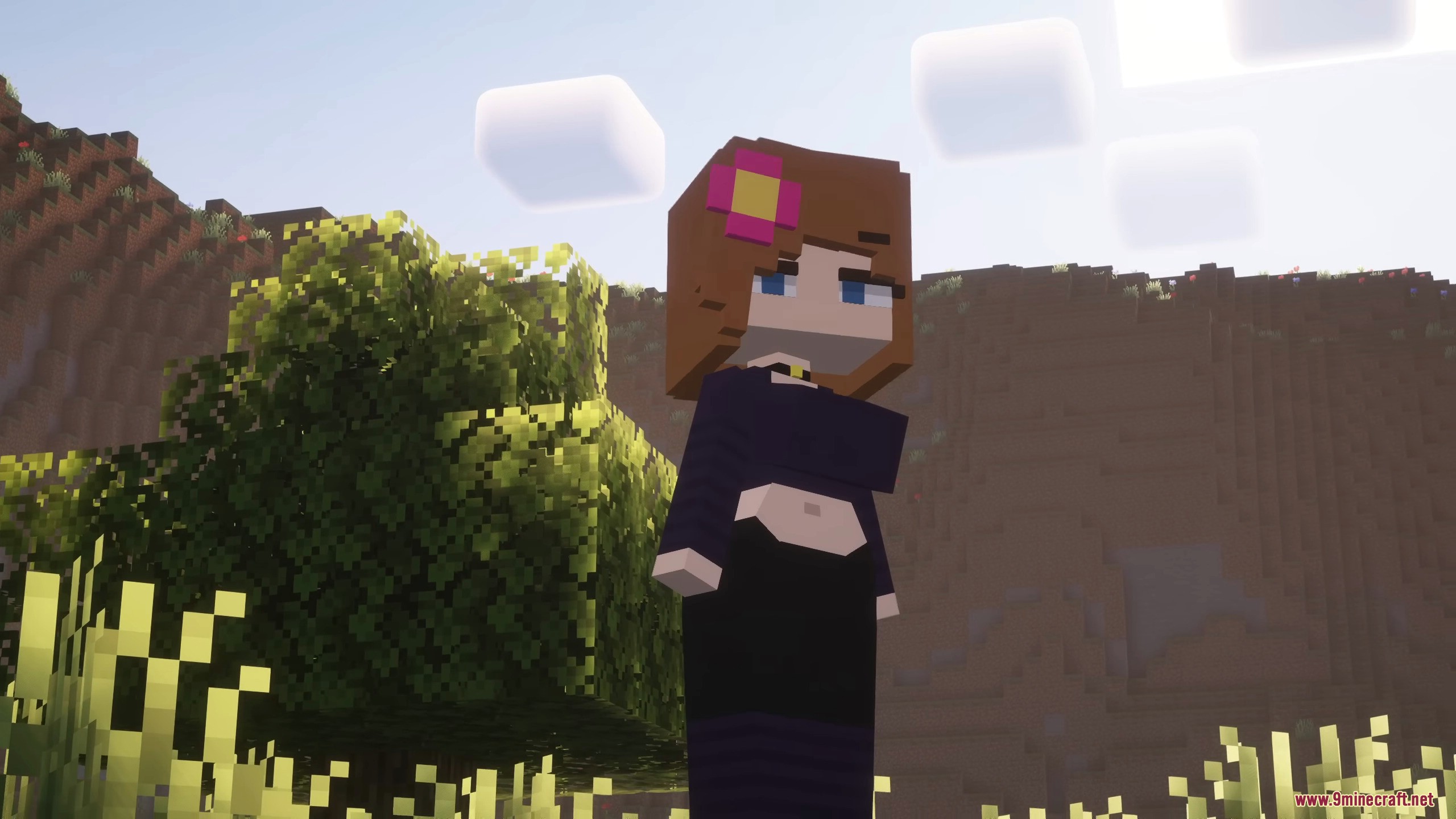
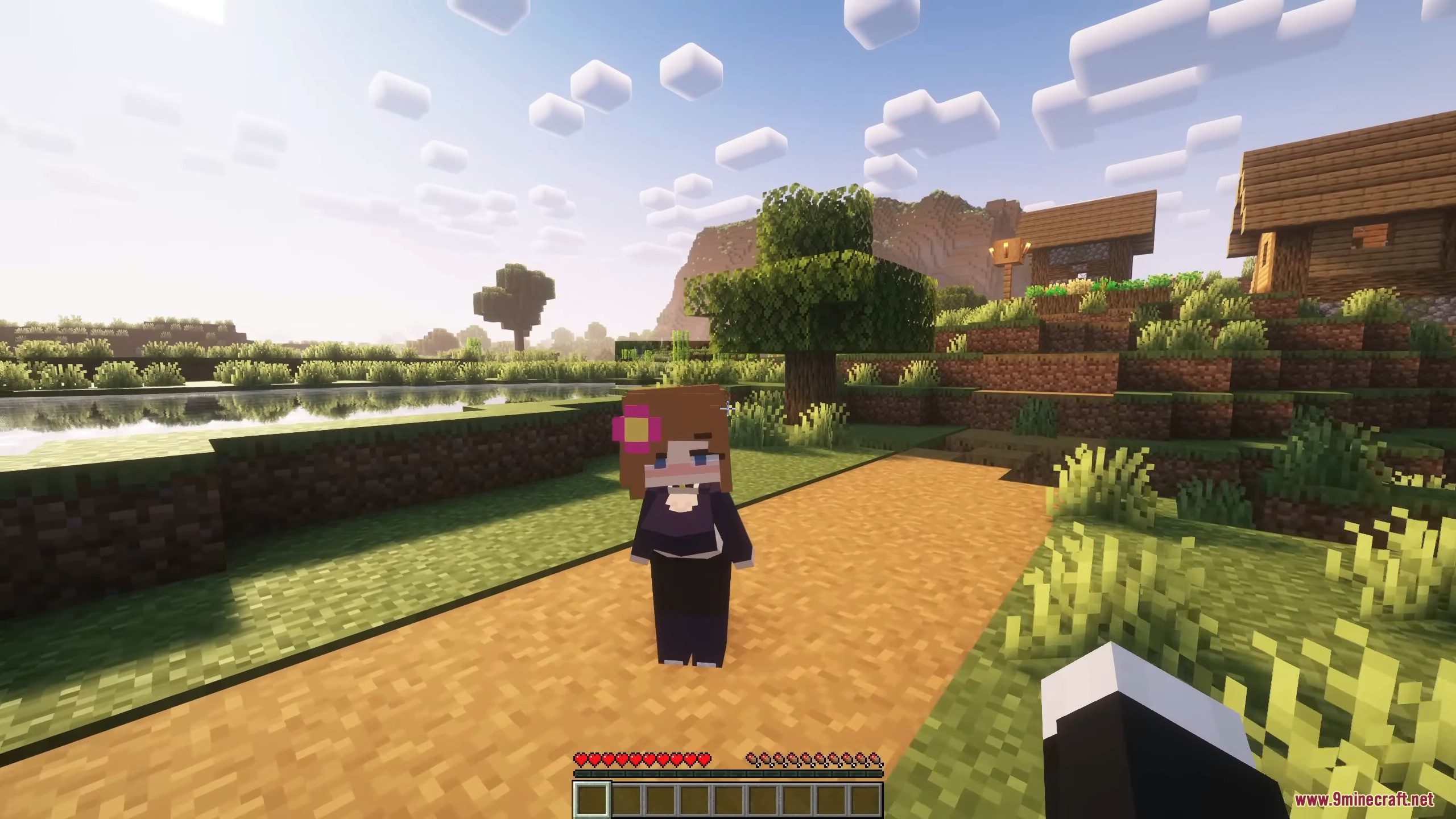
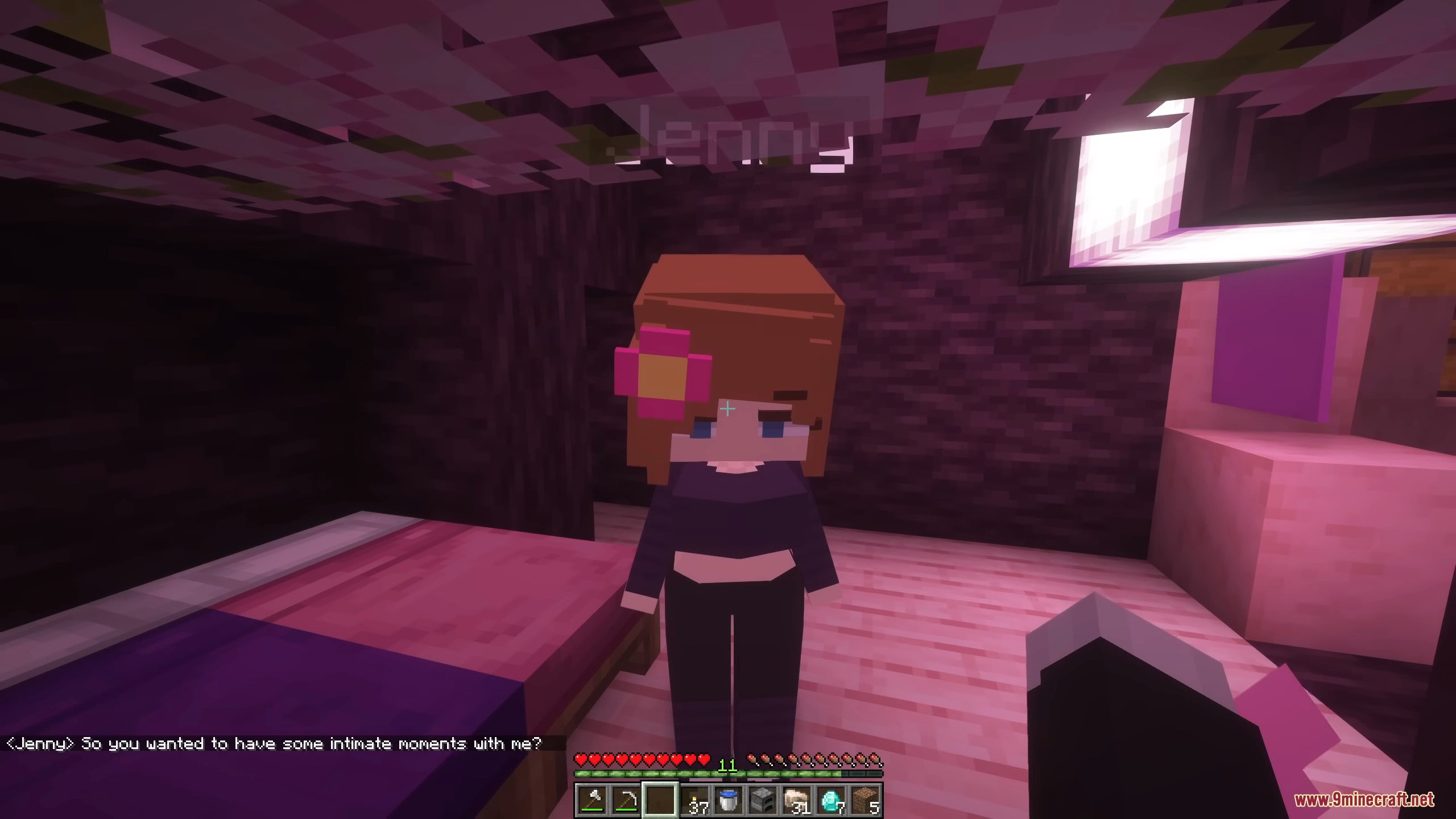
Jennycraft Mod is a Minecraft mod rewritten from Fapcraft (Jenny Mod). It features improved animations and character designs while retaining similar functionalities. This mod adds virtual girlfriends to the game, and you can interact with these girls.
Free License Key
Some builds of this mod ask for a license key before the characters will work – without it they are removed the moment you spawn them. The key is free; use the generator below. It is needed for Fabric 26.3, Fabric 26.2, NeoForge 26.2, NeoForge 26.1.2 and the 26.3 Fabric installer. The NeoForge 26.3, NeoForge 1.21.11 and NeoForge 1.21.1 builds need no key at all – pick one of those if you would rather skip this step.
Get Your Free License Key
The key for Jennycraft Mod is tied to your PC, so it has to be generated from your own machine ID. It takes about a minute:
- Install the mod and start Minecraft once. It will say the license is missing - that is expected.
- Open
.minecraft/logs/latest.logand find the line:[sexcraft] this machine's license fingerprint = "..." - Copy the text inside the quotes (it looks like
YOUR-PC|yourname) and paste it below.
config/sexcraft-license.key (click to copy):.minecraft/config/ - the folder next to mods - then restart the game. The log should now say [sexcraft] license OK. Both lines are required: line 1 is the key, line 2 ties it to your PC.Jennycraft Mod – Video Showcase
(function(){
var vid=document.getElementById(“mcap-player-836733″);
if(!vid) return;
var S=[{src:”https:\/\/video3.9minecraft.net\/2026\/09\/836733\/video-1080p-4c3f1ac6.mp4″,type:”video/mp4″,size:1080},{src:”https:\/\/video3.9minecraft.net\/2026\/09\/836733\/video-720p-4c3f1ac6.mp4″,type:”video/mp4″,size:720},{src:”https:\/\/video3.9minecraft.net\/2026\/09\/836733\/video-480p-4c3f1ac6.mp4″,type:”video/mp4″,size:480}],T=’video/mp4; codecs=”av01.0.08M.10″‘,MOB=/Android|iPhone|iPad|iPod|Mobile/i.test(navigator.userAgent);
function pick(q){var f=vid.closest(‘.mcap-video’),h=(f?f.parentElement:null)||f||vid,r=h.getBoundingClientRect(),w=Math.min(r.width||innerWidth,innerWidth)*Math.min(window.devicePixelRatio||1,2)*1.5,c=navigator.connection||{};if(c.saveData)w=Math.min(w,854);else if(/(^|-)(2g|3g)$/.test(c.effectiveType||”))w=Math.min(w,1280);var W={1440:2560,1080:1920,720:1280,480:854},o=q.slice().sort(function(a,b){return a-b});for(var i=0;o.length>i;i++){if((W[o[i]]||o[i]*16/9)>=w)return o[i];}return o[o.length-1];}
function go(ok){
var L=S.filter(function(s){return ok||!/av01/.test(s.type);}),q=[],u=0;
L.forEach(function(s){if(q.indexOf(s.size)==-1)q.push(s.size);});
try{u=+localStorage.getItem(‘mc9q’)||0;var st=JSON.parse(localStorage.getItem(‘plyr’)||'{}’);if(st)if(st.quality)if(st.quality!==u){if(u)st.quality=u;else delete st.quality;localStorage.setItem(‘plyr’,JSON.stringify(st));}}catch(e){}
var d=(u?q.indexOf(u)>=0:false)?u:pick(q);
L=L.filter(function(s){return s.size===d;}).concat(L.filter(function(s){return s.size!==d;}));
var p=new Plyr(vid,{
controls:[‘play-large’,’play’,’progress’,’current-time’,’duration’,’mute’,’volume’,’captions’,’settings’,’pip’,’fullscreen’],
settings:[‘captions’,’quality’,’speed’],
i18n:{qualityBadge:{2160:’4K’,1440:’2K’,1080:’HD’,720:”,480:”}},
quality:{default:d,options:q},
captions:{active:false,language:’en’,update:true},
speed:{selected:1,options:[0.5,0.75,1,1.25,1.5,2]},
autoplay:false, tooltips:{controls:true,seek:true}
});
p.source={type:’video’,poster:”https:\/\/video3.9minecraft.net\/2026\/09\/836733\/poster-cba14c0e.jpg”,sources:L,tracks:[]};
}
function init(){ if(typeof Plyr===’undefined’){setTimeout(init,80); return;}
var mc=navigator.mediaCapabilities;
if(!S.some(function(s){return /av01/.test(s.type);})||!mc||!mc.decodingInfo||!vid.canPlayType(T)) return go(false);
var done=0,t=setTimeout(function(){if(!done){done=1;go(false);}},400);
mc.decodingInfo({type:’file’,video:{contentType:T,width:1920,height:1080,bitrate:2500000,framerate:30}}).then(function(r){if(done)return;done=1;clearTimeout(t);go(r?(r.supported?(r.smooth?(r.powerEfficient||!MOB):false):false):false);},function(){if(!done){done=1;clearTimeout(t);go(false);}});
}
if(!document.getElementById(‘plyr-css’)){var l=document.createElement(‘link’);l.id=’plyr-css’;l.rel=’stylesheet’;l.href=’https://cdn.jsdelivr.net/npm/[email protected]/dist/plyr.css’;document.head.appendChild(l);}
if(typeof Plyr===’undefined’){
if(!document.getElementById(‘plyr-js’)){var s=document.createElement(‘script’);s.id=’plyr-js’;s.src=’https://cdn.jsdelivr.net/npm/[email protected]/dist/plyr.min.js’;s.onload=init;document.head.appendChild(s);} else {init();}
} else { init(); }
})();
{“@context”:”https://schema.org”,”@type”:”VideoObject”,”name”:”Jennycraft Mod (26.3, 1.20.1) – Virtual Girlfriend in Minecraft Showcase”,”description”:”Jennycraft Mod is a Minecraft mod rewritten from Fapcraft (Jenny Mod).”,”thumbnailUrl”:[“https://video3.9minecraft.net/2026/09/836733/poster-cba14c0e.jpg”,”https://video3.9minecraft.net/2026/09/836733/poster-sq-cba14c0e.jpg”],”uploadDate”:”2026-09-21T16:38:26Z”,”duration”:”PT285S”,”contentUrl”:”https://video3.9minecraft.net/2026/09/836733/video-1080p-4c3f1ac6.mp4″,”embedUrl”:”https://www.9minecraft.net/jennycraft-mod/#video-836733″,”width”:1920,”height”:1080,”encodingFormat”:”video/mp4″,”publisher”:{“@type”:”Organization”,”name”:”9Minecraft”,”url”:”https://www.9minecraft.net”,”logo”:{“@type”:”ImageObject”,”url”:”https://www.9minecraft.net/9MC-Logo.png”}},”isFamilyFriendly”:true,”inLanguage”:”en”}
Features:
Characters:
Jenny:
-
t
- Jenny is the main character, designed as a “virtual girlfriend” in Minecraft. Players can interact with her through dialogue, gift-giving (such as gold, diamonds, emeralds) to unlock animations or special services.
-
t
- In Creative Mode, Jenny’s services are free.
- In Survival Mode, players must use valuable items to interact.
t
Ellie:
-
t
- Found in dark wood forests, she helps gather resources, protects players from mobs, and has interactions when given a special potion.
Bia:
-
t
- Located in a plains village, she offers free services in both Creative and Survival Modes. She has a cheerful personality and provides healing or defense boosts.
Slime Girl:
-
t
- Has a translucent appearance and can split into smaller slimes to assist in combat or absorb damage.
Bee Girl:
-
t
- Supports farming by pollinating crops, summons bees for protection.
Allie:
-
t
- A genie-like character who appears from a lamp in desert temples or dungeons. She grants three wishes.
Goblins:
-
t
- Mischievous creatures that steal resources.
Luna:
-
t
- Found on a small boat structure in the ocean; can be interacted with by offering fish.
Kobolds, Galath, Manglelie:
-
t
- Additional characters with special interactions after completing specific quests in the Nether.
Appearance Customization:
-
t
- Players can customize the appearance of Jenny and other characters, including clothing, hair color, skin tone, and hairstyles. This feature allows for personalized experiences, especially in Customization Mode.
Other Special Features:
-
t
- Jenny has abilities like teleporting (similar to Endermen), rapid self-healing, and uses Lucky Potion to manipulate probability or breathe underwater.
- Characters like Ellie have magical or physical combat abilities.
- Slime Girl can clone herself to aid in battle.
- The mod adds dynamic weather effects like fog and storms, affecting visibility and immersion.
- Jenny and other characters include side missions such as treasure hunts, rescues, or boss fights. Players can build relationships with the characters.
t
t
t
t
Comparison Between Game Modes:
| Game Mode | Description |
|---|---|
| Creative Mode | Full access to all characters and services without needing items. |
| Survival Mode | Players must use diamonds, gold, or emeralds to interact. |
| Social Interactions Mode | Characters can interact with villagers, mobs, or other NPCs for deeper immersion. |
| Adventure Mode | Supports custom maps where Jenny can serve as a guide or take part in quests. |
Screenshots:
Note:
How to Install:
New to Minecraft? Follow our step-by-step guide to install Mods on your PC.View Guide
Requirements:



Jennycraft Mod Download Links
How To Install Jennycraft Mod With The Installer
The installer puts the mod and every library it needs in the right place for you. No manual file copying, and nothing you installed by hand is removed.
In the download section below, the installer is the larger file for each Minecraft version, because it carries the libraries as well:
- Minecraft 26.3 — Fabric Installer 40 MB · NeoForge Installer 38 MB (the manual
.jarfiles are 37 MB) - Minecraft 1.21.11 — NeoForge Installer 38 MB (the manual
.jarfile is 37 MB)
- Download that file. It is a Windows
.exe— you do not need Java installed to run it. - Double-click it. The installer window opens:
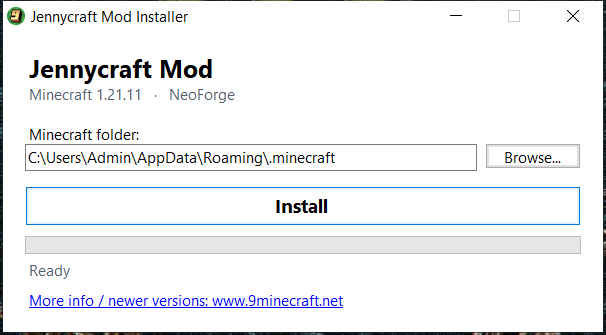
- Check that the Minecraft folder is correct. The installer fills in the default one for you; use Browse… if you keep Minecraft somewhere else.
- Click Install. When it is finished you will see:
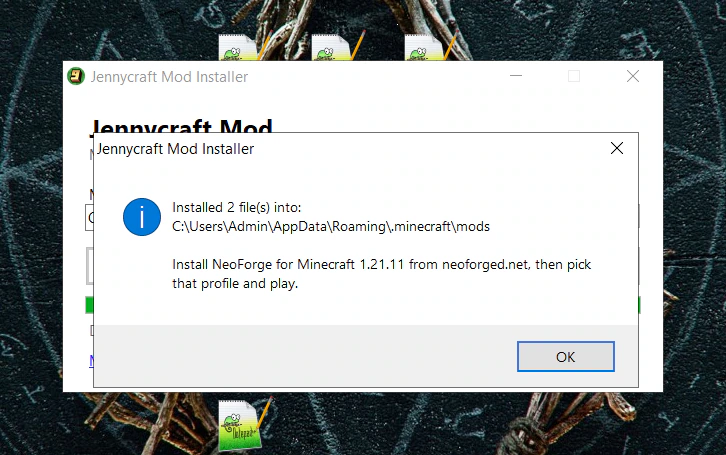
- Open the Minecraft launcher, pick the profile named in that message, and play.
The installer also tells you once when a newer version of Jennycraft Mod is released on 9minecraft.net. Prefer to do it yourself? The plain .jar files in the download section are still there for manual installation.
Sign in to unlock this download
Inside: 26.3 26.2 26.1.2 26.1.1 26.1 1.21.11
Choose one way to sign in
Free · takes a few seconds · you come straight back to this page

156 Comments
What do you think?
Your opinion means a lot - we'd love to hear from you.
You May Also Like
Picked for this page
 Better End Mod (26.3, 1.20.1) – Dimension Improvements
 Minecraft Comes Alive Reborn Mod (26.2, 1.20.1) – Start Your Own Little Family
 Promenade Mod (26.3, 1.20.1) – New Unique Biomes
 More Villagers Mod (26.3, 1.20.1) – Build a Village of Experts
 Ecologics Mod (26.3, 1.20.1) – Discover New Wildlife in Familiar Places
 Stacks Are Stacks Mod (26.3, 1.20.1) – Increases Stack Size For All Items To 64
 DarkWooly Mod (26.3, 1.20.1) – Get Wool, Terracotta, Concrete from Sheep
 Medical Remedies Mod (1.21.1, 1.20.1) – Heal Players And Mobs With Pills And Syringes
 Create Rubberworks Mod (1.21.1, 1.20.1) – Adds Tree Resin Rubber
 Kinbound Soulmates Mod (26.2, 1.20.1) – Explore Survival Worlds with Loyal
 Portable Tablets Mod (1.20.1) – Use Workstations In Your Hands
 Venomous Reach Mod (1.21.1) – Hunt Monsters with Dark Alchemy and Mutagens
Most viewed in Mods over the last 7 days
 Ala Industrial Mod (26.3) – Run Electric Power Grids and Automated Factories
 PleasureCraft Mod (26.3, 1.21.1) – Jenny Mod Remake for Fabric
 Fapcraft Mod (26.3, 1.12.2) – Comprehensive and Detailed Content
 Jenny Mod (Fapcraft) Official Complete Guide – How to use, Tutorial
 BangCraft Mod (1.20.1) – Jenny, Ellie and Elliot
 Fabric Loader (26.3, 1.20.1) – Fabric Installer for All Minecraft Versions
 The Shooting Star Demo Mod (26.3, 1.20.1) – Vaporize Terrain From Orbit
 OptiFine HD (26.3, 1.20.1) – Run Faster, FPS Boost, Shaders Support
 Meteor Client Mod (26.3, 1.20.1) – Xray, HUD, Fly
 Aristois Client Mod (1.21.4, 1.20.1) – World Class Minecraft Utility
 Baritone 9minecraft Client Mod (26.3, 26.1.2) – Mine and Build Bases Hands-Free
 Disabilities Mod (26.3, 1.20.1) – Survive with Random Physical and Mental Challenges
More from Mods
 Automobility Autoradio Mod (26.3, 26.1.2) – Trade Custom Mixtapes with Friends
 Towers of the Wild 9minecraft Mod (26.3, 26.2) – Climb Tall Towers for Loot
 Ender Storage 9minecraft Mod (26.3, 26.2) – Send Loot Back Home From Any Dimension
 Snad 9minecraft Mod (26.3, 26.2) – Build Faster Sugar Cane and Nether Wart Farms
 Paintings ++ 9minecraft Mod (26.3) – Pick the Exact Painting You Want
 Together Forever Unofficial Mod (1.12.2) – Share Team Advancements
 GroovyDuvet Mod (1.21.11, 1.20.1) – Run Groovy Scripted Addons Without Game
 Swing Through Grass 9minecraft Mod (26.3, 26.2) – Fight Mobs Without Breaking Tall Grass
 Improved Boss Bars 9minecraft Mod (26.3) – Unique Health Bars for Every Boss Fight
 Cozy’s Improved Wolves Mod (26.3, 1.20.1) – Bond with Loyal Dogs That Never Die
 Cuisine Craft Mod (1.21.11, 1.20.1) – Cook Restaurant Dishes with Fresh Farm
 Nekoro Coins Mod (1.21.1, 1.20.1) – Trade Physical Currency Across Player

como se coloca exactamente la llava? se pega en un archivo del juego? se crea un archivo de texto?donde se coloca exactamente la llave?, se crea como un archivo? o se edita algun archivo del juego
There is no key. Or i can’t find it
The key generator is now on this page – look for the red Free Key button in the row of links at the top, or scroll to Free License Key.
The key is tied to your PC, so it takes three short steps:
1. Start Minecraft once with the mod. It will say the license is missing – that is normal.
2. Open
.minecraft/logs/latest.logand find the line[sexcraft] this machine's license fingerprint = "..."3. Paste the text from inside the quotes into the generator, press Generate Key, and save the two lines it gives you as
.minecraft/config/sexcraft-license.key.Restart the game and the log will say
[sexcraft] license OK. We tested this ourselves today before posting it.Only these files need a key: Fabric 26.3, Fabric 26.2, NeoForge 26.2, NeoForge 26.1.2 and the 26.3 Fabric installer. The NeoForge 26.3, NeoForge 1.21.11 and NeoForge 1.21.1 files need no key at all.
Lll
how to get the key for summoning mobs fabric ?
The key generator is now on this page – look for the red Free Key button in the row of links at the top, or scroll to Free License Key.
The key is tied to your PC, so it takes three short steps:
1. Start Minecraft once with the mod. It will say the license is missing – that is normal.
2. Open
.minecraft/logs/latest.logand find the line[sexcraft] this machine's license fingerprint = "..."3. Paste the text from inside the quotes into the generator, press Generate Key, and save the two lines it gives you as
.minecraft/config/sexcraft-license.key.Restart the game and the log will say
[sexcraft] license OK. We tested this ourselves today before posting it.Only these files need a key: Fabric 26.3, Fabric 26.2, NeoForge 26.2, NeoForge 26.1.2 and the 26.3 Fabric installer. The NeoForge 26.3, NeoForge 1.21.11 and NeoForge 1.21.1 files need no key at all.
можешь мне написать когда ответят как ? я сам не понимаю
Ключ теперь есть прямо на этой странице – красная кнопка Free Key в ряду ссылок сверху, или раздел Free License Key.
Ключ привязан к вашему компьютеру, поэтому три шага:
1. Запустите Minecraft с модом один раз. Он напишет, что лицензии нет – так и должно быть.
2. Откройте
.minecraft/logs/latest.logи найдите строку[sexcraft] this machine's license fingerprint = "..."3. Вставьте текст из кавычек в генератор, нажмите Generate Key и сохраните две полученные строки в файл
.minecraft/config/sexcraft-license.key.После перезапуска в логе появится
[sexcraft] license OK. Мы сами это проверили сегодня, прежде чем публиковать.Ключ нужен только для файлов Fabric 26.3, Fabric 26.2, NeoForge 26.2, NeoForge 26.1.2 и 26.3 Fabric installer. Версиям NeoForge 26.3, NeoForge 1.21.11 и NeoForge 1.21.1 ключ не нужен вообще.
ключа не существует, просто наебка
Ключ теперь есть прямо на этой странице – красная кнопка Free Key в ряду ссылок сверху, или раздел Free License Key.
Ключ привязан к вашему компьютеру, поэтому три шага:
1. Запустите Minecraft с модом один раз. Он напишет, что лицензии нет – так и должно быть.
2. Откройте
.minecraft/logs/latest.logи найдите строку[sexcraft] this machine's license fingerprint = "..."3. Вставьте текст из кавычек в генератор, нажмите Generate Key и сохраните две полученные строки в файл
.minecraft/config/sexcraft-license.key.После перезапуска в логе появится
[sexcraft] license OK. Мы сами это проверили сегодня, прежде чем публиковать.Ключ нужен только для файлов Fabric 26.3, Fabric 26.2, NeoForge 26.2, NeoForge 26.1.2 и 26.3 Fabric installer. Версиям NeoForge 26.3, NeoForge 1.21.11 и NeoForge 1.21.1 ключ не нужен вообще.
can you give me a tutorial for fabric please idk how to use the key?
The key generator is now on this page – look for the red Free Key button in the row of links at the top, or scroll to Free License Key.
The key is tied to your PC, so it takes three short steps:
1. Start Minecraft once with the mod. It will say the license is missing – that is normal.
2. Open
.minecraft/logs/latest.logand find the line[sexcraft] this machine's license fingerprint = "..."3. Paste the text from inside the quotes into the generator, press Generate Key, and save the two lines it gives you as
.minecraft/config/sexcraft-license.key.Restart the game and the log will say
[sexcraft] license OK. We tested this ourselves today before posting it.Only these files need a key: Fabric 26.3, Fabric 26.2, NeoForge 26.2, NeoForge 26.1.2 and the 26.3 Fabric installer. The NeoForge 26.3, NeoForge 1.21.11 and NeoForge 1.21.1 files need no key at all.
where did you find a key ?
The key generator is now on this page – look for the red Free Key button in the row of links at the top, or scroll to Free License Key.
The key is tied to your PC, so it takes three short steps:
1. Start Minecraft once with the mod. It will say the license is missing – that is normal.
2. Open
.minecraft/logs/latest.logand find the line[sexcraft] this machine's license fingerprint = "..."3. Paste the text from inside the quotes into the generator, press Generate Key, and save the two lines it gives you as
.minecraft/config/sexcraft-license.key.Restart the game and the log will say
[sexcraft] license OK. We tested this ourselves today before posting it.Only these files need a key: Fabric 26.3, Fabric 26.2, NeoForge 26.2, NeoForge 26.1.2 and the 26.3 Fabric installer. The NeoForge 26.3, NeoForge 1.21.11 and NeoForge 1.21.1 files need no key at all.
Amei
عالی
Helô,
Melo
when i try to have zex my animation didn t work is just stand and not do anything
The NeoForge version doesn’t load my world and says error data pack and asks me to load the world in safe mode, which fails to load too. And the fabric mod asks for license key
Aaaaaahhhhh
OioooiOiooooiiiiii
I think is the best
How to find jenny in survival mode??