
How to Install Mods for Minecraft Java Edition on PC: A Beginner Guide
 246,941
 70
70


A mod adds new features to Minecraft — new mobs, blocks, machines, better graphics and more. To run mods on Minecraft: Java Edition you install a small program called a mod loader, then drop mod files into one folder. This guide walks you through it from zero.
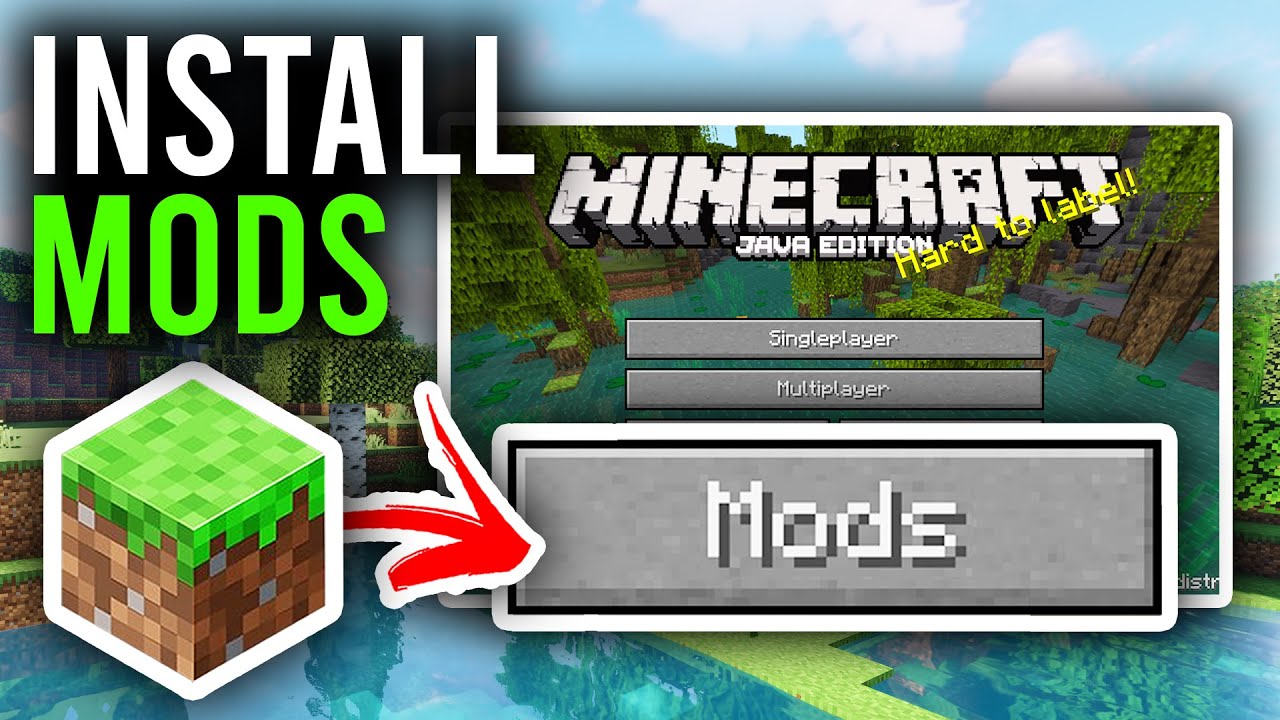
Follow these steps
- Open the official Minecraft Launcher and run Java Edition at least once, so all its files are created.
- Decide which version you want to mod (for example
1.21.1,1.20.1,1.12.2). Your loader and every mod must match this exact version. - Modern Minecraft bundles its own Java, so you usually don’t need to install Java yourself. If a mod asks for a newer Java, grab it from Adoptium.
saves folder somewhere safe before adding mods, so a broken mod can never lose your builds.A mod loader lets Minecraft read and run mods. There are four common ones — each mod is built for a specific loader, so check the mod’s page before you download. Install the loader that matches your mods and your version, then it appears as a new profile in the launcher.
| Loader | Best for | Good to know |
|---|---|---|
| Fabric | Lightweight, fast, up‑to‑date mods | Most mods also need Fabric API (install it like any mod). |
| Forge | Huge, classic tech/adventure mods | The largest mod library, especially on older versions. |
| NeoForge | Modern Forge‑style mods (1.20.2+) | A community fork of Forge, now the default for many new mods. |
| Quilt | Fabric mods + extra features | Compatible with most Fabric mods; needs QSL/QFAPI. |
mods folderThis is where every mod file lives. On Windows, press Win + R, paste the path below and press Enter:

mods folder inside .minecraft — drop every mod .jar here.- If a
modsfolder isn’t there yet, create one with exactly that name. - On macOS:
~/Library/Application Support/minecraft/mods - On Linux:
~/.minecraft/mods
- Browse mods on 9Minecraft › Mods and open one you like.
- Check it lists your version and your loader, then download the
.jarfile. Do not unzip it. - Move that
.jarinto themodsfolder from Step 3. Add as many mods as you like — just keep them all on the same loader and version.
- Open the Minecraft Launcher and click the version dropdown next to Play.
- Choose the profile your loader created (for example fabric-loader 1.21.1 or forge 1.20.1).
- Press Play.
Once you reach the main menu you should see your mods — a Mods button on the title screen (Forge/NeoForge), or new items, blocks and options in‑game. If they’re there, you’re done. Enjoy!
Fixing common problems
The game crashes right after I press Play
Almost always a version or loader mismatch. Make sure the loader profile, every mod and (for Fabric/Quilt) Fabric API are all for the same Minecraft version. Remove mods one at a time to find the one causing it.
There’s no “Mods” button and nothing changed
You probably launched the normal profile instead of the modded one. Re‑open the launcher, pick the loader profile in the version dropdown, then press Play.
A mod says it needs an API or library
Some mods depend on another file — most often Fabric API, or a library the mod page links to. Download it and place it in the mods folder just like a normal mod.
I can’t find the mods folder
Run the game once first so Minecraft creates its files, then use the %appdata%\.minecraft\mods path in Step 3. If the folder still isn’t there, create it yourself with that exact name.
Related guides

70 Comments
What do you think?
Your opinion means a lot - we'd love to hear from you.
You May Also Like
Picked for this page
 How to Install Maps for Minecraft Java Edition on PC: A Beginner Guide
 How To Download & Install Resource Packs
 How To Download & Install Fabric Mods
 How to Install Data Packs for Minecraft Java Edition on PC: A Beginner Guide
 How To Download & Install Minecraft Forge
 How To Download & Install Minecraft OptiFine
 How To Download & Install the Fabric Loader
 How To Download & Install Fabric API
 How To Download & Install Minecraft Snapshots
 How to Install Seeds for Minecraft Java Edition on PC: A Beginner Guide
Most viewed in Installation Guide over the last 7 days
 How To Install Mod / Addon on Minecraft PE
 How to Install Resource Packs for Minecraft Java Edition on PC: A Beginner Guide
 How to Install Maps for Minecraft Java Edition on PC: A Beginner Guide
 How To Install Texture Packs on Minecraft PE
 How To Install Shaders on Minecraft PE
 How to Install Modpacks for Minecraft Java Edition on PC: A Beginner Guide
 How To Install Skin Packs on Minecraft PE
 How to Install Shaders for Minecraft Java Edition on PC: A Beginner Guide
 How To Install Map on Minecraft PE
 How To Download & Install Mods with Minecraft Forge
 How to Install Data Packs for Minecraft Java Edition on PC: A Beginner Guide
 How to Install Plugins for Minecraft Java Edition on PC: A Beginner Guide

Egd
Yasmim dos Santos
آرتینArtun
Christian Rosco
انا امير وانا بفرشي اسناني واجري
lugar
Bahia
jjh
SamFnffjfffkfgpzdrdtftgtf245256
Ygg
Is this only for java?فقط برای جاواست؟!
manuavaritha
يزدب
Çok güzelOpaOpa
Mod nya bagus sekaliIwvzgtzcshisustagwbamisysg
isle of berk
IuGoAimkAlone feel9999999