
Durability Display (26+, 1.21) – Live Tool Wear on Mobile HUD
 111
 0

Durability Display shows exact item wear right on your screen so you always know how much use your gear has left. This resource pack places durability numbers on your HUD, inside your inventory, next to your equipped armor and offhand, and inside item tooltips. It comes with four layout options, a blinking low-durability warning below 25 percent, and a 20-step color fade from green to red for armor values. You can also check item durability inside chests, large chests, and ender chests on both desktop and mobile screens. Because this pack runs only on your client with no behavior packs or experimental toggles, it works in any world, including Realms and multiplayer servers.
Requirements:
- MCPE/Bedrock 1.21 – 26.40
all 22 versions
26.40, 26.30, 26.20, 26.13, 26.12, 26.11, 26.10, 26.3, 26.0.02, 26.0, 1.21.130, 1.21.120, 1.21.100, 1.21.90, 1.21.80, 1.21.70, 1.21.60, 1.21.50, 1.21.40, 1.21.30, 1.21.20, 1.21

Features:
- HUD Readout: Displays your selected hotbar item’s durability next to its icon in the corner of the screen, with smooth animated counting whenever the value changes.
- Armor and Offhand: Lists all four armor slots plus your offhand shield slot in the corner of the inventory screen.
- Hover Text: Adds a durability line to every item tooltip that shows both the exact value and the percentage together, no matter which display mode you use.
- Low Durability Warning: Flashes a blinking
[!]warning on the HUD as soon as your held item drops below 25 percent. - Color-Coded Numbers: Shifts armor and offhand values from green to red through a 20-step gradient as your gear wears down.
- Works inside chests, large chests, and ender chests when you check stored items.
- Supports mobile and touch screens with full pocket UI layouts, including the item details popup that appears when you tap a slot.
- Lets you pick your display style from the pack’s settings slider in the resource pack list, changing both the number format and which side of the screen the HUD and armor readouts sit on.
- Runs completely client-side with no behavior pack, experimental toggles, or in-game setup needed, so it works in any world, Realms, and multiplayer servers.
Display Options:
- Numbers (Right): Shows exact values such as 150/250 in the bottom-right corner of the screen (default).
- Numbers (Left): Shows exact values such as 150/250 in the bottom-left corner of the screen.
- Percentage (Right): Shows values such as 60% in the bottom-right corner of the screen.
- Percentage (Left): Shows values such as 60% in the bottom-left corner of the screen.
How to Use:
- Open the pack’s settings slider in your resource pack list.
- Move the slider to choose a display style between Numbers (Right), Numbers (Left), Percentage (Right), or Percentage (Left); this sets the number format and picks the bottom corner for your HUD and armor readouts.
- Select any tool or weapon on your hotbar to see its live durability next to its icon on the HUD, and watch for the blinking
[!]sign when it drops below 25 percent. - Open your inventory to check the color-coded durability values for all four armor slots and your offhand shield in the corner of the screen.
- Hover over an item, or tap a slot on mobile touch screens, inside your inventory, chests, large chests, or ender chests to view both the exact durability value and percentage in the tooltip.
Screenshots:


For MCPE/Bedrock 26+
You May Also Like
Picked for this page
 Asa’s One Piece Addon (1.26+, 26.32) – MCPE/Bedrock Mod
 Newb Shader (1.26+) – MCPE/Bedrock
 Particle & Flipbook Disabler (26.x, 1.20) – FPS Boost Texture Pack
 Star Bot Addon (1.26+) – MCPE/Bedrock Mod
 All Official Minecraft Capes Texture Pack (1.26+) – MCPE/Bedrock
 Dusk Dawn Shade Shader (1.26+) – MCPE/Bedrock
 PvP Crosshair Crosshairs (26+, 1.21) – MCPE/Bedrock Texture Pack
 Chunk Viewer (26+, 1.21) – MCPE/Bedrock Texture Pack
 Small Items (26+) – MCPE/Bedrock Texture Pack
 MONSTER SHADER (26+) – MCPE/Bedrock Shader
 Dark Mode UI (26+) – MCPE/Bedrock Texture Pack
 Vibrant Visuals Night Vision Pack (26+, 1.21) – MCPE/Bedrock Texture Pack
Most viewed in Texture Packs over the last 7 days
 Mizuno’s 16 Craft Texture Pack (26.30, 1.21) for MCPE/Bedrock Edition
 Distant Horizons Texture Pack (26.x, 1.21) – MCPE/Bedrock
 Xnova Model Texture Pack (26.x, 1.21) – Smaller First-person Hands and Custom
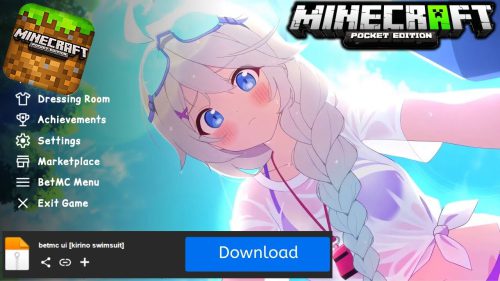 Anime Girl UI Pack (26.x, 1.21) – MCPE/Bedrock
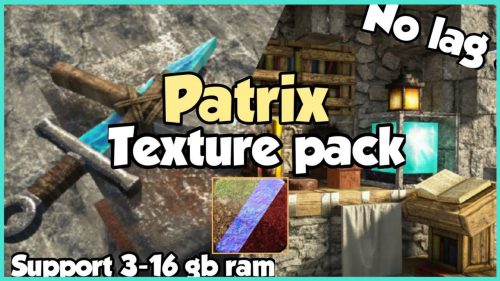 Patrix Texture Pack (1.26+) – No Lag, Ultra Realistic for MCPE
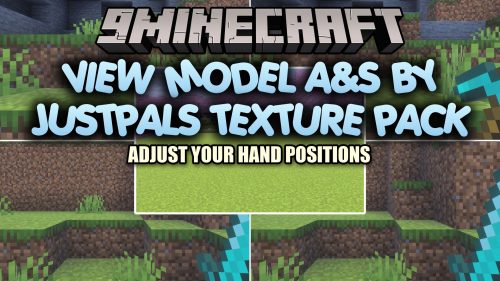 View Model A&S by Justpals Texture Pack (26.x, 1.21) – X
 ESP Texture Pack (26.x, 1.21) – MCPE/Bedrock
 Hover Text Fix Pack (1.21, 1.20) – MCPE/Bedrock
 X-Ray Texture Pack (26.x, 1.21) for MCPE/Bedrock with Glow
 Soartex Fanver Texture Pack (26.x, 1.21) – MCPE/Bedrock
 Night Vision Texture Pack (26.x, 1.21) – MCPE/Bedrock Edition
 Better X-Ray Texture Pack (26.x, 1.21) – MCPE/Bedrock
More from Texture Packs
 Fox Totem (26+) – MCPE/Bedrock Texture Pack
 Ponky’s Custom Capes (26+, 1.21) – MCPE/Bedrock Texture Pack
 PocialJ Frosty 16x (26+, 1.21) – MCPE/Bedrock Texture Pack
 pack.png Panorama with (26+, 1.21) – MCPE/Bedrock Shader
 Solstice Visual (26+, 1.21) – MCPE/Bedrock Shader
 CatGirls (26+, 1.21) – MCPE/Bedrock Texture Pack
 CreeperGirl (26+, 1.21) – MCPE/Bedrock Texture Pack
 ZombieGirls (26+, 1.21) – MCPE/Bedrock Texture Pack
 X-Ray Better X Ray & More Visible Ores (26+) – MCPE/Bedrock Texture Pack
 Newb Floren (26+) – MCPE/Bedrock Shader
 Enhanced Craft Texture Pack (26.x, 1.21) – MCPE/Bedrock
 Bosya’s Selection Box (26+, 1.21) – MCPE/Bedrock Texture Pack

This post has no comments yet. Be the first — your comment will appear here.