


Hey Wiki Mod (26.1.2, 1.21.1) – In-Game Wiki Opener & Link Helper
 2,033
2,033
 0
0


🌐 Binabasa mo ang artikulong ito sa Filipino. Gusto mong magpalit?
📖 Basahin sa Ingles (orihinal)O pumili ng gusto mo:
Ang Hey Wiki Mod ay hinahayaan ang mga player na mabilis na buksan ang wiki page ng block, item, o entity na nakatutok sa camera, vanilla game man ito o galing sa ibang mod.
Features:
Features
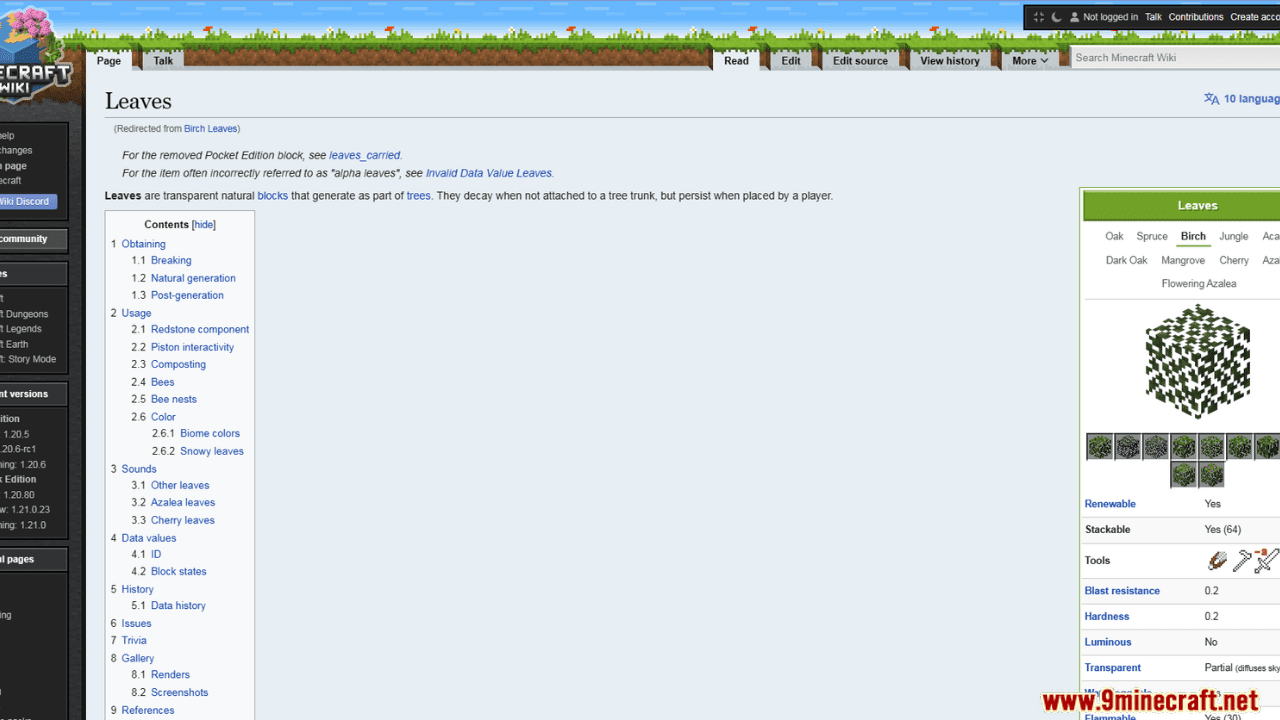
- Pindutin ang H (pwedeng i-customize) para buksan ang wiki page (Minecraft Wiki o ang respective mod wiki) ng block/item/entity na tinututukan ng crosshair.
- Pindutin ang Alt + H (o ⌥ Opt + H) para buksan ang wiki page ng item na hawak sa main hand.
- Pindutin ang B para buksan ang wiki search screen at maghanap ng mga wiki page.
- Supports special commands para mabilis na mabuksan ang mga related na wiki page.
- Supports [[wiki link]] syntax sa chat para awtomatikong maging clickable links.
- Optional in-game browsing gamit ang MCBrowser at MCEF.
Paano Gamitin
- I-install ang mod (at ang mga required dependencies) mula sa GitHub o Modrinth.
- Itutok ang crosshair sa isang block o entity, o i-hover ang mouse sa isang item sa iyong inventory.
- Pindutin ang keybind (default: H).
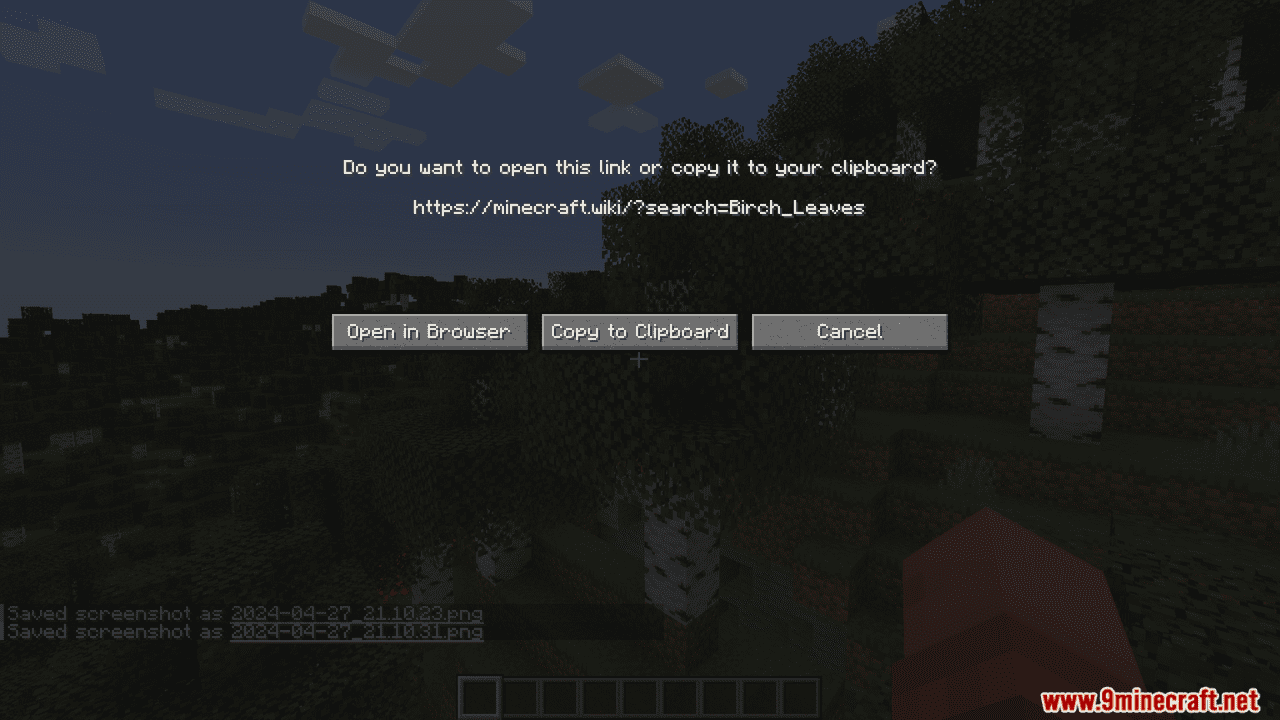
- Sa popup screen, pwedeng i-confirm ang pagbukas ng page o i-copy ang link sa clipboard.
Config Options (via Mod Menu o Menulogue sa Fabric)
- Confirmation required bago buksan ang wiki page (default: true).
- Preferred wiki language: naka-default sa kasalukuyang language ng game maliban na lang kung babaguhin.
- Chinese script toggle: paglipat sa pagitan ng Simplified at Traditional Chinese.
- Keybind to open wiki: default ay H.
- Reach distance: default ay 5.2 blocks (creative-mode reach).
- Target fluid blocks: i-toggle kung pwedeng i-target ang mga fluid (default: false).
Commands
- /imfeelinglucky [<namespace>] – Nagbubukas ng random page sa tinukoy na wiki namespace.
Halimbawa: /imfeelinglucky minecraft - /wiki <pageName> – Binubuksan ang Minecraft Wiki page na tumutugma sa binigay na pangalan.
Halimbawa: /wiki creeper
Alias: /whatis - /whatbiome – Binubuksan ang wiki page ng biome kung nasaan ang player ngayon.
- /whatstructure – Binubuksan ang wiki page ng structure kung nasaan ang player (singleplayer lang).
- /whatcommand <command> – Binubuksan ang wiki page para sa tinukoy na command.
Halimbawa: /whatcommand give
Alias: /whatcmd - /whatisthis – Binubuksan ang wiki page ng block/item/entity na kasalukuyang tinututukan ng player.
- /whatisthisitem – Binubuksan ang wiki page ng item na nasa main hand.
/whatisthisitem offhand – Ganoon din, pero para sa offhand.
Chat Wiki Links
- Ang mga message na gumagamit ng [[wiki link]] syntax ay awtomatikong pinapalitan ng clickable links.
- Interwiki at language prefixes ay supported, halimbawa:
- [[aether:The Aether]] – Aether Wiki page na “The Aether”.
- [[en:enderman]] – English Minecraft Wiki page na “enderman”.
- [[minecraft:en:enderman]] – Minecraft Wiki, English, page na “enderman”.
Supported Wikis
- Minecraft Wiki
- Aether Wiki
- Mekanism Wiki
- The Twilight Forest Wiki
- Applied Energistics 2 Wiki
- Stardust Labs Wiki
- Create Wiki
- Voidscape Wiki
- Advent of Ascension Wiki
- Doggy Talents Next Wiki
- Endertech Infinity Wiki
- Marvel Superheroes Mod Wiki
- BlockFront Wiki
- Cobblemon Wiki
- Arthropod Phobia Expansions Wiki
Extending with Resource Packs
- Ang mga Resource packs ay pwedeng mag-register ng mga bagong wiki para gumana sa Hey Wiki.
- Gumawa ng JSON file sa assets/<namespace>/wiki_family/ para i-define ang:
- Namespaces na naka-bind sa wiki family.
- Article URL pattern at optional search at random article URLs.
- Language rules (language code, main language, default in-game language, matching regex).
- Optional MediaWiki API URL, excerpt at search provider settings (kasama ang Algolia).
- Magdagdag ng translation file sa assets/<namespace>/lang/ para pangalanan ang wiki family in-game.
Custom Items via Data Component / NBT
- Ang mga data pack at custom servers ay pwedeng mag-define kung paano mag-resolve ang custom items sa mga wiki page gamit ang:
- heywiki:identifier – Custom identifier sa format na <namespace>:<id>.
- heywiki:fallback_title – Optional na fallback page title.
- heywiki:translation_key – Optional na translation key na ginagamit bago ang fallback title.
- Ang mga field na ito ay naka-store sa minecraft:custom_data sa item at gumagana mula 1.20.4+.
Screenshots:
Paano I-install:
Mga Kailangan:
 Fabric Loader Kailangan
 Fabric API Kailangan
 NeoForge Kailangan
 Cloth Config API Kailangan
 Architectury API Mod Kailangan
YetAnotherConfigLib (YACL) Kailangan
MCBrowser Opsyonal
Just Enough Items (JEI) Opsyonal
 Roughly Enough Items Mod Opsyonal
 Distraction Free Recipes Mod Opsyonal
 Mod Menu Mod Opsyonal
Hey Wiki Mod Download Links
Para sa Minecraft 26.1.2, 26.1.1, 26.1
Para sa Minecraft 1.21.11
Para sa Minecraft 1.21.10, 1.21.9
Para sa Minecraft 1.21.8, 1.21.7, 1.21.6
Para sa Minecraft 1.21.5
Para sa Minecraft 1.21.4
Para sa Minecraft 1.21.3, 1.21.2
Para sa Minecraft 1.21.1, 1.21
Para sa Minecraft 1.20.6
Para sa Minecraft 1.20.5
Para sa Minecraft 1.20.4
I-click para i-rate ang post na ito!
[Total: 1 Average: 5]
Baka Magustuhan Mo Rin











Wala pang komento ang post na ito. Maging una — lalabas dito ang iyong komento.