
Hovercraft Cargo Mk1 Schematic (1.21.x) – Compact Cargo Vehicle Blueprint for Create
 16
 0


Hovercraft Cargo Mk1 Schematic provides a blueprint for a small flying vehicle used to move items around. This schematic builds a survival-friendly hovercraft that fits perfectly into logistics setups. It uses a compact design that works well for players who need a simple way to transport goods. The vehicle stays small and easy to manage while still being useful for daily tasks.

3D Preview & Editor:
How to place this schematic
.nbt This is a vanilla structure file. It loads through structure blocks with no mod at all, within the 48×48×48 size limit.
| 1 | Put the .nbt file in <your world>/generated/minecraft/structures. |
| 2 | Give yourself a structure block: /give @s structure_block. |
| 3 | Place it, open it and switch the mode to LOAD. |
| 4 | Type the file name without .nbt, press LOAD, then PLACE. |
| 1 | Place the schematic file into your Minecraft schematics folder. |
| 2 | Open the Schematic Table in-game to load the Hovercraft Cargo Mk1 design. |
| 3 | Use a Schematicannon to build the vehicle or place the blocks manually following the blueprint guide. |
| 4 | Provide the necessary components and cargo to start your logistics operations. |
Features:
- Compact Size: Fits into small spaces with dimensions of 8x6x14 blocks.
- Survival Friendly: Uses only 243 blocks for a quick build early in the game.
- Logistics Focus: Built specifically to help you move items and cargo around your world.
- Works with the Create mod and its addons to bring the vehicle to life.
- Offers a simple design that is great for players new to using schematics.
Schematic Specs:
 Minecraft1.21.x
 Create Mod6.0.10
 Dimensions8×6×14
 Total Blocks243
 Top Blocks Used
Screenshots:


Requirements:

Hovercraft Cargo Mk1 Schematic Download Links
For Minecraft 1.21.x
Do you add mods when playing on Bedrock Edition (Add-Ons, behavior packs, or Marketplace content)?
23 responses · See the full results →
You May Also Like
Picked for this page
 Airbus A380 800 Schematic (1.21.x) – Fly the Largest Commercial Airplane
 Compact Netherite Farm Schematic (1.21.x) – Small Automatic Netherite Scrap Factory
 Create Aeronautics Deep Seas Submarine Oceanfence Schematic (1.21.x) – Advanced Underwater Vehicle
 Simple Airship Schematic (1.21.x) – Small Flying Machine for Create
 H II Grasshopper Dual Rotor Helicopter Schematic (1.21.x) – Fast Cargo Helicopter with Dual Rotors
 The Dhc 903 Mighty Eagle Schematic (1.21.x)
 Lner Y6 Class Steam Tram Schematic (1.21.x) – Classic British Steam Tram Design
 Raptor Dirigible Schematic (1.21.x) – Fast Compact Airship for Explorers
 Create Propulsion Lava Farm Schematic (1.21.x) – Automated Lava Farm for Create Mod
 Big Construction Vechile Frame Schematic (1.21.x) – Heavy Duty Machinery Frame for Create
 The Bigfish MKI Simple Airship Schematic (1.21.x) – Massive Fish-Shaped Flying Base
 WORKSHOP with All You Need Schematic (1.21.x) – Ready to Use Create Mod Factory Building
Most viewed in Create Mod Schematics over the last 7 days
 Copper Flying Ship That Can Also Act as a Normal Boat Schematic (1.21.x) – Dual Purpose Copper
 Arasaka Tower Schematic (1.21.x) – Massive Black Industrial Skyscraper Build
 Rail Gun Schematic (1.21.x)
 Fast Small Airship Steam Schematic (1.21.x) – Small and Fast Steam Powered Airship
 Starter Iron Farm Schematic (1.21.x) – Simple Early Game Iron Production Build
 Agrimotor Schematic (1.21.x) – Build a Functional Create Mod Tractor
 Large Submarine Schematic (1.21.x) – Build a Large Submarine for Travel
 6 Controllable Cannons Schematic (1.21.x) – Six Powerful Cannons with Full Directional Control
 Areis 65 Aries Heavy RV Build Schematic (1.21.x)
 Ultimate Nuclear Reactor Schematic (1.21.x) – High Power Reactor Build for Create
 F16 Falcon Schematic (1.21.x)
 Petushara Simple Water Powered High Speed Schematic (1.21.x)
More from Create Mod Schematics
 Old Version Do Not Download Download the New One Instead Schematic (1.21.x)
 Cobblestone Farm 2 Stack S Schematic (1.21.x) – Fast Automatic Cobblestone Generator for Create Mod
 Rv 86 Crystal Runner Schematic (1.21.x) – Rugged Survival Rv for Long Journeys
 Leaf Skiff with Storage Schematic (1.21.x) – Simple Early Game Transport with Storage
 Bomber Airship Schematic (1.21.x) – Industrial Flying Machine for Create Mod
 Pieza DE Puente Schematic (1.21.x) – Classic Brick Bridge for Train Tracks
 Big Boy Union Pacific 4104 Schematic (1.21.x) – Massive Steam Locomotive for Create Mod
 Komar V2 Schematic (1.21.x) – Detailed Helicopter Design for Create Mod
 Mini Biodiesel Farm Schematic (1.21.x) – Compact Automated Biodiesel Fuel Setup
 Functional Garage Door Schematic (1.21.x) – Realistic Folding Door for Create Mod
 Vt11.5 Schematic (1.21.x) – Classic Red Tee Train Design for Create
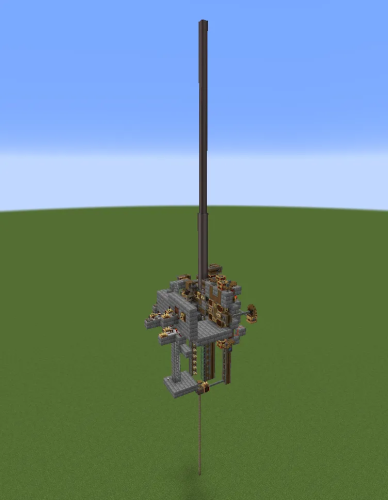 B a L L S Ballistic Automated Long Range Launch System Schematic (1.21.x)

This post has no comments yet. Be the first — your comment will appear here.