


MultiStorage Mod (1.21.1, 1.20.1) – Nascondi le Chest in bella vista
 2,663
2,663
 0
0


La MultiStorage Mod ti permette di creare storage completamente personalizzati combinando quasi due blocchi o oggetti qualsiasi. Questa mod aggiunge diversi nuovi tipi di contenitori, tra cui storage impilabili che possono essere alti fino a tre blocchi e chameleon chests che possono imitare altri blocchi per mimetizzarsi. Se uno dei materiali usati per craftare un blocco di storage emette luce, anche il nuovo contenitore brillerà.
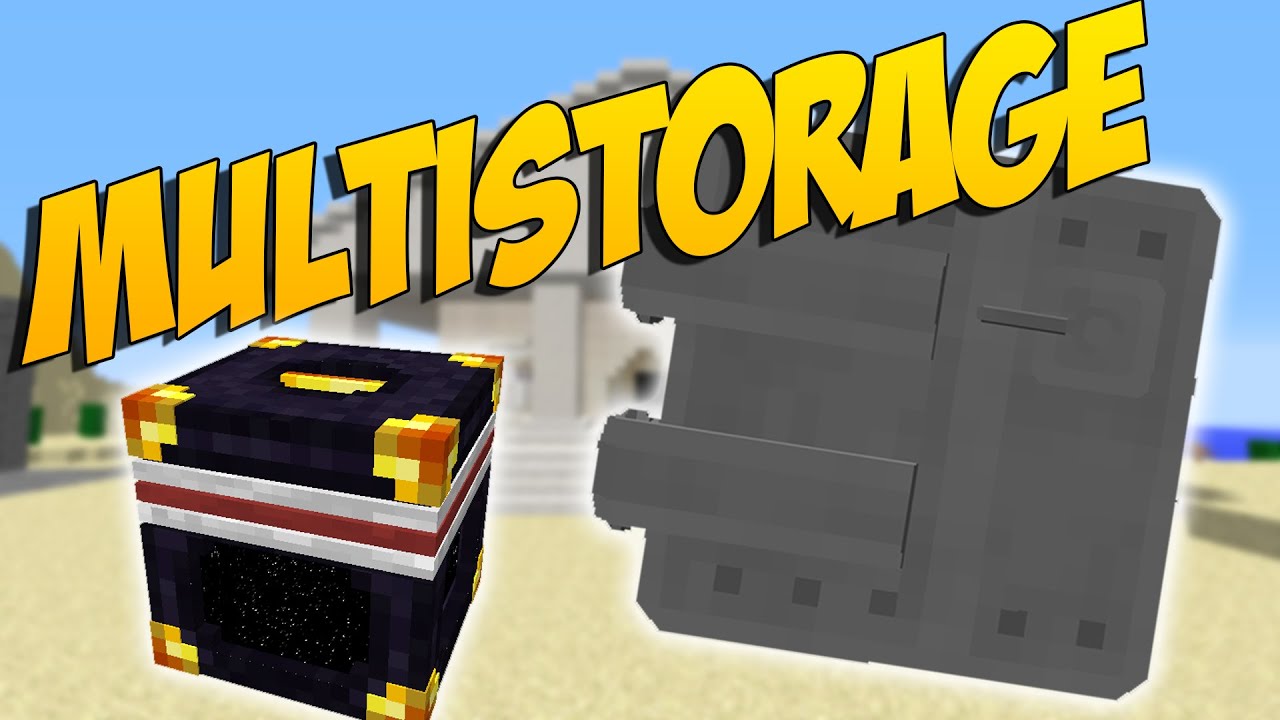
Caratteristiche:
- Combina quasi due blocchi o oggetti qualsiasi, inclusi quelli di altre mod, per creare contenitori di storage unici.
- Costruisci lo Stacking Storage che può essere alto fino a tre blocchi, con contenitori collegati che condividono l’inventario.
- Usa la Junk Box, che ha più cassetti, ognuno con 32 slot per gli oggetti.
- Conserva gli oggetti in una lista capiente con la Queue Chest, dove puoi aggiungere o rimuovere solo dall’inizio o dalla fine.
- Mimetizza il tuo storage con la Chameleon Chest, che può assumere l’aspetto di altri blocchi.
- Piazza uno Storage Visualizer su qualsiasi contenitore per aggiungere o rimuovere rapidamente gli oggetti mostrati sulla sua facciata.
- Aumenta la capacità dei tuoi contenitori applicando vari oggetti di upgrade.
- Crafta tutti gli oggetti della mod usando la Bench e gestisci i tuoi contenitori con lo strumento Wrench.
Come si usa:
- Per applicare un upgrade, tienilo in mano e premi Shift per evidenziare i contenitori compatibili, quindi fai click destro per usarlo.
- Usa la Wrench per cambiare rapidamente l’aspetto di una Chameleon Chest affinché corrisponda a un altro blocco.
- Interagisci con lo Storage Visualizer in diversi modi:
- Click sinistro per rimuovere un oggetto.
- Shift + Click sinistro per rimuovere uno stack intero.
- Click destro con un oggetto in mano per aggiungere lo stack che stai impugnando.
- Doppio click destro a mano vuota per aggiungere tutti gli oggetti corrispondenti dal tuo inventario.
Come installare:
Requisiti:
MultiStorage Mod Download Links
Per Minecraft 1.8.9
Forge version: Download from Server 1 – Download from Server 2
Per Minecraft 1.10.2, 1.9.4
Forge version: Download from Server 1
Per Minecraft 1.11.2, 1.11
Forge version: Download from Server 1
Per Minecraft 1.12.2, 1.12.1, 1.12
Forge version: Download from Server 1
Per Minecraft 1.16.5
Forge version: Download from Server 1
Per Minecraft 1.17.1
Forge version: Download from Server 1
Per Minecraft 1.18.2, 1.18.1
Forge version: Download from Server 1
Fabric version: Download from Server 1
Per Minecraft 1.19.2, 1.19.1, 1.19
Forge version: Download from Server 1
Fabric version: Download from Server 1
Per Minecraft 1.19.4
Forge version: Download from Server 1 – Download from Server 2
Fabric version: Download from Server 1
Per Minecraft 1.20.1, 1.20
Forge version: Download from Server 1 – Download from Server 2
Fabric version: Download from Server 1 – Download from Server 2
Per Minecraft 1.20.2
Forge version: Download from Server 1 – Download from Server 2
NeoForge version: Download from Server 1 – Download from Server 2
Fabric version: Download from Server 1
Per Minecraft 1.20.4
Forge version: Download from Server 1
NeoForge version: Download from Server 1
Fabric version: Download from Server 1
Per Minecraft 1.21.1, 1.21
Forge version: Download from Server 1 – Download from Server 2
NeoForge version: Download from Server 1 – Download from Server 2
Fabric version: Download from Server 1 – Download from Server 2
Potrebbe Interessarti Anche













Questo post non ha ancora commenti. Sii il primo: il tuo commento apparirà qui.