
Krypton (26+, 1.21) – Boost FPS and Kill Lag on Mobile
 28
 0

Krypton boosts your frame rates and reduces lag in Minecraft Bedrock without changing the core visual style. This lightweight resource pack fine-tunes block textures, entity animations, and rendering distances to ease the load on your device’s CPU and GPU.
Requirements:
- MCPE/Bedrock 1.21 – 26.30
all 45 versions
26.30, 26.20, 26.13, 26.12, 26.11, 26.10, 26.3, 26.0.02, 26.0, 1.21.132, 1.21.131, 1.21.130, 1.21.124, 1.21.123, 1.21.122, 1.21.121, 1.21.120, 1.21.114, 1.21.111, 1.21.101, 1.21.100, 1.21.94, 1.21.93, 1.21.92, 1.21.90, 1.21.82, 1.21.81, 1.21.80, 1.21.73, 1.21.72, 1.21.71, 1.21.70, 1.21.61, 1.21.60, 1.21.51, 1.21.50, 1.21.44, 1.21.43, 1.21.41, 1.21.40, 1.21.30, 1.21.21, 1.21.20, 1.21.2, 1.21
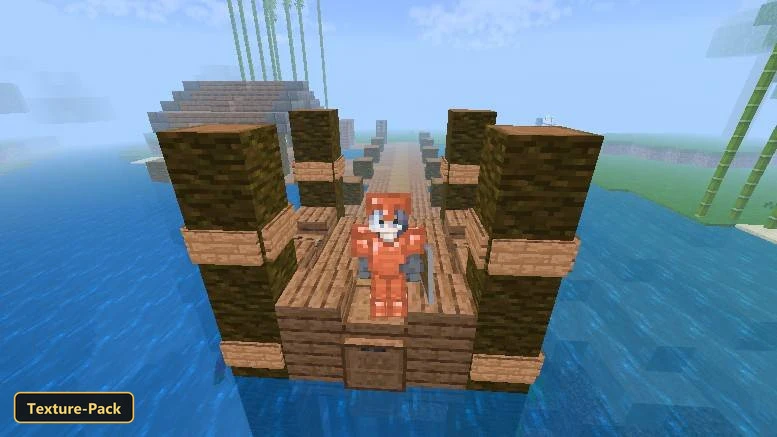
Features:
- Default Plus Mode: Applies high-performance optimizations like transparent water and opaque leaves to deliver the biggest FPS boost for PvP and minigames.
- Manages particles by reducing or removing unnecessary ones that drain device resources.
- Optimizes entity animations, mipmap levels, and block textures to lighten hardware load.
- Lowers the render distance for specific mobs and items such as experience orbs to keep crowded areas responsive.
- Adjusts water opacity and biome blending for better performance.
- Removes unnecessary UI distractions and advertising.
How to Use:
- Download and apply the pack in your Minecraft Bedrock resource settings.
- Select the Default Plus subpack option in the in-game settings to activate maximum performance mode.
Screenshots:

For MCPE/Bedrock 26+
Click to rate this post!
[Total: 0 Average: 0]
You May Also Like
Picked for this page
 Dragon Elytras Texture Pack (1.21, 1.20) – MCPE/Bedrock
 Cute Mob Models Holiday Packs Texture Pack (26.x, 1.21) – MCPE/Bedrock
 Frost Blue Texture Pack (26.x, 1.21) – MCPE/Bedrock
 PvP Crosshair Crosshairs (26+, 1.21) – MCPE/Bedrock Texture Pack
 Chunk Viewer (26+, 1.21) – MCPE/Bedrock Texture Pack
 Small Items (26+) – MCPE/Bedrock Texture Pack
 Better Bushy Leaves (26+, 1.21) – MCPE/Bedrock Texture Pack
 Dark Mode Theme (26+, 1.21) – MCPE/Bedrock Texture Pack
 MONSTER SHADER (26+) – MCPE/Bedrock Shader
 Dark Mode UI (26+) – MCPE/Bedrock Texture Pack
 HEARTS BARS (26+, 1.21) – MCPE/Bedrock Texture Pack
 Vibrant Visuals Night Vision Pack (26+, 1.21) – MCPE/Bedrock Texture Pack
Most viewed in Texture Packs over the last 7 days
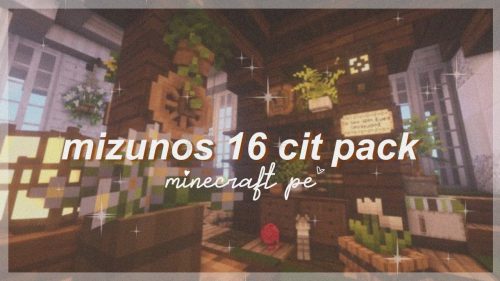 Mizuno’s 16 Craft Texture Pack (26.30, 1.21) for MCPE/Bedrock Edition
 Distant Horizons Texture Pack (26.x, 1.21) – MCPE/Bedrock
 Patrix Texture Pack (1.26+) – No Lag, Ultra Realistic for MCPE
 Xnova Model Texture Pack (26.x, 1.21) – Smaller First-person Hands and Custom
 View Model A&S by Justpals Texture Pack (26.x, 1.21) – X
 Anime Girl UI Pack (26.x, 1.21) – MCPE/Bedrock
 ESP Texture Pack (26.x, 1.21) – MCPE/Bedrock
 Night Vision Texture Pack (26.x, 1.21) – MCPE/Bedrock Edition
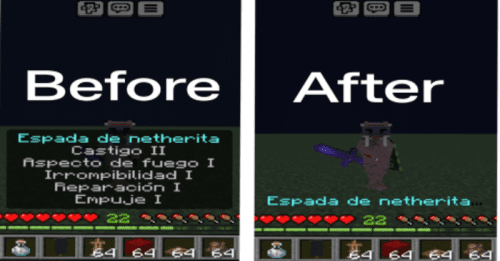 Hover Text Fix Pack (1.21, 1.20) – MCPE/Bedrock
 X-Ray Texture Pack (26.x, 1.21) for MCPE/Bedrock with Glow
 Soartex Fanver Texture Pack (26.x, 1.21) – MCPE/Bedrock
 Better Sounds Resource Pack (26.x, 1.21) – MCPE/Bedrock
More from Texture Packs
 Java-Style Handz (26+, 1.21) – MCPE/Bedrock Texture Pack
 Cat Sun & Moon (26+) – MCPE/Bedrock Texture Pack
 SG UI Pack (26+, 1.21) – MCPE/Bedrock Texture Pack
 Just Normal Cats (26+, 1.21) – MCPE/Bedrock Texture Pack
 SAKURA VISUAL (26+) – MCPE/Bedrock Texture Pack
 Cape Animation (26+) – MCPE/Bedrock Texture Pack
 Chemistry RTX (26+, 1.21) – MCPE/Bedrock Shader
 Christmas Theme (26+, 1.21) – MCPE/Bedrock Texture Pack
 Bosya’s Enchant Icons (26+, 1.21) – MCPE/Bedrock Texture Pack
 Re:Zero Weapon (26+, 1.21) – MCPE/Bedrock Texture Pack
 Utility Dark Vanilla (26+, 1.21) – MCPE/Bedrock Texture Pack
 My Chibi Totem (26+, 1.21) – MCPE/Bedrock Texture Pack

This post has no comments yet. Be the first — your comment will appear here.