
Medieval Castle Schematic (1.20.x) – Large Medieval Fortress for Create Mod

 0


Medieval Castle Schematic adds a massive stone fortress to your Minecraft world. It provides a detailed base with tall towers and thick walls for your survival or creative projects. This schematic uses over 450,000 blocks to create a grand look that fits any medieval theme. You can use it with the Create Mod to build the entire structure automatically. It saves you time while giving you a professional-looking home.
3D Preview & Editor:
Materials
146 types · 452,307 blocks
| Stone | 292,175 | Andesite | 36,438 | Diorite | 27,170 | |||
| Granite | 24,592 | Dirt | 22,094 | Grass Block | 12,932 | |||
| Copper Ore | 8,348 | Gravel | 6,100 | Stone Bricks | 3,770 | |||
| Coal Ore | 2,867 | Cobblestone | 1,750 | Grass | 1,441 | |||
| Spruce Slab | 947 | Dirt Path | 846 | Acacia Leaves | 761 | |||
| Iron Ore | 725 | Spruce Trapdoor | 576 | Farmland | 501 | |||
| Stone Brick Stairs | 463 | Spruce Stairs | 399 | Stripped Spruce Log | 391 | |||
| Potatoes | 366 | Chest | 359 | Oak Leaves | 317 | |||
| Barrel | 315 | Spruce Planks | 274 | Oak Log | 227 | |||
| Lapis Ore | 216 | Redstone Wire | 213 | Dark Oak Slab | 168 | |||
| Andesite Slab | 158 | Deepslate Tiles | 148 | Bookshelf | 147 | |||
| Red Concrete | 146 | Stone Brick Slab | 143 | Stone Slab | 139 | |||
| Red Carpet | 137 | Cobblestone Wall | 137 | Water | 134 | |||
| Lantern | 134 | Stone Button | 131 | Ladder | 127 | |||
| Dark Oak Planks | 126 | Spruce Fence Gate | 114 | Stone Stairs | 99 | |||
| Yellow Concrete | 97 | Glowstone | 91 | Hopper | 90 | |||
| Dripstone Block | 89 | Cobblestone Slab | 89 | Acacia Log | 79 | |||
| Amethyst Block | 79 | Glass | 76 | Tall Grass | 74 | |||
| Cobblestone Stairs | 70 | Shroomlight | 68 | Soul Sand | 65 | |||
| Nether Wart | 65 | Andesite Stairs | 62 | Deepslate Tile Wall | 61 | |||
| Carrots | 56 | Oak Planks | 55 | Sugar Cane | 54 | |||
| Dark Oak Trapdoor | 48 | Dark Oak Fence | 48 | Red Bed | 46 | |||
| Crafting Table | 45 | Potted Flowering Azalea Bush | 45 | Oak Fence | 41 | |||
| Stripped Oak Log | 40 | Red Wool | 40 | Dark Oak Stairs | 40 | |||
| Wall Torch | 39 | Note Block | 36 | Oak Slab | 36 | |||
| Pointed Dripstone | 34 | Dandelion | 34 | Chain | 33 | |||
| Sticky Piston | 31 | Pumpkin Stem | 29 | Repeater | 27 | |||
| Polished Andesite | 26 | Ender Chest | 25 | Brewing Stand | 24 | |||
| Torch | 23 | Furnace | 22 | Oak Stairs | 22 | |||
| Spruce Fence | 22 | Observer | 21 | Oak Wall Sign | 19 | |||
| Chiseled Bookshelf | 17 | Obsidian | 16 | Nether Portal | 15 | |||
| Oak Button | 15 | White Wool | 15 | Raw Copper Block | 14 | |||
| Oak Trapdoor | 14 | Lava | 11 | Iron Bars | 11 | |||
| Fletching Table | 10 | Redstone Lamp | 10 | Hay Block | 10 | |||
| Tripwire | 10 | Red Wall Banner | 10 | Light Gray Wall Banner | 9 | |||
| Deepslate Tile Slab | 9 | Anvil | 8 | Lava Cauldron | 8 | |||
| Decorated Pot | 8 | Azure Bluet | 7 | Campfire | 7 | |||
| Glow Lichen | 6 | Lectern | 6 | Chiseled Stone Bricks | 6 | |||
| Stone Brick Wall | 6 | Potted Dead Bush | 6 | Stonecutter | 4 | |||
| Acacia Door | 4 | Smoker | 4 | Blast Furnace | 4 | |||
| Spruce Door | 4 | White Carpet | 3 | Comparator | 3 | |||
| Poppy | 3 | Smithing Table | 3 | Loom | 3 | |||
| Oak Sign | 2 | Slime Block | 2 | Jungle Slab | 2 | |||
| Composter | 2 | Cornflower | 2 | Chipped Anvil | 2 | |||
| Cauldron | 2 | Oak Fence Gate | 2 | Player Wall Head | 2 | |||
| Oxeye Daisy | 2 | Grindstone | 2 | Spawner | 1 | |||
| Oak Sapling | 1 | Jukebox | 1 | Creeper Head | 1 | |||
| Diamond Ore | 1 | Piston Head | 1 | Cartography Table | 1 | |||
| Enchanting Table | 1 | Mangrove Trapdoor | 1 | |||||
How to place this schematic
.nbt This is a vanilla structure file. It loads through structure blocks with no mod at all, within the 48×48×48 size limit.
| 1 | Put the .nbt file in <your world>/generated/minecraft/structures. |
| 2 | Give yourself a structure block: /give @s structure_block. |
| 3 | Place it, open it and switch the mode to LOAD. |
| 4 | Type the file name without .nbt, press LOAD, then PLACE. |
| 1 | Open your Minecraft folder and find the “schematics” folder inside your world save. |
| 2 | Move the downloaded schematic file into this folder. |
| 3 | Use a Schematic Table from the Create Mod to select the castle file. |
| 4 | Position the building outline in your world using the Schematic and Quill tool. |
| 5 | Fill a Schematic Cannon with gunpowder and the required blocks to begin construction. |
Features:
- Grand Scale: Adds a massive medieval castle measuring 115 blocks wide and 114 blocks tall.
- Uses 452,316 total blocks to ensure every wall and tower looks detailed and strong.
- Features grand stone towers that provide a great view of the surrounding land.
- Includes strong defensive walls and a classic castle layout perfect for a main base.
- Works perfectly with the Create Mod schematic system for fast and easy building.
- Provides a finished exterior that fits well in forest, mountain, or plains biomes.
Schematic Specs:
 Minecraft1.20.x
 Create Mod6.0.10
 Dimensions115×97×114
 Total Blocks452,316
 Top Blocks Used
Requirements:

Medieval Castle Schematic Download Links
For Minecraft 1.20.x
How much RAM do you usually allocate to a modded Minecraft profile?
44 responses · See the full results →
You May Also Like
Picked for this page
 SS Venator Endgame Skybase Carrier Factory Schematic (1.21.x) – Massive Endgame Airship Base
 Mvcraftyt’s Iron Farm Schematic (1.20.x) – Compact Mechanical Iron Generator for Create
 Simple Home Schematic (1.20.x) – Ready Made Starter House for Your World
 Wither Skeleton Skull Farm Schematic (1.20.x) – Automated Skull Production Machine for Create
 Dual Flight Mode Helicopter Survival Friendly Runs on Diesel Gasoline or Biodiesel and Comes with a
 Swallow A20 the Steampunk Multirole Fighter Aircraft Schematic (1.21.x) – Steampunk Fighter Jet
 Kio0 V2 Helicopter No Addons Schematic (1.21.x) – Fly a Working Mechanical Helicopter Build
 Mini Engine Schematic (1.21.x) – Compact Power Source for Create Vehicles
 Sturdy Sheet Processor Staroo Schematic (1.21.x) – Compact Sturdy Sheet Production Machine
 The Dhc 903 Mighty Eagle Schematic (1.21.x)
 Simple Hexacopter Schematic (1.21.x) – Simple Flying Machine for Learning
 Fast Car Schematic (1.21.x) – Compact High Speed Vehicle for Create Mod
Most viewed in Create Mod Schematics over the last 7 days
 Copper Flying Ship That Can Also Act as a Normal Boat Schematic (1.21.x) – Dual Purpose Copper
 Rail Gun Schematic (1.21.x)
 Agrimotor Schematic (1.21.x) – Build a Functional Create Mod Tractor
 Large Submarine Schematic (1.21.x) – Build a Large Submarine for Travel
 F16 Falcon Schematic (1.21.x)
 Starter Iron Farm Schematic (1.21.x) – Simple Early Game Iron Production Build
 Arasaka Tower Schematic (1.21.x) – Massive Black Industrial Skyscraper Build
 Diesel Engine Train Schematic (1.21.x) – Heavy Freight Locomotive for Create Mod
 Sd40 2 Blue Nbt Schematic (1.20.x) – Classic Blue American Locomotive
 Thrall 40ft 53ft Well Car Nbt Schematic (1.20.x) – Legendary Double Stack Container Train Car
 Class 86 Schematic (1.21.x) – Classic 1960s Electric Train
 Practical Compact Mining Machine Schematic (1.21.x) – Compact Drilling Vehicle for Create
More from Create Mod Schematics
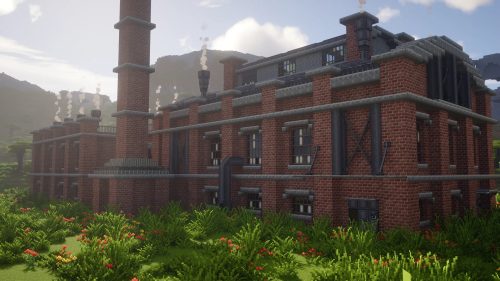 Old Brick Factory Complex Schematic (1.21.x)
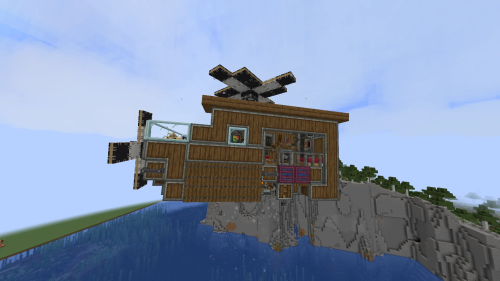 Early Game Helicopter Base Read Description Schematic (1.21.x) – Compact Flying Survival Base
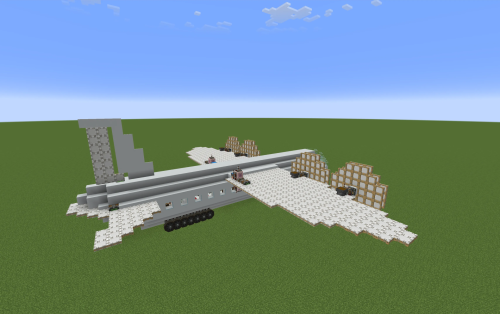 Commercial Plane V2 Schematic (1.21.x) – Build a Solar Powered Electric Aircraft
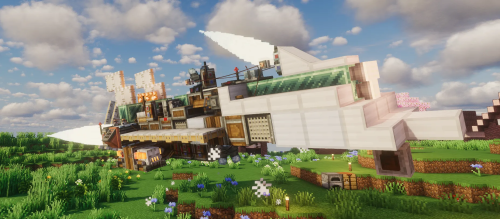 Reactive Hoverbike Schematic (1.21.x) – High Speed Flying Machine for Create Mod
 Transport Baloon Schematic (1.21.x) – Large Controllable Airship for Create Mod
 A Small Ish Biplane I Made Schematic (1.21.x) – Compact Custom Biplane for Create Mod
 Bus Schematic (1.21.x) – Classic Small Bus for Create Mod
 Aesthetic Copper and Zinc Farm Schematic (1.21.x) – Beautiful Resource Farming for Create Mod
 Modern Apartment Unfurnished Schematic (1.20.x) – Customizable Five Floor Building for Create Mod
 Cheap Survival Friendly Motorcycle Bike Schematic (1.21.x)
 Union Pacific Gtel Veranda Nbt Schematic (1.20.x) – Build a Legendary Gas Turbine Locomotive
 Gigantic Flying Base Schematic (1.21.x) – Massive Airship Base with Automatic Farms

This post has no comments yet. Be the first — your comment will appear here.