


Resource Loader Mod (1.16.5, 1.15.2) – Customize Your Game’s Look
 1,669
1,669
 0
0
 August 12, 2022
 MarioAndWeegee3
🌐 Good news — we've translated this article into other languages!
Or pick the one you like:
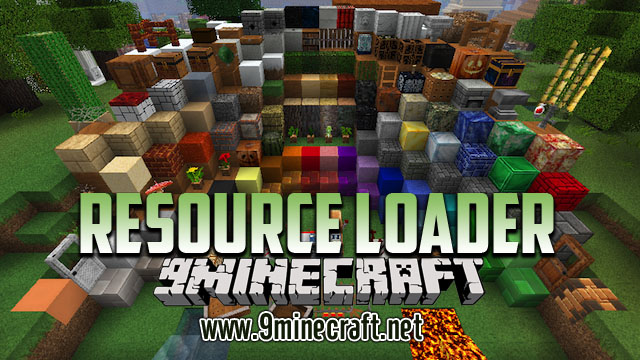
Resource Loader Mod simplifies adding your own resources to Minecraft without making a full resource pack. It is designed to work with other mods, like Custom Main Menu and Custom Backgrounds, that need resource locations for their settings. Instead of constantly repackaging a resource pack, you can just add files to a simple folder. These added resources also stay hidden from the in-game resource pack menu.
Features:
- Add custom resources to the game using a simple folder system.
- Avoids the need to create and manage a full resource pack for small changes.
- Any resources you add are kept separate and will not appear in the resource pack selection screen.
- Use the main “resources” folder to add new assets or override vanilla files.
- Create a special “oresources” folder for assets that need to have the highest priority, overriding all other resource packs.
How to Use:
- After installing the mod, run Minecraft once. This will create a new folder called “resources” in your main game directory.
- To add your custom files, first create a new folder inside the “resources” folder. This new folder’s name acts as the resource domain (e.g., “myassets”).
- Place your files inside, maintaining the correct folder structure (e.g., “resources/myassets/textures/gui/button.png”).
- You can then use this resource in another mod by referencing its location, like “myassets:textures/gui/button.png”.
- If you need a resource to override everything, including other installed resource packs, create a folder named “oresources” and place your files there instead.
How to Install:
New to Minecraft? Follow our step-by-step guide to install Mods on your PC.View Guide
Resource Loader Mod Download Links
For Minecraft 1.7.10
Forge version: Download from Server 1
For Minecraft 1.8.9
Forge version: Download from Server 1 – Download from Server 2
For Minecraft 1.16.5
Fabric version: Download from Server 1
For Minecraft 1.15.2
Fabric version: Download from Server 1
For Minecraft 1.12.2, 1.12.1, 1.12
Forge version: Download from Server 1
Click to rate this post!
[Total: 0 Average: 0]
You May Also Like


This post has no comments yet. Be the first — your comment will appear here.