
Shureee’s UI Resource Pack (26.3) – Dark Rounded Menus with Bright Green Accents
 2
 0

Shureee’s UI Resource Pack restyles your game menus with a dark gray theme and bright green accents. This pack gives every screen a neat, rounded look with shaded borders across 368 textures. It updates everything from your hotbar and inventories to workbenches like the furnace, beacon, and smithing table. You also get animated advancement icons, a cute recipe book helper, and a built-in potion brewing guide. The custom hunger bar even works with the Apple Skin mod.

Features:
- Dark Rounded Menus: Changes the default screens to a dark gray color scheme with green highlights, shaded elements, and neat borders.
- Animated Advancements: Adds a shining gleam animation to advancement icons once you complete them.
- Brewing Stand Guide: Includes a custom language option called “Brewing Stand Guide” that shows potion recipes right on the screen, which you can pair with other languages using the Language Reload mod.
- Replaces the standard recipe book button in your inventory with a curious, sleepy little mob.
- Updates the look of the survival inventory, creative inventory, hotbar, and main options menus.
- Redesigns the block screens for the crafting table, furnace, beacon, enchanting table, and smithing table.
- Includes a custom hunger bar that works alongside the Apple Skin mod.
- Pairs well with the shuriart Font and shureee’s Potions resource packs for a matching style.
Screenshots:


How to Install:
New to Minecraft? Follow our step-by-step guide to install Resource Packs on your PC.View Guide
Shureee’s UI Resource Pack Download Links
For Minecraft
26.3.x
All Versions Covered
26.3
All Versions Covered
26.3
Click to rate this post!
[Total: 0 Average: 0]
You May Also Like
Picked for this page
 Hardcore Hearts Resource Pack (26.3, 1.20.1) – Gritty Hardcore Style
 Aimz (26.3, 1.20.1) – Throne and Liberty Crosshair Resource Pack
 Autumn Fall Resource Pack (26.2, 1.20.1) – Cozy Autumn Forests and Warm Golden
 Real Source REALISTIC JAVA Pack Resource Pack (26.3, 1.20.1)
 CartoonCraft Resource Pack (26.1.2, 1.20.1) – Bright and Cheerful Hand-Drawn
 Wood Totem Cross Resource Pack (1.21.11, 1.21.1) – A Rustic Wooden Cross
 Xe 16x 13K Resource Pack (1.8.9) – Clean Vaporwave Visuals for Fast PvP Fights
 Matralys 16x Resource Pack (26.2, 1.20.1) – Sleek Gray Combat Gear
 Renewed Menu by Zeit709 Resource Pack (26.3, 1.20.1) – A Cleaner Bedrock-Style
 Eon 16x Blue Resource Pack (1.20.6) – Crisp Blue Aesthetics for PvP Battles
 Black Keys Resource Pack (26.3, 1.21.1) – A Comfortable Dark Mode Interface
 Better Pale Garden Resource Pack (26.3, 26.1.2) – Eerie Glowing Haunted Forest
Most viewed in Resource Packs over the last 7 days
 Jenny Mod Skins Resource Pack (1.12.2) – Uzaki, Klee, Mita, and More
 Jenny Mod Skin Pack Mega Collection – 310+ Characters
 750 Models Addon for Yes Steve Model Mod
 Animation Collection for Jenny Mod – 60+ Animations, Updated Regularly
 Patrix Resource Pack (26.3, 1.20.1) – The Peak of Photorealism
 Jennycraft Resource Pack (1.20.1) – Skins for Jennycraft Mod
 Dewier’s 20k Resource Pack (1.8.9) – Texture Pack
 Vanilla+ 3D Crystal Resource Pack (1.21.1, 1.20.1) – Texture Pack
 Mizuno’s 16 Craft Resource Pack (1.21.1, 1.20.1) – Texture Pack
 Shrimp’s Immersive Interfaces Resource Pack (26.1.2, 1.20.1)
 Dans Winter Pack Resource Pack (1.21.11) – Cool Icy Blue Winter Look
 Bloom & Serenity UI Resource Pack (1.21.1, 1.20.1) – Cozy Room-Themed GUI
More from Resource Packs
 Lauauls Hotbar Resource Pack (26.3, 1.20.1) – Sleek Dark Blue HUD with Golden
 Membraned phantom membrane Resource Pack (26.3) – Eerie Organic Cell Textures
 Bluing 32x Resource Pack (1.8.9) – Crisp Faithful Style for Bedwars
 Frive’s PvP Pack Resource Pack (26.3, 1.21.11) – Minimalist Clarity
 Bare Bones SMP Resource Pack (1.21.11) – Crisp Trailer Aesthetic
 Mace PROJECT: Mordekaiser + sound effect Resource Pack (1.21.11)
 Cooldude951 50k Copy Resource Pack (1.8.9) – Crisp 64x Bedwars Visuals
 Visiting Villagers X Fresh Animations Resource Pack (1.21.1, 1.20.1)
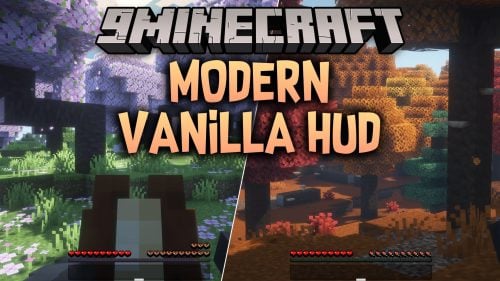 Modern Vanilla HUD Resource Pack (26.3, 1.20.1) – Clean Metallic Polish
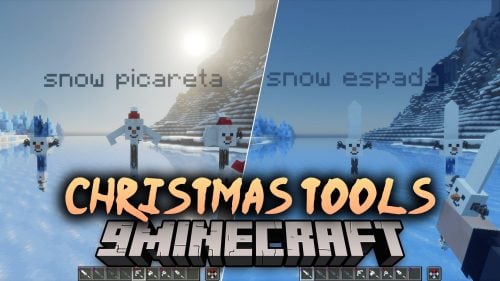 CHRISTMAS TOOLS Resource Pack (26.3, 1.21.11) – Cozy Holiday Cheer
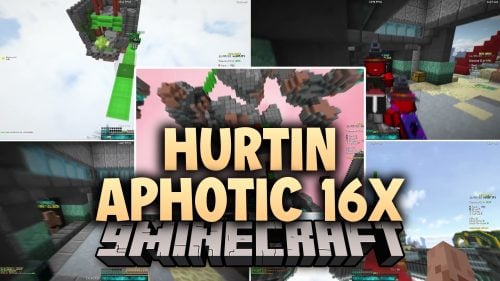 Hurtin APHOTIC 16x Resource Pack (1.8.9) – Vibrant Colors for Competitive PvP
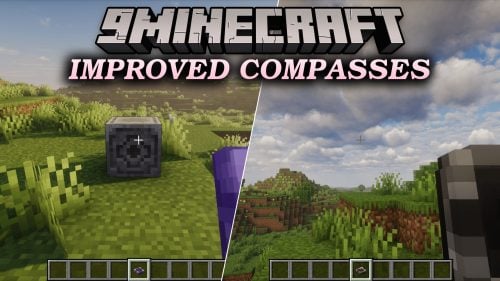 Improved Compasses Resource Pack (26.3, 1.20.1) – Tactile 3D Tools for Night

This post has no comments yet. Be the first — your comment will appear here.