


Ta Te’s Extra Trims Data Pack (26.2, 1.21.1) – Style Your Armor Using Everyday

 0
0 

Ta Te’s Extra Trims Data Pack expands your armor customization options with lots of new patterns and colors. It brings missing themes from the game into your wardrobe, like villages, ocean ruins, and the ender dragon. You can use everyday items to create these fresh looks instead of searching for rare templates. This pack also makes it easy to remove or change the decorations on your gear at any time without crafting new armor.
Features:
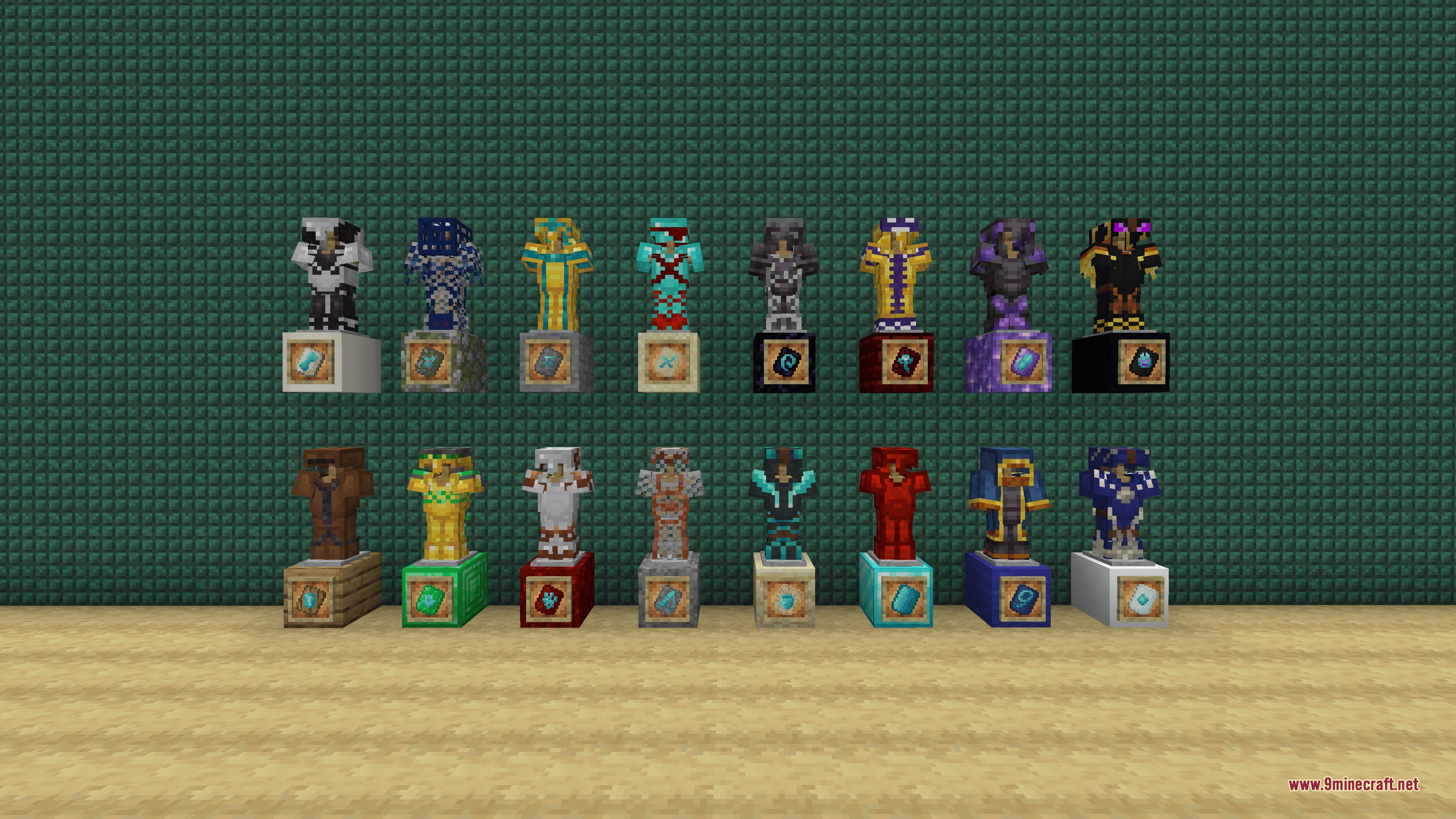
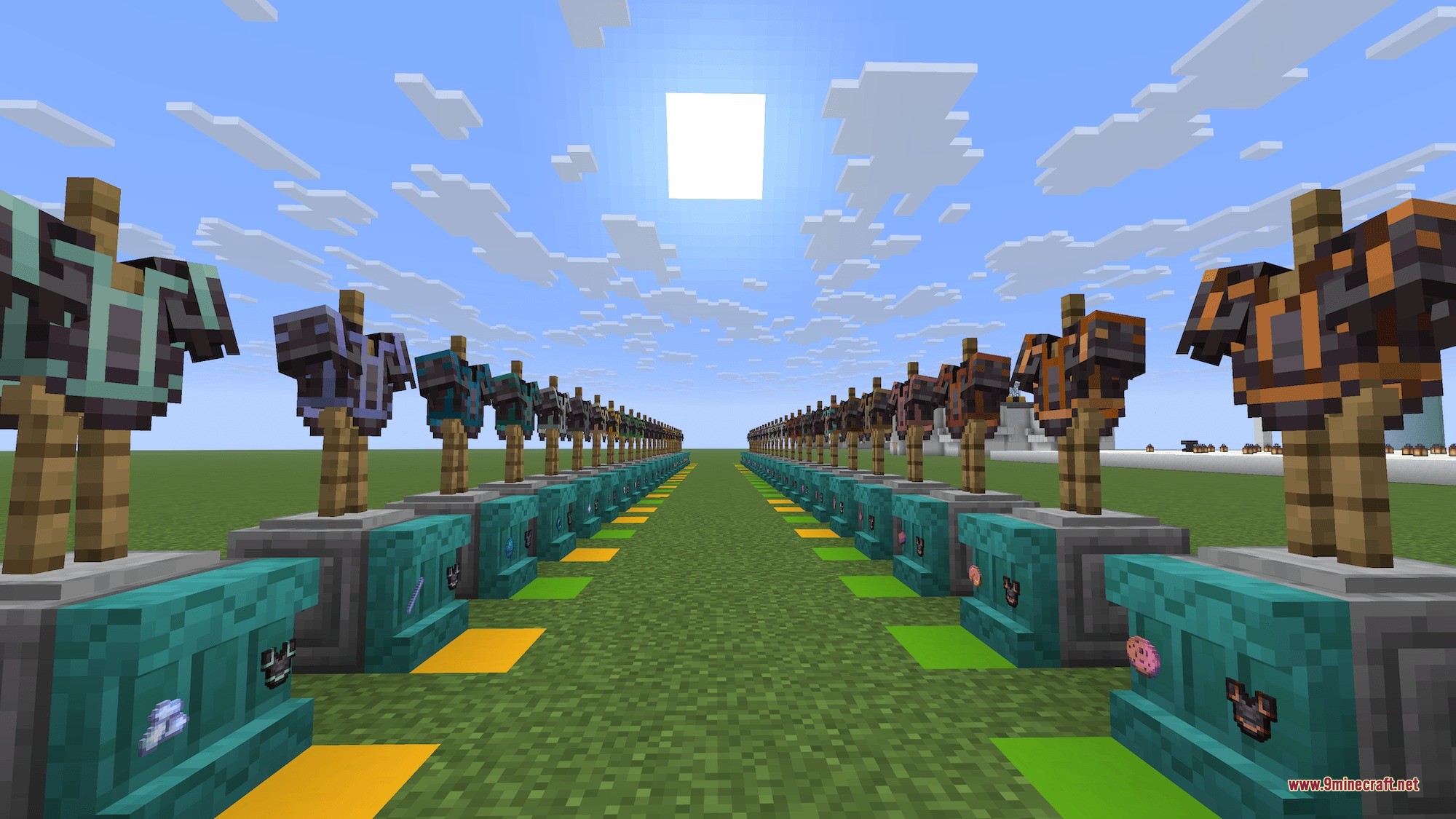
- 18 New Patterns: Adds fresh designs based on igloos, witches, dungeons, and more.
- 51 New Colors: Lets you dye your armor using items like cake, ender pearls, and slime balls.
- Players can remove existing decorations by simply dropping the armor piece onto a grindstone.
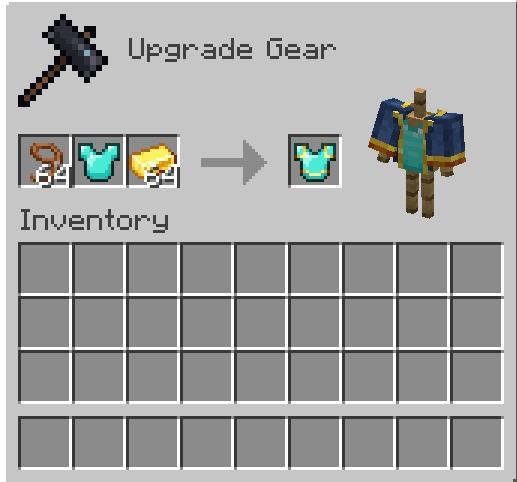
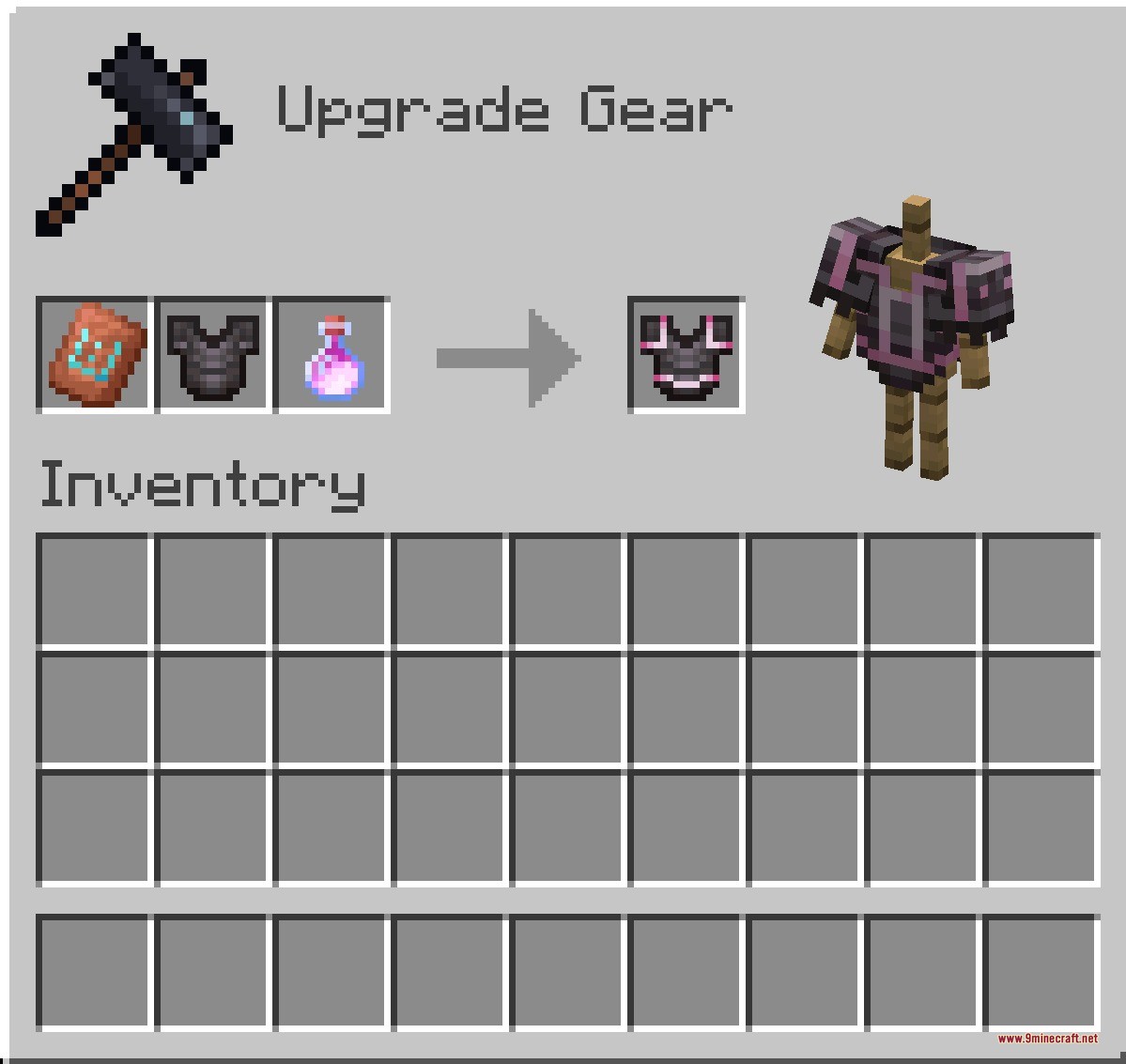
- Changes old materials to new ones when you drop your gear and the new color item on top of a smithing table.
- Saves time by letting you use common blocks and mob drops instead of hunting for rare smithing templates.
Pattern Items:
- Diamond Block: creates the Fool pattern.
- Lead: creates the Wanderer pattern.
- TNT: creates the Creep pattern.
- Dragon Head: creates the Dragon pattern.
- Water Bucket: creates the Oasis pattern.
Material Items:
- Food items like Cake, Cookie, and Pumpkin Pie.
- Mob drops like Blaze Rod, Phantom Membrane, and Slime Ball.
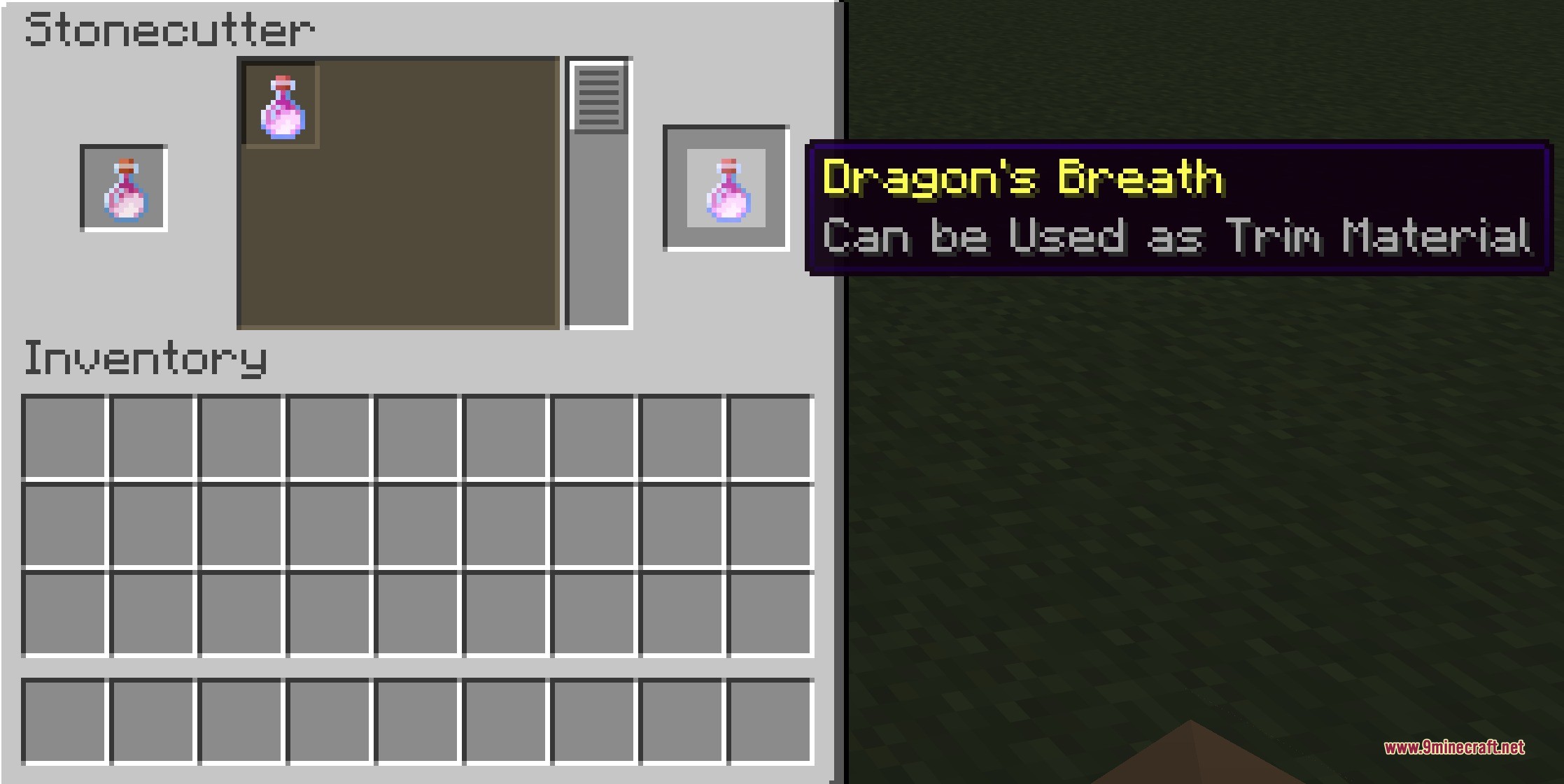
- Special items like Dragon’s Breath, Echo Shard, and Nether Star.
How to Use:
- Place a pattern item like a Diamond Block or Lead into the Smithing Table to use it as a template.
- Put a material item like Dragon’s Breath or a Bone into the Stonecutter to turn it into a usable color material.
- Drop your decorated armor onto a Grindstone block to wipe it clean and remove the pattern.
- Drop your armor along with a new color material onto a Smithing Table block to swap out the old color.
Screenshots:
How to Install:
New to Minecraft? Follow our step-by-step guide to install Data Packs on your PC.View Guide
Ta Te's Extra Trims Data Pack Download Links
For Minecraft 26.2
For Minecraft
26.1.2,
26.1.1,
26.1
All Versions Covered
26.1.2
26.1.1
26.1
1.21.11
All Versions Covered
26.1.2
26.1.1
26.1
1.21.11
For Minecraft 1.21.10, 1.21.9
For Minecraft
1.21.8,
1.21.7,
1.21.6
All Versions Covered
1.21.8
1.21.7
1.21.6
1.21.5
All Versions Covered
1.21.8
1.21.7
1.21.6
1.21.5
For Minecraft 1.21.4
For Minecraft 1.21.1, 1.21
Click to rate this post!
[Total: 0 Average: 0]

This post has no comments yet. Be the first — your comment will appear here.