
TEAM Penguin’s King of the Ladder Multiplayer Mini Game Map Map (1.8.7) – Climb and Rule
 4
 0

TEAM Penguin’s King of the Ladder Multiplayer Mini Game Map Map challenges you to climb a tall ladder and hold the top spot against your friends. This map turns the classic climbing battle into a full multiplayer match with adjustable ladder heights, custom score limits, and an upgrades shop. You can fight alone in free-for-all mode or group up in teams while earning points and diamonds at the top. It is built for multiplayer servers with up to 6 players, requiring command blocks and PvP turned on.

Features:
- Adjustable Ladder Height: Lets you change how tall the ladder is before the match by clicking the add and remove signs.
- Upgrades Shop: Gives you a shop where you can spend earned money and diamonds on special items to help you beat your friends.
- Game Modes: Allows you to play in a free-for-all brawl or join teams to work together.
- Lets you change the maximum score limit needed to win the match.
- Rewards players who stay at the very top of the ladder with points, money, and diamonds over time.
- Requires server settings with command blocks enabled, PvP set to true, spawn protection at 0, difficulty at 0, gamemode 2, and the level name set to world.
How to Play:
- Pick your ladder height using the signs and click Start Game to begin.
- Climb to the very top of the ladder and stay there as long as you can to earn points, money, and diamonds.
- Knock your friends off the top so they cannot score points.
- Use your diamonds and money in the shop to buy upgrades that make you stronger.
- Be the first player or team to reach the maximum point limit to win the game.
Screenshots:


How to Install:
New to Minecraft? Follow our step-by-step guide to install Maps on your PC.View Guide
TEAM Penguin’s King of the Ladder Multiplayer Mini Game Map Map Download Links
For Minecraft All Versions
Click to rate this post!
[Total: 0 Average: 0]
You May Also Like
Picked for this page
 La Rotonda Map (26.3, 1.20.1) – Italian Villa
 Dracula Castle Map (26.3, 1.20.1) – Giant Gothic Fortress
 Mountain Villa Map (26.3, 1.20.1) – Villa on The Cliff
 Diamond Dash Map (26.3, 1.20.1) – Race To The Top
 Happy Gardener Map (26.3, 1.20.1) – Bloom Your Way
 Veyra Fields Map (26.3, 1.20.1) – Farm Island
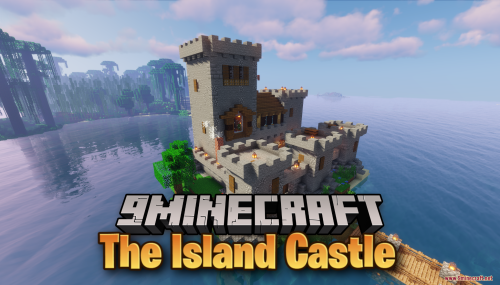 The Island Castle Map (26.3, 1.20.1) – Start Your Survival Story
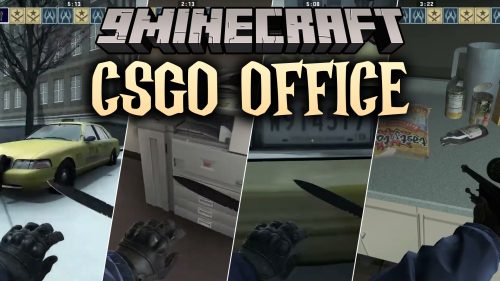 CSGO Office Map (26.3, 1.20.1) – Tactical Shootouts in Snowy Hallways
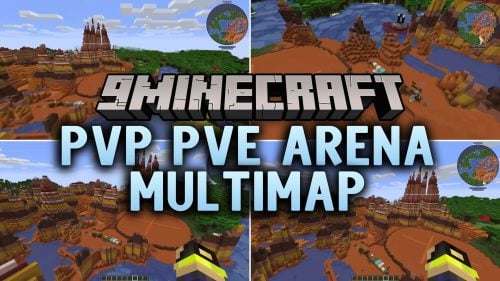 PVP PVE Arena MultiMap Map (26.3, 1.20.1) – Brutal Brawls in Battle Cubes
 PEAK Craft Map (26.3, 1.20.1) – Survive Brutal Climbs to Reach the Peak
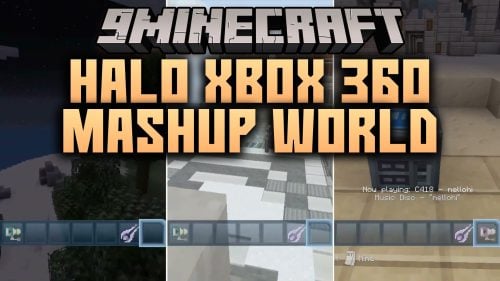 Halo Xbox 360 MashUp World Map (26.3, 1.20.1) – Relive Iconic Console Worlds
 Tutorial 31 Map (26.3, 1.20.1) – Rebuild the Classic Console Training World
Most viewed in Maps over the last 7 days
 SkyBlock Map (26.3, 1.20.1) – Floating Island and Survive
 One Block SkyBlock Map (26.3, 1.20.1) – Minecraft Hardcore
 Fantasy Lobby Map (26.3, 1.20.1) – Ultimate Server Hub Lobby
 Attack on Titan: Shiganshina Map (26.3, 1.20.1) – Recreation of Shiganshina District
 The Dropper Map (26.3, 1.20.1) for Minecraft
 PvP and Practice Map (26.3, 1.20.1) – Dominate Friends in Arena Duels
 PvP Bot Map (26.3, 1.20.1) for Minecraft
 OneBlock Reborn Map (26.3, 1.20.1) – Relive The Legend
 Where’s The Button? Map (26.3, 1.20.1) – Enjoy The Classic
 Zombie Apocalypse City Map (26.3, 1.20.1) – Survive the Fall of Civilization
 BoxPvP Map (26.3, 1.20.1) – Retro Box
 Minecraft PVP Arena Map (26.3, 1.20.1) – An Arena For Epic Battles
More from Maps
 The Blood Street Horror Map (26.3, 1.20.1) – Escape the Stalker in Thick Fog
 Boat 2 Map (26.3, 1.20.1) – A Peaceful Voyage Through Custom Lands
 Sky Challenge Cubed Map (26.3, 1.20.1) – Survive Giant Floating Biome Cubes
 Survival Island 2 Stranded Map (26.3, 1.20.1) – Conquer the Lonely Archipelago
 Burning Cake Map – Race to a Hidden Safe Room As Lava Floods Everything
 Modern House Easy Map (1.21.4) – Start Survival Inside a Furnished Modern Base
 Luckyblock Race7 Map – Smash Five Lucky Block Types for Final PvP Glory
 A 99 Nights in the Forest Map (26.3, 1.20.1) – Survive Until the Final Dawn
 IT Terror Map JV EL SANDO Map (26.3, 1.20.1) – Survive a Watching Shadow’s Fear
 Mega Desert Pyramid Survival Spawn Map (26.3, 1.20.1)
 Elven House 2 Java Map (26.3, 1.20.1) – Start Survival Inside a Furnished Home
 Battlebound Tournament Map (26.3, 1.20.1) – Outplay Rivals in Team Battles

This post has no comments yet. Be the first — your comment will appear here.