


Extra Alchemy Mod (1.21.1, 1.20.1) – Brew Potions for Any Moment

 0
0  May 3, 2025
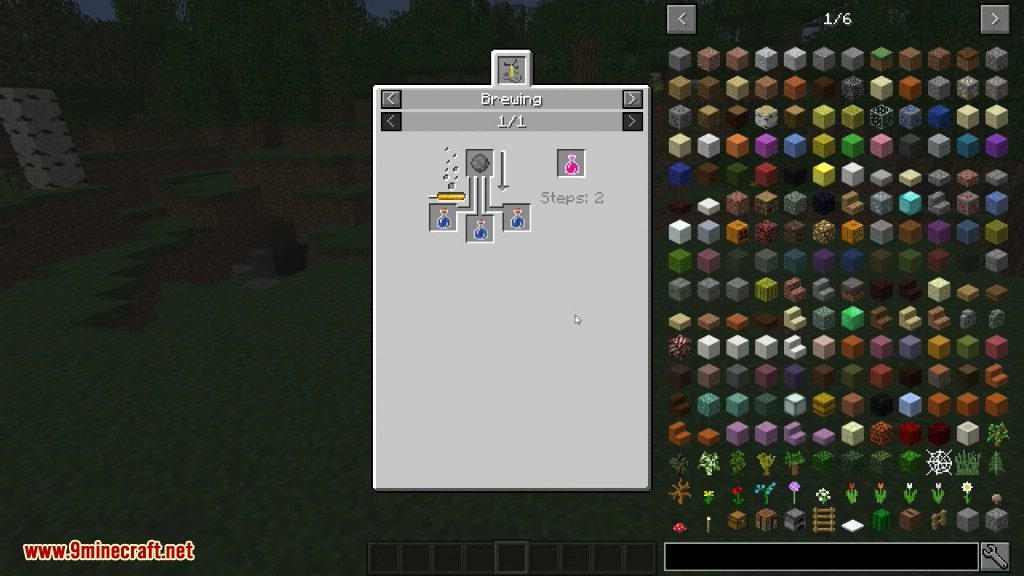
Extra Alchemy Mod adds a bunch of new and useful potions to Minecraft’s brewing system. You can brew all of these new potions in the regular Brewing Stand using normal vanilla items. Many of them can be improved with redstone or glowstone, just like standard potions. If you don’t like a specific potion, you can turn it off in the mod’s configuration file.

Features:
New Potions:
- Potion of Dislocation: Makes the target teleport around randomly in a small area.
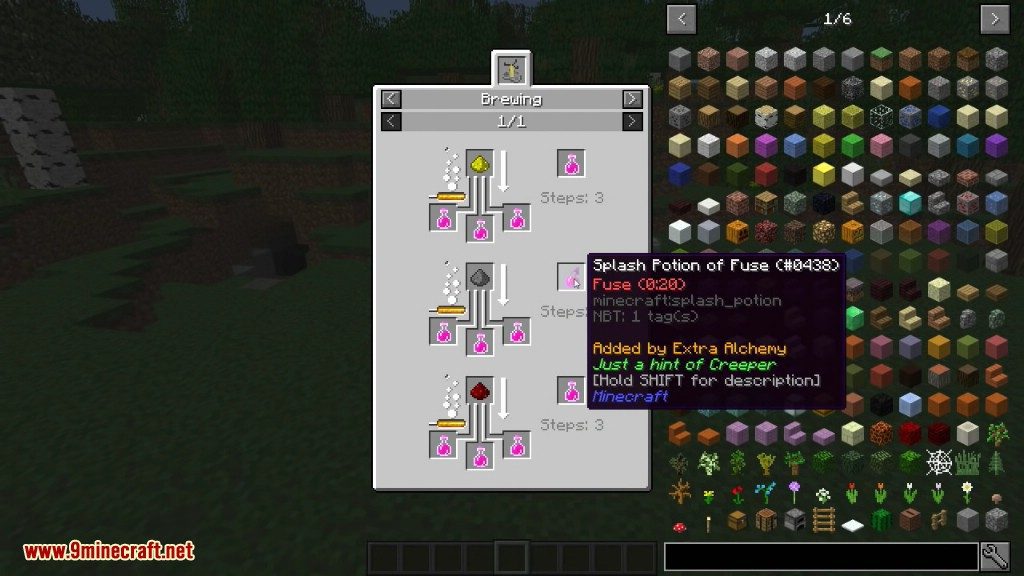
- Potion of Fuse: Causes the target to explode after a short countdown.
- Potion of Magnetism: Increases the radius for picking up items automatically.
- Potion of Sinking: Drags mobs and players downward when they are in water.
- Potion of Recall: Teleports the target back to the spot where they first got the effect.
- Potion of Pacifism: Prevents the target from dealing any combat damage for a short time.
- Potion of the Piper: Makes animals follow you as if you were holding their favorite food.
- Potion of Crumbling: Destroys blocks like dirt and stone under the target’s feet.
- Potion of Return: A quick way to teleport back to your bed’s location.
- Potion of Learning: Instantly absorbs nearby experience orbs and increases the amount of XP you get.
New Items & Mechanics:
- Vials: Use stackable vials for instant potion effects on yourself. They can be stacked up to 16.
- Potion Bag: A special bag to carry many different drinkable potions at once.
- Potion Rings: Wearable rings that give you a constant potion effect over time by using your experience points.
- Brewing Stand Tweak: An option to power the Brewing Stand with a fire or lava source underneath it, instead of just Blaze Powder.
- Tooltip Icons: See icons for potion effects directly in the item tooltips for potions, arrows, and rings.
How to Use:
Here are the controls for some of the new items:
- To fill a Vial: Craft a splash potion together with an empty vial, or right-click an empty vial in your hand to fill it from a splash potion in your inventory.
- To open the Potion Bag: Hold the bag and Shift + Right-Click to see its inventory.
- To use a potion from the Potion Bag: Hold the bag and simply Right-Click to drink the selected potion.
Configuration:
This mod includes a config file that lets you change several options:
- You can disable any of the new potion recipes individually.
- Allows the Brewing Stand to be powered by a heat source (like fire) placed underneath it as an alternative to Blaze Powder.
- Lets you adjust the settings for Potion Rings, including their XP cost.
Screenshots:
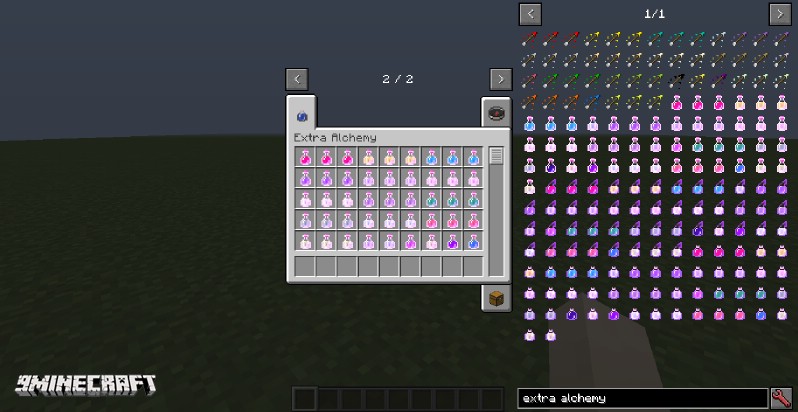
All Potions
Status Effect Icons










How to Install:
New to Minecraft? Follow our step-by-step guide to install Mods on your PC.View Guide
Requirements:

Extra Alchemy Mod Download Links
For Minecraft 1.12.2
Forge version: Download from Server 1
For Minecraft 1.15.2
Fabric version: Download from Server 1
For Minecraft 1.16.5
Fabric version: Download from Server 1
For Minecraft 1.17.1
Fabric version: Download from Server 1
For Minecraft 1.18.1
Fabric version: Download from Server 1
For Minecraft 1.18.2
Fabric version: Download from Server 1
For Minecraft 1.19
Fabric version: Download from Server 1
For Minecraft 1.19.2
Fabric version: Download from Server 1 – Download from Server 2
For Minecraft 1.19.3
Fabric version: Download from Server 1 – Download from Server 2
For Minecraft 1.20.1, 1.20
Fabric version: Download from Server 1 – Download from Server 2
For Minecraft 1.20.2
Fabric/Quilt version: Download from Server 1 – Download from Server 2
For Minecraft 1.20.4
Fabric/Quilt version: Download from Server 1 – Download from Server 2
For Minecraft 1.20.6
Fabric/Quilt version: Download from Server 1 – Download from Server 2
For Minecraft 1.21.1, 1.21
Fabric/Quilt version: Download from Server 1 – Download from Server 2
You May Also Like

















This post has no comments yet. Be the first — your comment will appear here.