


Platforms Mod (1.21.1, 1.20.1) – Build Custom Decks & Bridges
 6,952
6,952
 0
0
 April 11, 2025
 ShetiPhian
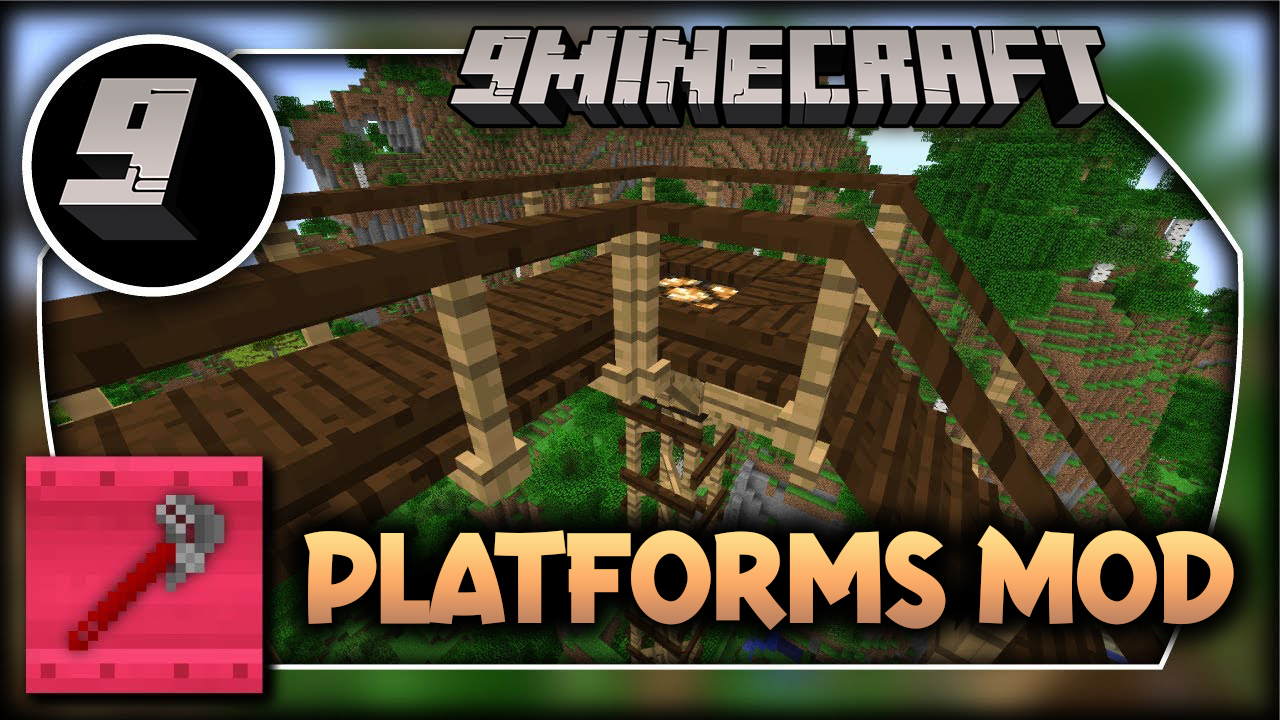
Platforms Mod lets you build custom structures like decks, bridges, and even wooden roller coasters. You can combine almost any two blocks or items from the game, including those from other mods, to create your own unique building pieces. This makes it easy to add more detail and variety to your world.
Features:
- Combine nearly any two blocks or items to create new building materials.
- Build a wide range of structures, including decks, bridges, roofs, and mine shafts.
- If you use a light-emitting block in a recipe, the final platform will also glow.
- Add ramps, steps, and stairs made from your custom materials.
- Place handrails and rises for extra detail and safety on your builds.
- Create chimneys and pipes by placing a rise or handrail on a roof piece.
- Chimneys and pipes will emit smoke particles, and this effect can be toggled.
- Place carpets directly on top of platforms for more decoration.
- In snowy or desert biomes, snow and sand will naturally accumulate on your platforms.
- Apply soul, redstone, or torches directly onto frames for functional or decorative purposes.
Supported Platform Material Blocks:
Wood
- Blocks registered to the Forge OreDictionary as “plankWood”
Stone
- Mod blocks registered to the Forge OreDictionary as “stone” or “cobblestone” or “sandstone”
- Stone
- Cobblestone & Mossy Cobblestone
- Brick Block
- End Stone
- Hardened Clay & Stained Hardened Clay
- Prismarine
- Nether Brick Block
- Stone Brick Block
- Packed Ice
- Quartz Block
- Lapis Block
- Diamond Block
- Emerald Block
Metal
- Blocks registered to the Forge OreDictionary in pairs of ingot<Metal> block<Metal>
Metal is a bit different as the ingot is used to craft but the texture is from the block.
For example both “ingotCopper” and “blockCopper” must be registered to the Ore Dictionary.
An attempt will be made to pair the ingot and block from the same mod, but if a mod registered an ingot but not a block the first registered block of the same metal will be used.
How to Use:
- First, craft the Platformer block. This special block is used to make all the other items in this mod.
- Use the Wrench tool to easily edit your placed platforms.
- Right-click a platform with the Wrench to rotate it.
- Hold Shift and right-click a platform to change its style.
- Hold Shift and left-click a platform with the Wrench to remove its rail.
- When you hold a Wrench in your off-hand, a placement overlay will appear to help you build.
Crafting Recipes:
The Platformer:

This block is used to make all of the platforms.
Depending on the material used the look of the platforms will be different.
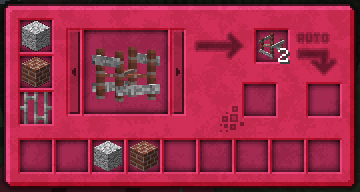
The Platformer uses the ore dictionary to support mod added planks, ingots (must also have a block), and some stones.
The wrench:

Right-Click to rotate a platform.
Shift+Right-Click to change the style of a platform.
Shift+Left-Click a platform to remove the rail.
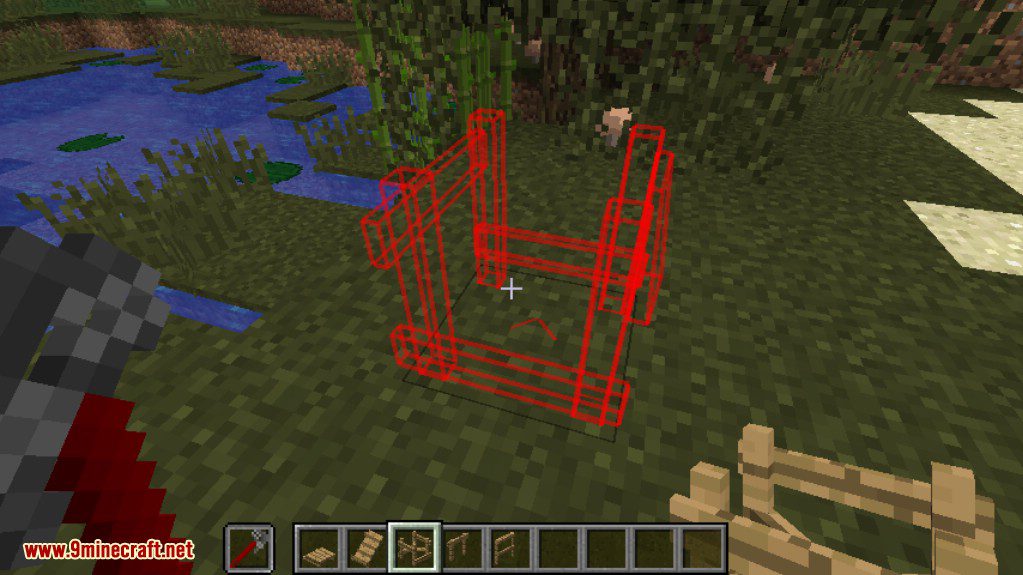
When a wrench is in your offhand the placement overlay is displayed.
Screenshots:


How to Install:
New to Minecraft? Follow our step-by-step guide to install Mods on your PC.View Guide
Requirements:
Platforms Mod Download Links
For Minecraft 1.7.10
For Minecraft 1.8.9
For Minecraft 1.12.2
For Minecraft 1.14.4
For Minecraft 1.15.2
For Minecraft 1.16.5
Forge version: Download from Server 1
Fabric version: Download from Server 1
For Minecraft 1.17.1
Forge version: Download from Server 1
Fabric version: Download from Server 1
For Minecraft 1.18.2
Forge version: Download from Server 1
Fabric version: Download from Server 1
For Minecraft 1.19
Forge version: Download from Server 1
Fabric version: Download from Server 1
For Minecraft 1.19.2, 1.19.1
Forge version: Download from Server 1
Fabric version: Download from Server 1
For Minecraft 1.19.3
Forge version: Download from Server 1 – Download from Server 2
Fabric version: Download from Server 1 – Download from Server 2
For Minecraft 1.19.4
Forge version: Download from Server 1 – Download from Server 2
Fabric version: Download from Server 1 – Download from Server 2
For Minecraft 1.20.1
Forge version: Download from Server 1 – Download from Server 2
Fabric version: Download from Server 1 – Download from Server 2
For Minecraft 1.20.2
Forge version: Download from Server 1 – Download from Server 2
Fabric version: Download from Server 1 – Download from Server 2
For Minecraft 1.20.4
Forge version: Download from Server 1 – Download from Server 2
NeoForge version: Download from Server 1 – Download from Server 2
Fabric version: Download from Server 1 – Download from Server 2
For Minecraft 1.21.1, 1.21
Forge version: Download from Server 1 – Download from Server 2
NeoForge version: Download from Server 1 – Download from Server 2
Fabric version: Download from Server 1 – Download from Server 2
You May Also Like














This post has no comments yet. Be the first — your comment will appear here.