
Thutmose’s Elevators Mod (1.21.1) – Connect Multi-Story Bases with Working Lifts
 9,535
 0

Thutmose’s Elevators Mod adds dynamic elevators to Minecraft. It supports up to 64 floors and lets you link controller blocks that touch each other on any floor to form bigger control panels. You only need to build the base of a lift without walls or a roof, and the mod also works with OpenComputers to call and check elevator positions. This mod requires ThutCore to run.
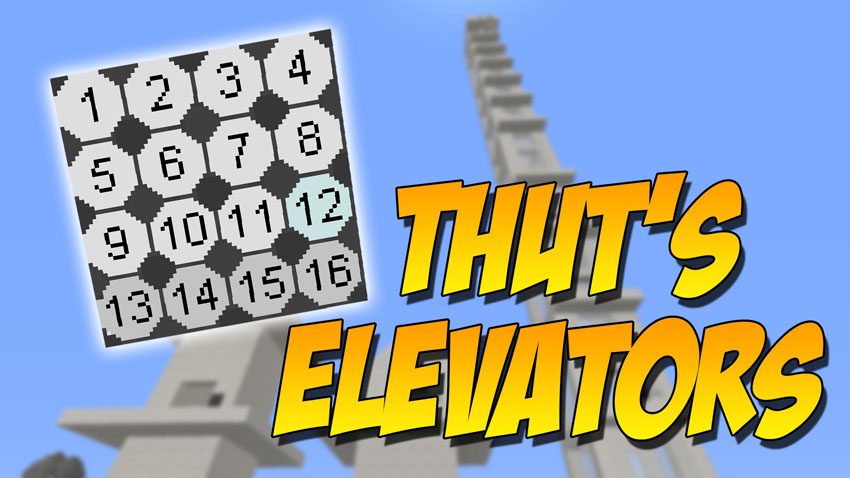
Features:
- Adds dynamic elevators that support up to 64 floors.
- Connects touching controller blocks on the same floor automatically so you can build larger control panels.
- Needs only the base layer to build a lift, without requiring walls or a roof.
- Includes OpenComputers integration with methods to call lifts, assign floors, and check elevator coordinates or status.
OpenComputers Methods:
callFloor(floor:number): Calls the lift to the specified floor.callYValue(yValue:number): Calls the lift to the specified Y level.callXValue(xValue:number): Calls the lift to the specified X location.callZValue(zValue:number): Calls the lift to the specified Z location.setFloor(floor:number): Sets the floor assigned to the controller.getYValue(): Returns the current Y level of the lift.getXValue(): Returns the current X position of the lift.getZValue(): Returns the current Z position of the lift.getFloor(): Returns the floor assigned to the controller.getFloorYValue(floor:number): Returns the Y level of the specified floor.isReady(): Returns whether the elevator is free and not currently called to a floor.
How to Use:
- Build the base of your elevator first; you do not need to add walls or a roof.
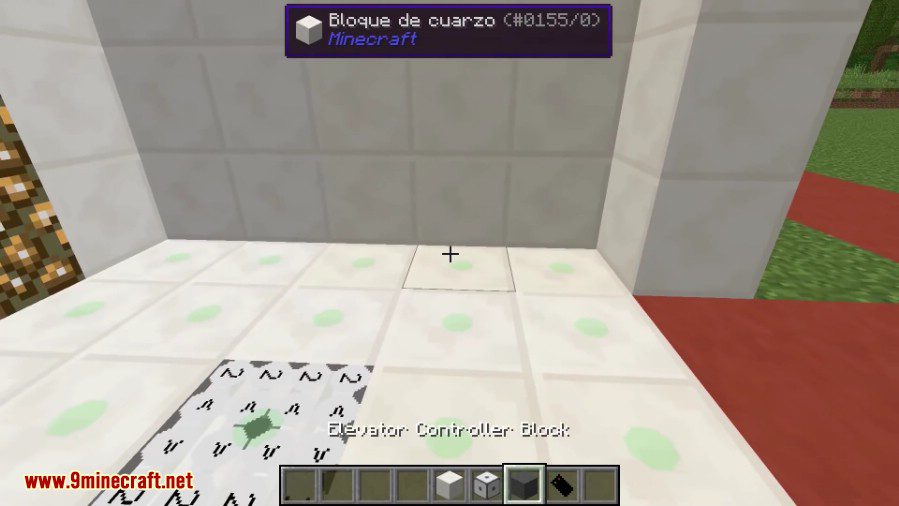
- Place controller blocks touching each other on the same floor if you want a larger control panel; touching blocks link together automatically as the same floor.
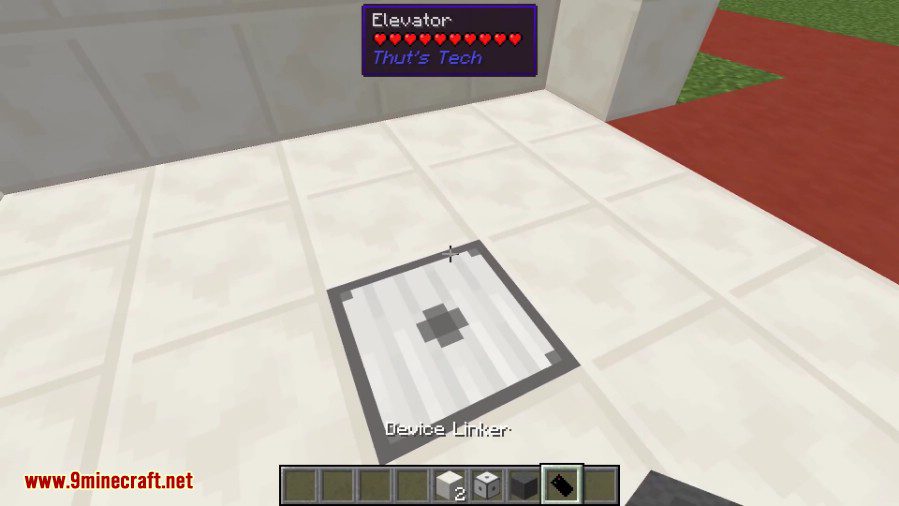
- Right-Click a controller block with a stick or a device linker to turn the controller face on.
- Right-Click the controller block with a device linker to change the page shown on the controller face.
- Shift + Right-Click the controller block with a device linker to set its floor number.
- Shift + Right-Click the elevator with a vanilla stick or a wrench from another mod to remove it.
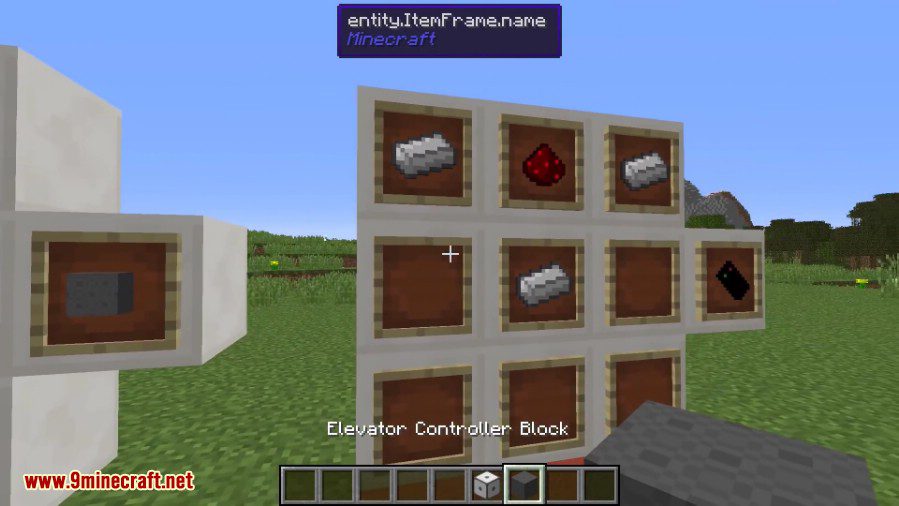
Crafting Recipes:


Screenshots:
Elevators

Display States

64 floor support

Improved UI




How to Install:
New to Minecraft? Follow our step-by-step guide to install Mods on your PC.View Guide


Thutmose's Elevators Mod Download Links
For Minecraft 1.21.1, 1.21
For Minecraft 1.19.2
For Minecraft 1.18.2
For Minecraft 1.18.1
For Minecraft 1.16.5
For Minecraft 1.15.2
For Minecraft 1.12.2
For Minecraft 1.8.9
For Minecraft 1.7.10
Click to rate this post!
[Total: 1 Average: 4]
You May Also Like
Picked for this page
 Simple Planes Mod (1.21.1, 1.20.1) – New Vehicles, Flying
 CleanView Mod (1.21.11, 1.20.1) – No More Swirlies
 Chunk Loaders Mod (26.3, 1.20.1) – Keep Everything Running Even When You’re Away
 Mounted Pearl Mod (1.21.1, 1.20.1) – Stay Mounted When You Use Ender Pearls
 Merge Enchantments Mod (26.1.2, 1.20.1) – Combining All Enchantments
 Ceramic Shears Mod (26.3, 1.20.1) – Ceramic Scissors
 RPG-Hud Mod (26.2, 1.20.1) – Your Screen Becomes an RPG
 O-Peepo’s Timber Mod (1.21.10, 1.20.1) – Automatic Tree Felling
 Project Red Mod (1.21.1, 1.20.1) – Run Redstone Up Your Walls
 Death Counter Mod (1.21.11, 1.20.1) – Turn Dying Into a Contest
 Compact Machines Mod (1.21.8, 1.20.1) – Build a Factory in a Block
 Nomadic Tents Mod (1.21.1, 1.20.1) – Pack Up Your Base and Go
Most viewed in Mods over the last 7 days
 Ala Industrial Mod (26.3) – Run Electric Power Grids and Automated Factories
 PleasureCraft Mod (26.3, 1.21.1) – Jenny Mod Remake for Fabric
 Jennycraft Mod (26.3, 1.20.1) – Virtual Girlfriend in Minecraft
 Fapcraft Mod (26.3, 1.12.2) – Comprehensive and Detailed Content
 Jenny Mod (Fapcraft) Official Complete Guide – How to use, Tutorial
 BangCraft Mod (1.20.1) – Jenny, Ellie and Elliot
 Fabric Loader (26.3, 1.20.1) – Fabric Installer for All Minecraft Versions
 The Shooting Star Demo Mod (26.3, 1.20.1) – Vaporize Terrain From Orbit
 Meteor Client Mod (26.3, 1.20.1) – Xray, HUD, Fly
 OptiFine HD (26.3, 1.20.1) – Run Faster, FPS Boost, Shaders Support
 Aristois Client Mod (1.21.4, 1.20.1) – World Class Minecraft Utility
 Prestige Client Mod (1.21.11, 1.21.4) – Powerful Ghost Features for Crystal & Sword PvP
More from Mods
 Araxer’s Bestiary Mod (26.3, 1.20.1) – Build an In-Game Encyclopedia of Every Mob
 Villagers Plus Mod (26.3, 1.20.1) – Expanded Villager Types and Villages
 Ore Excavation 9minecraft Mod (26.3) – Mine Ores and Chop Trees in a Single Swing
 Dirigo Mod (26.1.2, 1.21.1) – Walk Across Nether Lava Seas and Automate Animal
 HandLib Mod (26.3, 1.21.1) – Keep Your Multiplayer World Stable
 Happy Ghasts Boost Mod (26.1.2, 1.20.1) – Fly Across Vast Distances at Top Speed
 LiquidBounce Client Mod (26.3, 1.20.1) – LiquidLauncher, A Free Client
 Create Hand Made Mod (1.21.1) – Craft Create Recipes By Hand in Your Workshop
 Seed Map for Xaero Mod (26.1) – See Rare Biomes and Dungeons Before You Travel
 MCPersist Mod (26.3) – Keep Your World Online for Friends Even After Logging Off
 Minecraft Java MCP Server Mod (1.21.11) – Command Your World Through External AI Tools
 Arcanism Mod (26.2) – Build Magic Factories and Program Custom Spells

This post has no comments yet. Be the first — your comment will appear here.