
Small Hangar Schematic (1.21.x) – Compact Aircraft Storage Build for Create Mod
 27
 0


Small Hangar Schematic provides a compact storage space for your small aircraft. This build fits perfectly into any airfield or base that needs a place for light planes. It uses parts from the Create mod to create a functional and detailed look. The structure covers a 70x11x26 area and uses over 2,000 blocks to complete the design. You can easily add this to your world using a schematic cannon.

3D Preview & Editor:
How to place this schematic
.nbt This is a vanilla structure file. It loads through structure blocks with no mod at all, within the 48×48×48 size limit.
| 1 | Put the .nbt file in <your world>/generated/minecraft/structures. |
| 2 | Give yourself a structure block: /give @s structure_block. |
| 3 | Place it, open it and switch the mode to LOAD. |
| 4 | Type the file name without .nbt, press LOAD, then PLACE. |
About this build
| 1 | Place the schematic file into your Minecraft schematics folder. |
| 2 | Open the schematic in-game using the Create mod tools. |
| 3 | Set up a Schematicannon to begin the construction process. |
| 4 | Supply the required materials to the cannon to finish the hangar. |
Features:
- Offers a dedicated shelter specifically for small planes and light aircraft.
- Uses blocks from technical mods to give the hangar a realistic industrial look.
- Fits into a 70x11x26 area making it easy to place in most airfields.
- Includes a total of 2,116 blocks for a detailed and sturdy structure.
- Works with the Create mod system for easy automatic building.
Schematic Specs:
 Minecraft1.21.x
 Create Mod6.0.10
 Dimensions70×11×26
 Total Blocks2,116
 Top Blocks Used
Acacia Planks 675Gravel 515Bricks 454Stripped Spruce Log 254Water 62
Screenshots:


Requirements:
 Create Mod Required
createendertransmission Required
Small Hangar Schematic Download Links
For Minecraft 1.21.x
Click to rate this post!
[Total: 0 Average: 0]
QUICK MINECRAFT SURVEY · ONE TAP
Mods & Modpacks
How much RAM do you usually allocate to a modded Minecraft profile?
2 responses · See the full results →
You May Also Like
Picked for this page
 Airbus A380 800 Schematic (1.21.x) – Fly the Largest Commercial Airplane
 Casa SteamPunk Schematic (1.21.x) – Ready to Build Steampunk House
 Military Fight Heli Schematic (1.21.x) – Compact War Helicopter Build for Create
 The Flying Hopper V2 Schematic (1.21.x) – Light and Fast Hovercraft for Your World
 Kumajpn’s Excavator Schematic (1.21.x) – Simple Machine for Clearing Large Mountains
 Suvival Frendly My Frist Aireship Nbt Schematic (1.21.x) – Small Flying Machine Build for Survival
 Plutonic Mk1 Mining Vehicle Schematic (1.21.x) – Heavy Duty Mining Vehicle Blueprint
 Drakolet Schematic (1.21.x) – Fast and Stable Flying Machine
 Trx 1t Engine Model Proof of Concept Schematic (1.21.x) – Compact Engine Design for Create Mod
 Race Track Timer Schematic (1.21.x) – Mechanical Lap Timer for Custom Tracks
 Brown 4 6 0 Nord 3.628 Steam Locomotive Schematic (1.21.x) – Build a Realistic French Steam Train
 Realistic 1 1 Br245 Diesel Train Schematic (1.21.x) – Accurate Db Class 245 Diesel Train
Most viewed in Create Mod Schematics over the last 7 days
 Copper Flying Ship That Can Also Act as a Normal Boat Schematic (1.21.x) – Dual Purpose Copper
 Rail Gun Schematic (1.21.x)
 Agrimotor Schematic (1.21.x) – Build a Functional Create Mod Tractor
 Large Submarine Schematic (1.21.x) – Build a Large Submarine for Travel
 F16 Falcon Schematic (1.21.x)
 Starter Iron Farm Schematic (1.21.x) – Simple Early Game Iron Production Build
 Arasaka Tower Schematic (1.21.x) – Massive Black Industrial Skyscraper Build
 Diesel Engine Train Schematic (1.21.x) – Heavy Freight Locomotive for Create Mod
 Sd40 2 Blue Nbt Schematic (1.20.x) – Classic Blue American Locomotive
 Thrall 40ft 53ft Well Car Nbt Schematic (1.20.x) – Legendary Double Stack Container Train Car
 Class 86 Schematic (1.21.x) – Classic 1960s Electric Train
 Practical Compact Mining Machine Schematic (1.21.x) – Compact Drilling Vehicle for Create
More from Create Mod Schematics
 The Nautilus Fully Survival Friendly Schematic (1.21.x) – Luxury Survival Submarine for Create Mod
 Flying Turret Schematic (1.21.x) – Powerful Flying Airship with a Rapid Fire Turret
 TNT Farm 10 Min Schematic (1.21.x) – Build a Fast Automatic TNT Factory
 Small Red Convertible Survival Friendly Schematic (1.21.x) – Compact Red Car for Survival Worlds
 Ats Hussar V1 Schematic (1.20.x) – Build a Combat Jet with Create Mod
 Hovercraft Cargo Mk1 Schematic (1.21.x) – Compact Cargo Vehicle Blueprint for Create
 Montaña Con Marcas DE Recorrido Para Trenes Schematic (1.21.x) – Large Mountain Train Track
 Carretera Inclinada DE Cesped Schematic (1.21.x) – Sloped Road Design for Create Mod
 Parada DE Bus Schematic (1.21.x) – Simple Bus Stop Build for Create Mod
 C G Z E I Farm Improved Schematic (1.21.x) – Automatic Resource Farm for Five Metals
 Doretta Drg Schematic (1.21.x) – Compact Mining Machine for Create Mod
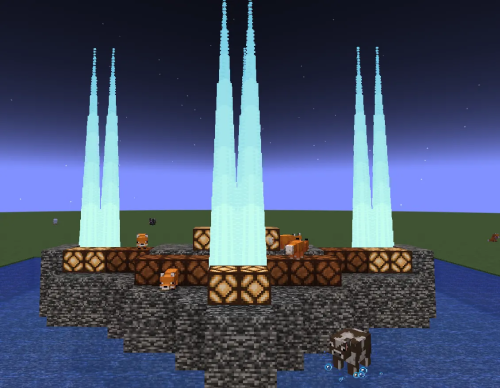 Fire in Water Stage Schematic (1.21.x) – Stunning Fire Performance Stage

This post has no comments yet. Be the first — your comment will appear here.