
Purxiy Visuals Client Mod (1.21.11) – Add Cinematic Effects and a Polished HUD
 0
 0

Purxiy Visuals Client Mod is a visual and HUD client: no combat cheats, just atmosphere effects, cosmetics and polished on-screen widgets. Its menu is a purple starfield where categories orbit a mascot dog, and every module lives on a large glass card with a short description and a toggle.

Features:
- Orbit Menu with Search: Right Shift opens a starfield where Render, Player, Utility, HUD, Cosmetics, Client and your Profile circle the mascot; press / to search and toggle any module straight from the results.
- Atmosphere Effects: Ambience fills the air with glowing particles, Afterglow makes the fallen dissolve into light, Chroma lets colour bloom into a grey world, Cyberspace turns the world into wires and data, plus Bokeh, Haze, Mist, Radiance, Ripple, Shockwave, Sky and Weather.
- HUD Widgets: Active Modules, Armor Status, Clock, Coordinates, CPS, Direction compass strip, FPS with a live frame graph, Keystrokes, Ping, Potion Effects, Session Time, Speed, Target HUD and a layout editor to place them.
- Cosmetics including Wings, Halo, Cape, Aura, Knives, Trail and 3D Skins with a wardrobe of new skins.
- Hand Movement, Place Animation, Jump Circles, Hit Splash and Low Fire to change how actions look.
- Freelook, Zoom, Nick Hider, HUD Hider, Custom Crosshair and Block Outline for everyday comfort.
- A Spotify Player, profile stats, a first-start setup wizard and the Purxiy Garage of 3D car and bike models.
Best Used For:
- Making screenshots and videos look cinematic.
- A clean, readable PvP HUD.
- Recording content with your nick hidden.
- Personalising your look without a resource pack.
- Relaxed survival with ambient effects.
How to Use:
- On first start, follow the short welcome setup or press Skip setup.
- Press Right Shift in-game to open the menu, then click a category bubble to see its modules.
- Flip a card’s toggle to turn a module on, or use the settings button beside it; press the menu key again to return to the game.
- In the HUD category, press Edit layout to drag widgets where you want them.
Screenshots:


How to Install:
New to Minecraft? Follow our step-by-step guide to install Mods on your PC.View Guide
Requirements:


Purxiy Visuals Client Mod Download Links
For Minecraft 1.21.11
Click to rate this post!
[Total: 0 Average: 0]
QUICK MINECRAFT SURVEY · ONE TAP
Performance & Hardware
For PC players, what type of graphics hardware does your computer use?
0 responses · See the full results →
You May Also Like
Picked for this page
 Wurst Client Mod (26.3, 1.20.1) – The Best Bypass for Minecraft
 Prestige Client Mod (1.21.11, 1.21.4) – Powerful Ghost Features for Crystal & Sword PvP
 Pat Pat Mod (26.3, 1.20.1) – Give Gentle Head Pats to Any Mob
 4E Client Mod (1.21.11, 1.21.1) – ChunkFinder, Base Finding for DonutSMP
 System Client Mod (1.21.11, 1.21.1) – Powerful CPVP Ghost Client
 Dqrkis Client Mod (1.21.11, 1.21.4) – Undetectable Ghost Client
 Cartcore Client Mod (1.21.11, 1.21.1) – Faster Cart Tech Execution
 Radon Client Mod (1.21.11) – Donut’s Most OP, Fork of Krypton Client
 Xiu Client Mod (1.21.11) – Crystal PvP Ghost Client
 SmushyTaco’s Solar Apocalypse Mod (1.21.11, 1.20.1) – Surviving The Solar Apocalypse
 Nether Villager Merchant Mod (26.3, 1.20.1) – Trade Gold for Deadly Brute Gear
 Pulse Scanner Client Mod (1.21.11) – Hunt Hidden Bases Across Anarchy Servers
Most viewed in Clients over the last 7 days
 Meteor Client Mod (26.3, 1.20.1) – Xray, HUD, Fly
 CatLean Client Mod (26.2, 1.21.11) – ThunderHack Recode Alternatives
 DoomsDay Client (26.1.2, 1.20.1) – Best Free Injectable Client
 Meteor Client Addons (26.3, 1.20.1) – Modify Almost Anything in Meteor
 Baritone Client Mod (26.3, 1.20.1) – Autominer, Build with AI, Xray
 Lunar Patcher (v10) – Using Lunar Client for Free
 Anubis Client Mod (1.21.11) – Dominate Crystal PvP and Anarchy Servers
 Aristois Client Mod (1.21.4, 1.20.1) – World Class Minecraft Utility
- Prestige Client Mod (1.21.11, 1.21.4) – Powerful Ghost Features for Crystal & Sword PvP
- Wurst Client Mod (26.3, 1.20.1) – The Best Bypass for Minecraft
 OptiFine HD 9minecraft (26.3) – Run Smooth Shaders Without the Lag
- 4E Client Mod (1.21.11, 1.21.1) – ChunkFinder, Base Finding for DonutSMP
More from Clients
 Grizzly Client Mod (26.3, 26.2) – Win Every Multiplayer PvP Fight
- Baritone 9minecraft Client Mod (26.3, 26.1.2) – Mine and Build Bases Hands-Free
 Amber 9minecraft Client Mod (26.3, 1.21.11) – Gain Godlike Survival Powers
 Aoba Client Mod (26.3, 1.20.1) – Cannot Be Defeated
 Mental Debug Client Mod (1.21.11) – Track Player Bases and Hidden Stashes
 Exit Addon Client Mod (1.21.11) – Hunt Hidden Bases on Anarchy Servers
 Enjoyer Media Client Mod (1.21.11) – Track Player Trails to Hidden Bases
 Enjoyer Addon Client Mod (1.21.11) – Automate Server Auctions and Mining
 Babo Debug Client Mod (1.21.11) – Spot Hidden Bases on Anarchy Servers
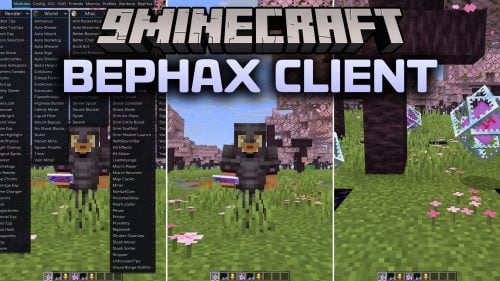 BepHax Client Mod (1.21.11) – Hunt Player Stashes on Anarchy Servers
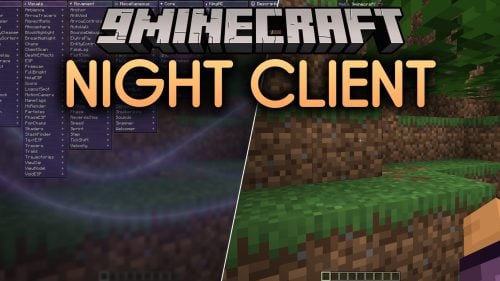 Night Client Mod (26.2) – Dominate Anarchy Servers and Crystal PvP
 Moon DLC Client Mod (1.21.4) – Dominate Crystal Fights on Anarchy Servers

This post has no comments yet. Be the first — your comment will appear here.