


Bed Bugs Mod (1.12.2, 1.11.2) – A Quick Fix for Stuck Beds
 277
277
 0
0

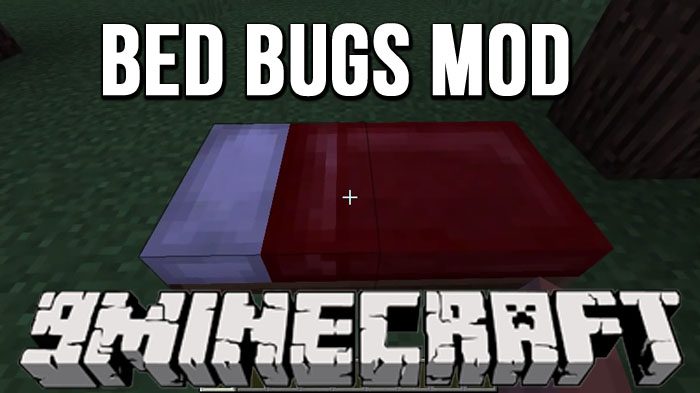
Bed Bugs Mod fixes the annoying vanilla bug that gets you stuck in a bed. It adds a special button and a command to kick yourself from the server, so you can get free without restarting the game. This mod also saves your chat message if you wake up while typing, preventing it from being erased.
Features:
- Adds a special ‘Kick Me’ button that appears on the screen when you get stuck in a bed.
- Lets you safely kick yourself from the server to get unstuck, sending you to the world or server list.
- Keeps your chat message from disappearing when you wake up from sleeping.
- Includes a command to kick yourself or another player who is stuck.
Kick Button:
(Requires Bed Bugs to be installed on the client)
When you typically press ‘Leave Bed’, that is exactly what you expect to happen. And, assuming that is the case (as it usually is), then this mod won’t do a thing, staying nice and unobtrusive.
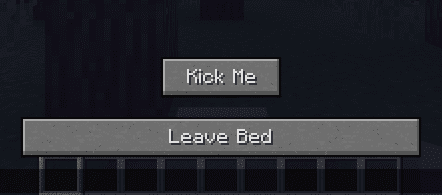
If however, you press the ‘Leave Bed’ button and you don’t leave the bed, a button will pop up, allowing you to kick yourself from the server.
- If you were playing Singleplayer
- You will be redirected back to the Singleplayer world selection screen.
- If you were playing on a server
- You will be redirected back to the Multiplayer server selection screen.
The button also has a tooltip describing its actions in-game, to explain what it does when clicked. It will appear after hovering your mouse over the ‘Kick Me’ button for a short while.
Video Demonstration:
(Note that the player goes from being stuck in a bed to back in-game ready to play in only 5 seconds.)
Persistent Chat:
(Requires Bed Bugs to be installed on the client)
Typically, if you start typing a message in chat, and then finish sleeping and wake up, your message disappears forever. Bed Bugs fixes that, allowing any half completed messages to stay so that you don’t have to retype anything.
Commands:
This command requires the mod to be on the server to work in multiplayer.
The mod adds one simple command:
/bedbugs kick [player]: Kicks the specified player from the server. If no player is named, it will kick you.
How to Use:
- Try to get out of bed by clicking the ‘Leave Bed’ button as usual.
- If you don’t get out and are stuck, a new ‘Kick Me’ button will appear.
- Click the ‘Kick Me’ button. This will kick you from the server and you will be unstuck.
How to Install:
New to Minecraft? Follow our step-by-step guide to install Mods on your PC.View Guide
Bed Bugs Mod Download Links
For Minecraft 1.10.2
For Minecraft 1.11.2, 1.11
For Minecraft 1.12.2, 1.12.1, 1.12
You May Also Like







This post has no comments yet. Be the first — your comment will appear here.