
Porkier Piglins Resource Pack (1.21.1, 1.20.1) – Fierce Piglin Clans
 2,677
 0


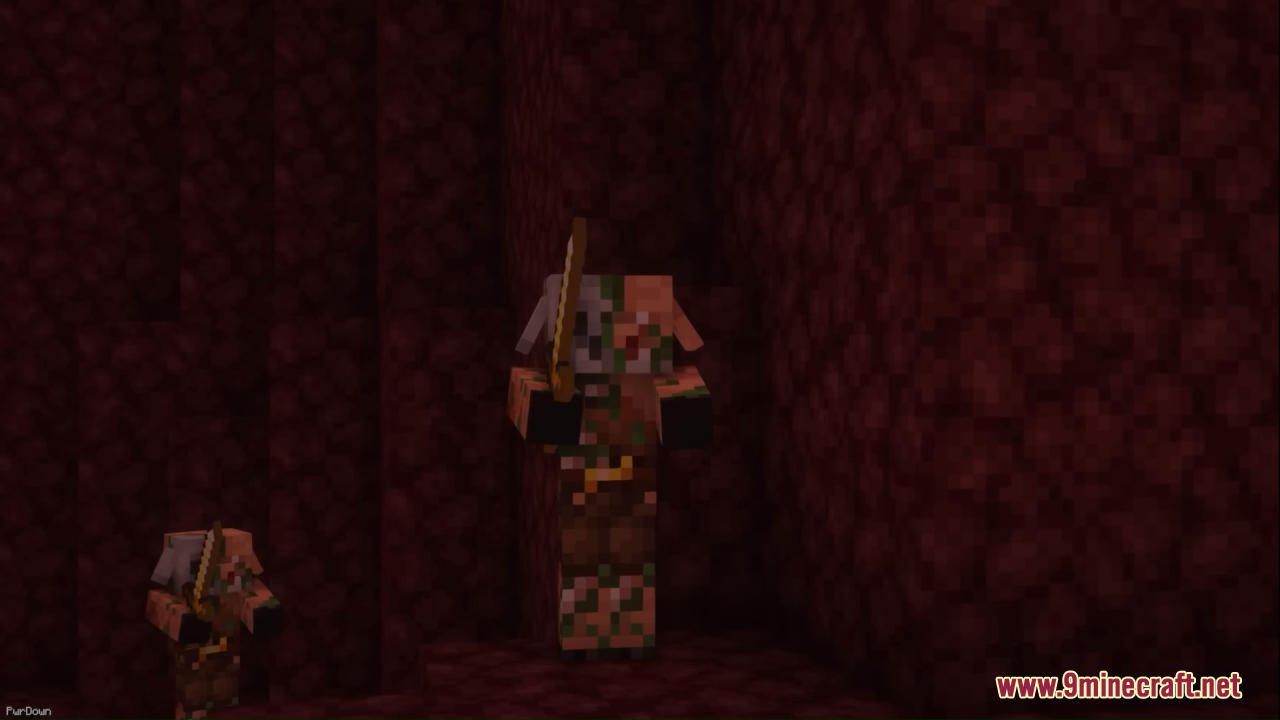
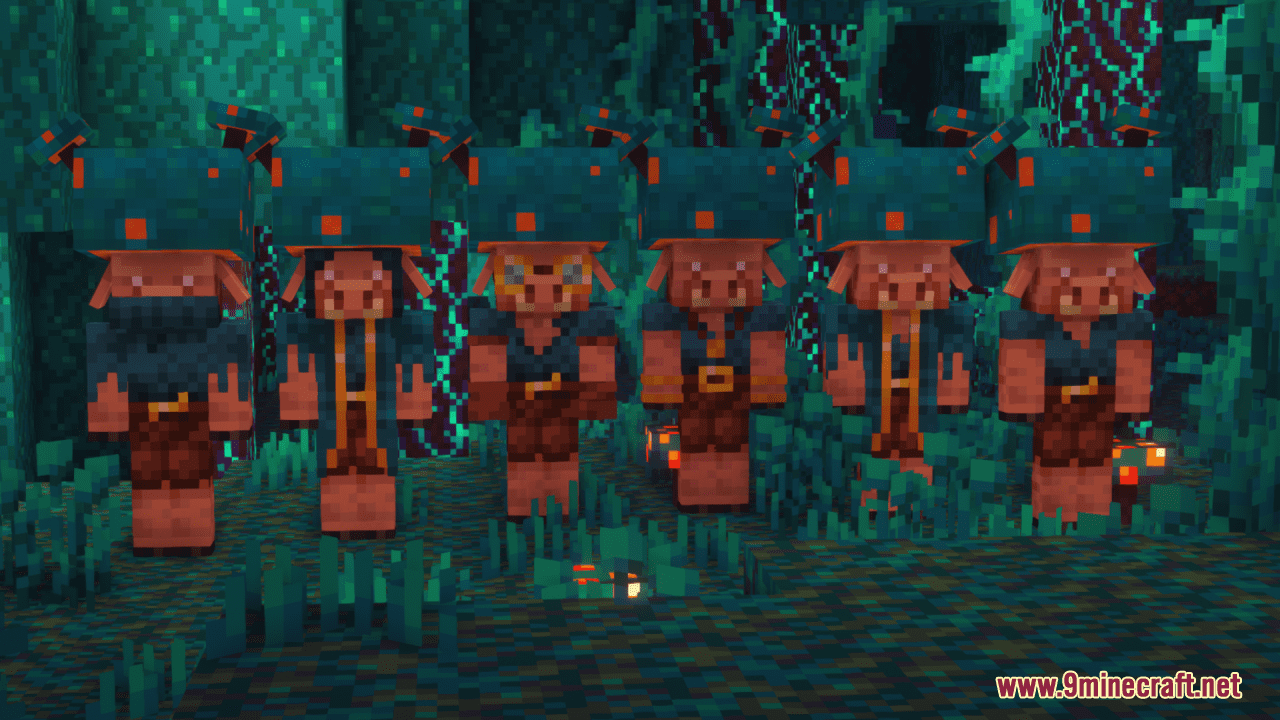
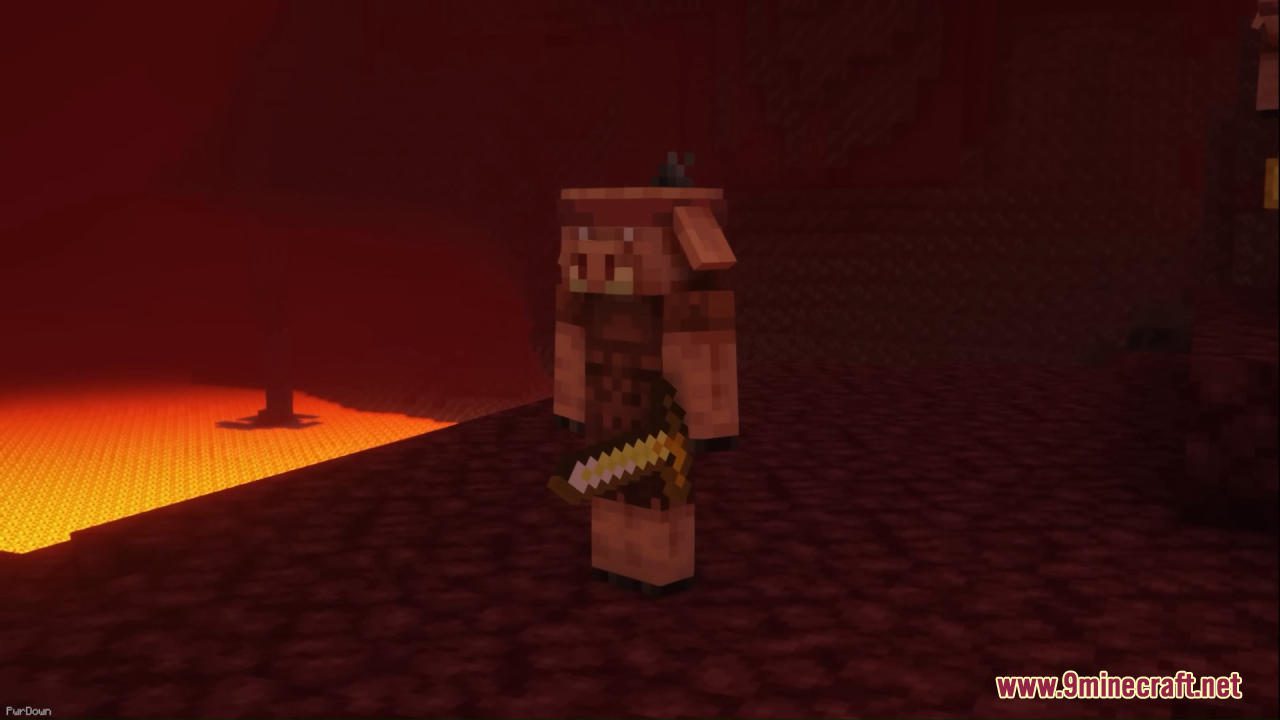
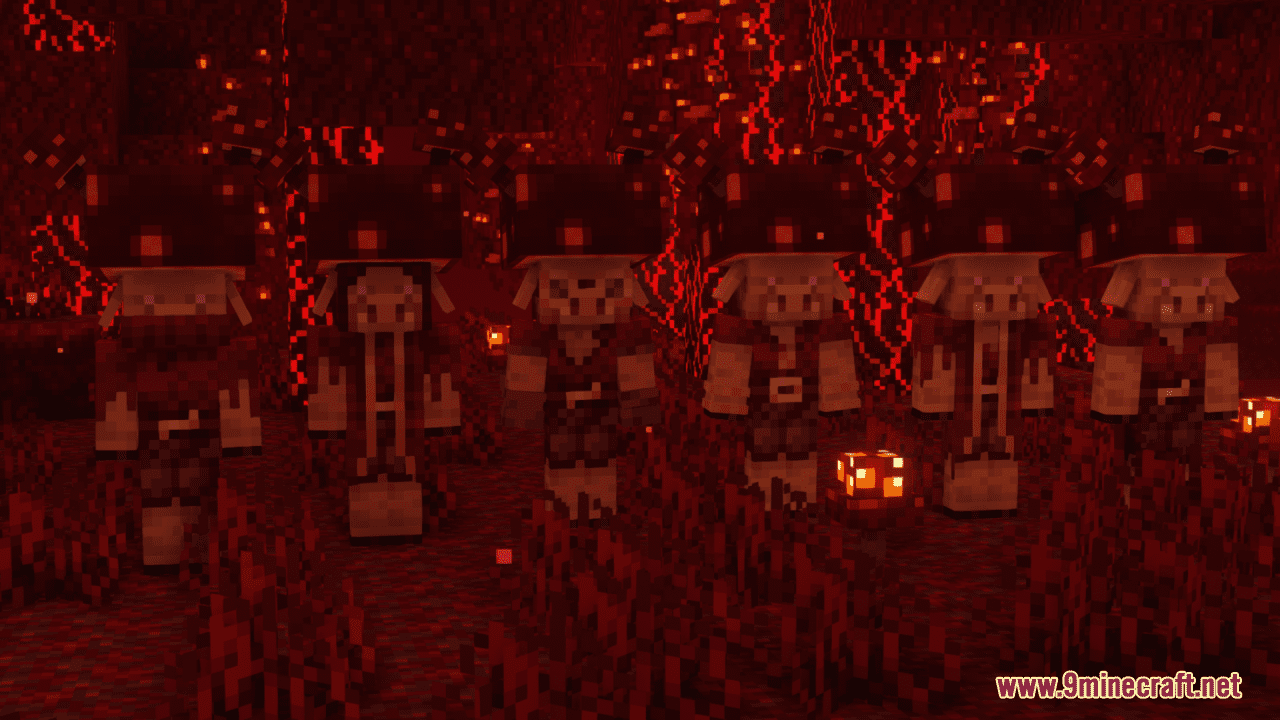
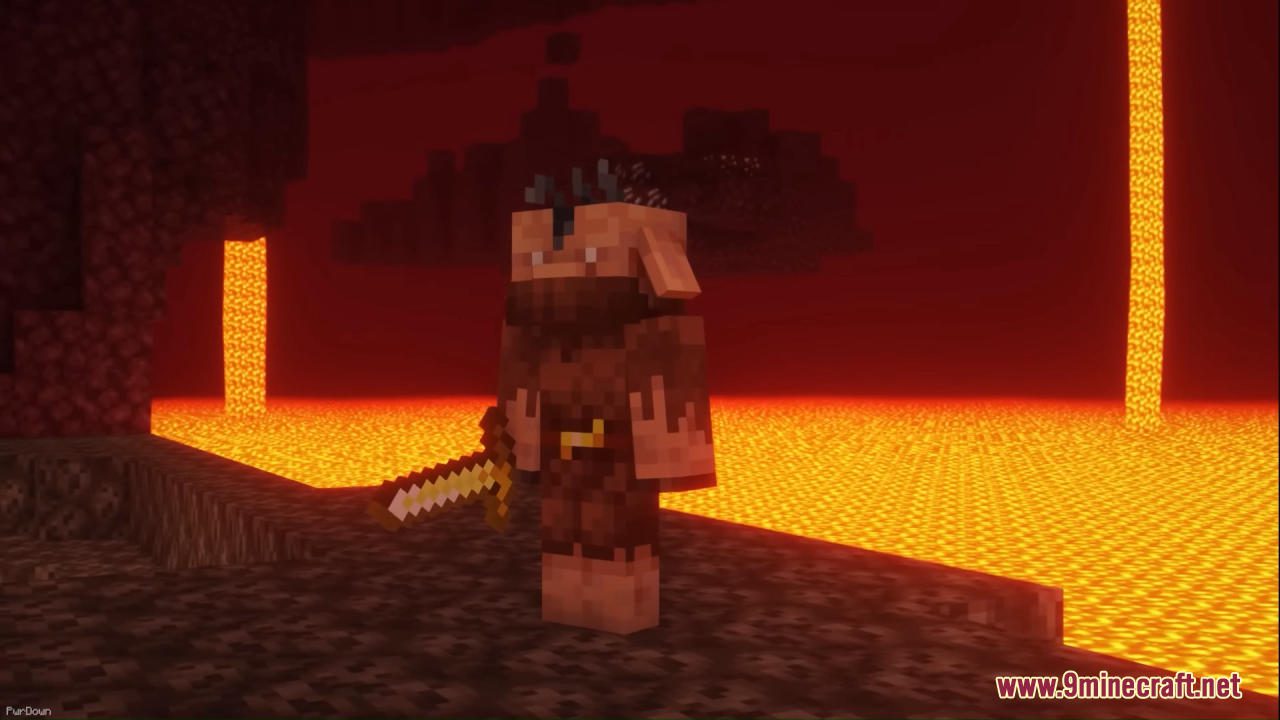
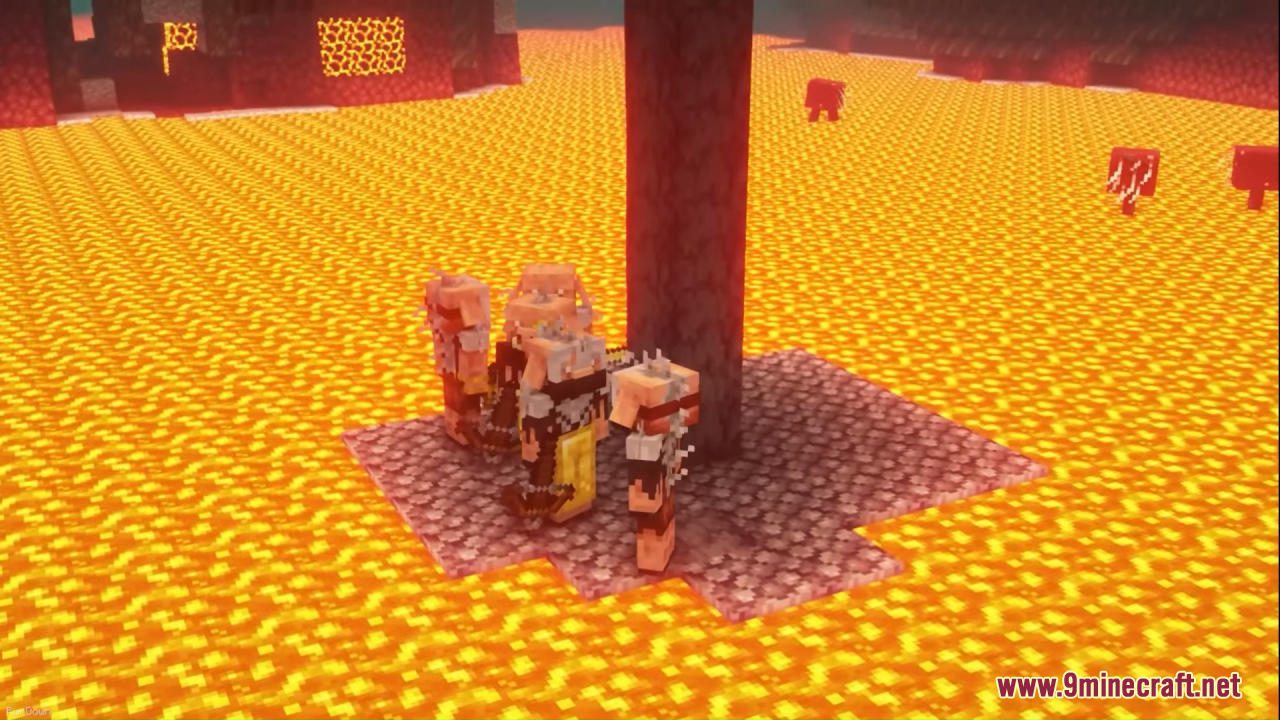
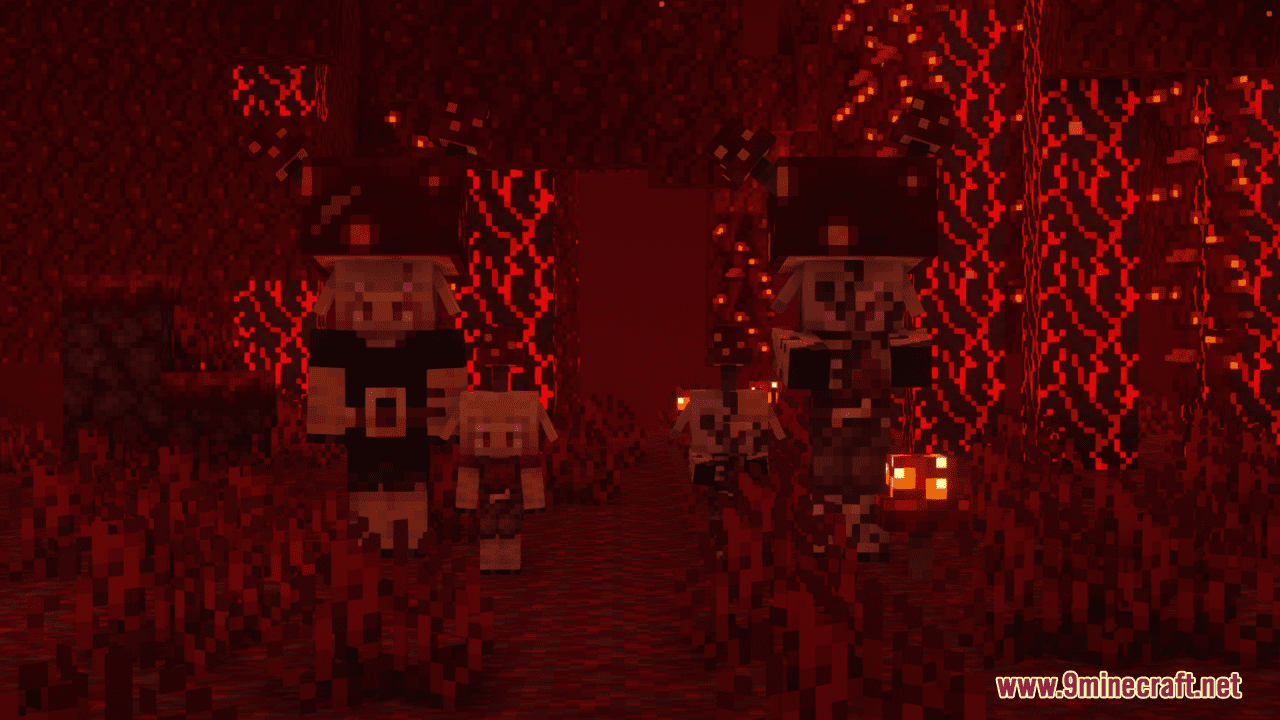
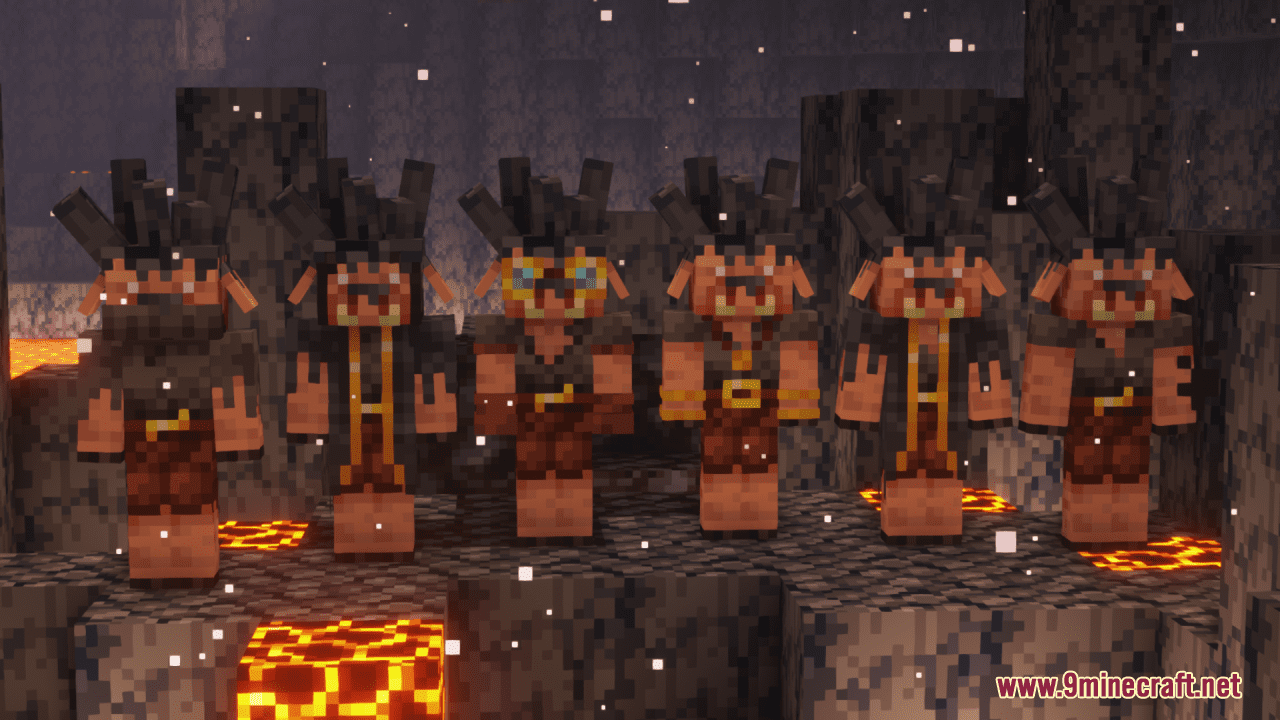
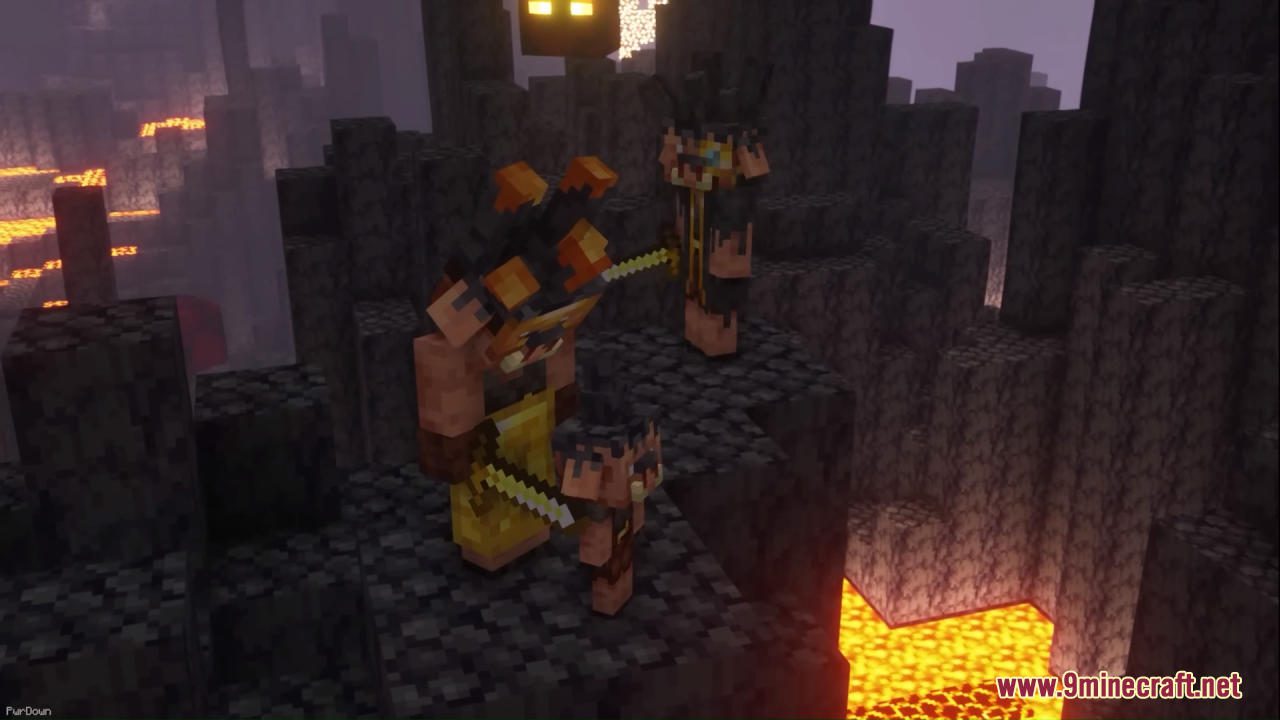
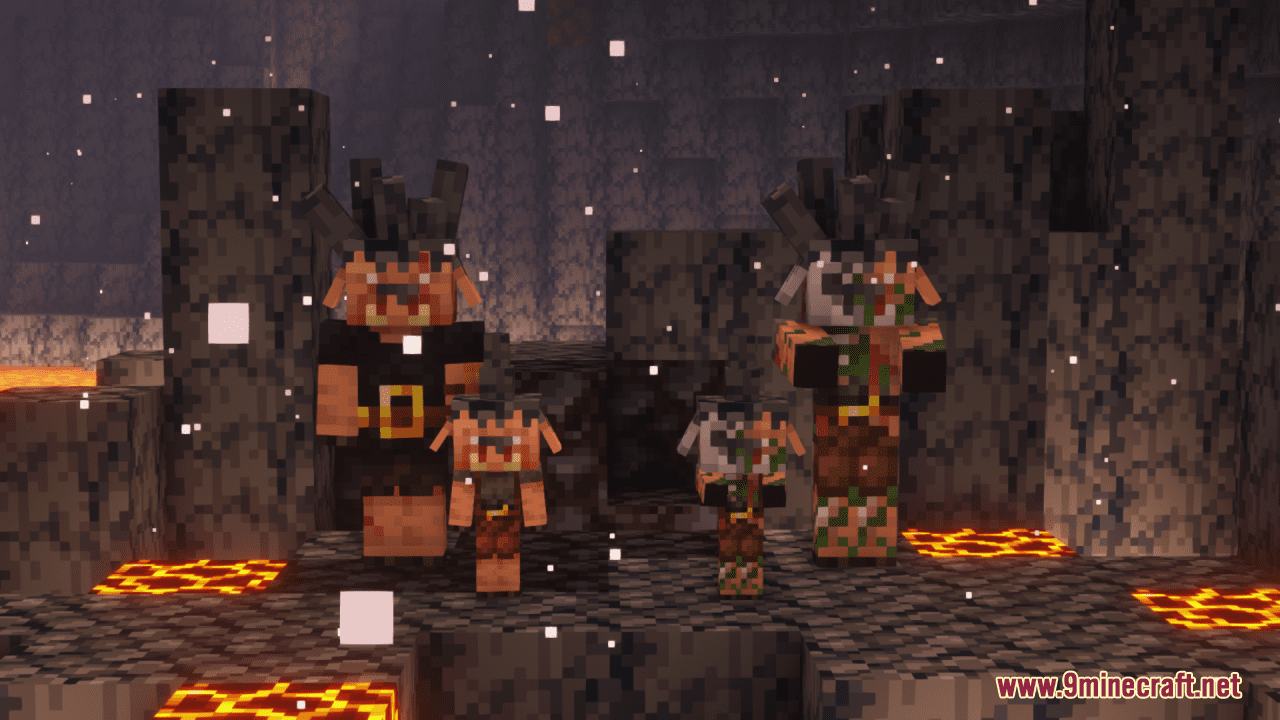
Porkier Piglins Resource Pack reskins Nether mobs so their looks match the biome where they spawn. It updates regular Piglins, Piglin Brutes, Zombified Piglins, and baby Piglins with 14 Piglin looks, 3 Piglin Brute looks, and 14 Zombified Piglin looks in every biome. Depending on where they spawn, these mobs wear clothes like shirts and robes, bone armor, mushroom hats, or crystal spikes. This pack also includes 6 special name tag looks and 1 secret look to find. Two optional addon packs add biome skin colors and extra plant growth, and the pack works with OptiFine or Entity Model Features and Entity Texture Features.

Features:
- Biome-Based Looks: Changes how Piglins, Piglin Brutes, and Zombified Piglins look based on the Nether biome where they spawn.
- Large Mob Variety: Adds 14 regular Piglin looks, 3 Piglin Brute looks, and 14 Zombified Piglin looks in every biome.
- Named and Secret Looks: Unlocks 6 special looks when you rename a mob with a name tag using “Soul Trader”, “Witch”, “Gourd”, “Butch”, “Jason”, or “Goo”, plus 1 secret look.
- Dresses Piglins in different clothes such as shirts and robes for more variety across the Nether.
- Updates baby Piglins with cuter faces and matching outfits alongside the adult mobs.
- Works with OptiFine, or with Entity Model Features and Entity Texture Features, to load custom mob models and random textures.
Biome Designs:
- Soul Sand Valleys dress Piglins in bone armor.
- Crimson and Warped Forests cover mobs with mushrooms and teal warped fungus hats.
- Basalt Deltas add minerals, crystal spikes, and crystal horns growing on Piglins.
Optional Addon Packs:
- The Piglin Pigments Addon turns on biome-based skin colors for Piglins.
- The Foliage Addon turns on extra plants and foliage growing on mobs.
Configuration:
, then Quality.
How to Use:
- Run Minecraft with OptiFine, or with Entity Model Features and Entity Texture Features, so custom mob models and random textures work.
- Open Options, go to Video Settings, and select Quality.
- Turn Custom Entity Models to On.
- Turn Emissive Textures to On.
- Turn Random Entities to On so all the mob looks load properly.
- Rename a Piglin mob with a name tag using “Soul Trader”, “Witch”, “Gourd”, “Butch”, “Jason”, or “Goo” to unlock its special look.
Screenshots:


How to Install:
New to Minecraft? Follow our step-by-step guide to install Resource Packs on your PC.View Guide
Requirements:

Porkier Piglins Resource Pack Download Links
For Minecraft 1.21.x
For Minecraft 1.20.6, 1.20.4, 1.20.1, 1.19.3, 1.19.2, 1.19, 1.18.2
You May Also Like
Picked for this page
 New Glowing Ores Resource Pack (26.3, 1.20.1) – Texture Pack
 Motschen’s Better Leaves Resource Pack (26.3, 1.20.1) – Texture Pack
 Default Dark Mode Resource Pack (26.3, 1.20.1) – Texture Pack
 Even Better Enchants Resource Pack (26.2, 1.20.1) – Texture Pack
 Simple Hotbar Resource Pack (26.3, 1.20.1) – Texture Pack
 Stellar 3D Resource Pack (26.1.2, 1.20.1) – Texture Pack
 Overgrown Moss Carpet Resource Pack (26.3, 1.20.1) – Texture Pack
 Variants Cakes Resource Pack (26.3, 1.20.1) – Texture Pack
 ChicknTurtle’s Better Shield Resource Pack (26.3, 1.20.1) – Block Without
 Cubic Stars Resource Pack (26.1.2, 1.20.1) – Texture Pack
Most viewed in Resource Packs over the last 7 days
 Jenny Mod Skins Resource Pack (1.12.2) – Uzaki, Klee, Mita, and More
 Jenny Mod Skin Pack Mega Collection – 310+ Characters
 Jennycraft Resource Pack (1.20.1) – Skins for Jennycraft Mod
 Dewier’s 20k Resource Pack (1.8.9) – Texture Pack
 750 Models Addon for Yes Steve Model Mod
 Animation Collection for Jenny Mod – 60+ Animations, Updated Regularly
 Vanilla+ 3D Crystal Resource Pack (1.21.1, 1.20.1) – Texture Pack
 Mandala’s GUI Dark Mode 9minecraft Resource Pack (26.3) – Eye-Soothing Dark Mode Menus
 Bare Bones 9minecraft Resource Pack (26.3) – Official Cinematic Trailer Look
 Mizuno’s Craft 9minecraft Resource Pack (26.3) – A Cozy Handpainted Storybook World
 Patrix Resource Pack (26.3, 1.20.1) – The Peak of Photorealism
 Stay True 9minecraft Resource Pack (26.3) – Crisper Vanilla Without the Noise
More from Resource Packs
 Boss Refreshed 9minecraft Resource Pack (26.3) – Darker Epic Boss Showdowns
 Ciso Hungry 3D Tools Resource Pack (26.3, 1.21.1) – Cute Yet Creepy 3D Doll
 Cheetahs Arsenal Resource Pack (26.3, 1.20.1) – Unique Fantasy Blades
 Cork and Balls Resource Pack (1.21.11, 1.20.1) – Glowing 3D Steampunk Gadgets
 DSWG Weapons Plus Resource Pack (1.19.2, 1.18.2) – Modern Tactical Combat
 Xali’s Enchanted Books 9minecraft Resource Pack (26.3)
 Xali’s Potions 9minecraft Resource Pack (26.3) – Distinct Bottle Shapes for Every Brew
 Creepers Revamped 9minecraft Resource Pack (26.3) – Fresh Looks for Iconic Night Mobs
 Better Dogs 9minecraft Resource Pack (26.3) – Real World Dog Breeds in Vanilla Style
 Better Zombies 9minecraft Resource Pack (26.3) – Terrifying Undead for Darker Nights
 Excalibur | Vanilla Backport Support Resource Pack (1.21.11, 1.21.1)
 Enhanced Bushy Leaves More Culling Compat Resource Pack (26.3, 26.1.2)

This post has no comments yet. Be the first — your comment will appear here.