


Better Music Texture Pack (26.x, 1.19) – Custom Music for MCPE/Bedrock
 13,496
 0
0


Better Music Texture Pack changes the way music is played & offers a variety of options. No more terribly long silence, old music & even custom music! Choose between 16 different pack options.
Supported Versions:
Minecraft Bedrock 1.26.30 and later. Resource pack only – no Experimental Features required.
Features:
Pack Options:
- BetterMusic
- No Music
- Music does not play automatically.
- Supports /playsound
- Default Music
- Music plays more frequently, but not constantly.
- Constant Music
- Music plays non-stop & the jukebox radius is increased (256).
- Old Music
- Only old music is going to play. Survival mode music plays in addition to creative mode music.
- New Music | Aquatic – Wild Update
- Only plays Aquatic/Nether/Caves & Cliffs/Wild Update music.
- Does not affect Menu/Creative/End music!
- Legacy | Console Edition Music
- Survival mode music plays in addition to creative mode music.
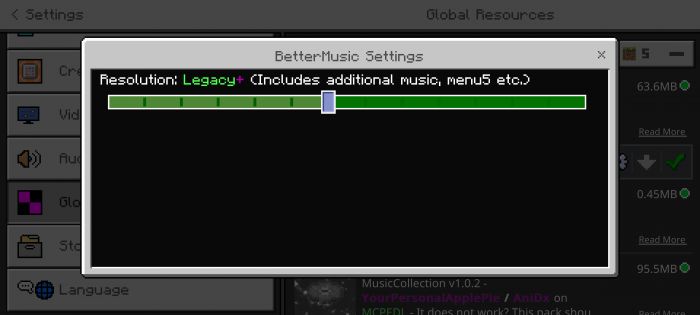
- Legacy+ | Legacy + Additional
- Survival mode music plays in addition to creative mode music. Includes additional music, such as menu5, creative7 etc.
- Creative Only
- Only creative mode music is played. Menu music will still play, only in the menu of course!
- Survival Only
- Only survival mode music is played (old music only). Menu music will still play, only in the menu of course!
- Custom Music | 1-100, 1-50, 51-100
- Only plays custom music.
- Custom Music+
- Plays custom music based on your current Dimension/Gamemode. custom1 & custom2 have a higher probability of being played.
- Custom Music++
- Plays custom music based on your current Biome/Dimension/Gamemode. custom1 & custom2 have a higher probability of being played.
- Dog plays after Cat for all pack options (BetterMusic & BetterMusicLegacy).
- Prioritized = Higher probability of being played.
Custom Music:
- Custom Music | 1-100
- Only OGG / WAV supported, convert your files here: https://convertio.co/de/
- Adding .ogg or .wav by renaming a file is not possible. It’s not possible to change the file format by renaming a file!
- Most other websites should work as well. However, this does not mean that all of them will work! Converting lossy file formats to lossless file formats is not recommended! All formats seen here are lossy, except WAV.
- Naming your files / Your files should look like this:
- custom<number>
- Up to custom100 for regular Custom Music pack options.
- Example:
- custom1, custom2, custom3 (custom1.ogg / custom1.wav)
- Place your files here:
- sounds/music/custom/default
- Custom Music+
- Up to custom10 (5×10)
- File locations:
- sounds/music/custom/menu
- sounds/music/custom/game/creative
- sounds/music/custom/game
- sounds/music/custom/nether
- sounds/music/custom/end
- Up to custom10 for each folder.
- Custom Music++
- Up to custom10 (32×10)
- File locations:
- sounds/music/custom/menu
- sounds/music/custom/game
- Each folder after these 2 should contain at least 1 track. Up to custom10 for each folder. Does not apply to the “overworld” folder, but the ones that follow.
- Example Location:
- MusicCollection/sounds/music/custom/default
- Check “CustomMusicInfo.txt” and “CustomMusicPlus.txt” for more information.
- Prioritized = Higher probability of being played.
Additional Information:
- Alternatives:
- BetterMusicExtras:
- Offers some additional pack options & combinations/mixes.
- BetterMusicCustom:
- Only custom music offers more pack options.
- BetterMusicLegacy:
- Only the Legacy pack option as a separate pack doesn’t offer any other options.
- MusicCollection:
- This pack is used for storing custom music.
Play sound Commands:
- Playsound Commands:
- You’re able to play any track by using the /playsound command!
- Example:
- /playsound music.example.TrackNumber
- Replace “example” with one of the following:
- menu, creative, game, water, nether, end, custom
- Custom Music++
- music.custom.example.TrackNumber
- Only for the “No Music” pack option!
- Check “PlaysoundCommand.txt” for more information.
How to Install:
Better Music Texture Pack Download Links
For Minecraft PE/Bedrock 1.19
For MCPE/Bedrock 26.30+
Click to rate this post!
[Total: 2 Average: 4.5]
You May Also Like


This post has no comments yet. Be the first — your comment will appear here.