


Crash Assistant Mod (26.2, 1.20.1) – Easily Debug Your Modpack
 1,730
1,730
 0
0


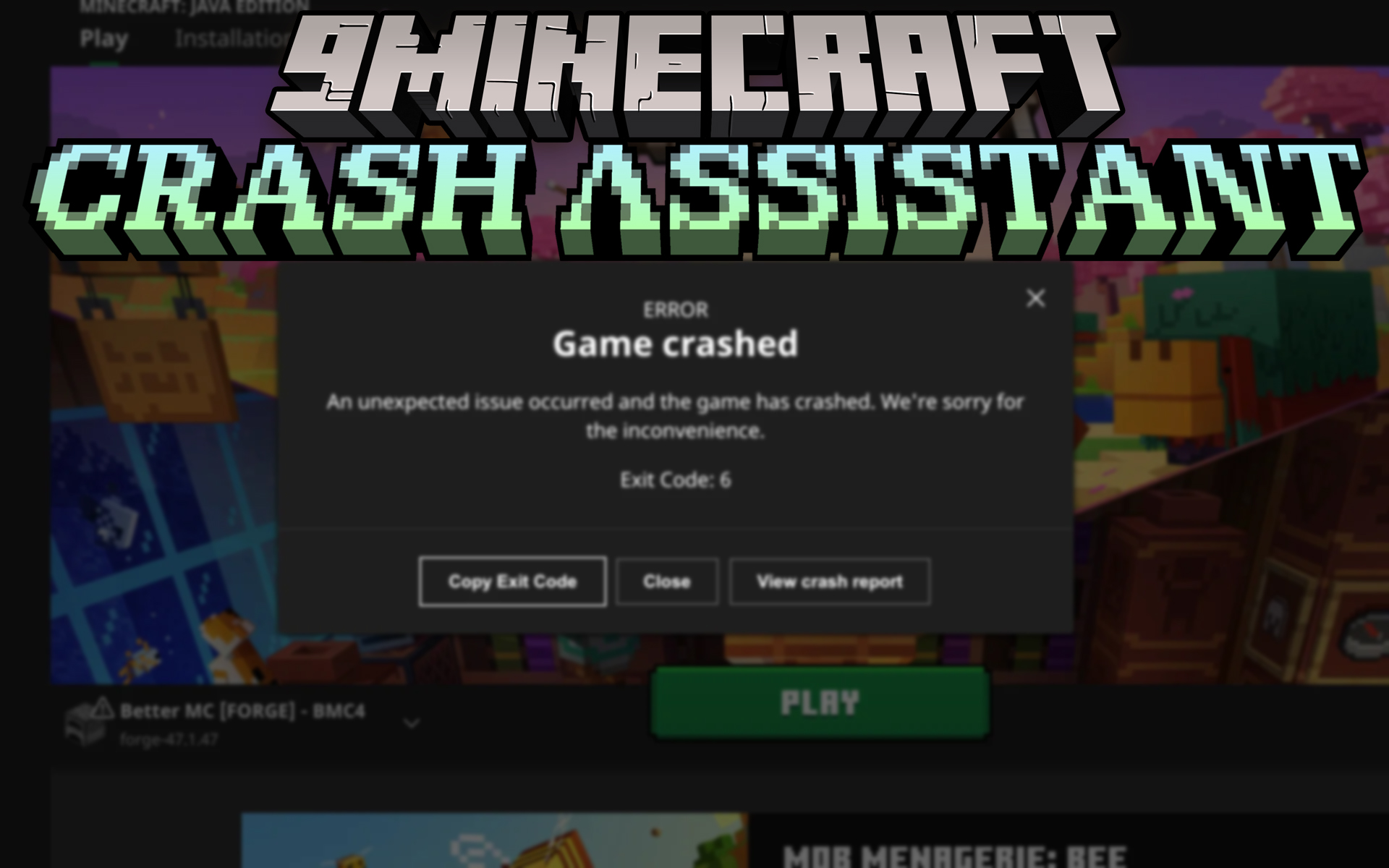
Crash Assistant Mod shows a helpful screen right after your Minecraft game crashes. It immediately displays all the game logs and crash reports to help you understand what went wrong. The mod also analyzes these files for common problems and suggests solutions. You can upload all the logs with a single click and get a link to share, making it much easier to ask for help. This mod is for the client side only and does nothing on a server.
Features:
- Automatic Crash Screen: After a crash, a new window appears showing all relevant log files, like crash reports and game logs.
- Log Analysis: The mod automatically scans logs for common issues and displays a message explaining the problem and how to fix it.
- One-Click Upload: Upload all your logs to a sharing service with a single button and get a formatted link ready to paste on Discord or GitHub.
- GPU Detection: Checks if Minecraft is using a weaker integrated graphics card when a stronger dedicated one is available and provides an auto-fix button.
- Helpful Analysis Tools: Includes tools to find mods that are not compatible with each other, detect mods made with MCreator, and search for specific Java classes within your mods.
- Mod List Tracking: Keeps track of changes to your mod list between game sessions, helping you identify which new or updated mod might have caused a crash.
- Customizable Support Link: Modpack creators can set a button that links directly to their support Discord server.
Common Problems Detected:
- Issues with graphics drivers (Nvidia, AMD, Intel).
- Running out of computer memory (RAM) or disk space.
- Using an incorrect version of Java for your mods.
- Duplicate mods or missing required dependency mods (like Embeddium for Oculus).
- Incompatibilities between major mods and their addons (like Create or Epic Fight).
- Common issues on different operating systems like Linux or macOS.
Configuration:
The mod is highly configurable, allowing you to enable or disable features, change the support Discord link, and customize almost all the text you see on the screen.
Crash Commands:
You can use the /crash_assistant crash command to test the mod. It has three main options:
game– Crashes the game and creates a standard crash report.jvm– Crashes the Java Virtual Machine (JVM) to create an hs_err_pid file.no_crash– Applies extra arguments without actually crashing the game.
You can also add extra arguments after the target:
--withThreadDump– Creates a thread dump in the log file.--withHeapDump– Creates a heap dump file.--GCBeforeHeapDump– Runs the garbage collector before creating the heap dump.
How to Install:
New to Minecraft? Follow our step-by-step guide to install Mods on your PC.View Guide
Requirements:
 Minecraft Forge Required
 Fabric Loader Required
 Fabric API Required
 NeoForge Required
Crash Assistant Mod Download Links
For Minecraft 26.2
For Minecraft 26.1.2, 26.1.1, 26.1
For Minecraft 1.21.11, 1.21.5
For Minecraft 1.21.10, 1.21.9
For Minecraft 1.21.5
For Minecraft
1.21.4,
1.21.3,
1.21.2
All Versions Covered
1.21.4
1.21.3
1.21.2
1.21.1
1.21
1.20.6
1.20.5
1.20.4
1.20.3
1.20.2
1.20.1
1.20
1.19.4
1.19.3
1.19.2
1.19.1
1.19
For Minecraft 1.20.5
For Minecraft 1.20.4, 1.20.3, 1.20.2
For Minecraft 1.20.2
For Minecraft
1.20.1,
1.20,
1.19.4
All Versions Covered
1.20.1
1.20
1.19.4
1.19.3
1.19.2
1.19.1
1.19
For Minecraft 1.19 –> 1.20.6
For Minecraft 1.18.2
For Minecraft
1.16.5,
1.16.4,
1.16.3
All Versions Covered
1.16.5
1.16.4
1.16.3
1.16.2
1.16.1
For Minecraft 1.12.2
For Minecraft 1.8.9
You May Also Like











This post has no comments yet. Be the first — your comment will appear here.