


Drone for Automation 3d Printer Schematic (1.21.x) – Automated Flying Drone for Factory Building

 0
0 

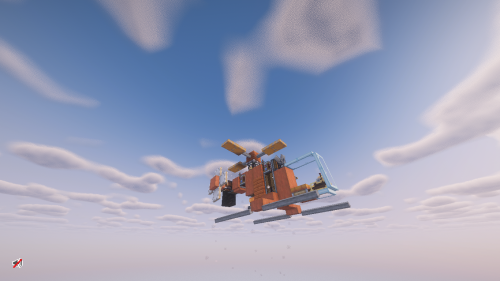
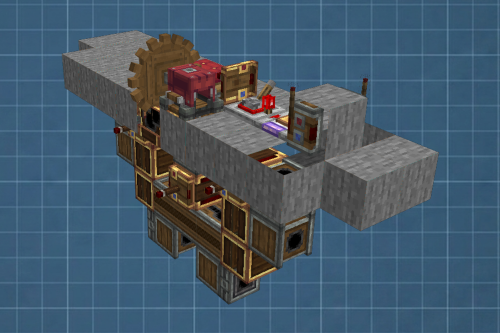
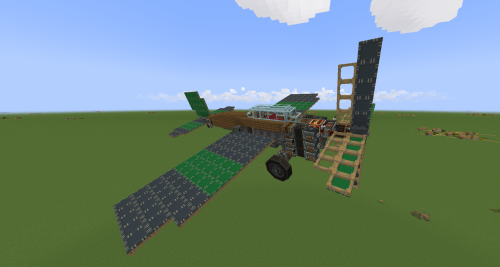
Drone for Automation 3d Printer Schematic brings a fully automatic flying machine to your Minecraft world. This build works as part of an automated factory setup. It flies to a target on its own, fires its payload, and flies right back to where it started. You do not need to press any buttons or steer it. The machine handles everything by itself using parts from the Create mod and its addons.
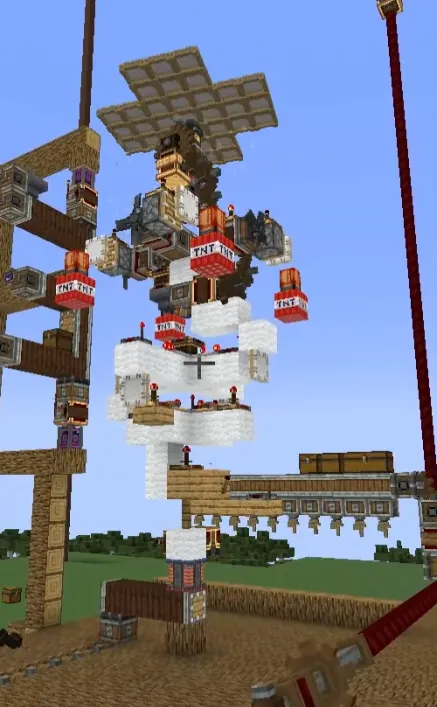
3D Preview:
Features:
- Finds its way to the target automatically without any player controls.
- Fires projectiles automatically when it reaches the correct spot.
- Returns straight back to its home base after completing its task.
- Runs completely on its own so you can focus on building your factory.
- Uses exactly 154 blocks in a small 7 by 19 by 7 space.
Schematic Specs:
 Minecraft1.21.x
 Create Mod6.0.10
 Dimensions7×19×7
 Total Blocks154
 Top Blocks Used
White Sail 33White Wool 26Modulating Linked Receiver 15Cogwheel 10White Symmetric Sail 8
How to Use:
- Place the schematic into your world using the Schematicannon or schematic tools.
- Make sure you have all the required mods installed so the moving parts work.
- Connect the machine to your factory lines or automated printer setup.
- Supply it with the needed items and watch it fly on its own.
Requirements:

Drone for Automation 3d Printer Schematic Download Links
For Minecraft 1.21.x
Click to rate this post!
[Total: 0 Average: 0]
You May Also Like

This post has no comments yet. Be the first — your comment will appear here.