
Disenchanter Table (26+, 1.21) – Turn Old Gear Into Spells
 76
 0

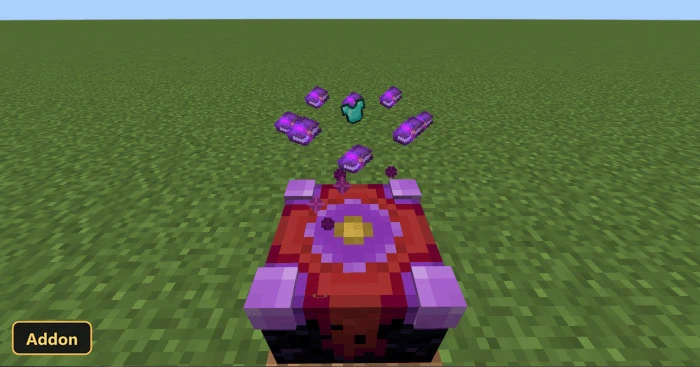
Disenchanter Table adds a new craftable block that lets you remove and save enchantments from your items. It works with enchanted gear like tools, armor, bows, crossbows, shields, and tridents, as well as enchanted books. This addon adjusts the menu for both PC and mobile screens and moves the hotbar to the left side on mobile devices. It also includes container settings in the behavior pack to stop the menu from breaking when you play with other addons.
Requirements:
- MCPE/Bedrock 1.21 – 26.20
all 7 versions
26.20, 26.10, 26.0, 1.21.130, 1.21.120, 1.21.100, 1.21
- Turn on Experimental Features — this addon uses scripting APIs
Features:
- Adds a craftable table block that removes and saves enchantments from your items, crafted with amethyst shards, a gold block, an enchanting table, and obsidian.
- Works with enchanted tools, armor, bows, crossbows, shields, tridents, and enchanted books.
- Uses a custom slot layout with a middle slot for your enchanted item, surrounding slots for regular books, and a bottom right slot for an amethyst shard.
- Adjusts the table menu for both Classic UI on PC and Pocket UI on mobile devices.
- Moves the hotbar to the left side of the screen in the mobile UI so the menu fits cleanly.
- Includes Chest container (default) and Horse container options in the behavior pack settings, where Horse container lowers the chance of the menu breaking alongside other addons.
How to Use:
- Craft the Disenchanter Table with amethyst shards, a gold block, an enchanting table, and obsidian, then place it on the ground.
- Open the table and put your enchanted gear or enchanted book into the middle slot.
- Place regular books into the slots around the center item, putting only 1 book in each slot.
- Put an amethyst shard into the bottom right slot to finish disenchanting the item.
- If the menu breaks and turns into a normal chest when playing with other addons, open the behavior pack settings via the gear icon and switch the slider from Chest container to Horse container.
For MCPE/Bedrock 26+
Click to rate this post!
[Total: 0 Average: 0]
You May Also Like
Picked for this page
 Newb X Future Shader (1.26+) – Android, Windows, iOS
 Lucky SkyBlock Map (26.x, 1.21) – MCPE/Bedrock
 Adventure Condiment Addon (26.x, 1.21) – Thirst and Temperature Mod
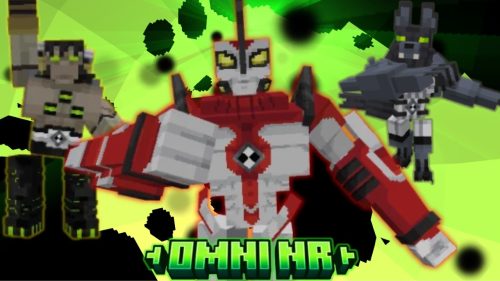 Ben 10 Omni NR Addon (26.45+) – MCPE/Bedrock
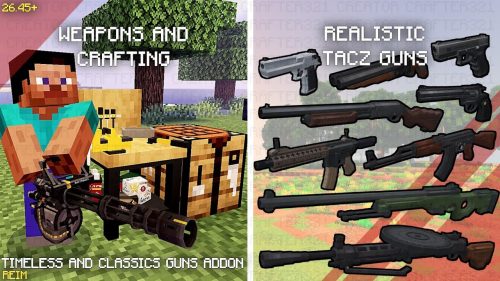 REIMS TACZ Timeless and Classics Guns Addon (26.45+) – MCPE/Bedrock
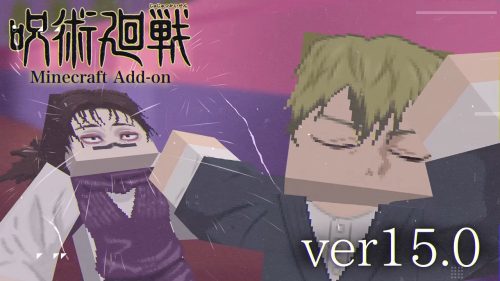 Jujutsu Kaisen Addon – Projection Sorcery (26.45+) – MCPE/Bedrock
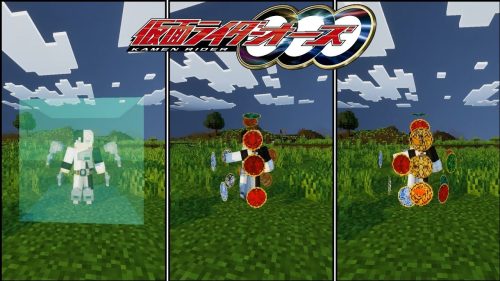 Kamen Rider OOO Addon (26.45+) – MCPE/Bedrock
 Cartography Guide Texture Pack (26.x, 1.21) – MCPE/Bedrock
 Rise of The Wyverns (26+, 1.21) – MCPE/Bedrock Addon
 Novelty API (26+) – MCPE/Bedrock Addon
 Infinite Villager Trades (26+, 1.21) – MCPE/Bedrock Addon
 Poke’s Fantasy Expansion (26+) – MCPE/Bedrock Addon
Most viewed in Mods & Addons over the last 7 days
 Mob Girls Addon (1.26+, 1.21) – MCPE/Bedrock Mod
 Secrets of Berk Addon (26.33+) – How To Train Your Dragon Mod MCPE/Bedrock
 Jenny Colette Version Addon (26.x, 1.21) – MCPE/Bedrock Mod
 Jujutsu Awakening Addon (1.26+, 1.21+) – Prison Realm Update
 New Jujutsu Awakening Addon (1.26+) – MCPE/Bedrock
 Jenny Add-on (Fapcraft) APK MCPE Full Guide – How to use, Tutorial
 Shadow Company Addon (26.x, 1.21) – MCPE/Bedrock Mod
 Titan Craft Addon (1.26+, 1.21) – MCPE/Bedrock Attack on Titan Mod
 Asa’s One Piece Addon (1.26+, 26.32) – MCPE/Bedrock Mod
 Raxiores of Raxiore Addon (1.26+) – MCPE/Bedrock
 Fapcraft Addon (1.26, 1.21) – MCPE/Bedrock Jenny Mod
 Naruto Jedy Addon V8 (26.30+, 1.18+) for MCPE/Bedrock Edition
More from Mods & Addons
 Dinosaurs’ Time Add-on (26+, 1.21) – MCPE/Bedrock Addon
 Unusual Furniture (26+, 1.21) – MCPE/Bedrock Addon
 Simple Auto Totem (26+, 1.21) – MCPE/Bedrock Addon
 More Fruit by Four (26+, 1.21) – MCPE/Bedrock Addon
 The Howler (26+, 1.21) – MCPE/Bedrock Addon
 Preview Hider (26+) – MCPE/Bedrock Addon
 SERP Aditions (26+) – MCPE/Bedrock Addon
 VietNam Military (26+, 1.21) – MCPE/Bedrock Addon
 The Man from the Shadow (26+, 1.21) – MCPE/Bedrock Addon
 GTV DODGE CARS (26+, 1.21) – MCPE/Bedrock Addon
 Roll and Stamina: Parkour Expansion (26+, 1.21) – MCPE/Bedrock Addon
 NARUTO CRAFT (26+) – MCPE/Bedrock Addon

This post has no comments yet. Be the first — your comment will appear here.