
Hollow Horror Resource Pack (26.3, 1.20.1) – Bleak Blood-Stained World
 2
 0

Hollow Horror Resource Pack transforms the look of your world into a bleak horror story by changing about 3,900 textures in the game. This texture pack replaces colorful scenery with grey withered grass, blood-stained blocks, and red-eyed mobs that stare right back at you. It also changes the sky with a blood moon, darkens the game menus, and swaps regular background music for creepy cave noises. The resource pack works on its own in vanilla Minecraft without needing any extra mods.

Features:
- Withered World: Turns grass and leaves grey and dead while adding dead flowers, grime, cracks, and claw marks everywhere.
- Blood Stains: Covers stone, wood, wool, and sand in blood, leaves bloody handprints on doors and walls, and makes blood drip from blades.
- Staring Mobs: Gives cows, pigs, sheep, chickens, wolves, villagers, zombies, skeletons, and player skins hollow black or glowing red eyes with blood tears.
- Eyes in the Environment: Places hidden red eyes inside random stone, cobblestone, and dirt blocks, as well as peeking out from tree leaves.
- Makes spiders, endermen, and phantoms glow bright red in the dark.
- Changes every painting in the game into a dark figure with red eyes.
- Replaces the normal sky with a blood moon, a pale dead sun, dark clouds, and red rain.
- Updates the menus with a bloody game logo, dripping blood effects, and creepy splash texts like “It’s behind you.”
- Slows down farm animal and villager sounds to make them sound wrong, and replaces the music with vanilla cave noises.
- Makes food look rotten and gives torches and lanterns a dim, sickly light.
- Pairs with the Hollow Nights mod for players who want extra scares like thick fog, following footsteps, a speeding heartbeat, and a creature called The Watcher staring from the dark.
Screenshots:


How to Install:
New to Minecraft? Follow our step-by-step guide to install Resource Packs on your PC.View Guide
Hollow Horror Resource Pack Download Links
For Minecraft
26.3.x
All Versions Covered
26.3
All Versions Covered
26.3
For Minecraft
26.2.x
All Versions Covered
26.2
All Versions Covered
26.2
For Minecraft
26.1.x
All Versions Covered
26.1.2
26.1.1
26.1
All Versions Covered
26.1.2
26.1.1
26.1
For Minecraft
1.21.x
All Versions Covered
1.21.1
1.21
All Versions Covered
1.21.1
1.21
For Minecraft
1.20.x
All Versions Covered
1.20.1
1.20
All Versions Covered
1.20.1
1.20
Click to rate this post!
[Total: 0 Average: 0]
You May Also Like
Picked for this page
 Whimscape Resource Pack (26.3, 1.20.1) – Vibrant Pixel Art World
 PVP Zegarn + Anime Sky Resource Pack (26.3, 1.20.1) – Sleek Anime Aesthetics
 Classic Faithful 32x Jappa Resource Pack (26.3, 1.21.11)
 Os’ Colorful Grasses Resource Pack (26.3, 1.20.1) – Cozy Fluffy Wild Pastures
 Halloween Mash-up Resource Pack (26.3, 1.21.1) – Spooky Horror World Vibe
 Enhanced Colour Resource Pack (26.3, 1.20.1) – Vibrant Rainbow Fantasy World
 Overgrown Moss Carpet Resource Pack (26.3, 1.20.1) – Lush Green Forest Vibes
 Assorted Wardens Resource Pack (26.3, 1.20.1) – Creepy Warden Variants
 Gojo Theme Pvp Pack Resource Pack (26.3, 1.21.11) – Bold Anime Style
 Glowing Trim Totem Resource Pack (26.3, 1.20.1) – Colorful Glowing Totems
 OreUI Recreation Resource Pack (26.3, 1.20.1) – Modern Bedrock Menus
 All the Ores Recolorized Resource Pack (26.1.2, 1.20.1)
Most viewed in Resource Packs over the last 7 days
 Jenny Mod Skin Pack Mega Collection – 310+ Characters
 Jenny Mod Skins Resource Pack (1.12.2) – Uzaki, Klee, Mita, and More
 750 Models Addon for Yes Steve Model Mod
 Animation Collection for Jenny Mod – 60+ Animations, Updated Regularly
 Patrix Resource Pack (26.3, 1.20.1) – The Peak of Photorealism
 Jennycraft Resource Pack (1.20.1) – Skins for Jennycraft Mod
 Dewier’s 20k Resource Pack (1.8.9) – Texture Pack
 Vanilla+ 3D Crystal Resource Pack (1.21.1, 1.20.1) – Texture Pack
 Mizuno’s 16 Craft Resource Pack (1.21.1, 1.20.1) – Texture Pack
 Shrimp’s Immersive Interfaces Resource Pack (26.1.2, 1.20.1)
 Dans Winter Pack Resource Pack (1.21.11) – Cool Icy Blue Winter Look
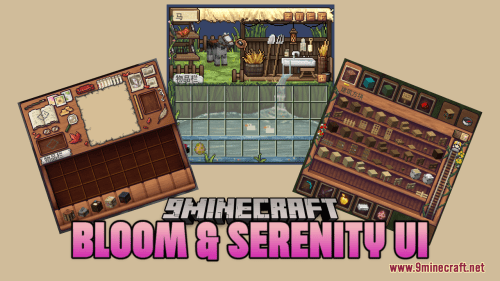 Bloom & Serenity UI Resource Pack (1.21.1, 1.20.1) – Cozy Room-Themed GUI
More from Resource Packs
 Hi It’s Me Verity Resource Pack (26.3) – Fun Custom Tunes for Your Survival
 Let’s Do Vinery Ashen Compat Resource Pack (26.3, 1.20.1)
 Complete Sorting System in a Single Order Resource Pack (26.3, 1.21.11)
 Better Iphone Resource Pack (26.3, 1.20.1) – Modern Smartphone Look
 Mace PvP Pack 3D Mace & Clear Webs Resource Pack (1.21.11)
 Hello Kitty GUI Resource Pack (26.3, 1.20.1) – Charming Pastel Pink Aesthetic
 Amogus Dancing Totem Resource Pack (26.3, 1.20.1) – Goofy Meme Humor
 Highlight Powder Snow Visible Resource Pack (26.3, 1.20.1)
 T.M. Opera O Sun Resource Pack (1.20.1) – A Laughing Anime Face Over Your World
 Mini Halloween Pumpkins Allay Resource Pack (26.3) – Charming Spooky Halloween
 Pharaoh’s Box Resource Pack (26.3, 1.20.1) – Ancient Egyptian Royalty
 Brycen’s Modern GUI Resource Pack (26.3, 1.20.1) – Clean Bedrock Styling

This post has no comments yet. Be the first — your comment will appear here.