
Japanese Nether Portal Schematic (1.21.x) – Compact Asian Style Nether Portal Build
 3
 0


Japanese Nether Portal Schematic brings an Asian-inspired torii gate style to your fast travel hub. It combines dark obsidian with bright red banners and blackstone blocks to create a compact gate. The whole structure fits in a tiny space and needs only vanilla blocks. You can place it in your survival base or decorate your travel hub with this clean shrine design.
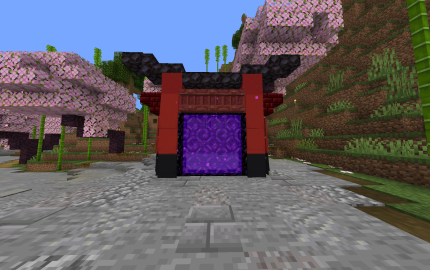
3D Preview & Editor:
How to place this schematic
.litematic This is a Litematica schematic. You place it with the Litematica mod, which shows the build as a ghost overlay you fill in.
| 1 | Install Litematica (plus MaLiLib) for your Minecraft version. |
| 2 | Put the .litematic file in .minecraft/schematics. |
| 3 | In game press M → Load Schematics, pick the file, then Load. |
| 4 | Position the ghost preview, then build it by hand — or turn on Easy Place to place blocks straight from your hotbar. |
Features:
- Fits inside a small area of 9 blocks wide, 7 blocks high, and 3 blocks deep.
- Requires only 66 total blocks so you can collect everything quickly.
- Works in pure vanilla Minecraft without needing any mods or external add-ons.
- Blends blackstone, red concrete, and decorative banners for a traditional Japanese look.
- Holds a full twelve-block obsidian frame ready to ignite with flint and steel.
Schematic Specs:
 Minecraft1.21.x
 Dimensions9×7×3
 Total Blocks66
 Top Blocks Used
Red Wall Banner 16Obsidian 9Nether Portal 9Blackstone Slab 7Black Wall Banner 6
Required Materials:
- 12 Obsidian blocks
- 10 Red Banners
- 7 Blackstone Slabs
- 6 Black Banners
- 6 Red Banners with inverted black per fess pattern
- 6 Mangrove Shelves
- 5 Black Carpets
- 4 Red Concrete blocks
- 2 Blackstone Stairs
- 2 Red Nether Brick Stairs
Japanese Nether Portal Schematic Download Links
For Minecraft 1.21.x
Click to rate this post!
[Total: 0 Average: 0]
You May Also Like
Picked for this page
 Medieval Castle Undecorated Interior Schematic (1.21.x) – Medium Sized Medieval Castle With Empty Ro
 The Damocles Schematic (1.21.x) – Giant Futuristic Space Station Build
 Autosmelter Carpet Dupe Schematic (1.21.x) – Automatic Furnace System With Infinite Fuel
 End House Schematic (1.21.x) – Unfurnished End Base With Piston Door
 Netherless Melon Pumpkin Farm Schematic (1.21.x) – Compact Auto Farm Without Nether Blocks
 Mossinator V2 Schematic (1.21.x) – High-Output 48-Module Moss And Bone Meal Farm
 Bee Green House Garden Apiary Schematic (1.21.x) – Ready To Build Vanilla Bee Farm
 Tramway Schematic (1.21.x) – Small Modern Tram Build For Your City Rails
 Blacksmith Tower Schematic (1.20.x) – Tall Vanilla Building Blueprint For Villages
 Japanese Detached House After Renovation Schematic (1.21.x) – Large Detailed House Build For Your World
 Endermann Farm Schematic (1.21.x) – Compact Vanilla Farm for XP and Ender Pearls
 Small House 10 Schematic (1.20.x) – A Compact Vanilla Home Blueprint For Players
Most viewed in Schematics over the last 7 days
 Gold Farm Schematic (1.21.x) – Automatic Nether Roof Gold Farm
 64 Module Cobblestone Farm Schematic (1.21.x) – Massive Automated Stone Gathering Build
 The Fastest Kelp Farm 500m per Hour Schematic (1.21.x) – Fast 4-Tick Vanilla Redstone Kelp Farm
 Fastest Bonemeal Farm Donut Smp Schematic (1.21.x) – Fast Redstone Bonemeal Farm Build
 Kelp Farm 2.0 Schematic (1.21.x) – Efficient Automatic Kelp Farming System For Survival
 Bamboo Farm Schematic (1.21.x) – Small Automated Redstone Bamboo Farm
 Minutes End Base Before Spoke Null End Video Schematic (1.21.x) – Giant Unstable SMP End Base Schema
 Villager Trading Hall Schematic (1.21.x) – Modern Shop Build For 48 Villagers
 Unstable SMP S Bomer Schematic (1.21.x) – Large Bomber Machine Build For Worlds
 Easy Bamboo Farm No Lever Schematic (1.21.x) – Self-Running Bamboo Farm With Observers
 Beach House Schematic (1.21.x) – Modern Beach House With Finished Interior
 4k Bonemeal Farm Made by Basicredstone Schematic (1.21.x) – Compact Redstone Bonemeal Farm Build
More from Schematics
 4 Player First Day House Schematic File Schematic (1.21.x) – Small Medieval Starter House for Four P
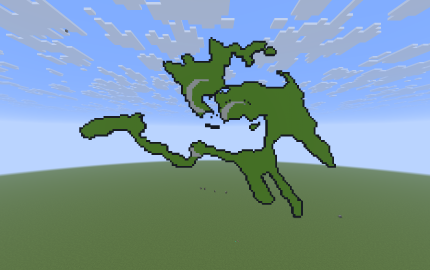 Ottoman Empire Schematic (1.21.x) – Historical 1566 Map Border Pixel Art Build
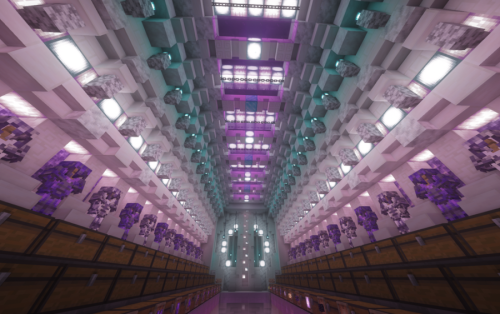 Amethyst Mega Stash Schematic (1.21.x) – Unfilled Storage Base With Regear And Stasis Room
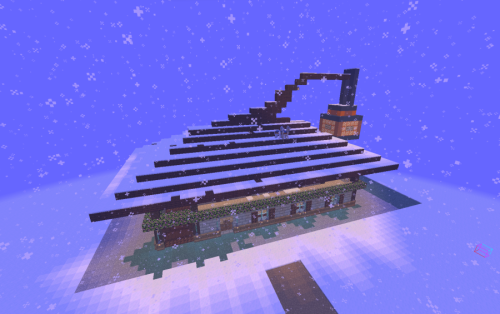 Beautiful Mansion with Almost Every Need Schematic (1.21.x) – Spacious Survival Base With Functional
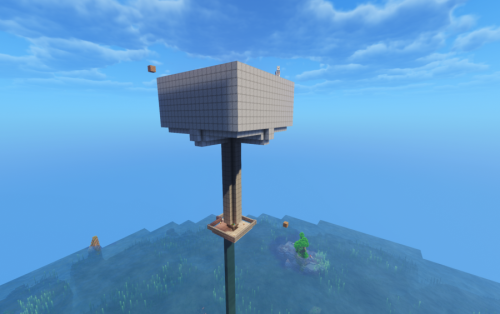 Easy Creeper Farm Schematic (1.21.x) – Simple Survival Gunpowder Farm Build For Minecraft
 Survival Storage House Schematic File Schematic (1.21.x) – Medieval Storage Building for Survival Wo
 My Gaming Setup Schematic (1.21.x) – Large Modern Gaming Desk Build With Lenovo Legion Go
 Item Finder 2.0 2026 Schematic (1.21.x) – Redstone Storage System for 72 Different Items
 Pizza Trap Funnel Killing Chamber Schematic (1.21.x) – Compact Redstone Pizza Trap and Killing Chamb
 Castle Schematic (1.21.x) – Large Medieval Fortress Build With Central Roof Vault
 Potato Gambling Machine Schematic (1.21.x) – Small Vanilla Redstone Gambling Build for Your World
 Mushroom Base Schematic (1.21.x) – Open Mushroom Base With Room for Custom Interiors

This post has no comments yet. Be the first — your comment will appear here.