


Minimap (26+, 1.21) – MCPE/Bedrock Addon
 0
0
 0
0

The Minimap Addon introduces a highly optimized, real-time minimap display directly into the game interface. This utility is designed to help players navigate their Minecraft worlds with greater ease, providing a dynamic visual representation of the surrounding terrain. To ensure proper functionality, players must enable the Experimental Features setting within their world options. The minimap renders a 31×31 block area, continuously updating as the player explores, and is built for efficient performance even on devices with lower specifications.
In play, the minimap offers a detailed, immersive view of the environment. It incorporates dynamic shadows, enhancing the sense of depth and realism within the displayed area. The system can also detect water bodies and varying terrain heights, assisting players in traversing complex landscapes without becoming disoriented. Its expansive color palette ensures that all types of blocks, including those introduced by other addons, are accurately represented on the map. This minimap functions across all three dimensions of Minecraft, providing continuous navigational support whether in the Overworld, Nether, or End.
Players using a keyboard and mouse can toggle the minimap’s visibility with a dedicated key press. For those on touch devices, a new map icon button appears in the user interface to perform the same function. Console and controller users can manage the minimap’s display through a specific video setting, allowing them to show or hide the overlay as needed. The addon is engineered to maintain smooth gameplay without impacting frame rates, making it a seamless addition to any Minecraft Bedrock experience.
Requirements:
- MCPE/Bedrock 1.21.81 – 1.21.82
all 2 versions
1.21.82, 1.21.81
- Turn on Experimental Features — this addon uses scripting APIs
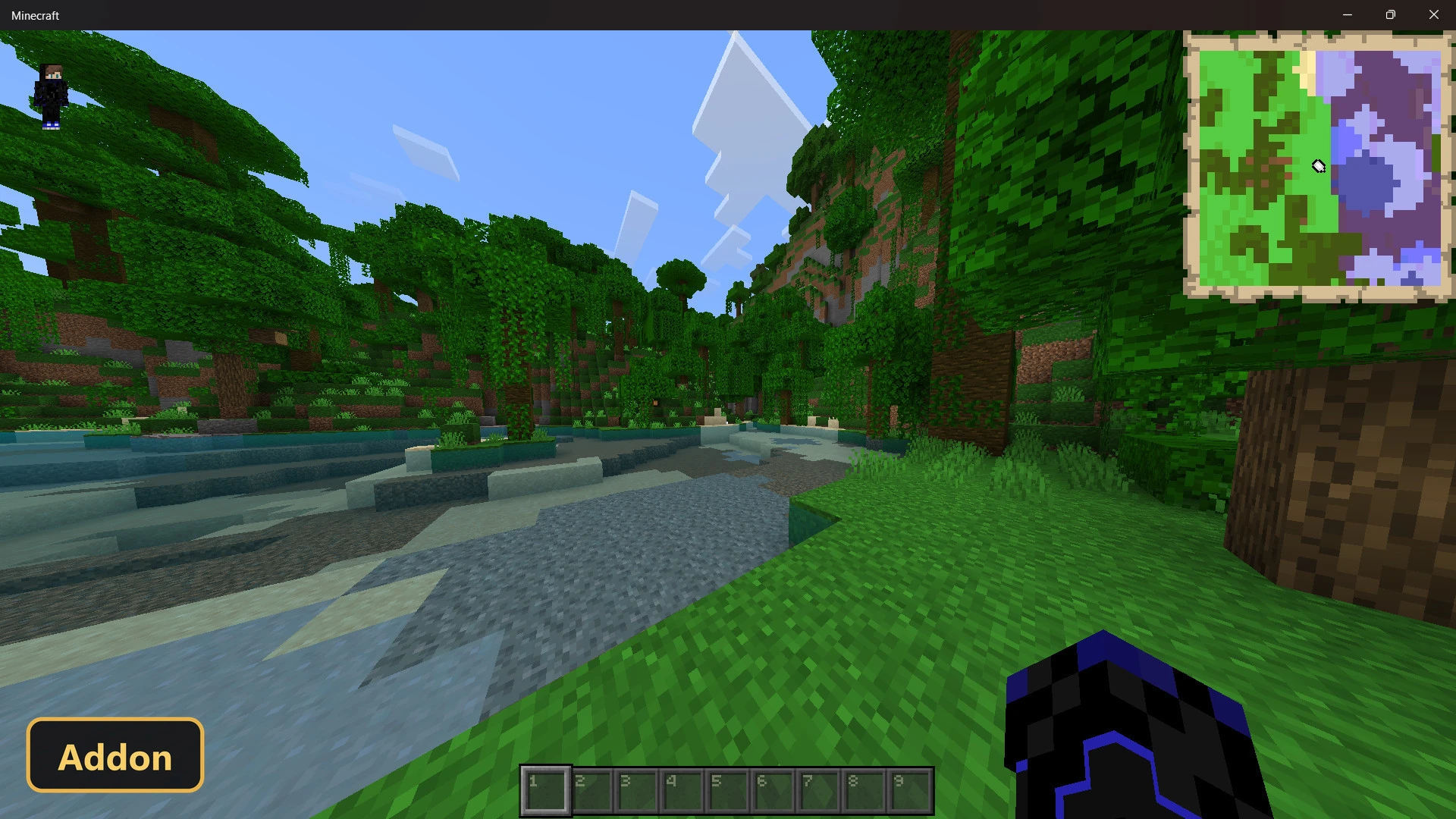
Screenshots:
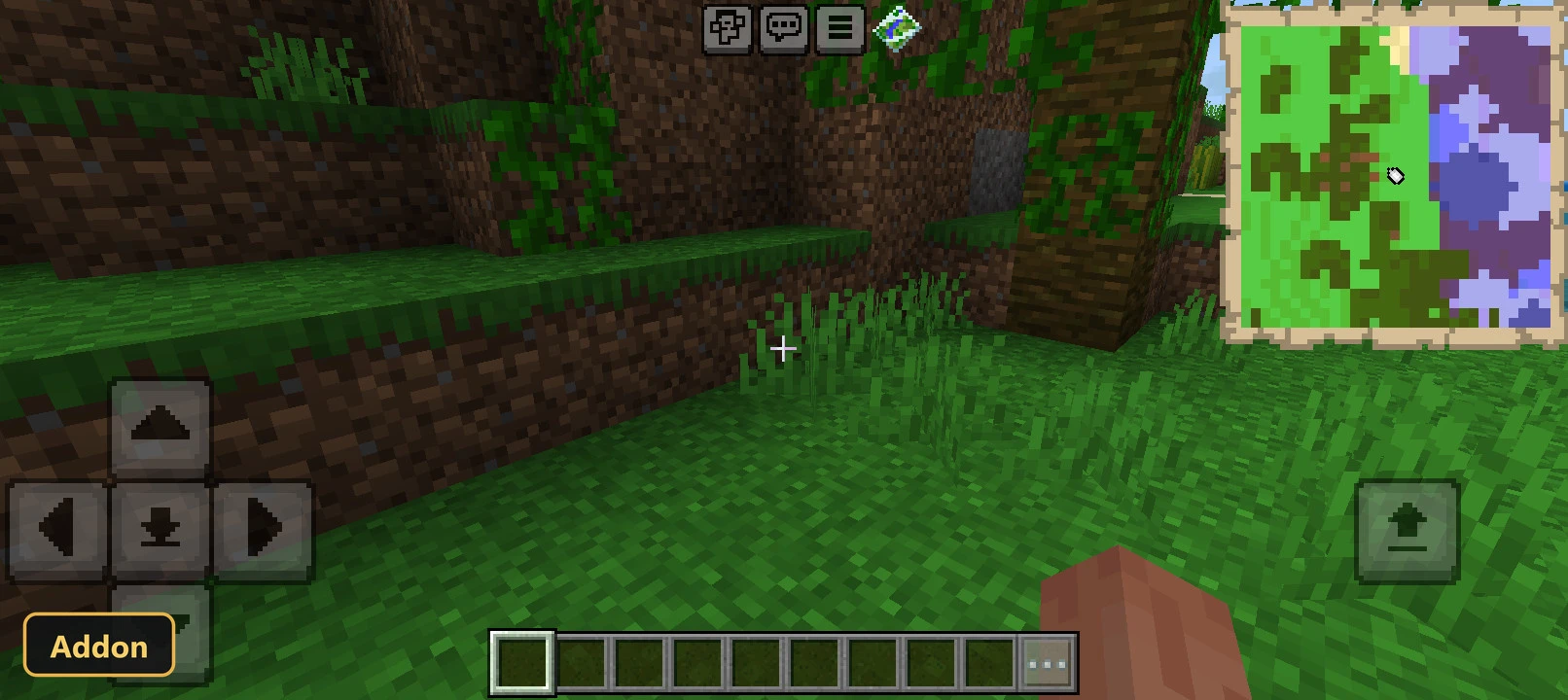
How to Install:
New to Minecraft PE? Follow our step-by-step guide to install Mods/Addons on your Mobile.View Guide
For MCPE/Bedrock 1.21+
You May Also Like





This post has no comments yet. Be the first — your comment will appear here.