


OpenSecurity Mod (1.12.2, 1.10.2) – Code Your Own Base Security
 7,203
7,203
 0
0

🌐 Good news — we've translated this article into other languages!
Or pick the one you like:
OpenSecurity Mod is an addon for OpenComputers that adds new security-focused parts. With this mod, you can build advanced systems to protect your base using items like RFID cards, alarms, and special entity detectors.

Features:
- Adds an alarm that you can control with a computer or Redstone signal.
- Use an RFID Reader Block to scan RFID Cards in a player’s inventory.
- The Card Writer lets you write data to RFID Cards, MagCards, and EEPROMs.
- Read Mag Cards by right-clicking them on the Mag Card Reader.
- Control a special Security Door with a Door Controller. Only the person who placed it or a Creative mode player can break it.
- Use a Data Block, which works just like a Data Card but in block form.
- Disconnect parts of your network using the computer-controlled Switchable Hub.
- A KVM Switch lets you connect multiple computers to a single monitor and keyboard.
- Adds a Keypad with buttons that send signals to attached computers.
- Build an Energy Turret that uses OpenComputers energy to shoot at targets.
- Includes RFID and Mag Cards that can store data and be locked to prevent rewriting.
How to Use:
To set up the security operating system:
- Craft the SecureOS Disk with a blank OpenComputers disk and a Mag Card.
- Insert the disk into a computer and boot from it.
- Log in with the username “root” and the password “root”.
- Follow the prompts to complete the installation.
Crafting Recipes:
Blocks:
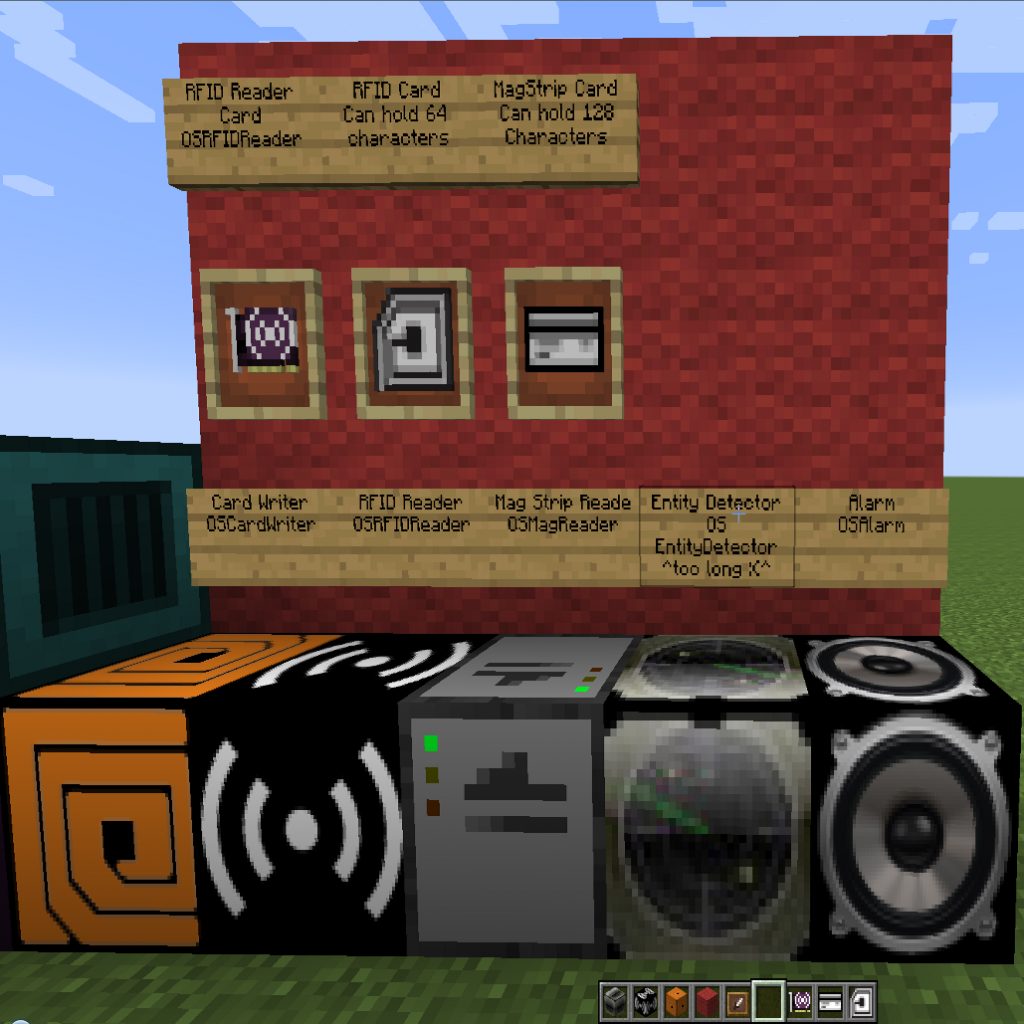
OSAlarm
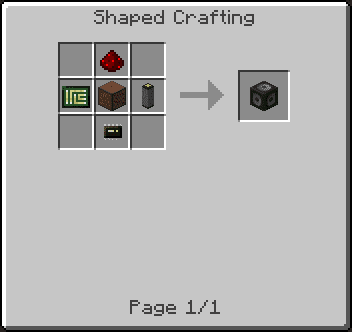
RFID Reader Block
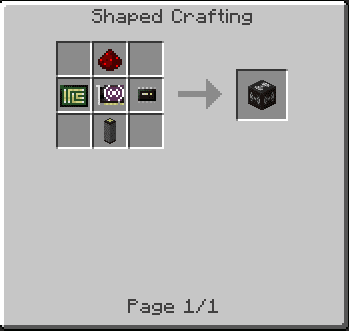
Card Writer
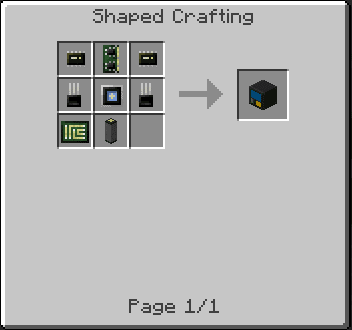
Mag Card Reader
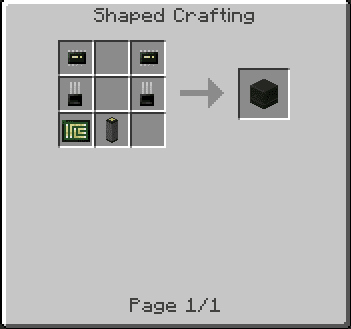
Door Controller
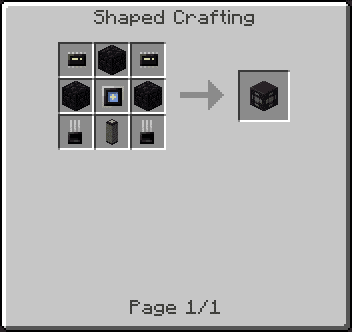
Security Door
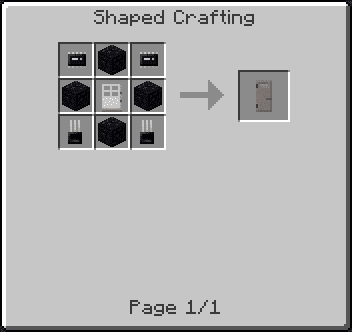
Data Block
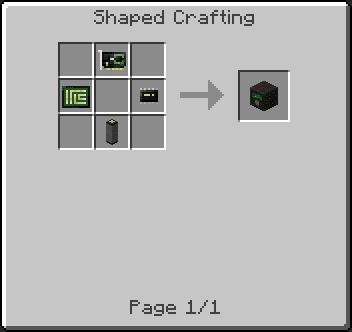
Switchable Hub
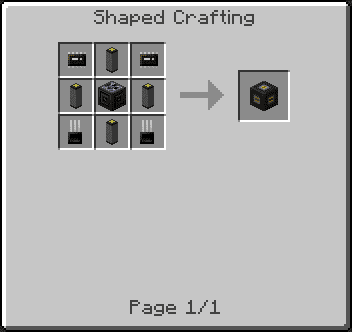
KVM Switch
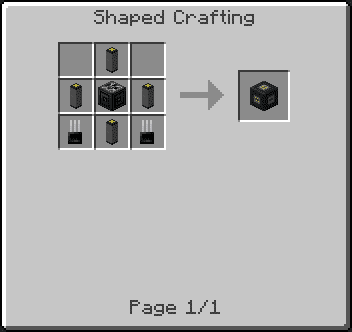
Keypad
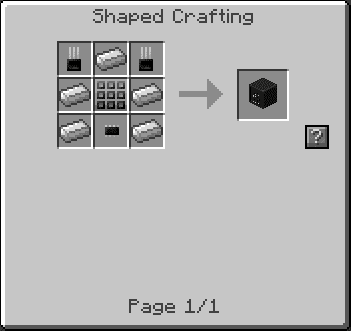
Items:
RFID Reader Card
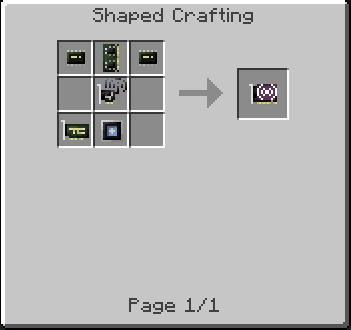
RFID Card
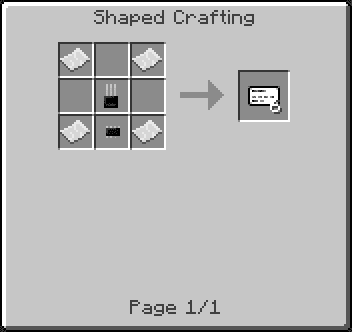
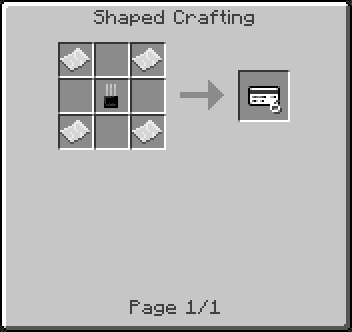
Mag Card
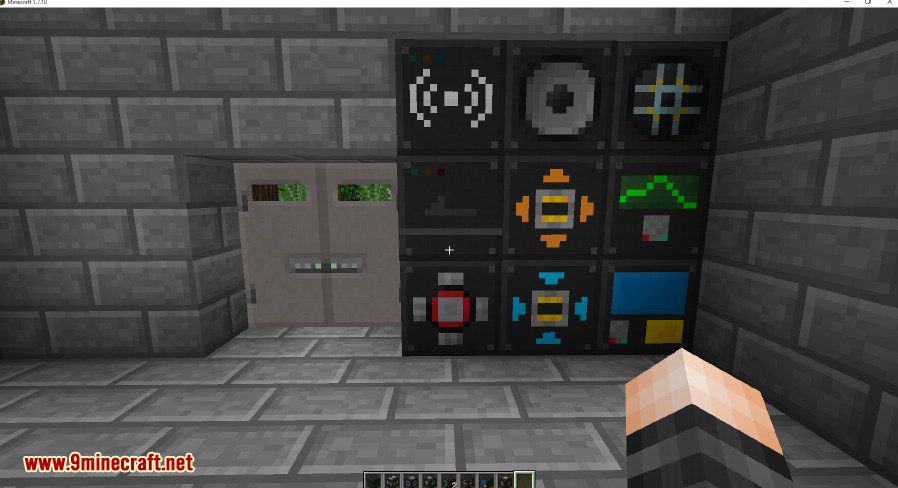
Screenshots:
How to Install:
New to Minecraft? Follow our step-by-step guide to install Mods on your PC.View Guide
Requirements:


OpenSecurity Mod Download Links
For Minecraft 1.7.10
For Minecraft 1.10.2
For Minecraft 1.12.2
Click to rate this post!
[Total: 0 Average: 0]
You May Also Like















This post has no comments yet. Be the first — your comment will appear here.