
Simple Debug Screen (26+, 1.21) – MCPE/Bedrock Texture Pack
 7
 0

Simple Debug Screen retextures the UI into a clear debug screen that shows key world and player information.
It displays the world name, the player’s gamemode and precise coordinates, covering both the overall position and the location within the current chunk. The number of days spent in the world is shown too. A coordinate converter with a dedicated button toggles between Overworld and Nether coordinates for quick conversions. The screen also shows the selected item’s ID and auxiliary data, and custom UI tweaks are included.
Requirements:
- MCPE/Bedrock 1.20 – 1.21.101
all 27 versions
1.21.101, 1.21.100, 1.21.94, 1.21.93, 1.21.92, 1.21.90, 1.21.82, 1.21.81, 1.21.80, 1.21.73, 1.21.72, 1.21.71, 1.21.70, 1.21.61, 1.21.60, 1.21.51, 1.21.50, 1.21.44, 1.21.43, 1.21.41, 1.21.40, 1.21.30, 1.21.21, 1.21.20, 1.21.2, 1.21, 1.20

Features:
- Retextures the UI
- Also includes custom UI tweaks
Screenshots:

How to Install:
For MCPE/Bedrock 1.21+
You May Also Like
Picked for this page
 Create Addon (1.26, 1.21) – MCPE/Bedrock Mod
 Combat Hitboxes Texture Pack (26.x) – Clear Wireframe Outlines For PvP Combat
 3D Vanilla Blocks Texture Pack (26+, 1.21) – Vanilla Reimagined with Real Depth
 ADD-ON STRANGER THINGS (26+, 1.21) – Fight Vecna and Demogorgons
 Ender Dragon Wings Elytra (26+, 1.21) – Transform Your Glider Into Majestic
 SHARP VIBRANT (26+) – Brighter Colors and Punchy Contrast for Biomes
 Faithful Nature Texture Pack (26.x, 1.21) – Vibrant Foliage and Refined Nature
 Dynamic Bossbar (26+, 1.21) – Custom Boss Health Bars
 Better Skeletons (26+, 1.21) – Biome-Themed Undead Styles
 Better Dogs (26+, 1.21) – Turn Wolves Into Cute Dogs
 Bottom Day And Coords (26+, 1.21) – Clean HUD Layout Above the XP Bar
 Enhanced Tweaks (26+, 1.21) – Clearer Vision and Boosted FPS
Most viewed in Texture Packs over the last 7 days
 Distant Horizons Texture Pack (26.x, 1.21) – MCPE/Bedrock
 Xnova Model Texture Pack (26.x, 1.21) – Smaller First-person Hands and Custom
 Patrix Texture Pack (1.26+) – No Lag, Ultra Realistic for MCPE
 Better Sounds Resource Pack (26.x, 1.21) – Clear Audio for Every Biome
 View Model A&S by Justpals Texture Pack (26.x, 1.21) – X
 Night Vision Texture Pack (26.x, 1.21) – See Through Walls for Resource Runs
 Anime Girl UI Pack (26.x, 1.21) – MCPE/Bedrock
 Mizuno’s 16 Craft Texture Pack (26.30, 1.21) for MCPE/Bedrock Edition
 X-Ray Texture Pack (26.x, 1.21) for MCPE/Bedrock with Glow
 The Ty-el’s Vietnamese Language Pack (26.x, 1.21) – Minecraft PE Tiếng Việt
 Better X-Ray Texture Pack (26.x, 1.21) – MCPE/Bedrock
 Stellar Graphics Pack (26.x, 1.20) – MCPE/Bedrock
More from Texture Packs
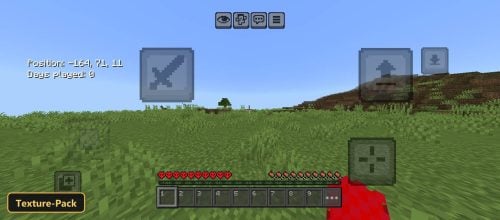 Sulfur FPS Booster (26+, 1.21) – MCPE/Bedrock Texture Pack
 APOCALIPTYC ILLAGERS (26+) – MCPE/Bedrock Texture Pack
 Vanilla Deferred Lighting (26+, 1.21) – MCPE/Bedrock Shader
 Skin Layers 3D (26+) – MCPE/Bedrock Texture Pack
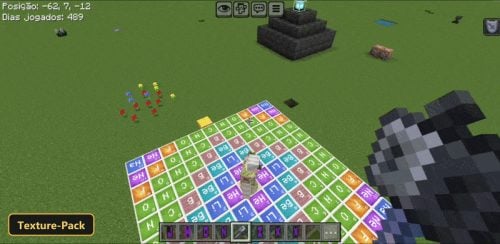 Impact Frame (26+) – MCPE/Bedrock Texture Pack
 Strawberry Deferred Waving Grass! (26+, 1.21) – MCPE/Bedrock Shader
 OLD Animations (26+) – MCPE/Bedrock Texture Pack
 Player Like NPC (26+, 1.21) – MCPE/Bedrock Texture Pack
 Radiant Pack RTX (26+, 1.21) – MCPE/Bedrock Shader
 Visual Shield (26+) – MCPE/Bedrock Texture Pack
 Kaiiopack Visuals (26+, 1.21) – MCPE/Bedrock Shader
 A&S Glowing Ore (26+, 1.21) – MCPE/Bedrock Texture Pack

This post has no comments yet. Be the first — your comment will appear here.