
Stone Bridge V1 Schematic (1.21.x) – Medium Medieval Stone Bridge for Castles and Bases

 0


Stone Bridge V1 Schematic adds a medium-sized medieval pathway for your castle or home base. Built with a mix of stone, tuff, stone bricks, and cracked stone bricks, this structure stretches 67 blocks long, 26 blocks tall, and 9 blocks wide. The build uses 2,456 blocks in total and works in vanilla worlds without needing any extra mods.

3D Preview & Editor:
How to place this schematic
.schem This is a WorldEdit schematic. It pastes instantly on a server or single-player world that has WorldEdit (or FastAsyncWorldEdit).
| 1 | Install WorldEdit — as a plugin on the server, or as a mod for single player. |
| 2 | Drop the .schem file into plugins/WorldEdit/schematics (server) or config/worldedit/schematics (client). |
| 3 | Run //schem load <file name>. |
| 4 | Stand where you want it and run //paste. Add -a to skip air blocks. |
Features:
- Medieval Castle Theme: Fits right into castle builds or medieval-style bases as a main crossing.
- Textured Block Pattern: Combines regular stone, tuff, stone bricks, and cracked stone bricks for a weathered look.
- Medium Footprint: Measures 67x26x9 blocks, using a total of 2,456 blocks.
- Uses only vanilla blocks and comes as a SCHEM file ready for WorldEdit pasting.
Schematic Specs:
 Minecraft1.21.x
 Dimensions67×26×9
 Total Blocks2,456
 Top Blocks Used
Stone Bricks 359Cracked Stone Bricks 337Tuff 329Stone 326Cobblestone 213
Screenshots:

Stone Bridge V1 Schematic Download Links
For Minecraft 1.21.x
Click to rate this post!
[Total: 0 Average: 0]
You May Also Like
Picked for this page
 Gold Farm Schematic (1.21.x) – Automatic Nether Roof Gold Farm
 Pokémon Temple Arena Japanese Litematica Schematic (1.21.x) – Large Asian Fortress With Fighting Rin
 Donut Smp Stash and Regear Schematic (1.21.x) – Large Storage And Regear Room Build
 Mossinator V2 72k Bonemeal per Hour Schematic (1.21.x) – Massive Moss Farm For Endless Bonemeal
 The Damocles Schematic (1.21.x) – Giant Futuristic Space Station Build
 2v1000 Arena Schematic (1.21.x) – Modern Large Fight Arena Build
 Manual Regear Station Schematic (1.21.x) – Compact Vanilla Manual Regear Station Build
 Roman Aqueduct Section Schematic (1.20.x) – Classic Roman Water Bridge Build
 Red Tractor Schematic (1.21.x) – Detailed Farming Vehicle for Modern Cities
 Small House 11 Schematic (1.20.x) – Tall And Compact Vanilla Home Build
 Big House 5 Schematic (1.20.x) – A Ready-Made Vanilla House Build
 Gold Farm Sorting Trash Bin for Rotten Flesh Gold Blocks Crafter Schematic (1.21.x) – Automated Reds
Most viewed in Schematics over the last 7 days
 64 Module Cobblestone Farm Schematic (1.21.x) – Massive Automated Stone Gathering Build
- Gold Farm Schematic (1.21.x) – Automatic Nether Roof Gold Farm
 Kelp Farm 2.0 Schematic (1.21.x) – Efficient Automatic Kelp Farming System For Survival
 Fastest Bonemeal Farm Donut Smp Schematic (1.21.x) – Fast Redstone Bonemeal Farm Build
 Bamboo Farm Schematic (1.21.x) – Small Automated Redstone Bamboo Farm
 Villager Trading Hall Schematic (1.21.x) – Modern Shop Build For 48 Villagers
 The Fastest Kelp Farm 500m per Hour Schematic (1.21.x) – Fast 4-Tick Vanilla Redstone Kelp Farm
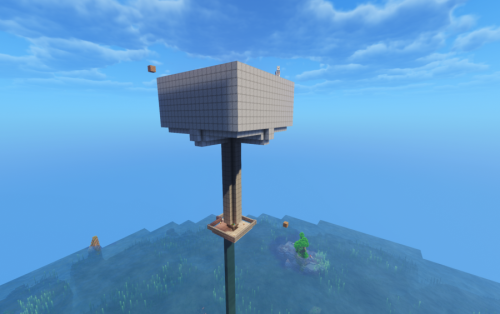 Easy Creeper Farm Schematic (1.21.x) – Simple Survival Gunpowder Farm Build For Minecraft
 Unstable SMP S Bomer Schematic (1.21.x) – Large Bomber Machine Build For Worlds
 Minutes End Base Before Spoke Null End Video Schematic (1.21.x) – Giant Unstable SMP End Base Schema
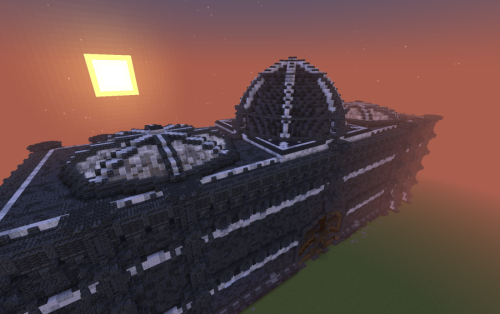 Castle Schematic (1.21.x) – Large Medieval Fortress Build With Central Roof Vault
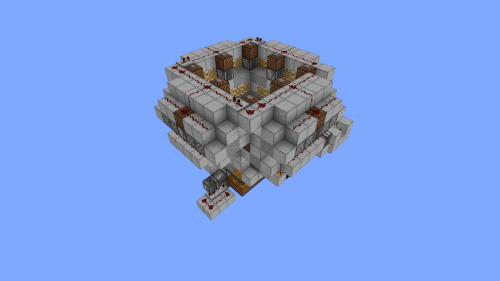 4k Bonemeal Farm Made by Basicredstone Schematic (1.21.x) – Compact Redstone Bonemeal Farm Build
More from Schematics
 Doink Twincast Iron Farm Wheat Farm Auto Sorter and Crafter Schematic (1.21.x) – Compact Sorter And
 Instant Kill Railgun Schematic – Large Redstone Cannon Build for Minecraft
 XCorePhantom Kelp Farm Xv1 Schematic (1.21.x) – Massive Automated Kelp Smoker Array
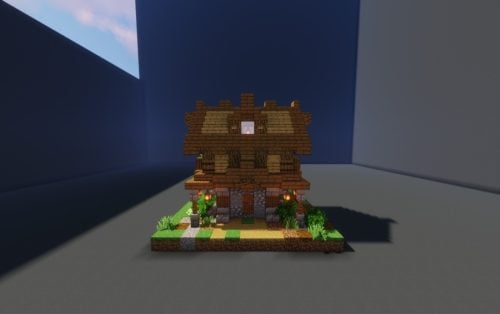 Survival First Day House Two Player Schematic (1.21.x) – Cozy Starter Base for Two Players
 Wow Dornogal Foundationhall Schematic (1.20.x) – Dwarven Capital Hall In Minecraft
 Bambu Farm Schematic (1.21.x) – Automatic Bamboo Farm with Outdoor Decor
 Automatic Sorter Schematic (1.21.x) – A Functional Asian Style Item Storage
 Minecraft 2x Mob Farm Schematic (1.21.x) – Compact Double Tower for Idle Mob Drops
 White Lighthouse Schematic (1.21.x) – Modern Coastal Tower Build For Java
 Dr Bamboo V3 Schematic (1.21.x) – Automated Bamboo Farm and Crafter Blueprint
 Bee Green House Garden Schematic (1.21.x) – Cozy Medieval Bee Greenhouse For Survival Worlds
 1×2 Door Schematic (1.21.x) – Compact In-Ground Redstone Door Setup

This post has no comments yet. Be the first — your comment will appear here.