Overview#
The Lost Cities mod is a revolutionary world generation tool created by McJty. It allows players to explore, survive, or build within a world dominated by old, abandoned cities instead of the standard Minecraft biomes. The mod is highly versatile, offering two primary ways to play: as a complete Overworld replacement or as a separate dimension accessible via a unique portal mechanic.
In a Lost Cities world, you will find a complex network of highways, bridges, tunnels, and a fully functional (though dilapidated) subway system. Buildings range from small residential houses to massive skyscrapers, many of which contain multiple floors, basements, and hidden loot. However, these cities are far from safe; they are infested with monster spawners and traps, making every building a potential dungeon.
Getting Started: The Lost City Dimension#
While you can generate your entire world as a city, the mod also adds a dedicated dimension (lostcities:lostcity). This allows players to keep their Overworld normal while having a separate urban wasteland to explore.
The Portal Recipe
To travel to the Lost City dimension, you must construct a specific portal structure. Unlike Nether portals, this uses a bed as the catalyst.
| Component | Quantity | Placement |
|---|---|---|
| Diamond Block | 2 | Placed directly underneath the Bed. |
| Bed | 1 | Placed on top of the Diamond Blocks. |
| Skeleton Skull | 6 | Placed on the ground surrounding the Bed. |
How to Teleport:
- Place the two Diamond Blocks side-by-side.
- Place any color Bed on top of them.
- Surround the bed with 6 Skeleton Skulls (or Wither Skeleton Skulls).
- Right-click or Shift-Right-click the bed to teleport. You do not need to wait for night; the portal works at any time.
Note: Always bring materials to build a return portal, as the mod does not automatically generate one in the dimension.
Generation Profiles#
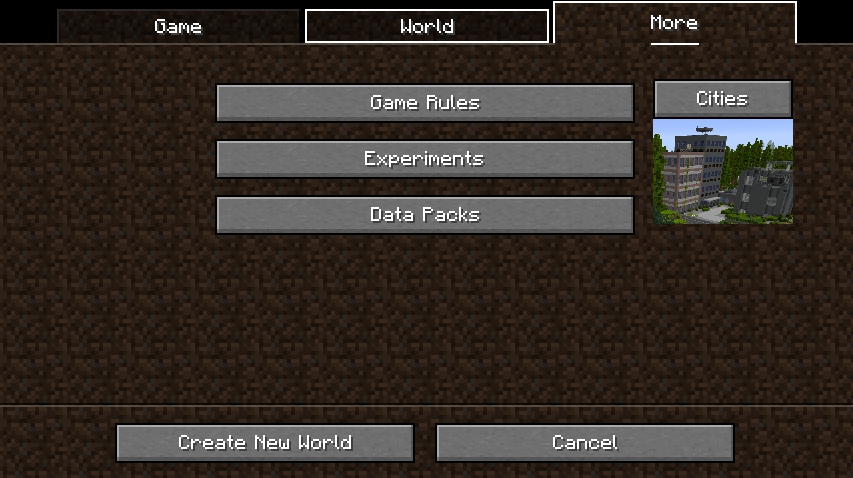
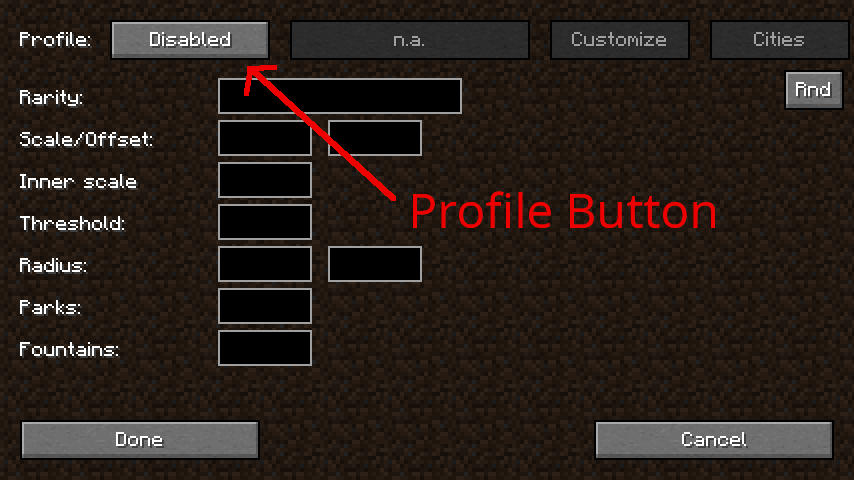
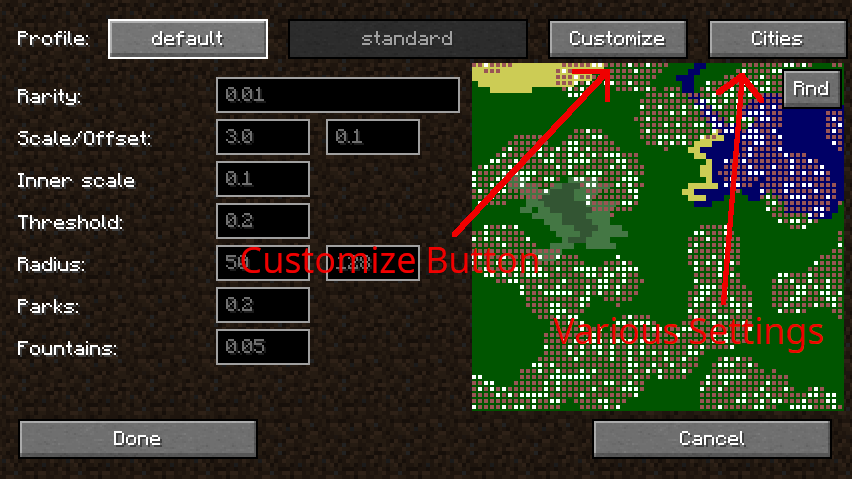
The mod uses "Profiles" to determine the style, frequency, and condition of the cities. When creating a new world, players can click the Cities button in the world customization menu to select a profile.
| Profile | Description |
|---|---|
| default | Standard generation with a balanced mix of cities and nature. |
| nodamage | Cities are intact with no explosion craters or ruined walls. |
| rarecities | Cities are much further apart, making them a rare discovery. |
| onlycities | The entire world is one continuous city with no open wilderness. |
| tallbuildings | Increases the maximum height of skyscrapers significantly. |
| ancient | Overgrown ruins with heavy vine growth and jungle-like decay. |
| wasteland | A dried-up world with no water, dead trees, and sandy terrain. |
| atlantis | The world is flooded; cities are submerged with the sea level at height 90. |
| cavern | Cities generate inside massive underground stone caverns (Nether-style). |
| floating | Cities generate on floating islands over a void. |
| space | Cities are contained within massive glass spheres in a void world. |
| biosphere | Jungles and cities inside glass bubbles on a barren landscape. |
| safe | No monster spawners or loot; buildings are lit with torches. |
Lost Worlds Companion Mod#
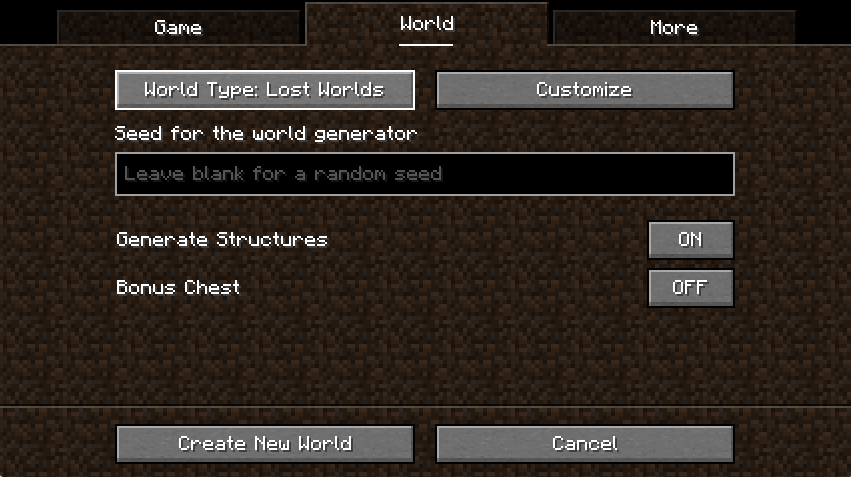
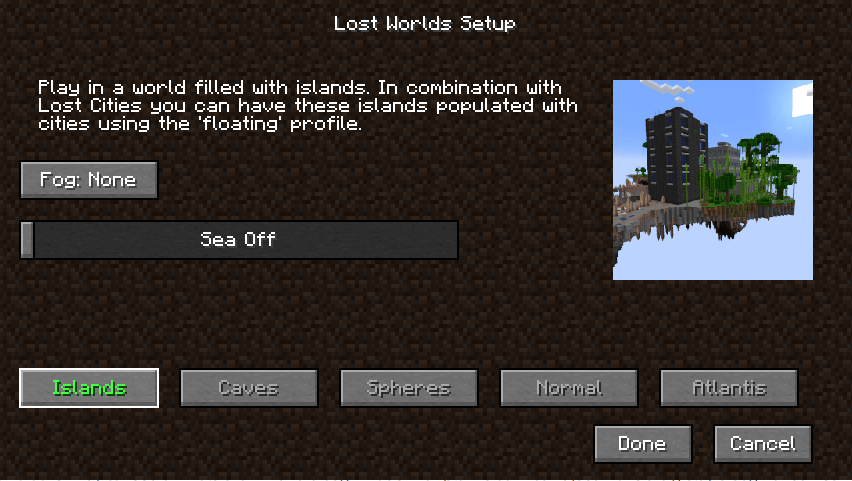
For Minecraft, the Lost Worlds companion mod provides specialized world presets that optimize the terrain for specific Lost Cities profiles.
World Types
- Lost Worlds: A standard preset that automatically pairs with your selected LC profile.
- Lost Worlds (Wastes): A variant that replaces standard biomes with wasteland-themed ones (Deserts, Badlands, Gravelly Mountains).
Customization Options
When using Lost Worlds, you can access a dedicated customization screen to adjust:
- Fog Color: Change the atmospheric fog of the Overworld.
- Sea Level: A slider to adjust water height (primarily for Islands and Spheres types).
- World Type Selection: Choose between Islands, Caves, Spheres, Normal, or Atlantis directly from the preset menu.
Structures and Landmarks#
The cities are not just random blocks; they are composed of complex, pre-defined assets that generate seamlessly.
- Highways & Bridges: Multi-lane roads that connect different city hubs. Bridges can span across massive oceans or deep ravines.
- Subway System: An extensive underground rail network. Stations are found beneath street level, often containing loot and spawners.
- Dungeons: Many buildings are designated as "dungeons," featuring iron bars, dark corridors, and high concentrations of hostile mobs.
- Parks & Fountains: Open green spaces within cities that provide a source of wood and plants.
- Factories: Large industrial buildings with open floor plans, ideal for setting up machinery from other mods.
- Shopping Centers: Multi-story glass buildings with wide staircases and commercial layouts.
Mobs and Dungeons#
The Lost Cities mod does not add new mob entities but utilizes vanilla mobs in a "dungeon-crawl" style.
Spawning Mechanics
Buildings are heavily populated with Monster Spawners. These are typically hidden behind walls or under floors to surprise players. Common mobs include:
- Zombies & Skeletons: Found in almost every building.
- Spiders & Cave Spiders: Often found in overgrown or "ancient" style buildings.
- Witches: Occasionally spawn in higher-tier "dungeon" buildings.
Difficulty
The density of spawners makes city exploration extremely dangerous, especially at night. It is recommended to bring plenty of torches to light up rooms and a pickaxe to disable spawners quickly.
Loot and Items#
Loot is scattered throughout the cities in chests, often hidden in basements or top-floor offices. The mod uses a custom loot system that can be configured via datapacks.
| Loot Source | Common Items | Rare Items |
|---|---|---|
| Residential Chests | Food, Iron Tools, Leather Armor | Enchanted Books, Name Tags |
| Office/Commercial | Paper, Books, Glass | Brewing Stands, Golden Apples |
| Subway/Dungeons | Rails, Minecarts, Coal | Diamonds, Enchanted Golden Apples |
| Factories | Iron Ingots, Redstone, Buckets | Golden Carrots, Ender Pearls |
Custom Loot Tables
The mod includes internal loot tables such as lostcities:chests/lostcitychest and lostcities:chests/raildungeonchest. These can be overridden using the Asset DataPack System to include items from other mods.
Configuration and Multiplayer#
The Lost Cities is highly configurable, allowing server owners to fine-tune the experience.
- Single Player Config: The easiest method is to configure a world in Single Player, then copy the
lostcities-server.tomlfile. - File Location: Found in
saves/<worldname>/serverconfig/. - File Location: Found in the main
config/directory. - Multiplayer Activation: To use Lost Cities as the default world type on a server, edit
server.properties:level-type=lostcities(for the mod's world gen)level-type=lostworlds:lost_worlds(if using the companion mod)
The Asset System
Advanced users can create Datapacks to add custom buildings (.json files), change the block palette (e.g., replacing Stone with Concrete), or modify the mob spawning conditions. This system allows for total conversion of the city's aesthetic.