
Translucent GUI Resource Pack (26.3, 1.20.1) – Clear Menus Without Clutter

 0

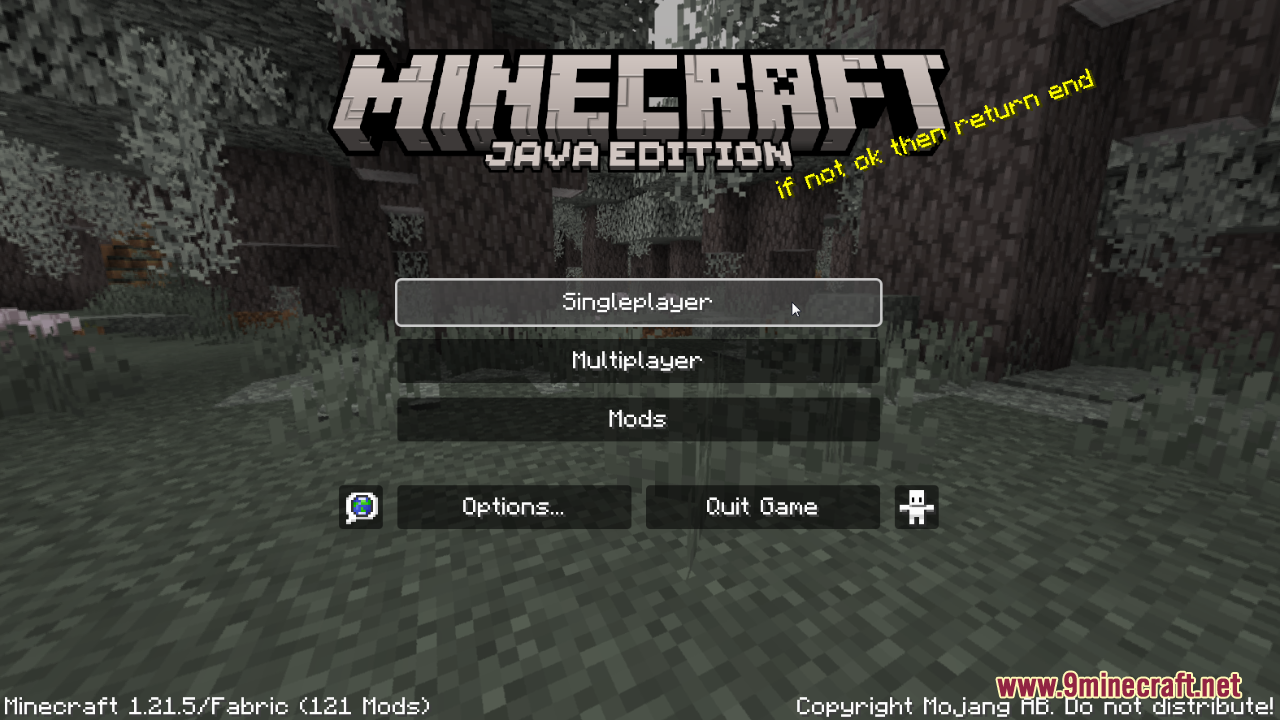
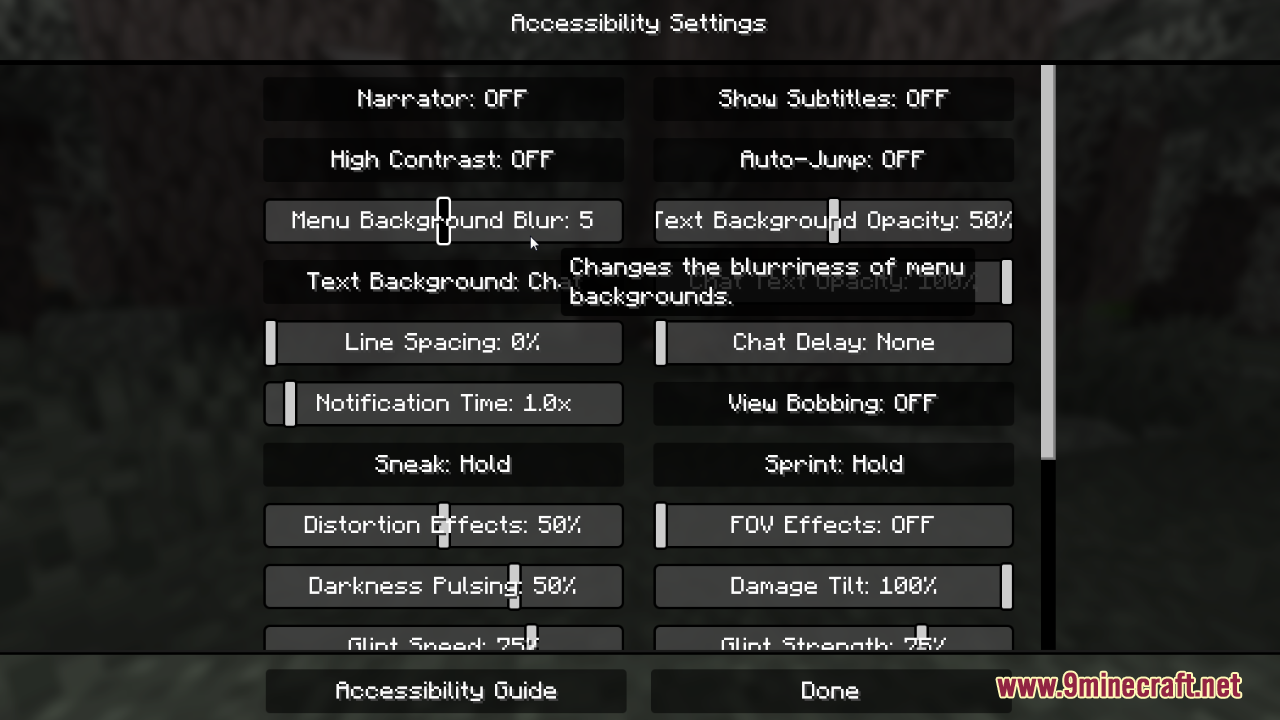
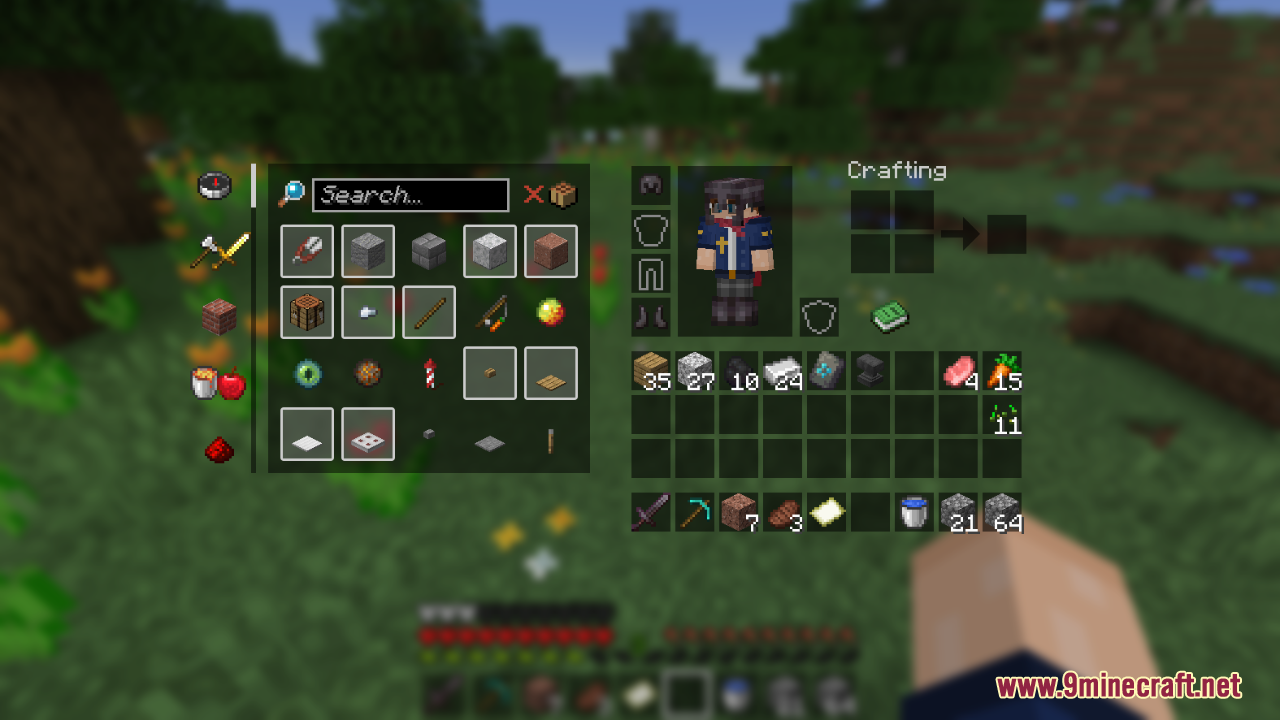
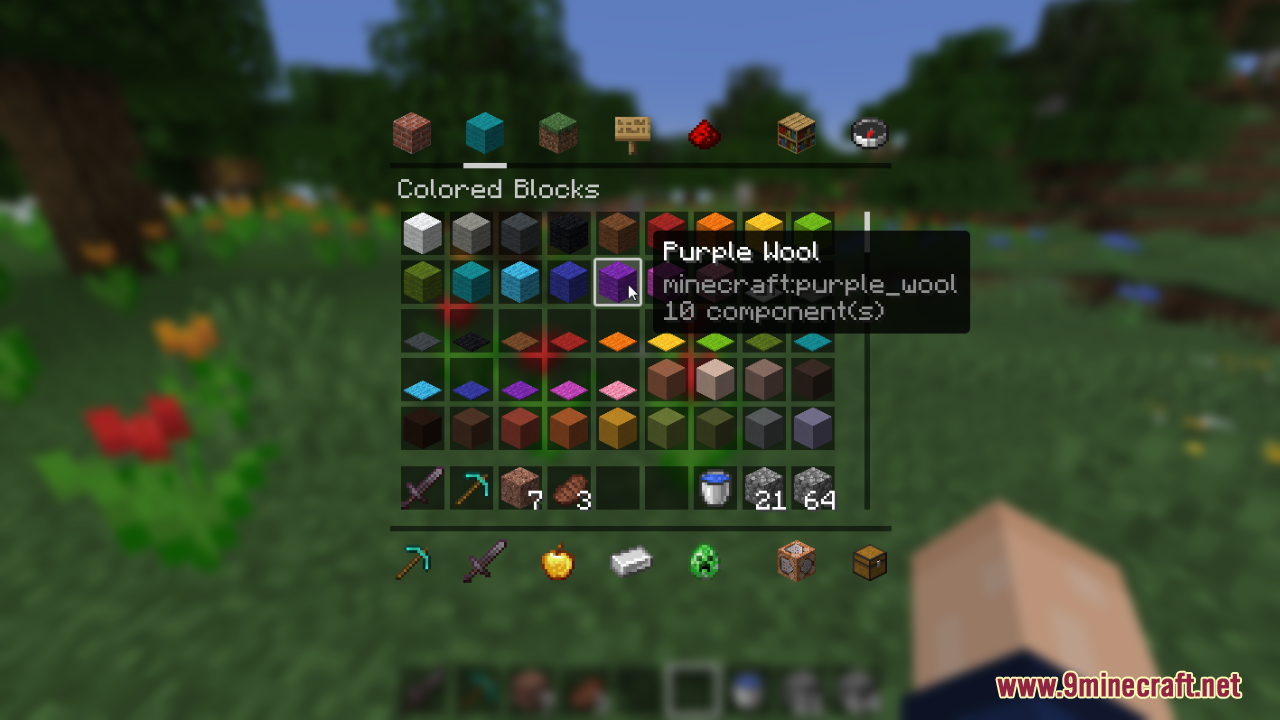
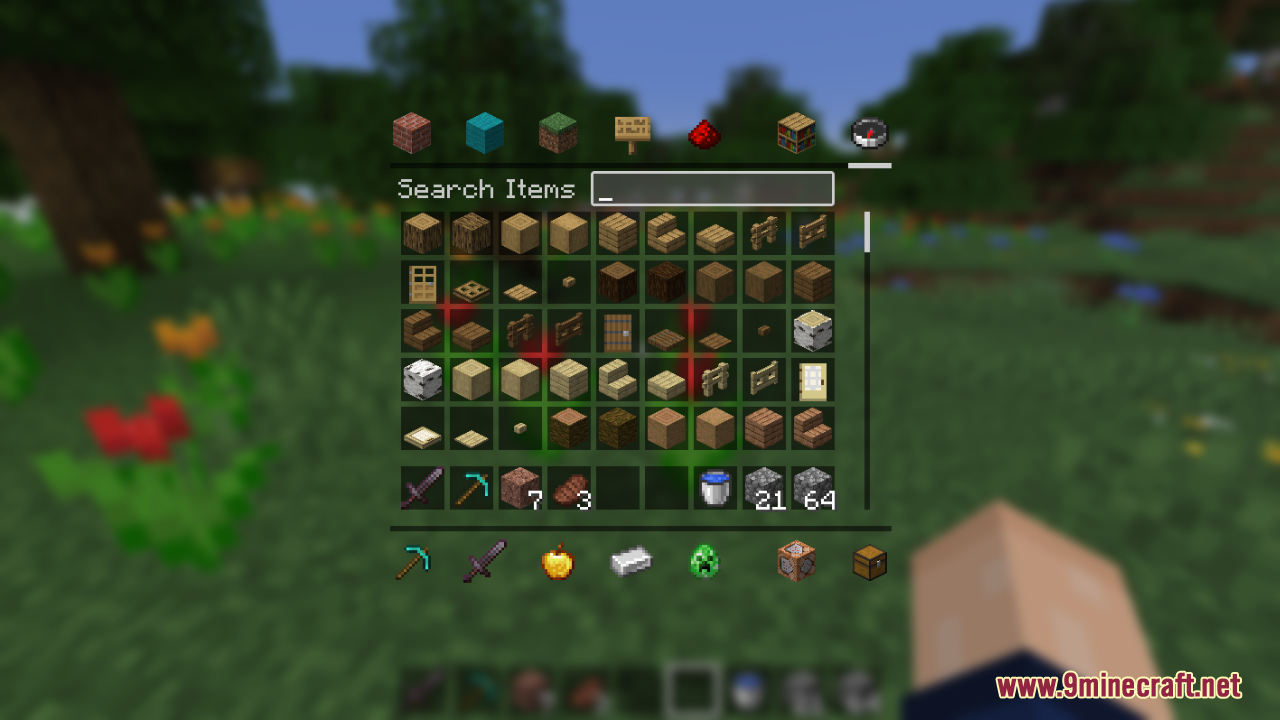
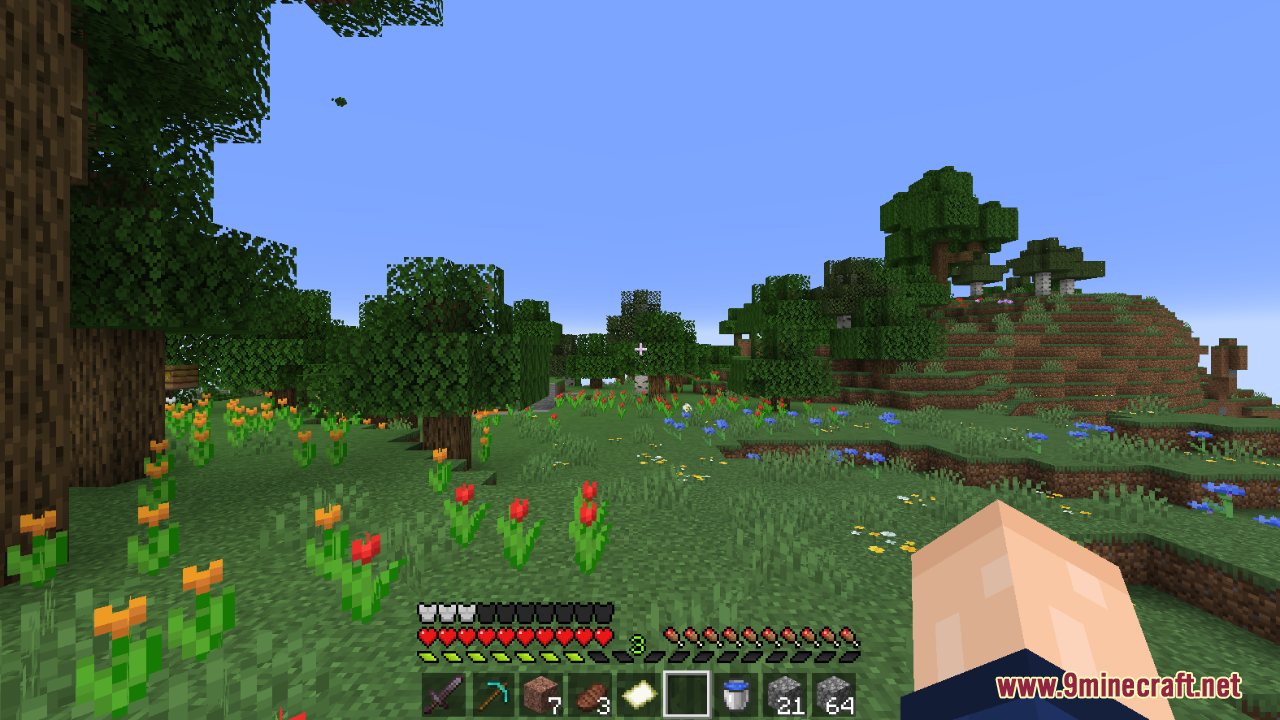
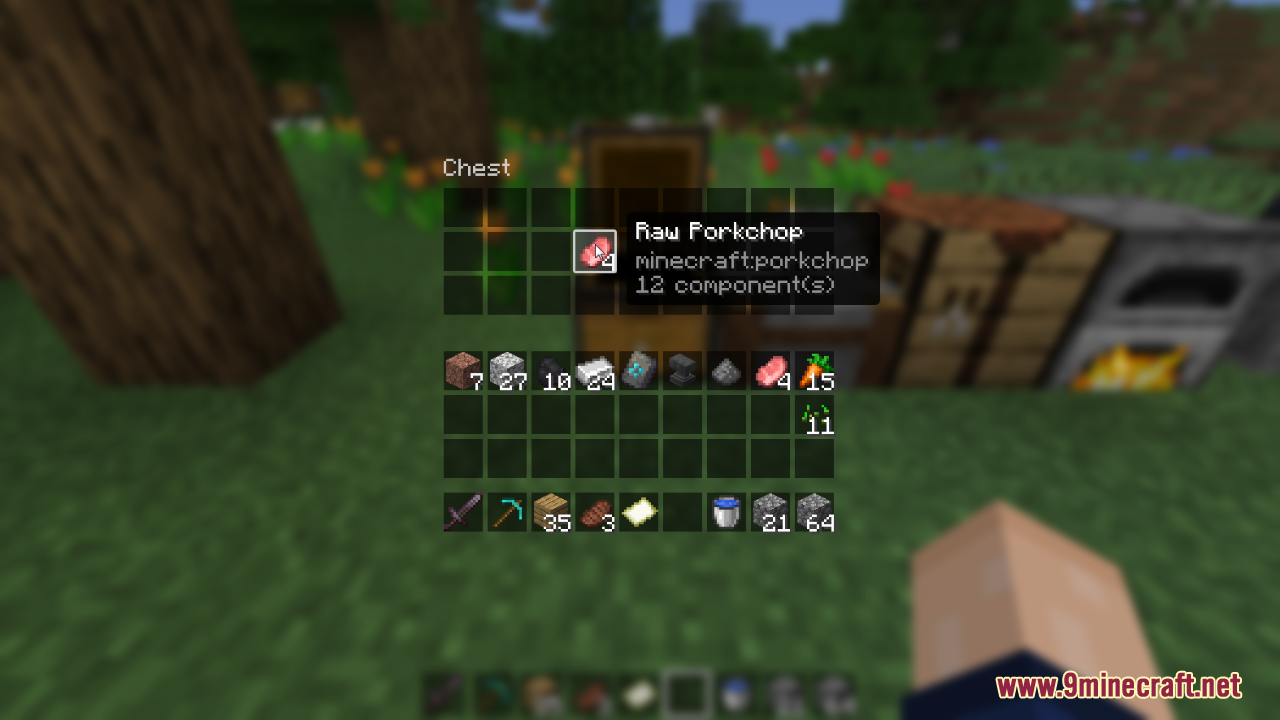
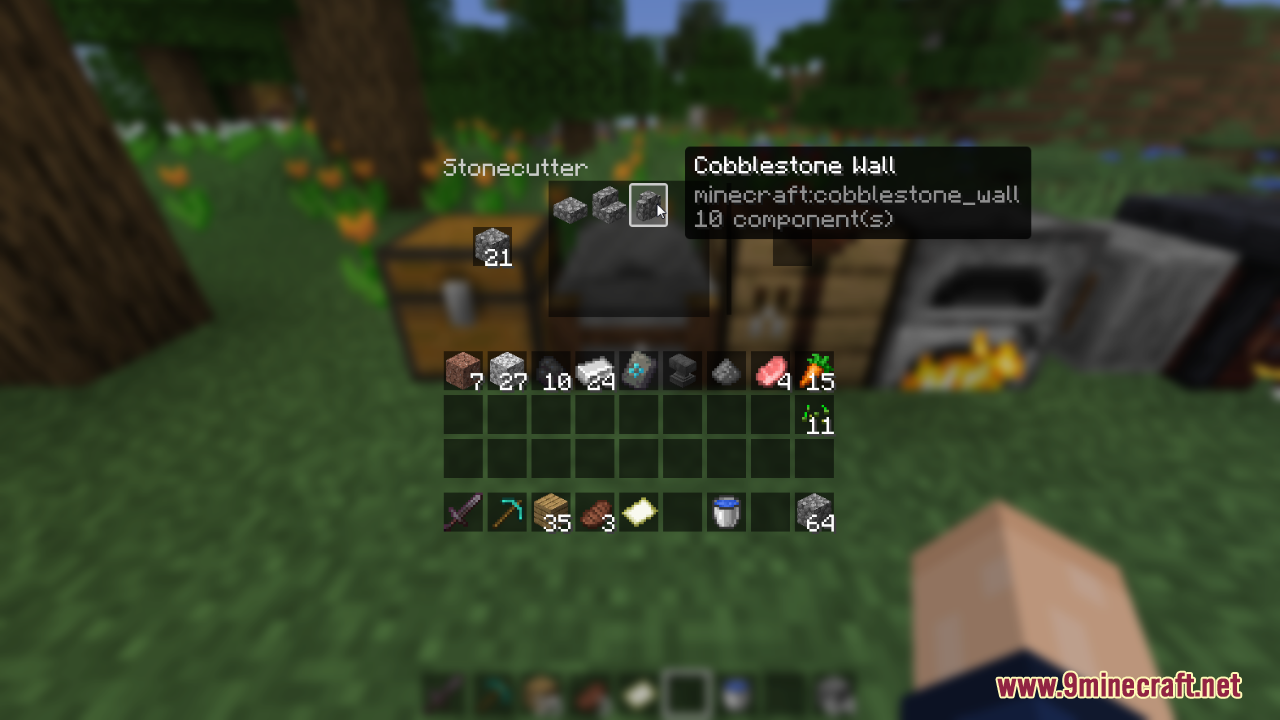
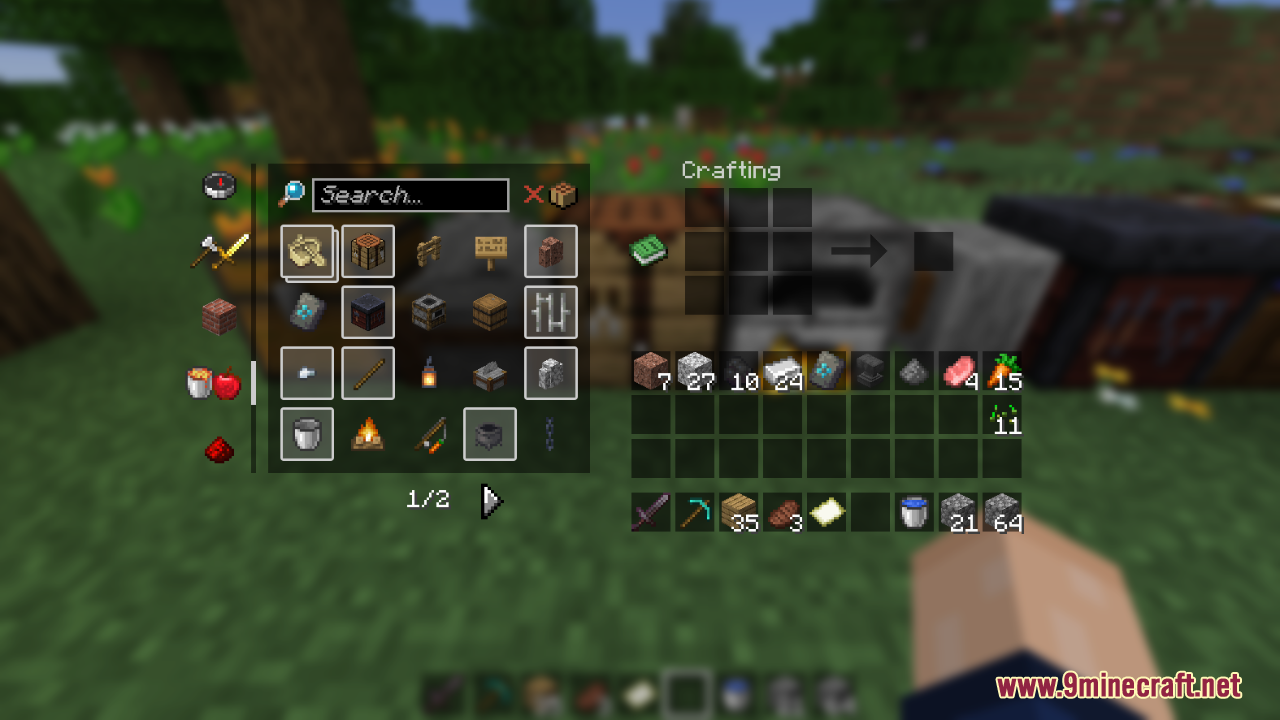
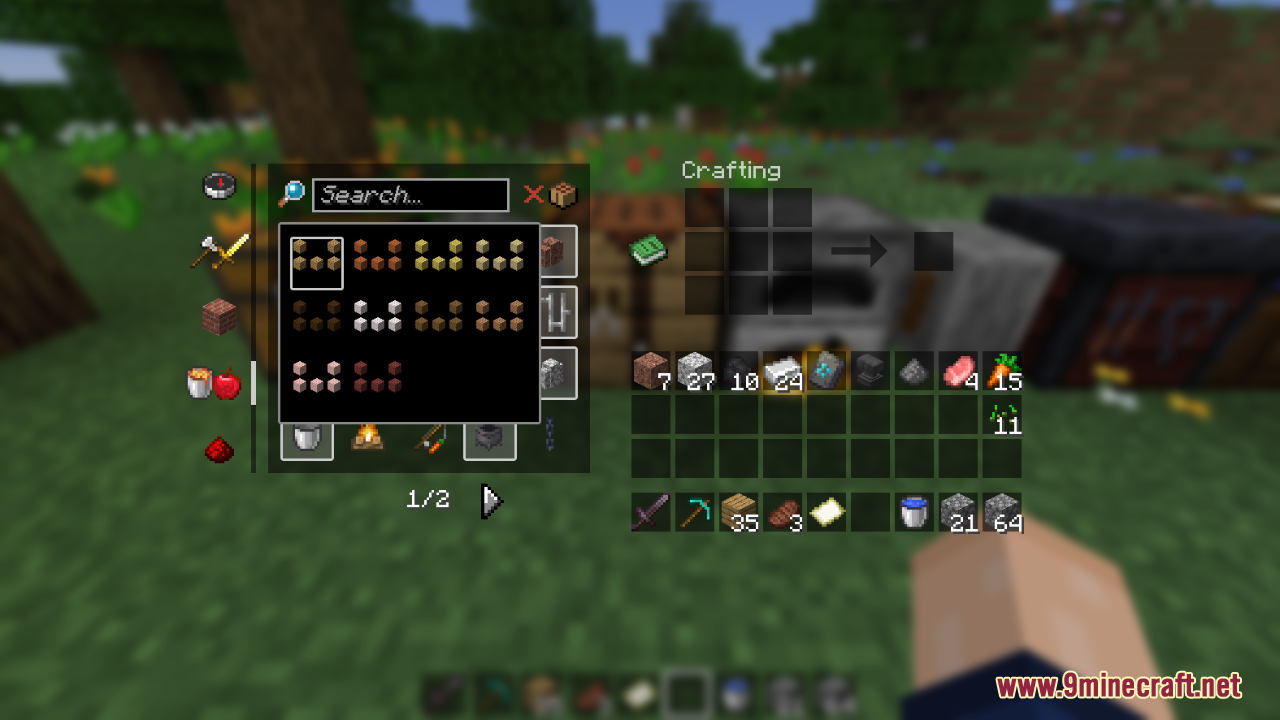
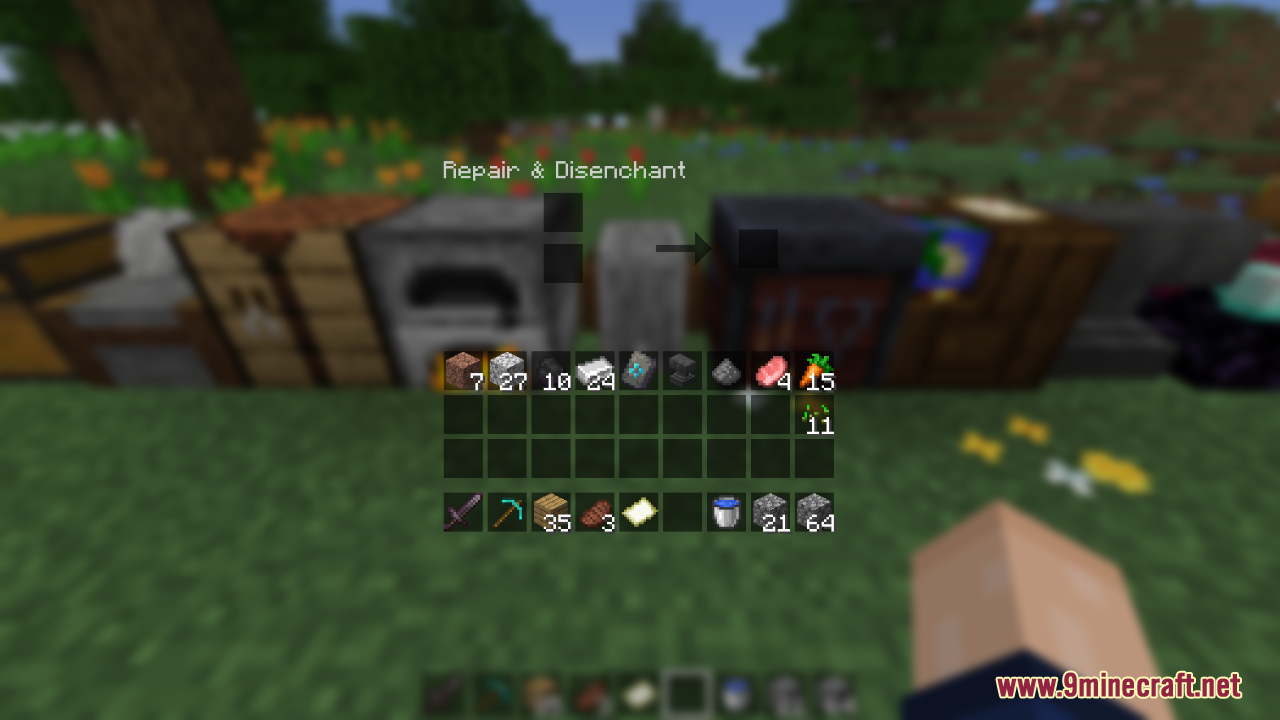
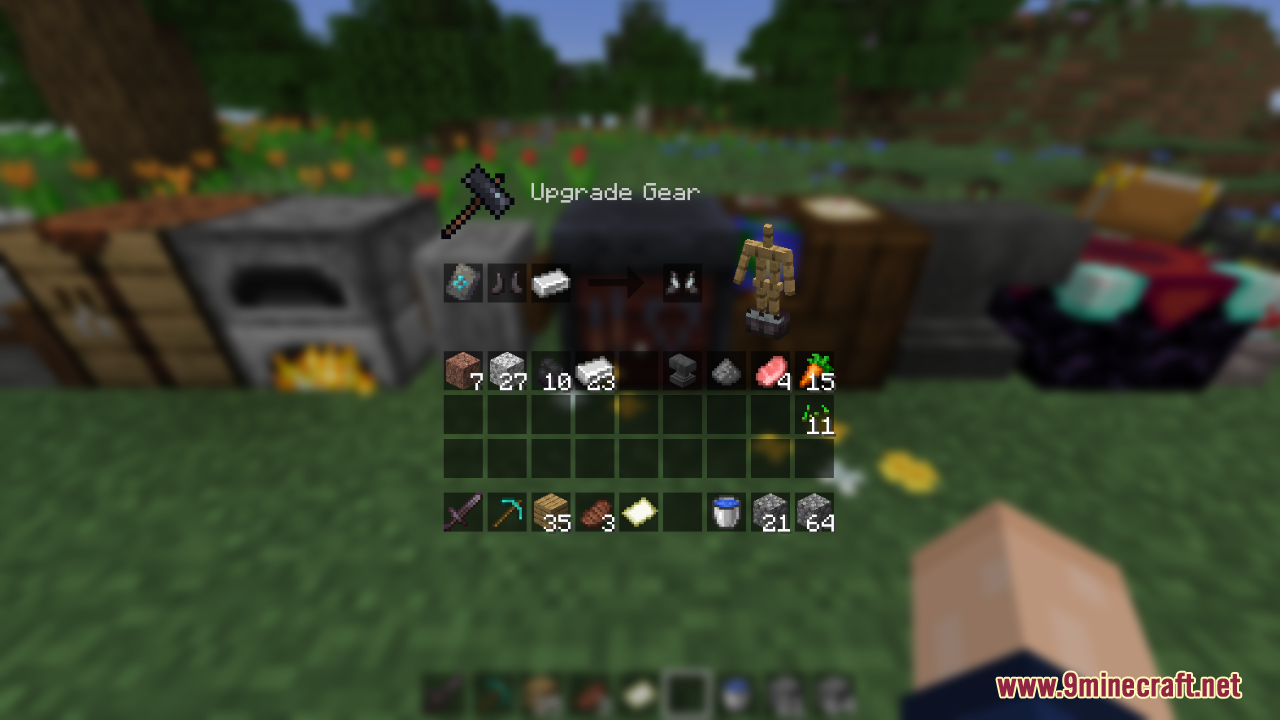
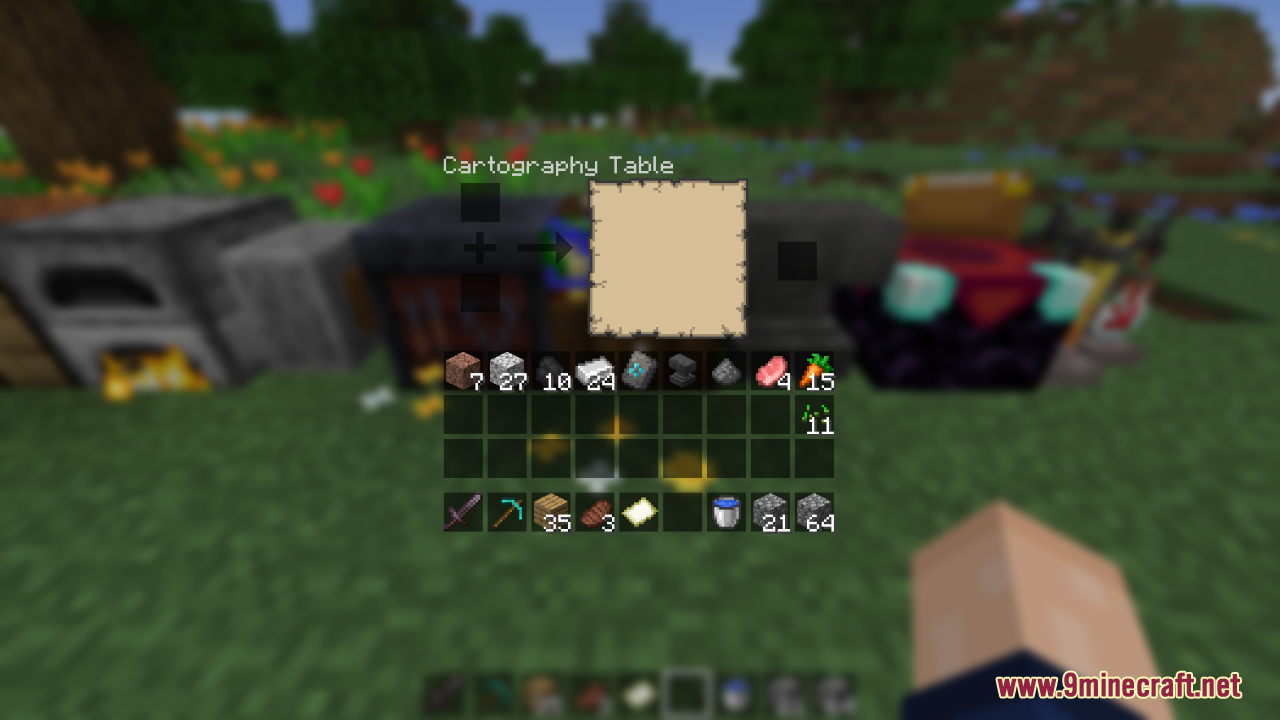
Translucent GUI Resource Pack transforms your game menus and inventory screens by adding a see-through effect. This pack gives the user interface a transparent look while keeping the classic vanilla style. It helps reduce clutter on the screen so you can see your surroundings clearly during gameplay.

Features:
- Adds a transparent background to the inventory screen, menus, and hotbar.
- Maintains the original vanilla look and feel of the game interface.
- Uses a mix of black and transparent pixels to achieve the see-through effect on older versions.
- Keeps all interface text and items easy to read and clear.
- Makes menus less distracting during building, exploration, and combat.
Screenshots:
How to Install:
New to Minecraft? Follow our step-by-step guide to install Resource Packs on your PC.View Guide
Requirements:

Translucent GUI Resource Pack Download Links
For Minecraft
26.3.x
All Versions Covered
26.3
26.2
26.1.2
26.1.1
26.1
1.21.11
1.21.10
1.21.9
1.21.8
1.21.7
1.21.6
1.21.5
1.21.4
1.21.3
1.21.2
1.21.1
1.21
1.20.6
1.20.5
1.20.4
1.20.3
1.20.2
1.20.1
1.20
All Versions Covered
26.3
26.2
26.1.2
26.1.1
26.1
1.21.11
1.21.10
1.21.9
1.21.8
1.21.7
1.21.6
1.21.5
1.21.4
1.21.3
1.21.2
1.21.1
1.21
1.20.6
1.20.5
1.20.4
1.20.3
1.20.2
1.20.1
1.20
For Minecraft
26.2.x
All Versions Covered
26.2
26.1.2
26.1.1
26.1
1.21.11
1.21.10
1.21.9
1.21.8
1.21.7
1.21.6
1.21.5
1.21.4
1.21.3
1.21.2
1.21.1
1.21
1.20.6
1.20.5
1.20.4
1.20.3
1.20.2
1.20.1
1.20
All Versions Covered
26.2
26.1.2
26.1.1
26.1
1.21.11
1.21.10
1.21.9
1.21.8
1.21.7
1.21.6
1.21.5
1.21.4
1.21.3
1.21.2
1.21.1
1.21
1.20.6
1.20.5
1.20.4
1.20.3
1.20.2
1.20.1
1.20
For Minecraft
26.1.x
All Versions Covered
26.1.2
26.1.1
26.1
1.21.11
1.21.10
1.21.9
1.21.8
1.21.7
1.21.6
1.21.5
1.21.4
1.21.3
1.21.2
1.21.1
1.21
1.20.6
1.20.5
1.20.4
1.20.3
1.20.2
1.20.1
1.20
All Versions Covered
26.1.2
26.1.1
26.1
1.21.11
1.21.10
1.21.9
1.21.8
1.21.7
1.21.6
1.21.5
1.21.4
1.21.3
1.21.2
1.21.1
1.21
1.20.6
1.20.5
1.20.4
1.20.3
1.20.2
1.20.1
1.20
For Minecraft
1.21.x
All Versions Covered
1.21.11
1.21.10
1.21.9
1.21.8
1.21.7
1.21.6
1.21.5
1.21.4
1.21.3
1.21.2
1.21.1
1.21
1.20.6
1.20.5
1.20.4
1.20.3
1.20.2
1.20.1
1.20
All Versions Covered
1.21.11
1.21.10
1.21.9
1.21.8
1.21.7
1.21.6
1.21.5
1.21.4
1.21.3
1.21.2
1.21.1
1.21
1.20.6
1.20.5
1.20.4
1.20.3
1.20.2
1.20.1
1.20
For Minecraft
1.20.x
All Versions Covered
1.20.6
1.20.5
1.20.4
1.20.3
1.20.2
1.20.1
1.20
All Versions Covered
1.20.6
1.20.5
1.20.4
1.20.3
1.20.2
1.20.1
1.20
For Minecraft 1.21.
Click to rate this post!
[Total: 0 Average: 0]
You May Also Like
Picked for this page
 Blue Netherite Resource Pack (26.3, 1.20.1) – Texture Pack
 Items & Stuff Resource Pack (1.21.1, 1.20.1) – Texture Pack
 Rainbow Breaking Animation Resource Pack (26.3, 1.20.1) – Texture Pack
 Aimz (26.3, 1.20.1) – Lunar Orbit PVP Crosshair Resource Pack – Texture Pack
 Visual Armor Trims Resource Pack (26.3, 1.20.1) – Texture Pack
 Stellar 3D Resource Pack (26.1.2, 1.20.1) – Texture Pack
 Halloween Mash-up Resource Pack (26.3, 1.21.1) – Texture Pack
 Effect Icon+ Resource Pack (1.21.1, 1.20.1) – Texture Pack
 Variants Cakes Resource Pack (26.3, 1.20.1) – Texture Pack
 ChicknTurtle’s Better Shield Resource Pack (26.3, 1.20.1) – Block Without
 No Pumpkin Blur Resource Pack (26.3, 1.20.1) – Texture Pack
 Cubic Stars Resource Pack (26.1.2, 1.20.1) – Texture Pack
Most viewed in Resource Packs over the last 7 days
 Jenny Mod Skins Resource Pack (1.12.2) – Uzaki, Klee, Mita, and More
 Jenny Mod Skin Pack Mega Collection – 310+ Characters
 Jennycraft Resource Pack (1.20.1) – Skins for Jennycraft Mod
 Dewier’s 20k Resource Pack (1.8.9) – Texture Pack
 750 Models Addon for Yes Steve Model Mod
 Animation Collection for Jenny Mod – 60+ Animations, Updated Regularly
 Vanilla+ 3D Crystal Resource Pack (1.21.1, 1.20.1) – Texture Pack
 Patrix Resource Pack (26.3, 1.20.1) – The Peak of Photorealism
 Mandala’s GUI Dark Mode 9minecraft Resource Pack (26.3) – Eye-Soothing Dark Mode Menus
 Bare Bones 9minecraft Resource Pack (26.3) – Official Cinematic Trailer Look
 Mizuno’s Craft 9minecraft Resource Pack (26.3) – A Cozy Handpainted Storybook World
 Bloom & Serenity UI Resource Pack (1.21.1, 1.20.1) – Cozy Room-Themed GUI
More from Resource Packs
 Reforged Armors Java Resource Pack (26.3, 1.20.1) – Heroic Battle Gear
 Reimagined Resource Pack (26.3, 1.20.1) – Texture Pack
 Onion Industrialization Resource Pack (1.21.1) – High Tech Machinery Brought
 Bee’s Fancy Crops Resource Pack (26.3, 1.20.1) – Texture Pack
 Blockier Goat Horn Resource Pack (26.3, 1.20.1) – Texture Pack
 Banner Pattern Clarity Resource Pack (26.3, 1.20.1) – Texture Pack
 Fluffy Carpets Resource Pack (26.3, 1.20.1) – Ultra Cozy Plush
 Enhanced Boss Bars Resource Pack (26.3, 1.20.1) – Texture Pack
 BnC Coaster Compat Resource Pack (1.20.1) – Cozy Rustic Dining for Modded Meals
 Better Crops 9minecraft Resource Pack (26.3) – Lush Bushy Farmlands in Vanilla Style
 3D Crops 9minecraft Resource Pack (26.3) – Lush Layered Fields for Cozy Farming
 Improved Boss Bars 9minecraft Resource Pack (26.3) – Stylized Fantasy Boss Health Bars

This post has no comments yet. Be the first — your comment will appear here.