
UpRanks (26+) – MCPE/Bedrock Addon
 12
 0

Rank management is the job of UpRanks, an add-on that lets admins create, change and remove player ranks and control name colors and text formatting such as bold, italics and underlining. It needs Experimental Features turned on, including the Beta API.
Admins open the main menu by adding an admin tag to themselves and typing ?rank in chat, while players without the tag see a statistics screen instead. From there, ranks are created with a name, style and bracket type, a default rank is set for new players, and individual players can get a rank or be reset. Admins can also mute or freeze players, though not themselves or other admins, and a name settings menu edits names and colors in Minecraft Bedrock.
Requirements:
- MCPE/Bedrock 26.50
- Turn on Experimental Features — this addon uses scripting APIs

Screenshots:


How to Install:
New to Minecraft PE? Follow our step-by-step guide to install Mods/Addons on your Mobile.View Guide
For MCPE/Bedrock 26+
You May Also Like
Picked for this page
 Ben 10 Omni NR Addon (26.45+) – MCPE/Bedrock
 RYP Anime 2 Addon (1.26+) – MCPE/Bedrock
 REIMS TACZ Timeless and Classics Guns Addon (26.45+) – MCPE/Bedrock
 Tensura No Mine Addon (26.45+) – MCPE/Bedrock
 Jujutsu Kaisen Addon – Projection Sorcery (26.45+) – MCPE/Bedrock
 Regular Weapons Addon (1.26+) – MCPE/Bedrock
 Hunter X Craft Addon (26.13+) – MCPE/Bedrock
 Kamen Rider OOO Addon (26.45+) – MCPE/Bedrock
 Akiohh’s Combat Equipment (1.26+) – Equip Tactical Firearms and Heavy Armor
 Mutant Herobrine (26+) – Hunt Down Terrifying Boss Spawns in Storms
 Infinite Villager Trades (26+, 1.21) – Trade Forever Without Cooldowns
 Waystone’s! (26+, 1.21) – MCPE/Bedrock Addon
Most viewed in Mods & Addons over the last 7 days
 Mob Girls Addon (1.26+, 1.21) – MCPE/Bedrock Mod
 Jenny Colette Version Addon (26.x, 1.21) – MCPE/Bedrock Mod
 Asa’s One Piece Addon (1.26+, 26.32) – MCPE/Bedrock Mod
 Better on Bedrock Addon/Map (1.26+) – Fight Seven Bosses in New Biomes
 Effortless Building Addon (26.x, 1.21) – Adds 11 Build Modes
 Secrets of Berk Addon (26.33+) – How To Train Your Dragon Mod MCPE/Bedrock
 Jujutsu Awakening Addon (1.26+, 1.21+) – Unleash Limitless Sorcery
 New Jujutsu Awakening Addon (1.26+) – MCPE/Bedrock
 Fapcraft Addon (1.26, 1.21) – MCPE/Bedrock Jenny Mod
 Jujutsu Kaisen Addon (26.x, 1.21) – MCPE/Bedrock Mod
 Titan Craft Addon (1.26+, 1.21) – MCPE/Bedrock Attack on Titan Mod
 Sodium Mod (26.x, 1.21) – Boost FPS and Spot Ores on Any Mobile
More from Mods & Addons
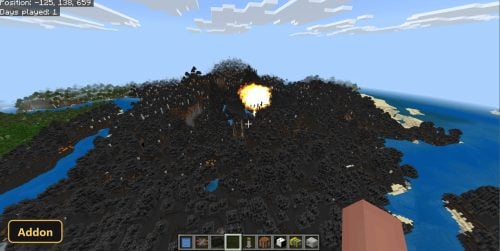 Bombs of Glory (26+) – MCPE/Bedrock Addon
 Sentry Blocks by Four (26+, 1.21) – MCPE/Bedrock Addon
 PokeSnacks: Pokedrock (26+) – MCPE/Bedrock Addon
 Aga Iron Chest (26+, 1.21) – MCPE/Bedrock Addon
 The Dreamlands (26+, 1.21) – MCPE/Bedrock Addon
 Crafting/Uncrafting (26+, 1.21) – MCPE/Bedrock Addon
 Kei Car (26+, 1.21) – MCPE/Bedrock Addon
 NBT MOD Addon (1.21.100) – Get Pre-Made NBT Armor, Blocks, and Items Via Commands
 Rule Villages (26+, 1.21) – MCPE/Bedrock Addon
 §bBlarion Anticheat §av2.2.2 §bRelease§o§7 Addon (1.21.0) – Stop Hackers and Cheating Now
 ONE PUNCH MAN by AnimaAddon (26+) – MCPE/Bedrock Addon
 Out of Body Addon (1.21.100) – Detach Your Camera to Inspect Worlds From Any Angle

This post has no comments yet. Be the first — your comment will appear here.