
Way to Grave Data Pack (26.3, 1.21.11) – Track Down Your Lost Death Loot
 1
 0

Way to Grave Data Pack protects your gear by spawning a grave at your exact death spot. When you respawn, it gives you a Recovery Compass so you can track down your items and get back to playing. You also have the option to store a share of your XP and lock your grave from other players.

Features:
- Death Graves: Spawns a grave holding all of your items right where you die.
- Recovery Compass: Gives you a Recovery Compass upon respawning so you can find your grave and get your items back.
- XP Storage: Saves a percentage of your XP inside the grave, with the default set to 50%.
- Grave Teleportation: Lets you choose to receive an enchanted Recovery Compass that teleports you straight to your grave.
- Keeps your loot safe by making it so only you can open your own grave by default.
- Includes an in-game menu where you can change the XP percentage, grave lock rules, and compass enchantment.
Commands:
/trigger wtg: Opens the settings menu to adjust how graves and compasses work./tag add <player> wtg_admin: Gives a player admin status, which unlocks an option in the menu to let only admins change the settings.
How to Use:
- When you die, check your inventory after respawning to find your new Recovery Compass.
- Follow the compass needle to walk back to your grave, or use the enchanted compass option to teleport there.
- Open your grave to collect your stored items and saved XP.
- Type
/trigger wtgin the chat at any time if you want to change the settings.
Screenshots:


How to Install:
New to Minecraft? Follow our step-by-step guide to install Data Packs on your PC.View Guide
Way to Grave Data Pack Download Links
For Minecraft 26.3
For Minecraft
26.2,
26.1.2,
26.1.1
All Versions Covered
26.2
26.1.2
26.1.1
26.1
1.21.11
All Versions Covered
26.2
26.1.2
26.1.1
26.1
1.21.11
Click to rate this post!
[Total: 0 Average: 0]
You May Also Like
Picked for this page
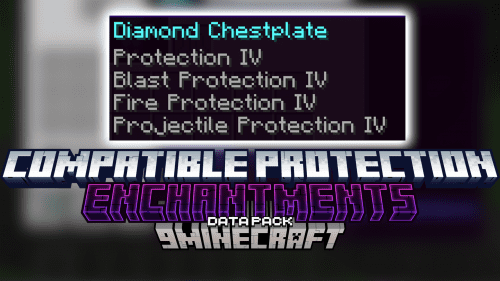 Compatible Protection Enchantments Data Pack (26.3, 1.21.1)
 Dungeons and Taverns Swamp Hut Overhaul Data Pack (26.3, 1.20.1)
 Craftable Elytras Data Pack (26.3, 1.21.1) – Craft Flight Wings
 More Apples Data Pack (26.3, 1.20.1) – Gather Twice As Many Apples
 Portfolio Data Pack (26.2, 1.21.1) – Decorate Every Wall with Custom Pixel Art
 Nightosphere Data Pack (26.3, 1.20.1) – Traverse Taller Nether Dimensions
 Void Totem Data Pack (26.3, 1.21.1) – Float Back to Safety From the Void
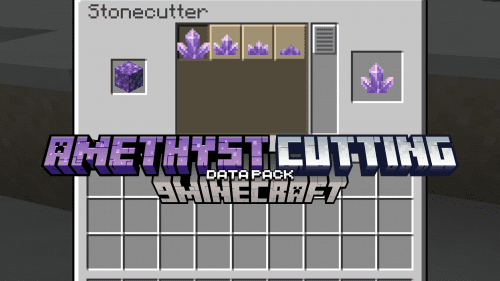 Amethyst Cutting Data Pack (26.2, 1.20.1) – Turn Blocks Into Growing Clusters
 Inventory Saver Data Pack (26.2, 1.21.1) – Store Custom Gear Sets
 Ultimate Day Counter Data Pack (26.2, 1.21.11) – Watch Every New Day Begin
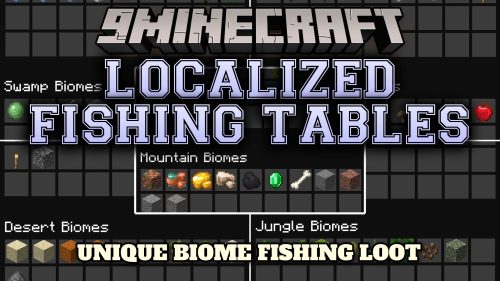 Localized Fishing Tables Data Pack (26.3, 1.20.1) – Catch Rare Treasures
 Cobblemon X NIT Integration Data Pack (1.21.1) – Build Pokémon Towns
Most viewed in Data Packs over the last 7 days
 All Items Advancements Data Pack (26.3, 1.21.11) – Collect Every Item
 Faster Happy Ghast FHG Data Pack (26.3) – Sprint Across the Sky on Your Ghast
 From The Fog 9minecraft Data Pack (26.3, 26.2) – Herobrine Stalks Your Survival World
 Cobblemon Fail Skins Data Pack (1.21.1, 1.20.1) – Dress Your Team As Anime
 World Generator Ocean Only Water World Data Pack (26.3, 1.21.1)
 Every Block Drop is Random Data Pack (26.3, 1.20.1) – Break Any Block
 TreeCapitator Data Pack (26.1.2, 1.20.1) – Chop Down Entire Trees
 Unlimited Enchantments Data Pack (26.3, 1.21.1) – Push Every Power to Level 255
 Mutandis Tweaks Data Pack (1.20.1) – Mutate Valuable Saplings Without Cluttered
 Backpacked Recipe Fix 9minecraft Data Pack (26.3) – A Tag-Free Backpack Recipe
 Minecraft But Villager Trades Are OP Data Pack (1.19.3, 1.18.2)
 Orbital Strike Cannon Data Pack (26.3, 1.21.11) – Call Down Massive Explosions
More from Data Packs
 Cobblemon Aeos Dunkers Skin Collection Data Pack (1.21.1)
 Name Tag Backport Data Pack (1.21.11, 1.20.1) – Craft Your Own Name Tags
 Bubblellaneous Data Pack (26.3, 1.21.1) – Build Custom Furniture
 Recipes Galore Data Pack (1.20.1) – Craft Handy Gear and Skip the Tedious Grind
 No Mace Data Pack (1.21.11, 1.21.1) – Keep Survival Fights Fair
 Inventory Keeper Data Pack (26.2, 1.20.1) – Die, Read the Coords
 Brutes Drops Scraps Data Pack (26.3, 1.21.1) – Raid Bastions and Loot Brutes
 Prodige’s Shop Data Pack (1.21.5, 1.21.1) – Buy and Sell Items From a Simple
 Flower Adornments for Armor Data Pack (1.21.4) – Trim Your Armor with Fresh
 Cracker’s Wither Storm Plus Data Pack (1.20.1) – Survive Deadlier Wither Storm
 Radiants All the Mons X Mega Showdown Data Pack (1.21.1)
 Extreme Worldgen Data Pack (1.21.5) – Realistic Peaks, Wild Caves

This post has no comments yet. Be the first — your comment will appear here.