Zoom Mod 1.7.10
Author: ga2mer ❘ August 31, 2016 ❘ 300,631 views
About Zoom Mod:
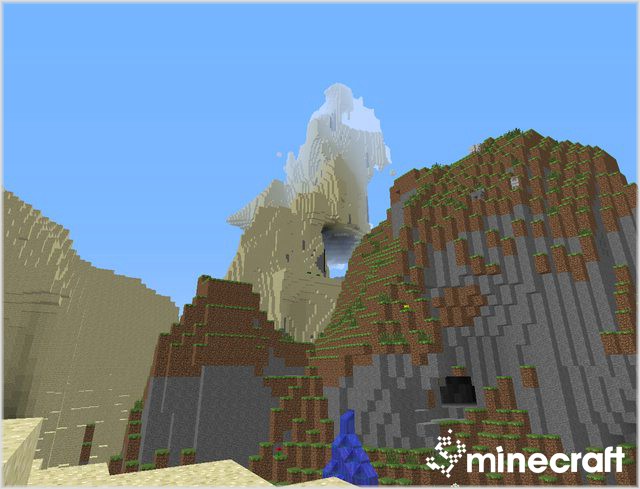
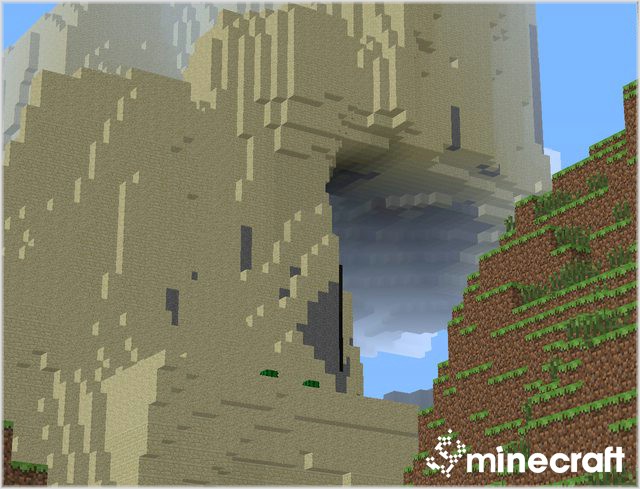
Zoom Mod 1.7.10 small-mod adds a zoom(like binoculars) by pressing a button like optifine.
Mod Screenshots:
No zoom:
After zoom:
Mod Spotlight:
How to install Zoom Mod 1.7.10
- Start Minecraft 1.7.10 first once
- Go to the minecraft base folder (the official launchers shows it when you click “Edit Profile” as “Game Directory”)
- Go in subfolder “Versions”
- Rename the folder “1.7.10” to “1.7.10_zoom”
- Go in the subfolder “1.7.10_zoom”
- Rename “1.7.10.jar” to “1.7.10_zoom.jar”
- Rename “1.7.10.json” to “1.7.10_zoom.json”
- Open the file “1.7.10_zoom.json” with a text editor and replace “id”:”1.7.10″ with”id”:”1.7.10_zoom” and save the file
- Copy the files from the ZoomMod ZIP file in “1.7.10_zoom.jar” as usual and remove the META-INF folder from “1.7.10_zoom”.
- Start the official launcher
- Click “Edit Profile”
- Select “Use version:” -> “release 1.7.10_zoom”
- Click “Save Profile”
- Click “Play” or “Login” to start the game. If only “Play Offline” is available, then log out and log in again to fix it.
Zoom Mod 1.7.10 Download Links:
Previous versions:
Spoiler
For Snapshot 14w06b
For Snapshot 14w11a
For Minecraft 1.6.4
Forge: https://dl.9minecraft.net/index.php?act=dl&id=1387095502
For Minecraft 1.7.2
Vanilla: Download from Server 1 – Download from Server 2
Forge: https://dl.9minecraft.net/index.php?act=dl&id=1392084376
For 1.7.4
For 1.7.5
For 1.7.7
For 1.7.9
For Minecraft 1.7.10
For Minecraft 1.8
https://dl6.9minecraft.net/index.php?act=dl&id=1409737724
https://files2.9minecraft.net/index.php?act=dl&id=1409737770
Click to rate this post!
[Total: 0 Average: 0]