


Globo Base Schematic (1.21.x) – Compact Mobile Flying Base
 0
0
 0
0


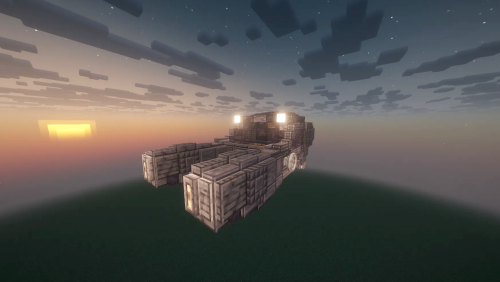
Globo Base Schematic provides a compact flying base for your sky adventures. This schematic works with the Create mod and its addons to give you a mobile home in the air. It includes a small living space that fits all your basic needs while you travel. The build uses over one thousand blocks to create a sturdy and functional structure. You can use this to explore new lands without leaving your house behind.

3D Preview:
Features:
- Flying Home: This structure moves through the air like a vehicle.
- Compact size makes it easy to place and manage during travel.
- Detailed interior provides a cozy place to live while exploring.
- Uses 1,079 blocks to balance detail and performance.
- Built specifically for use with Create Aeronautics and related mods.
- Measures 30 blocks wide and 34 blocks long for a small footprint.
Schematic Specs:
 Minecraft1.21.x
 Create Mod6.0.10
 Dimensions30×31×34
 Total Blocks1,079
 Top Blocks Used
White Envelope 261Brass Casing 256Dark Oak Slab 83White Symmetric Sail 80Cut Andesite Brick Wall 71
How to Use:
- Load the schematic file into your Create mod Schematicannon or world.
- Place the schematic in an open area with enough space for a 30x31x34 structure.
- Provide the necessary materials to the Schematicannon to build the base.
- Use the Aeronautics tools to lift the base into the sky and start flying.
Screenshots:

Requirements:

Globo Base Schematic Download Links
For Minecraft 1.21.x
Click to rate this post!
[Total: 0 Average: 0]
You May Also Like



This post has no comments yet. Be the first — your comment will appear here.