
XZENKAI PvP Pack Resource Pack (26.3, 1.21.11) – Clear Visuals for Duels
 28
 0

XZENKAI PvP Pack Resource Pack cleans up the default look of Minecraft for competitive multiplayer battles. This pack lowers flame heights and trims sword lengths so your screen stays clear during fights. It gives menus a transparent black and white style to keep opponents visible while you manage your items. Players also get a sharper combat crosshair and custom totem visuals for quick matches.

Features:
- Short Swords: Blades take up less screen space during close combat.
- Low Fire: Flame effects sit lower on the screen so you can see your targets while burning.
- Transparent GUI: Menus feature a see-through black and white layout for better situational awareness.
- Custom Crosshair: Aiming reticle offers a clean center point for landing hits.
- Hotbar receives a sleek monochrome rework that keeps item slots clear.
- Totem of Undying features a custom visual with distinct blinking animations.
- Golden apples and regular apples get distinct icons for quick inventory recognition.
- Tools match the standard 16x resolution and remain easy to recognize.
- In-game text switches to a custom font style that reads cleanly.
- Visuals suit minigames such as BedWars, duels, and practice servers.
Screenshots:


How to Install:
New to Minecraft? Follow our step-by-step guide to install Resource Packs on your PC.View Guide
XZENKAI PvP Pack Resource Pack Download Links
For Minecraft
26.3.x
All Versions Covered
26.3
26.2
26.1.2
26.1.1
26.1
1.21.11
All Versions Covered
26.3
26.2
26.1.2
26.1.1
26.1
1.21.11
Click to rate this post!
[Total: 0 Average: 0]
QUICK MINECRAFT SURVEY · ONE TAP
Shaders & Resource Packs
Do you prefer the default Minecraft sound design or custom sound packs?
2 responses · See the full results →
You May Also Like
Picked for this page
 Blob’s Enchant Icons Resource Pack (26.3, 1.20.1) – Texture Pack
 Cute Pumpkin Resource Pack (1.21.1, 1.20.1) – Friendly Smiles for Cozy Vanilla Farms
 Fluffy Carpets Resource Pack (26.3, 1.20.1) – Ultra Cozy Plush
 Refined Vista Resource Pack (26.3, 1.21.1) – Clean Dark UI with Animated
 Char1ie’s Backrooms Resource Pack (26.3, 1.20.1) – Liminal Horror and Endless
 1×1 Ultimate Resource Pack (26.3, 1.20.1) – A Minimalist World of Flat Solid
 Xe 16x 13K Resource Pack (1.8.9) – Clean Vaporwave Visuals for Fast PvP Fights
 CartoonCraft Resource Pack (26.1.2, 1.20.1) – Bright and Cheerful Hand-Drawn
 Dev’s Better Wither Hearts Resource Pack (1.21.11, 1.21.1) – New Appearance For Hearts
 High on Animations Resource Pack (1.20.1) – Subtle Motion for a Living Vanilla
 SMP Utils Resource Pack (26.3, 1.21.1) – Cleaner Vision for Survival and Combat
 Clean Stained Glass Resource Pack (26.2, 1.20.1) – Crystal Clear Windows
Most viewed in Resource Packs over the last 7 days
 Jenny Mod Skins Resource Pack (1.12.2) – Uzaki, Klee, Mita, and More
 Jenny Mod Skin Pack Mega Collection – 310+ Characters
 Jennycraft Resource Pack (1.20.1) – Skins for Jennycraft Mod
 Dewier’s 20k Resource Pack (1.8.9) – Texture Pack
 750 Models Addon for Yes Steve Model Mod
 Animation Collection for Jenny Mod – 60+ Animations, Updated Regularly
 Vanilla+ 3D Crystal Resource Pack (1.21.1, 1.20.1) – Texture Pack
 Mandala’s GUI Dark Mode 9minecraft Resource Pack (26.3) – Eye-Soothing Dark Mode Menus
 Patrix Resource Pack (26.3, 1.20.1) – The Peak of Photorealism
 Bare Bones 9minecraft Resource Pack (26.3) – Official Cinematic Trailer Look
 Mizuno’s Craft 9minecraft Resource Pack (26.3) – A Cozy Handpainted Storybook World
 Karambit Vault X Punchy Resource Pack (26.3, 1.20.1) – Tactical Knives
More from Resource Packs
 Night Vision 9minecraft Resource Pack (26.3, 26.2) – Crystal Clear Caves Without Torches
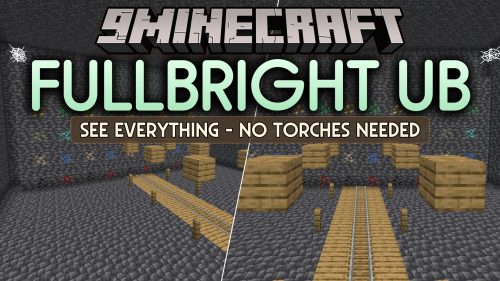 Fullbright UB 9minecraft Resource Pack (26.3, 26.2) – Crystal Clear Vision in Dark Caves
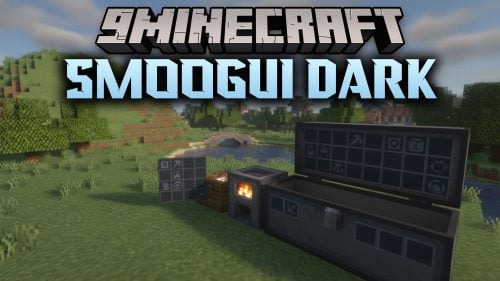 SmooGUI Dark Resource Pack (26.1.2, 1.21.1) – Sleek Charcoal Menus
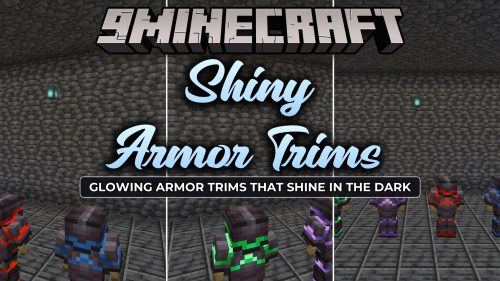 Shiny Armor Trims 9minecraft Resource Pack (26.3, 26.2) – Radiant Trims Glowing in the Dark
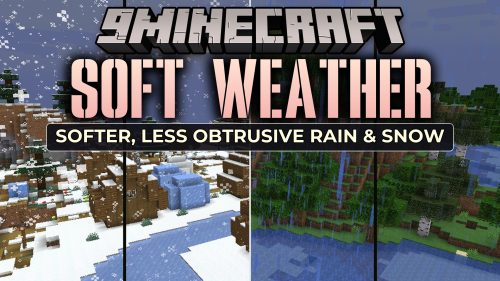 Soft Weather 9minecraft Resource Pack (26.3) – Gentle Rain and Subtle Snowstorms
 Cubic Sun and Moon 9minecraft Resource Pack (26.3) – Chunky 3D Blocky Skies
 Dark Coffee GUI by RestlessPip Resource Pack (26.3, 1.20.1)
 Tetoholic Resource Pack (26.3, 1.20.1) – A Cute Kasane Teto Themed Survival
 Dark Coffee GUI Resource Pack (26.3, 1.20.1) – Texture Pack
 Excalibur Just Enough Items JEI Support Resource Pack (26.3, 1.21.1)
 Fresh Moves by Shadowplyzyt Resource Pack (26.3, 1.20.1)
 Bushy Leaves for Faithful 32x Resource Pack (1.21.11, 1.20.1)

This post has no comments yet. Be the first — your comment will appear here.