


Soul Shards: The Old Ways Mod (1.12.2, 1.11.2) – Create Your Own Mob Spawners
 569
569
 0
0

🌐 Good news — we've translated this article into other languages!
Or pick the one you like:
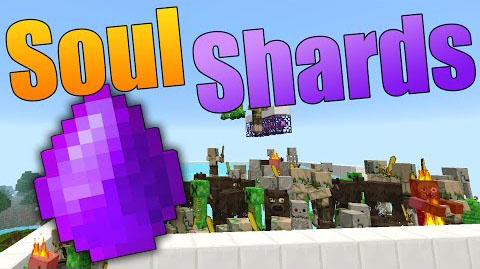
Soul Shards: The Old Ways lets you capture the souls of mobs inside special gems. You can then use these gems in a Soul Cage to summon more of the same mob, effectively creating your own custom spawner. To get a shard, you need to build a small structure and right-click it with a diamond. The first mob you kill with the shard in your inventory binds it to that mob type forever.
Features:
- Capture the souls of mobs you kill and store them in gems called Soul Shards.
- Use a filled Soul Shard in a Soul Cage to summon more of the trapped mob.
- The first kill you make with an empty shard binds it to that specific mob type.
- Quickly gather souls by right-clicking a vanilla mob spawner of the same type as your shard.
- Change various settings in the configuration file, such as how long items take to process.
- Enable an “Easy Mode” in the config to use a simpler mechanic for obtaining shards.
How to Use:
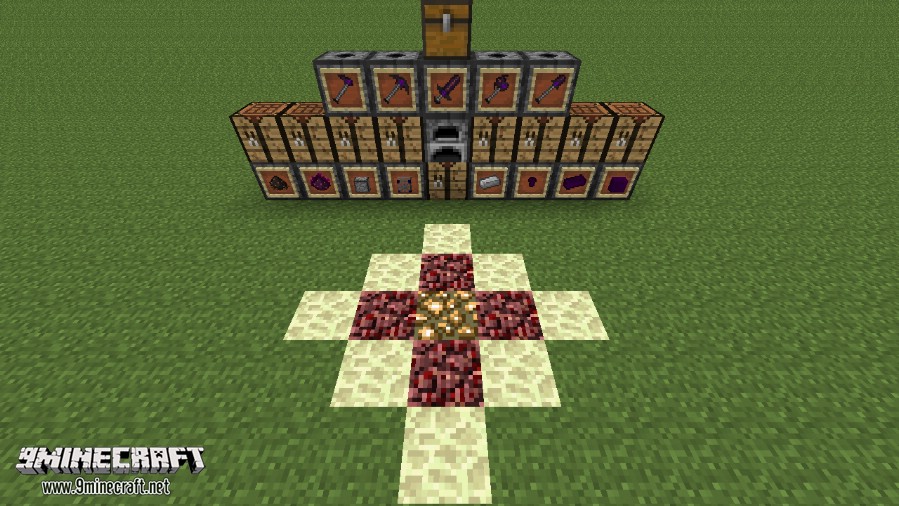
- To create a Soul Shard, you must first build a small structure. Place one Netherrack on the ground and surround it with four Obsidian blocks.
- Place a Glowstone block on top of each of the four Obsidian blocks.
- Right-click the Netherrack in the center with a Diamond in your hand to get an empty Soul Shard.
- Carry the shard in your inventory and kill any mob. The shard will then be bound to that type of mob.
- Continue killing the same type of mob to collect more souls and power up the shard.
- Place the powered-up shard into a Soul Cage to start spawning mobs.
Screenshots:
How to Install:
New to Minecraft? Follow our step-by-step guide to install Mods on your PC.View Guide
Soul Shards: The Old Ways Mod Download Links
For Minecraft 1.7.10
For Minecraft 1.8.9
For Minecraft 1.9.0
For Minecraft 1.9.4
For Minecraft 1.10.2
For Minecraft 1.11.2
For Minecraft 1.12.2
Click to rate this post!
[Total: 0 Average: 0]
You May Also Like





This post has no comments yet. Be the first — your comment will appear here.