
Realistic Night Vision Goggles Mod (1.21.1) – Explore Dark Caves Without Torches
 1
 0

Realistic Night Vision Goggles Mod plunges unlit caves and moonless nights into true pitch darkness while giving you working night vision gear. Instead of applying a flat potion effect, the goggles collect minimal ambient light to generate green or white phosphor views with authentic lens grain, halos, and tube burn-in. You craft empty goggle frames, build image intensifier tubes, calibrate optical specs with diamonds and gold, and install thermal attachments. The dark world forces you to rely on proper lighting or tube optics to find your path underground and outdoors.

Features:
- Pitch-Black Darkness: Moonless nights and unlit caves become completely black without changing torch-lit rooms.
- Realistic Tube Optics: Renders visual noise grain, halos around light sources, auto-gain dimming, and motion afterglow.
- Tube Burn-In: Staring directly into bright lights creates lasting spots on your intensifier tubes.
- Custom Assembly: Combines separate frame housings and calibrated tubes inside an NVG Workbench block.
- Thermal Overlays: Highlights warm mobs with outline overlays or full thermal displays.
- Flips goggles down over your eyes or back up on your helmet by pressing N.
- Works directly alongside modern shader packs without breaking vision shaders.
- Lets you tweak frame positioning, folding arm angles, and device slots through an in-game settings screen.
Goggle Models:
- PVS-14 Monocular: single-tube setup where one eye sees night vision and the other eye views normally, featuring one clip-on slot.
- PVS-7 Binocular: feeds one tube into both eyes through a wide eyepiece, featuring one clip-on slot.
- PVS-31 Binoculars: dual-tube setup with one circle per eye, folding pods, and one clip-on slot.
- RPNVG Panned: wide binocular vision field with two clip-on slots.
- GPNVG-18: panoramic four-tube view with four clip-on slots.
- L3 F-PANO: panoramic view with built-in thermal overlays and a round compass.
- AN/PSQ-42 ENVG-B: dual-tube binocular view with built-in thermal imaging, a heading tape compass, and folding pods.
- Dual Bridge Mount: frame holding two separate devices like PVS-14 monoculars or Skeet IR units on folding arms.
Tube Specifications and Grades:
- Resolution (lp/mm) sets image clarity and sharpness.
- Signal-to-Noise Ratio (SNR) determines noise coarseness in low-light environments.
- Figure of Merit (FOM) calculates tube quality by multiplying resolution and SNR, spanning scores from 600 to 3000.
- Gain controls scene brightness boosting and long-distance contrast.
- Halo dictates the glow circle diameter surrounding point lights.
- Tube grades span 11 tiers from Gen 2 up to Elite, costing gold and diamonds at the Tube Calibrator.
- Phosphor colors come in classic green or crisp white, with white available on all tiers except Gen 2 and OMNI III/IV.
- Afterglow fades after roughly six seconds on basic tubes, one second on good tubes, and is completely absent on Gen 2+ and OMNI IX grades.
Thermal Devices:
- PAS-29B ECOTI: clip-on thermal sensor that attaches to goggle housings, drawing outlines or color fills over warm mobs in the center circle.
- Skeet IR: thermal monocular for bridge mounts with a 28.1-degree field of view, 640×512 resolution, 60 Hz refresh rate, and white-hot or black-hot visual modes.
- ENVG-B and F-PANO Built-in Thermal: paints warm mob bodies in a gold highlight directly over the green or white intensifier tube view.
How to Use:
- Craft an empty goggle housing at a standard crafting table.
- Craft an unfinished image intensifier tube using green or white phosphor.
- Insert the tube into a Tube Calibrator block, pick a tube grade, and pay the required gold and diamonds.
- Place the goggle housing into an NVG Workbench block and drop your calibrated tubes into the device slots.
- Equip the finished goggles in your armor head slot or dedicated Curios goggle slot.
- Press N to flip the goggles down over your eyes; press N again to flip them up.
- Click the small settings button on the goggle slot to adjust goggle alignment, attach thermal units, or adjust pod positions.
Screenshots:


How to Install:
New to Minecraft? Follow our step-by-step guide to install Mods on your PC.View Guide
Requirements:

Realistic Night Vision Goggles Mod Download Links
For Minecraft 1.21.1, 1.21
Click to rate this post!
[Total: 0 Average: 0]
You May Also Like
Picked for this page
 Minis Mod (26.3, 1.20.1) – Travel with Tiny Companions
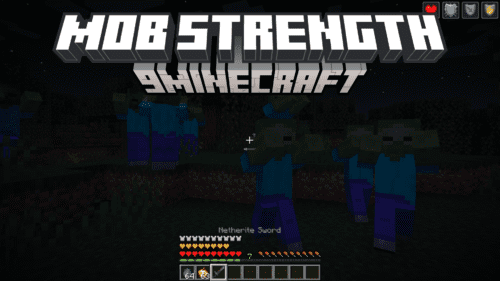 Mob Strength Mod (26.3, 1.20.1) – Face Tougher Monsters Every Night
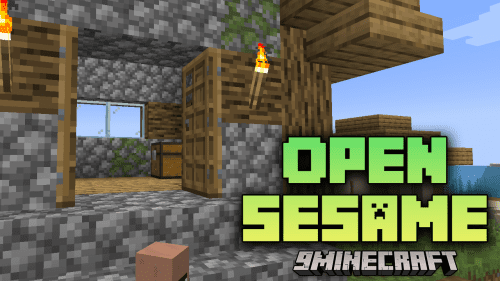 Open Sesame Mod (26.2, 1.21.1) – Open Double Doors Instantly
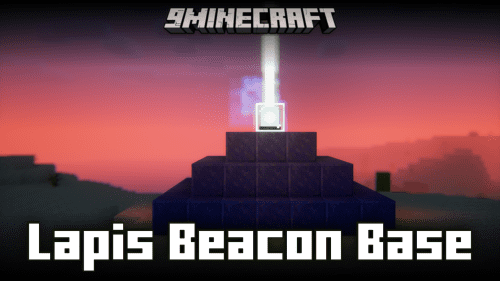 Lapis Beacon Base Mod (26.3, 1.20.1) – Build Beacon Pyramids with Lapis Blocks
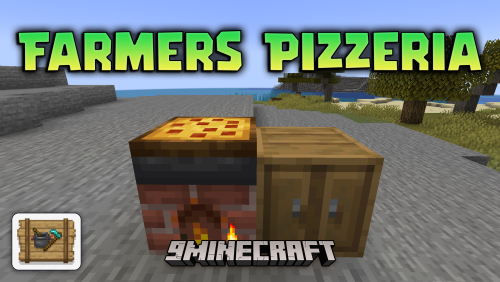 Farmers Pizzeria Mod (1.21.1) – Bake Hot Pizzas with Fresh Ingredients
 Damagesource is Not Null Mod (1.21.1, 1.20.1) – Never Crash Taking Damage
 Wings of Fire by RipleysMods Mod (1.21.1, 1.20.1) – Soar Across Your World
 For Vanilla Flowers Mod (1.21.11, 1.21.5) – Create Detailed Gardens
 Hologram API Mod (26.3, 1.20.1) – Display Floating Damage Numbers
 Fancy Food Mod (26.3, 1.21.1) – Cook Hearty Meals to Fuel Long Wilderness
 Ghast Sight Precision Mod (26.3, 1.21.11) – See Incoming Projectiles
 StashHunter Mod (26.2) – Find Hidden Bases and Stashes While Flying on Autopilot
Most viewed in Mods over the last 7 days
 Ala Industrial Mod (26.3) – Run Electric Power Grids and Automated Factories
 PleasureCraft Mod (26.3, 1.21.1) – Jenny Mod Remake for Fabric
 Jennycraft Mod (26.3, 1.20.1) – Virtual Girlfriend in Minecraft
 Fapcraft Mod (26.3, 1.12.2) – Comprehensive and Detailed Content
 Jenny Mod (Fapcraft) Official Complete Guide – How to use, Tutorial
 Meteor Client Mod (26.3, 1.20.1) – Xray, HUD, Fly
 BangCraft Mod (1.20.1) – Jenny, Ellie and Elliot
 OptiFine HD (26.3, 1.20.1) – Run Faster, FPS Boost, Shaders Support
 Fabric Loader (26.3, 1.20.1) – Fabric Installer for All Minecraft Versions
 SeedCrackerX Mod (26.3, 1.20.1) – Find Any World Seed
 CatLean Client Mod (26.2, 1.21.11) – ThunderHack Recode Alternatives
 SchnurriTV Mod (1.12.2) – Characters and Features
More from Mods
 Abandoned Underground Railways Mod (26.3, 1.20.1) – Explore Forgotten Train
 Plantasia Nature’s Call Mod (1.20.1) – Giant Redwoods, Nether Trees
 Mycelial Voyage Mod (1.21.1) – Build Working Starships and Fly Into Deep Space
 Steel Catwalks Mod (26.3, 1.20.1) – Build Industrial Walkways and Caged Ladders
 Artisan Machines Mod (1.21.1) – Turn Your Farm Harvests Into Fine Artisan Goods
 Sweetheart Bakery Mod (1.21.1) – Bake Custom Pastries and Run Your Own Pastel
 New Throwing Discs Mod (26.3) – Bounce Boomerang Weapons Off Walls to Hit Mobs
 Twiglight Mod (26.3, 1.21.1) – Catch Hidden Stick Insects and Ride
 AQUA FX Mod (1.21.1) – Enjoy Glowing Shores and Coastal Waves Without Shaders
 Jade Cooking Pot Progress Farmer’s Delight Cooking Timer Mod (1.21.1, 1.20.1)
 Advanced Refinery Mod (26.3) – Build Massive Factories and Triple Your Ore
 Mochos Constructor World Edit GUI Mod (1.21.1) – Build Massive Structures

This post has no comments yet. Be the first — your comment will appear here.