
Endhanced End Model – Restyles End Portals, Dragon Eggs, and Chorus Flowers

 0

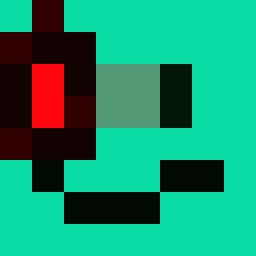
Endhanced End Model restyles key blocks in the End dimension with custom 3D models and fresh textures. This pack includes 13 custom 3D models and 28 texture files that replace vanilla End blocks. It updates the look of end portal frames, chorus flowers, and dragon eggs across different states and variants. Players get a refreshed visual style from the moment they find a stronghold to their exploration of the outer End islands.

Features:
- 13 Custom 3D Models: Replaces standard End blocks with detailed 3D shapes across 28 texture files.
- End Portal Frame States: Updates both the empty end portal frame and the filled end portal frame with distinct 3D models.
- Chorus Flower Variants: Includes a new model for the living chorus flower along with multiple dead chorus flower variations (dead, dead 0, dead 1, dead 2, and dead 3).
- Dragon Egg & Baby Dragon Egg: Gives the standard dragon egg a new 3D model and includes a separate baby dragon egg model.
How to Use:
- Move the downloaded pack into your Minecraft resourcepacks folder, then open the Resource Packs menu in-game and move it to the active column.
- Locate a stronghold in the Overworld and enter the portal room to inspect the custom 3D model on the empty end portal frame blocks.
- Hold an Eye of Ender and right-click each empty frame to watch the block switch to the filled end portal frame 3D model.
- Defeat the Ender Dragon in the End dimension to spawn the dragon egg on top of the exit portal, where you can view the updated dragon egg and baby dragon egg models.
- Travel to the outer End islands to find chorus plants and look closely at the tops of the stems to see the living chorus flower model alongside the four dead chorus flower variations.
Screenshots:


Endhanced End Model Download Links
Click to rate this post!
[Total: 0 Average: 0]
You May Also Like
Picked for this page
 Pixel Perfection Fidelity Model – Brings Cozy Medieval 3D Models to Blocks
 New Faithful Overlays Model – Brings Smooth Grass and Path Transitions
 Quadral Model – Brings Vivid Colors and 31 Custom 3D Models to Vanilla
 Simply Alive Model – Brings Animated 3D Blocks and Capybara Totems
 Pixel-Tree Model – Transforms Everyday Vanilla Blocks with Detailed 3D Shapes
 Gui’s Better Vanilla Model – Brings Animated 3D Torches and Plants
 The Original Work Programmer Art Model – Brings Classic Retro Visuals and Models
 Gothiclily’s Flower Model – Transforms Wild Foliage with Custom 3D Flora
 Brush & Juice Model – Brings Animated 3D Redstone and Mechanical Blocks
 Minebox Plus Model – Transforms Caves, Plants, and Redstone with 3D Models
 Justzilla’s Classic Model – Brings Retro Aesthetics to Modern Blocks
 Retro Textures Model – Brings Classic Alpha Blocks and 3D Redstone
Most viewed in Models over the last 7 days
 Jenny Mod Skin Pack Mega Collection – 310+ Characters
 The Most Complete Collection of Jenny Mod Resources – Models, Animations, Structures,…
 Albedo Rework Jenny Mod Model
 750 Models Addon for Yes Steve Model Mod
 Galath Rework Model – Custom Girl for PleasureCraft Mod
 Power Model – Custom Girl for PleasureCraft Mod
 Pomni Jenny Mod Model
 Ram Model – Custom Girl for PleasureCraft Mod
 Femboy Ellie Rework Jenny Mod Model
 100+ Custom Animations For Jenny Mod
 Ellie Rework Jenny Mod Model
 Steve (Jenny & Zoey) Pack Jenny Mod Model
More from Models
 Cyberpack Model – Unlocks Animated Cyberpunk Weapons, Revolvers, and Tools
 3D Tools And Weapons Model – Transforms Flat Vanilla Gear Into Animated 3D Items
 Wet Backapacks Model – Unlocks Six Themed 3D Backpacks with Custom Straps
 Snowfall’s Crystal Essentials Model – Brings Animated 3D Blocks to Crystal PvP
 Tooniverse Texture Pack 32x Model – Brings Cute 3D Cartoon Blocks to Worlds
 Simplista – Brings Clean 64x Textures, 3D Block Models, and LabPBR Reflections
 Smooth PVP Model – Brings Clean Block Textures and Custom 3D Shapes for Combat
 Deep Origins Overlays Model – Adds Smooth Animated Block Transitions
 Kaleidoscope Deco Model – Adds Animated Fantasy Props and Collectible 3D Dolls
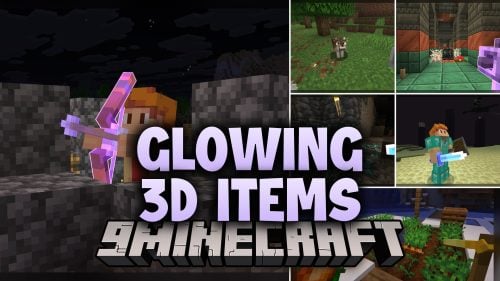 Glowing 3D Items Model – Transforms Flat Vanilla Tools Into Animated 3D Gear
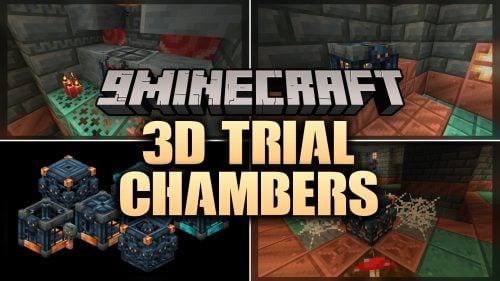 3D Trial Chambers Model – Transforms Spawners, Vaults, and Maces Into 3D Shapes
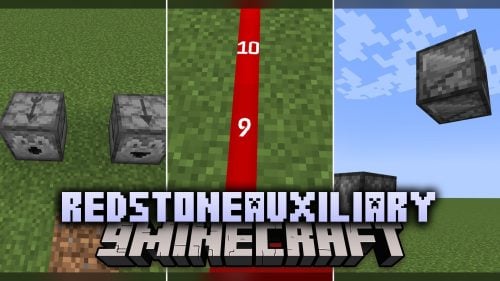 RedstoneAuxiliary Model – Adds Clear 3D Visual Cues to Redstone Blocks

This post has no comments yet. Be the first — your comment will appear here.