
Rena’s Compasses Model – Transforms Flat Compasses Into Animated 3D Tools

 0


Rena’s Compasses Model transforms the look of standard compasses with a complete 3D redesign. This pack includes 96 custom 3D models and 19 texture files to give the navigation tool real depth and shape. It replaces the flat vanilla frames from compass_00 through compass_29 so the needle movement stays smooth in 3D space.

Features:
- 3D Compass Redesign: Replaces the flat vanilla compass sprites with a full 3D shape.
- Full Needle Animation: Updates every directional frame from compass_00 to compass_29 with its own 3D model so the needle points and spins accurately as you turn.
- Packs 96 custom 3D models into the game files for smooth directional tracking.
- Includes 19 texture files to wrap the new 3D compass frames.
How to Use:
- Place the downloaded pack file into your Minecraft resourcepacks folder, open the game options, and move the pack to the active column.
- Craft a Compass at a crafting table using 4 Iron Ingots and 1 Redstone Dust, or pull a Compass from the Creative inventory.
- Loot a Compass from chests inside shipwreck map rooms, stronghold libraries, or cartographer village houses, or buy one from an expert-level Cartographer villager.
- Hold the Compass in your main hand or off-hand in first-person view to see the new 3D casing instead of the flat item sprite.
- Walk around or turn your camera toward your world spawn point to watch the 3D needle cycle through the directional models from compass_00 to compass_29.
- Switch to third-person view or place the Compass inside an Item Frame to inspect the 3D shape from different angles.
Screenshots:


Rena’s Compasses Model Download Links
Click to rate this post!
[Total: 0 Average: 0]
You May Also Like
Picked for this page
 Quadral Model – Brings Vivid Colors and 31 Custom 3D Models to Vanilla
 Simply Alive Model – Brings Animated 3D Blocks and Capybara Totems
 Gui’s Better Vanilla Model – Brings Animated 3D Torches and Plants
 Brush & Juice Model – Brings Animated 3D Redstone and Mechanical Blocks
 The Original Work Programmer Art Model – Brings Classic Retro Visuals and Models
 Gravestone Dungeons Resource Pack Model – Brings Animated 3D Dungeon Rituals
 Vanilla SMP Model – Brings Clear 3D Weapons and Visible Traps to PvP
 Justzilla’s Classic Model – Brings Retro Aesthetics to Modern Blocks
 ReSky 16x Model – Brings 3D Weapons, Rails, and Animated PvP Textures
 Modilla Model – Brings 3D Depth and Animated Textures to Everyday Vanilla Blocks
 Sky 16x Model – Brings 3D Maces, Rails, and Animated PvP Visuals
 HLG Model – Transforms Storage Cells and Metal Gear Into Animated 3D Objects
Most viewed in Models over the last 7 days
 Jenny Mod Skin Pack Mega Collection – 310+ Characters
 The Most Complete Collection of Jenny Mod Resources – Models, Animations, Structures,…
 Albedo Rework Jenny Mod Model
 750 Models Addon for Yes Steve Model Mod
 Galath Rework Model – Custom Girl for PleasureCraft Mod
 Power Model – Custom Girl for PleasureCraft Mod
 Pomni Jenny Mod Model
 Ram Model – Custom Girl for PleasureCraft Mod
 Femboy Ellie Rework Jenny Mod Model
 100+ Custom Animations For Jenny Mod
 Ellie Rework Jenny Mod Model
 Steve (Jenny & Zoey) Pack Jenny Mod Model
More from Models
 London Underground 2009 Tube Stock Model – Brings Modern Subway Trains to Rails
 Kítòn Transit Adgency Model – Brings Custom Kiton Trains to Your Railways
 Vary Me Model – Brings Animated Block Variants and Reshaped Iron Bars
 THSR 700T Model – Brings Taiwan High-Speed Rail Trains to Railway Networks
 Bucket’Em Remodeled Model – Brings Animated 3D Captured Mobs to Your Hand
 Torchified Model – Turns Held Torches Into 3D Shapes with Classic 2D Icons
 Resolute 16x Model – Brings Clean 3D Blocks and Smooth PvP Visuals
 Sakura PvP Model – Brings Pink Gear and Grayscale Terrain for NethPot Combat
 Keikyu New 1000 Series Model – Adds Keikyu Commuter Trains to MTR Railways
 700 Series Shinkansen Model – Brings Japanese Bullet Trains to Transit Railways
 Mark5a ‘Nova 3’ Set Model – Brings TPE Passenger Trains to Your Railways
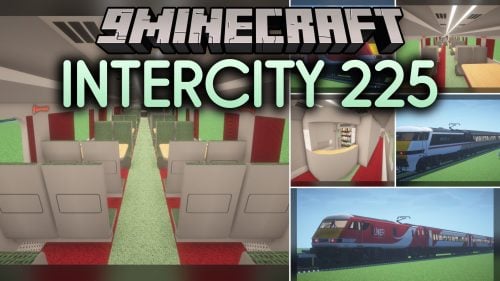 InterCity 225 Model – Brings Classic British Rail Trains to Railway Networks

This post has no comments yet. Be the first — your comment will appear here.