
Railgun’s Redstone Model – Adds 3D Visual Cues to Redstone Blocks

 0


Railgun’s Redstone Model transforms the look of redstone components with 82 custom 3D models and 417 texture files. This pack adds animated textures and clear visual cues to blocks like comparators, daylight detectors, dispensers, droppers, composters, doors, and calibrated sculk sensors. Players can check power levels, fill stages, and active states at a quick glance while building redstone contraptions.

Features:
- 82 Custom 3D Models: Upgrades vanilla redstone blocks with detailed 3D shapes that react to in-game states.
- 417 Texture Files: Repaints redstone components with sharp visuals and includes animated textures for active blocks.
- Shows exact power and mode states on comparators, whether they are turned on or set to subtract mode.
- Displays visual power indicators on calibrated sculk sensors and daylight detectors, including inverted daylight modes.
- Adds distinct triggered and untriggered visuals for dispensers (both horizontal and vertical) and droppers.
- Updates composters with 7 distinct content stages and a visible fill level indicator.
- Marks powered states on doors across top, bottom, left, right, and open positions.
Redstone & Utility Models:
- Calibrated Sculk Sensor: Includes a custom power display model.
- Comparator: Features separate models for powered on, subtract mode, and powered subtract states.
- Composter: Shows 7 distinct fill stages and a clear level indicator as organic items are added.
- Daylight Detector: Displays power levels and clearly separates normal and inverted states, even at zero power.
- Dispenser & Dropper: Changes appearance when triggered, covering both standard and vertical dispenser placements.
- Doors: Displays powered states on all door halves and hinge sides when connected to an active signal.
How to Use:
- Place the downloaded pack file into your Minecraft resourcepacks folder and activate it in the Resource Packs menu.
- Craft or grab a Redstone Comparator from the creative menu, place it down, and right-click it to see the model switch to subtract mode and light up when powered.
- Place a Daylight Detector out in the open and right-click it to toggle between normal and inverted modes, watching the power indicator change with the sun.
- Set down a Composter and right-click it with seeds or crops to watch the inner contents rise through all 7 visual fill levels.
- Hook up a Dispenser, Dropper, and Door to a redstone lever, then flip the switch to observe the triggered block states and powered door indicators in action.
- Place a Calibrated Sculk Sensor near your build and make noise nearby to see its custom power model react to vibrations.
Requirements:
- A Minecraft version that supports animated textures
Screenshots:


Railgun’s Redstone Model Download Links
Click to rate this post!
[Total: 0 Average: 0]
You May Also Like
Picked for this page
 Pixel Perfection Fidelity Model – Brings Cozy Medieval 3D Models to Blocks
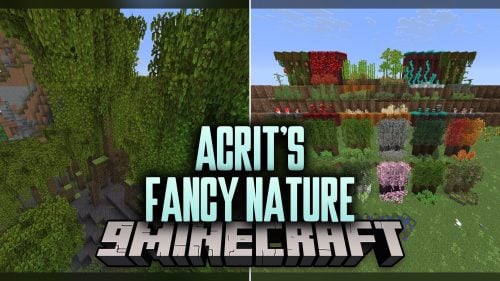 Acrit’s Fancy Nature Model – Transforms Flat Greenery Into Bushy 3D Foliage
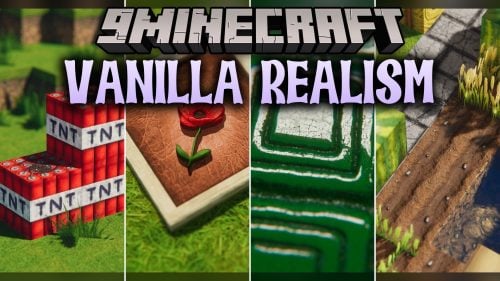 Vanilla Realism Model – Transforms Flat Blocks Into Animated 3D Shapes
 Dimensionalized 3D Essentials Model – Adds 248 Vanilla-Style 3D Block Models
 TextureRevamp 64x Model – Transforms Vanilla Blocks with Detailed 3D Shapes
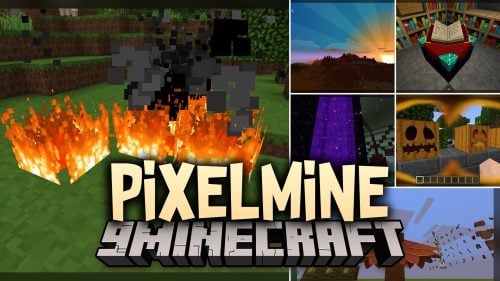 PixelMine Model – Transforms Everyday Blocks with Animated 3D Shapes
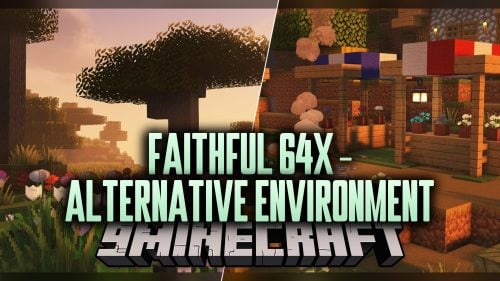 Faithful 64x – Brings Animated 3D Variations to Blocks and Mobs
 A New Perception – Adds Detailed 3D Block Shapes and Animated Textures
 Nibble Bits Model – Brings 3D Shapes to Plants, Lanterns, and Utility Blocks
 SobhanA11 Modern Vanilla Cpvp Model – Transforms Blocks for Fast Crystal PvP
 Duolingo Cpvp Model – Brings Animated 3D Duo Owl Visuals to Crystal PvP
 Better Textures Model – Brings Modern 1.20.1 3D Blocks to 1.8.9 Worlds
Most viewed in Models over the last 7 days
 Jenny Mod Skin Pack Mega Collection – 310+ Characters
 The Most Complete Collection of Jenny Mod Resources – Models, Animations, Structures,…
 Albedo Rework Jenny Mod Model
 750 Models Addon for Yes Steve Model Mod
 Galath Rework Model – Custom Girl for PleasureCraft Mod
 Power Model – Custom Girl for PleasureCraft Mod
 Femboy Ellie Rework Jenny Mod Model
 Ram Model – Custom Girl for PleasureCraft Mod
 Pomni Jenny Mod Model
 100+ Custom Animations For Jenny Mod
 Ellie Rework Jenny Mod Model
 Halloween Pack Jenny Mod Model – Transforms Companions with Spooky Costumes
More from Models
 S-Bahn Model – Brings German Urban Commuter Trains to MTR4 Railways
 3D Door & Trapdoor Model – Adds Physical Depth to Vanilla Entryways
 Moszyan Railways Resources For MTR Model – Builds Out Urban Transit Networks
 BedWars Model – Brings Custom 3D Guns and Animated Gear to Hypixel Bedwars
 AE2 TEXTURE BACKPORT Model – Brings Modern 1.21 Storage Visuals to Older Worlds
 Undopia 3D Pointed Dripstone Model – Transforms Flat Cave Spikes Into 3D Shapes
 Flows HD Full Model – Transforms Everyday Blocks with Crisp 128x 3D Shapes
 Create Old Copper Stuffs Model – Brings Back Classic Create Copper Blocks
 Unity Model – Transforms Everyday Blocks with Realistic 3D Shapes and Variants
 HOLD MY ACTIONS Model – Adds 3D Held Boats, Buckets, and Item Animations
 Xali’s Enhanced Biome River & Pond Model – Brings 3D Plants and Aquatic Wildlife
 Stylista – Transforms Worlds with 128x Stylized Textures and 3D Block Shapes

This post has no comments yet. Be the first — your comment will appear here.