
TextureRevamp 64x Model – Transforms Vanilla Blocks with Detailed 3D Shapes

 0


TextureRevamp 64x Model transforms the look of vanilla Minecraft by upscaling original textures to a crisp 64x resolution. This pack keeps the classic look and feel of the game while adding 373 custom 3D models and 2,971 texture files. You get sharper blocks, animated textures, and detailed shapes for everyday plants, utility blocks, and foliage. It refreshes trees, bamboo, anvils, and bells without losing the familiar vanilla style.

Features:
- 64x Resolution Upscale: Upscales original vanilla textures to a sharper 64x resolution while keeping the classic Minecraft style.
- 373 Custom 3D Models: Replaces flat blocks with detailed 3D models across 2,971 texture files.
- Animated Textures: Includes moving texture details on supported blocks.
- Adds custom 3D models for utility blocks like the beacon and all three anvil states (undamaged, chipped, and damaged).
- Reworks bell models for every placement type, including floor, ceiling, single wall, and hanging between two walls.
- Upgrades foliage with custom models for acacia leaves, birch leaves, and six different variants of azalea leaves.
- Changes bamboo growth stages with specific models for small leaves, large leaves, and four distinct age variants.
- Reshapes big dripleaf plants with separate 3D models for the stem, standard leaf, partial tilt, and full tilt states.
Included 3D Block Models:
- Anvils: Undamaged anvil, chipped anvil, and damaged anvil.
- Bells: Floor bell, ceiling bell, wall bell, and bell between walls.
- Leaves: Acacia leaves, birch leaves, and 6 azalea leaf variants.
- Bamboo: Small leaves, large leaves, and 4 bamboo stalk variants across age 0 and age 1.
- Big Dripleaf: Stem, regular leaf, partial tilt, and full tilt states.
- Beacon: Custom 3D beacon block model.
How to Use:
- Move the pack into your resourcepacks folder and activate it from the in-game Resource Packs menu.
- Walk into a savanna, birch forest, or lush cave to look at the upgraded 3D leaf models on acacia, birch, and azalea trees.
- Find a jungle biome to watch bamboo stalks change models as they grow from age 0 to age 1 with small and large leaves.
- Step onto a big dripleaf in a lush cave to see the model shift through its partial tilt and full tilt states before dropping.
- Craft or find an anvil and use it to repair items so you can see the 3D model change from undamaged to chipped and damaged.
- Place a bell on the floor, ceiling, a single wall, or between two walls in a village to see the four different mounting models, and place a beacon nearby to check out its 3D shape and animated textures.
Requirements:
- A Minecraft version that supports animated textures
Screenshots:


TextureRevamp 64x Model Download Links
Click to rate this post!
[Total: 0 Average: 0]
You May Also Like
Picked for this page
 Hidyk’s Realm Model – Brings Animated 3D Depth to Vanilla Blocks
 Quadral Model – Brings Vivid Colors and 31 Custom 3D Models to Vanilla
 Coquet Model – Transforms Vanilla Foliage and Terrain with 3D Shapes
 Pixel-Tree Model – Transforms Everyday Vanilla Blocks with Detailed 3D Shapes
 Gui’s Better Vanilla Model – Brings Animated 3D Torches and Plants
 Vanilla Realism Model – Transforms Flat Blocks Into Animated 3D Shapes
 Esterlon Network Textures Model – Brings Realistic Modern City Streets
 London Underground 2009 Tube Stock Model – Brings Modern Subway Trains to Rails
 Brush & Juice Model – Brings Animated 3D Redstone and Mechanical Blocks
 The Original Work Programmer Art Model – Brings Classic Retro Visuals and Models
 Tooniverse Texture Pack 64x Model – Brings Cute 3D Cartoon Visuals to Worlds
 Justzilla’s Classic Model – Brings Retro Aesthetics to Modern Blocks
Most viewed in Models over the last 7 days
 Jenny Mod Skin Pack Mega Collection – 310+ Characters
 The Most Complete Collection of Jenny Mod Resources – Models, Animations, Structures,…
 Albedo Rework Jenny Mod Model
 750 Models Addon for Yes Steve Model Mod
 Galath Rework Model – Custom Girl for PleasureCraft Mod
 Power Model – Custom Girl for PleasureCraft Mod
 Pomni Jenny Mod Model
 Ram Model – Custom Girl for PleasureCraft Mod
 Femboy Ellie Rework Jenny Mod Model
 100+ Custom Animations For Jenny Mod
 Ellie Rework Jenny Mod Model
 Steve (Jenny & Zoey) Pack Jenny Mod Model
More from Models
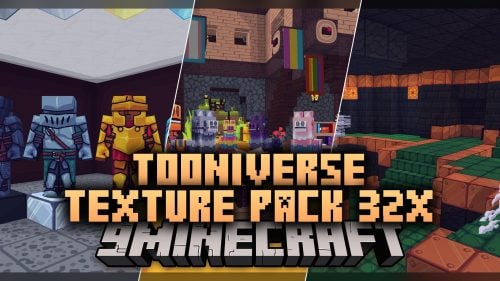 Tooniverse Texture Pack 32x Model – Brings Cute 3D Cartoon Blocks to Worlds
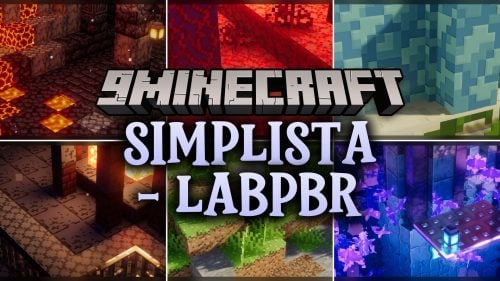 Simplista – Brings Clean 64x Textures, 3D Block Models, and LabPBR Reflections
 Smooth PVP Model – Brings Clean Block Textures and Custom 3D Shapes for Combat
 Deep Origins Overlays Model – Adds Smooth Animated Block Transitions
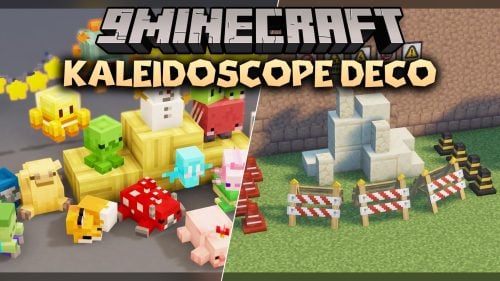 Kaleidoscope Deco Model – Adds Animated Fantasy Props and Collectible 3D Dolls
 Glowing 3D Items Model – Transforms Flat Vanilla Tools Into Animated 3D Gear
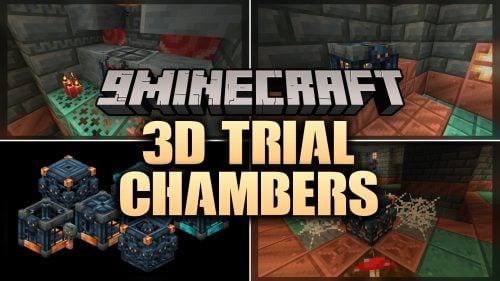 3D Trial Chambers Model – Transforms Spawners, Vaults, and Maces Into 3D Shapes
 RedstoneAuxiliary Model – Adds Clear 3D Visual Cues to Redstone Blocks
 Red LHB Sleeper Pack – Brings Modern Indian Train Coaches to MTR
 Pumpkin Carving Model – Unlocks Custom Voxel-By-Voxel 3D Pumpkin Sculptures
 Rainbow’s Detailing Model – Adds 3D Depth to Doors, Bookshelves, and Plants
 Southwestern Railway Class 455 Pack For MTR Model – Adds Custom Passenger Trains

This post has no comments yet. Be the first — your comment will appear here.