
Haunted Hills Model – Transforms Vanilla Worlds With Spooky Halloween Visuals
 0
 0

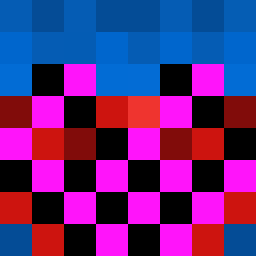
Haunted Hills Model transforms your Minecraft world with a spooky Halloween theme. This model pack replaces standard block shapes and surfaces with 40 custom 3D models and 289 texture files, including animated textures. It reshapes blocks such as birch leaves, grass blocks, bamboo fences, iron doors, iron bars, glow lichen, and lightning rods into eerie seasonal versions. Exploring forests, caves, and builds feels darker while you play vanilla Minecraft without extra mods.

Features:
- Halloween Visual Overhaul: Gives terrain, foliage, cave growth, and building blocks a spooky seasonal look across your world.
- 40 Custom 3D Models: Replaces flat vanilla block faces with 40 custom 3D shapes across foliage, terrain, fences, doors, and rooftop details.
- 289 Texture Files With Animations: Packs 289 texture files including animated textures that bring motion to block surfaces.
- Changes visuals only through models and textures, leaving vanilla mechanics untouched.
Custom 3D Block Models:
- Birch Leaves (
birch_leaves,birch_leaves_old): includes standard and old-style 3D birch leaf models for forest trees. - Grass Block Variants (
grass_block2tograss_block9): adds eight extra 3D grass block models to vary grassy terrain. - Bamboo Fence Parts (
bamboo_fence_post,bamboo_fence_middle,bamboo_fence_connector): shapes fence posts, middle rails, and side connectors in 3D. - Glow Lichen Variants (
glow_lichen,glow_lichen_top,glow_lichen_corner,glow_lichen_bridge,glow_lichen_top_angle,glow_lichen_bottom_angle,glow_lichen_top_corner): models cave glow lichen for walls, tops, corners, bridges, and angled edges. - Iron Door States (
iron_door_bottom_left,iron_door_bottom_right,iron_door_top_left,iron_door_top_right, plus all four_openvariants): gives every hinge side, door half, and open or closed position its own 3D door model. - Iron Bars Connection (
iron_bars_connection): updates how linked iron bar sections look in windows and cages. - Lightning Rod (
lightning_rod): swaps the vanilla lightning rod for a custom 3D rooftop model.
How to Use:
- Place the downloaded zip file into your game’s
resourcepacksfolder, open Options, go to Resource Packs, and move this pack to the active list. - Explore a birch forest or grassy plains biome to see the
birch_leavesandbirch_leaves_oldtree canopies alongside the eight extra grass block models (grass_block2throughgrass_block9), checking surfaces for animated textures. - Head into dark caves and stone walls to find
glow_lichengrowing across corners, tops, bottom angles, and small bridges in 3D. - Craft or grab Bamboo Fences and Iron Bars in Creative or Survival mode and place several next to each other so the
bamboo_fence_post,bamboo_fence_middle,bamboo_fence_connector, andiron_bars_connectionshapes link together. - Place an Iron Door with a lever or button and switch it open and closed to watch the model change between its closed and
_openforms across top, bottom, left, and right halves. - Place a Lightning Rod on top of a house or tower to check its custom 3D silhouette against the sky.
Requirements:
- A Minecraft release that works with animated resource pack textures.
- The pack selected in the in-game Resource Packs menu.
Screenshots:


Haunted Hills Model Download Links
Click to rate this post!
[Total: 0 Average: 0]
QUICK MINECRAFT SURVEY · ONE TAP
Mods & Modpacks
How do you usually play Minecraft?
43 responses · See the full results →
You May Also Like
Picked for this page
 Pastelcraft Model – Brings Soft Pastel Colors and 3D Redstone Blocks
 Esterlon Network Textures Model – Brings Realistic Modern City Streets
 AsaThorr’s PvP Model – Brings Sleek Combat Models for Clearer Duels
 Mickey Joe’s CIT Namables Model – Unlocks Custom Spin-Off Gear at Anvils
 The Original Work Programmer Art Model – Brings Classic Retro Visuals and Models
 Tooniverse Texture Pack 256x Model – Adds Animated Comic Book Visuals
 3D Trial Chambers Model – Transforms Spawners, Vaults, and Maces Into 3D Shapes
 Minebox Plus Model – Transforms Caves, Plants, and Redstone with 3D Models
 Justzilla’s Classic Model – Brings Retro Aesthetics to Modern Blocks
 Night UI – Transforms Game Menus and Glass Panes with Sleek Dark Visuals
 Sky 16x Model – Brings 3D Maces, Rails, and Animated PvP Visuals
 Redstone Tweaks For Bare Bones Model – Brings Clear 3D Signal States
Most viewed in Models over the last 7 days
 Jenny Mod Skin Pack Mega Collection – 310+ Characters
 The Most Complete Collection of Jenny Mod Resources – Models, Animations, Structures,…
 Halloween Pack Jenny Mod Model – Transforms Companions with Spooky Costumes
 750 Models Addon for Yes Steve Model Mod
 Albedo Rework Jenny Mod Model
 Power Model – Custom Girl for PleasureCraft Mod
 Galath Rework Model – Custom Girl for PleasureCraft Mod
 Ram Model – Custom Girl for PleasureCraft Mod
 100+ Custom Animations For Jenny Mod
 Femboy Ellie Rework Jenny Mod Model
 Steve (Jenny & Zoey) Pack Jenny Mod Model
 Alex Model – Custom Girl for PleasureCraft Mod
More from Models
 GGB Model – Brings Detailed Alpine Mountain Trains to Your Railway Worlds
 Peak1080p’s RP Model – Brings Custom 3D Shapes and Animated Block Textures
 Grass Rocks Model – Adds 3D Pebbles and Rocks to Ground Blocks
 IVR – Brings Detailed HD Passenger Trains to Your Minecraft Transit Railway
 NS DDM DD-AR DDZ For MTR Model – Adds Dutch Double-Decker Passenger Trains
 Rimuru Tempest’s Sword Model – Unleashes Animated 3D Anime Slime Blades
 Grimdark Battlepack Model – Equips Pirate, Samurai, and Viking 3D Gear
 Bushy Leaves Textures Model – Brings Fuller 3D Foliage to Vanilla Trees
 British Rail Class 142 Pacer Model – Brings Classic British Trains to Railways
 Snowy Paws Model – Adds 3D Animal Paw Prints to Snow Layers
 Innovia_metro_mark2 Model – Brings Modern Metro Trains to MTR4 Railways
 Y’all It’s Winter Model – Transforms Vanilla Foliage Into Animated Snowy Plants

This post has no comments yet. Be the first — your comment will appear here.