
Tooniverse Texture Pack 256x Model – Adds Animated Comic Book Visuals

 0


Tooniverse Texture Pack 256x Model replaces standard Minecraft blocks and items with bright cartoon designs. This pack includes 742 custom 3D models and 4,159 texture files drawn at 256x detail. It delivers animated textures that bring extra movement to plants, rails, and decorative blocks across your world. Players can see playful details like animated butterflies resting over flowers, layered bamboo growth stages, and detailed wooden doors. The pack gives every building project and survival base a cute comic book look while keeping standard gameplay simple.

Features:
- High-Resolution Art: Delivers 4,159 textures drawn at 256x resolution for clean, bold cartoon visuals.
- Custom 3D Models: Features 742 custom block and item shapes that give buildings real depth.
- Animated Textures: Adds fluid movement to select blocks, powered lines, and nature elements.
- Butterfly Flora: Spawns charming animated butterflies resting directly on allium and azure bluet flowers.
- Detailed Redstone Rails: Displays custom rail shapes with visible activation states for powered minecart tracks.
- Expressive Woodwork: Gives acacia and bamboo blocks distinct cartoon models for buttons, doors, hinges, and fence gates.
- Shows visible hinge attachments on acacia doors as they swing open and shut.
- Changes acacia and bamboo buttons into popping comic shapes that press inward when clicked.
- Displays distinct growth models for bamboo stalks across different age stages.
- Updates activator rails with custom raised models when climbing slopes toward different compass directions.
- Replaces ordinary allium blooms with multi-stage flower head variations.
How to Use:
- Place the pack folder into your Minecraft
resourcepacksfolder and select it in the Resource Packs settings screen. - Walk into a flower forest or meadow biome to find an allium or azure bluet flower, then watch the animated butterfly flutter atop the petals.
- Plant bamboo shoots on dirt or grass to observe how the custom 3D stalk models change thickness and leaves across each growth age.
- Place an acacia door or a bamboo fence gate on your build, then open it to inspect the custom 3D hinges and door frame movement.
- Lay down an activator rail climbing a slope toward the northeast or southwest, power it with redstone, and watch the track switch to its lit active state.
- Craft an acacia button or bamboo button at a crafting table, place it onto a wall, and click it to see the button physically press inward.
Requirements:
- A Minecraft version that supports animated textures.
Screenshots:


Tooniverse Texture Pack 256x Model Download Links
Click to rate this post!
[Total: 0 Average: 0]
You May Also Like
Picked for this page
 Bare Bones X Model – Brings Simple 3D Foliage and Modded Block Visuals
 Quadral Model – Brings Vivid Colors and 31 Custom 3D Models to Vanilla
 Pastelcraft Model – Brings Soft Pastel Colors and 3D Redstone Blocks
 Pixel-Tree Model – Transforms Everyday Vanilla Blocks with Detailed 3D Shapes
 Gui’s Better Vanilla Model – Brings Animated 3D Torches and Plants
 The Original Work Programmer Art Model – Brings Classic Retro Visuals and Models
 Brush & Juice Model – Brings Animated 3D Redstone and Mechanical Blocks
 Minebox Plus Model – Transforms Caves, Plants, and Redstone with 3D Models
 Slimefun Model – Brings 3D Shields, Solar Panels, and Animated Server Tech
 ShiNeaL’s Simplacity Model – Transforms Blocks Into Clean 3D Plastic Art
 Moons Cuter Bedwars Model – Brings Cute 3D Blocks and Clean PvP Visuals
 Justzilla’s Classic Model – Brings Retro Aesthetics to Modern Blocks
Most viewed in Models over the last 7 days
 Jenny Mod Skin Pack Mega Collection – 310+ Characters
 The Most Complete Collection of Jenny Mod Resources – Models, Animations, Structures,…
 Albedo Rework Jenny Mod Model
 750 Models Addon for Yes Steve Model Mod
 Power Model – Custom Girl for PleasureCraft Mod
 Galath Rework Model – Custom Girl for PleasureCraft Mod
 Pomni Jenny Mod Model
 Ram Model – Custom Girl for PleasureCraft Mod
 Femboy Ellie Rework Jenny Mod Model
 100+ Custom Animations For Jenny Mod
 Ellie Rework Jenny Mod Model
 Ellen Model – Custom Girl for PleasureCraft Mod
More from Models
 Glowing Trim Shield Model – Unlocks 18 Glowing Trim Styles Via Anvil Renaming
 Shield Corrections Model – Brings Lowered 3D Shields and Fixed Banner Patterns
 CStrifiky Model – Transforms Vanilla Swords and Bows Into CS:GO PvP Weapons
 AutumnPack Model – Adds Cozy Autumn Foliage and Detailed Leaf Litter
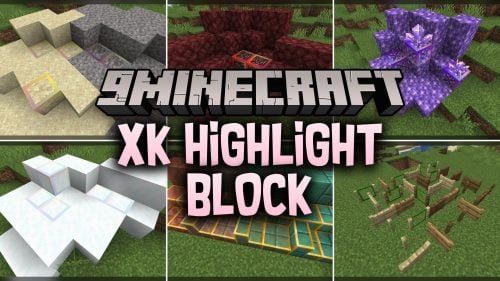 XK Highlight Block Model – Adds Glowing Outlines to Hidden Blocks
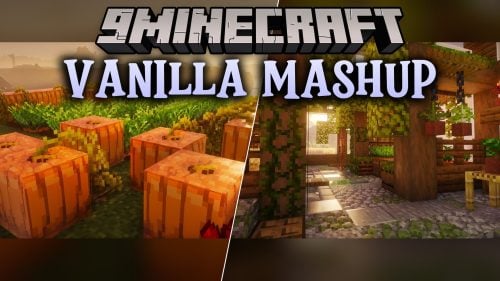 Vanilla Mashup Model – Brings Detailed 3D Shapes to Classic Blocks
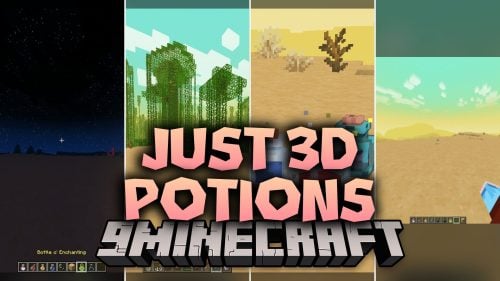 Just 3D Potions Model – Transforms Flat Brews Into Animated Drinking Bottles
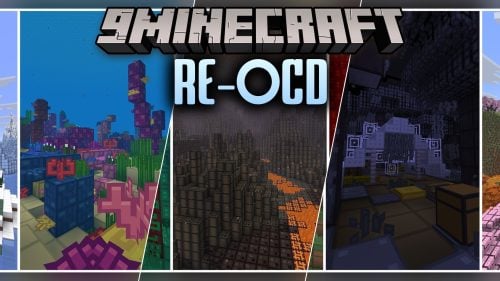 RE-oCd Model – Adds Animated Growth Stages to Crops and Flowerbeds
 Refined Torches Model – Adds Detailed 3D Torches and Animated Lanterns
 SR BlackRose 16x Model – Transforms PvP Combat with Animated 3D Gear
 Mob Cards Nether Model – Transforms Spawn Eggs Into Animated Collectible Cards
 ASTERA Model – Brings Sharp 3D Blades to Vanilla Melee Battles

This post has no comments yet. Be the first — your comment will appear here.