
Rimuru Tempest’s Sword Model – Unleashes Animated 3D Anime Slime Blades

 0

Rimuru Tempest’s Sword Model brings the blade used by Rimuru Tempest from the anime That Time I Got Reincarnated as a Slime into Minecraft. This pack contains 2 custom 3D models and 6 texture files with animated textures. It replaces the look of the item_frame and carved_pumpken models in the game. A Blockbench source model is also included if you want to edit the files yourself.

Features:
- Anime Sword Design: Adds Rimuru Tempest’s sword from That Time I Got Reincarnated as a Slime as a 3D model.
- Animated Textures: Includes 6 texture files with moving visual effects on the blade.
- Replaces 2 models in the pack, specifically named
item_frameandcarved_pumpken. - Includes 1 Blockbench source model file so you can open and edit the 3D design.
How to Use:
- Move the pack into your Minecraft resourcepacks folder and turn it on in the Resource Packs menu.
- Obtain an item frame by crafting it with 8 sticks and 1 leather, or grab one from the Creative inventory.
- Get a carved pumpkin by using shears on a regular pumpkin block, or pick it from the Creative menu to trigger the
carved_pumpkenmodel. - Hold the carved pumpkin or equip it, and place the item frame on a wall to see the 2 custom 3D sword models appear.
- Look closely at the blade in your hand or on the wall to watch the animated textures move across the 6 texture layers.
- Open the included Blockbench source file in Blockbench if you want to inspect or change the 3D sword model outside the game.
Requirements:
- Blockbench, only if you want to edit the included source models
Screenshots:


Rimuru Tempest’s Sword Model Download Links
Click to rate this post!
[Total: 0 Average: 0]
You May Also Like
Picked for this page
 Scythes Vanilla Model – Brings Sharp Harvesting Weapons Across Every Tier
 ShadowBlade Model – Equips Animated 3D Fantasy Weapons for PvP Combat
 Slimefun Model – Brings 3D Shields, Solar Panels, and Animated Server Tech
 The Original Work Programmer Art Model – Brings Classic Retro Visuals and Models
 ZickZack ORI Red Model – Brings 3D Pen Bows, Trackers, and Custom Skies
 Gravestone Dungeons Resource Pack Model – Brings Animated 3D Dungeon Rituals
 Tooniverse Texture Pack 256x Model – Adds Animated Comic Book Visuals
 Grimdark Viking Model – Equips Players with Animated Norse Combat Gear
 Coffee_XiaoGuan’s Tool Outlines Model – Adds Glowing 3D Outlines to Your Gear
 Bows & Crossbows To Guns Model – Equips Animated WW1 Bolt-Action Rifles
 BedWars Model – Brings Custom 3D Guns and Animated Gear to Hypixel Bedwars
 Grimdark Battlepack Model – Equips Pirate, Samurai, and Viking 3D Gear
Most viewed in Models over the last 7 days
 Jenny Mod Skin Pack Mega Collection – 310+ Characters
 The Most Complete Collection of Jenny Mod Resources – Models, Animations, Structures,…
 Albedo Rework Jenny Mod Model
 750 Models Addon for Yes Steve Model Mod
 Galath Rework Model – Custom Girl for PleasureCraft Mod
 Power Model – Custom Girl for PleasureCraft Mod
 Femboy Ellie Rework Jenny Mod Model
 Ram Model – Custom Girl for PleasureCraft Mod
 Pomni Jenny Mod Model
 100+ Custom Animations For Jenny Mod
 Ellie Rework Jenny Mod Model
 Halloween Pack Jenny Mod Model – Transforms Companions with Spooky Costumes
More from Models
 Totally Decayed Wither Storm Model – Brings Grim 3D Models and Animated Decay
 Rainbow’s Foliage Vanilla Model – Brings Animated 3D Plants to Worlds
 SobhanA11 Modern Vanilla Cpvp Model – Transforms Blocks for Fast Crystal PvP
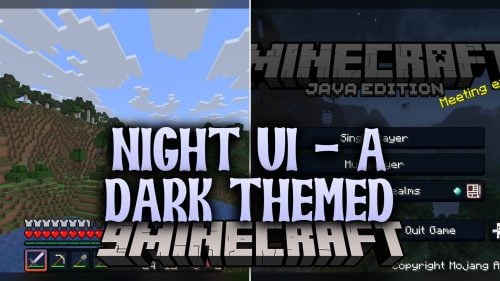 Night UI – Transforms Game Menus and Glass Panes with Sleek Dark Visuals
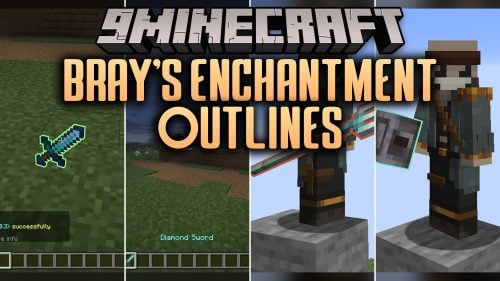 Bray’s Enchantment Outlines Model – Adds Glowing Animated Borders to Gear
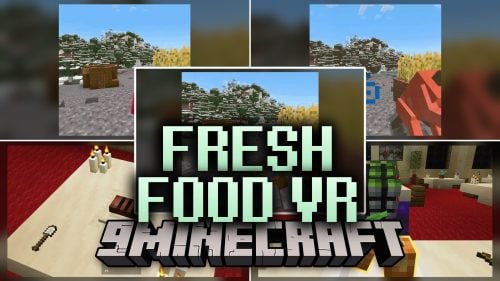 Fresh Food VR Model – Brings 3D Food and Bite-By-Bite Eating Animations to VR
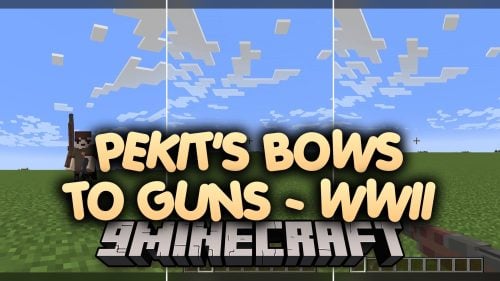 Pekit’s Bows To Guns – Transforms Ranged Gear Into WWII Firearms
 OLD MINECRAFT Model – Brings Classic Textures and Custom 3D Redstone Shapes
 Clean PvP Model – Brings Minimalist 3D Tools and Animated Combat Visuals
 Weskerson’s 3D Food Model – Adds Animated Bite Stages to Everyday Snacks
 3D Projectiles Model – Transforms Flat Thrown Items Into Detailed 3D Objects
 Drodi’s Arsenal Model – Transforms Default Tools and Armor Into 3D Gear

This post has no comments yet. Be the first — your comment will appear here.