
Vanilla Emissive Model – Transforms Redstone And Sculk Into Glowing 3D Blocks

 0


Vanilla Emissive Model brings OptiFine emissive textures to vanilla textures across your world. This pack includes 269 texture files, animated textures, and 11 custom 3D models that cover redstone blocks, redstone dust states, sculk sensors, and calibrated sculk sensors. Powered and unpowered redstone lines, solid redstone blocks, and sculk sensors gain glowing details and 3D shapes that stand out in dim caves and dark builds while keeping the classic block style. You need OptiFine with Emissive Textures turned on and a Minecraft version that handles animated textures to see every glow and animation.

Features:
- OptiFine Emissive Textures: Applies glowing emissive layers onto vanilla textures so active details stay visible in low light.
- Custom 3D Models: Includes 11 custom 3D models focused on redstone and sculk blocks without replacing the familiar vanilla look.
- Animated Textures: Combines 269 texture files with animated textures to give these blocks moving visual details.
- Separates unlit and lit redstone dust states with distinct 3D models so you can tell active circuits from unpowered dust at a glance.
Custom 3D Models:
- Block of Redstone (
redstone_block): Replaces the standard redstone block with a custom 3D block model. - Redstone Dust Dot (
redstone_dust_dotandredstone_dust_dot_on): Adds custom 3D shapes for single placed dust dots in both off and powered states. - Redstone Dust Side (
redstone_dust_sideandredstone_dust_side_on): Gives straight dust lines custom 3D models when unpowered and powered. - Redstone Dust Alternate Side (
redstone_dust_side_altandredstone_dust_side_alt_on): Updates alternate connected dust paths across off and on circuit states. - Redstone Dust Up (
redstone_dust_upandredstone_dust_up_on): Upgrades vertical dust climbing block sides with 3D off and on models. - Sculk Sensor (
sculk_sensor): Replaces the standard sculk sensor with a custom 3D model. - Calibrated Sculk Sensor (
calibrated_sculk_sensor): Adds a custom 3D model for the calibrated sculk sensor variant.
How to Use:
- Place the Vanilla Emissive Model ZIP file into your game’s
resourcepacksfolder, move it to the Selected column under Options and Resource Packs, and turn on Emissive Textures in your OptiFine video settings. - Craft a Block of Redstone from 9 Redstone Dust on a Crafting Table or grab one from the Creative inventory, then place it in a dark spot to view the
redstone_block3D model and glow. - Mine Redstone Ore underground with an Iron Pickaxe or better to gather Redstone Dust, place single dots (
redstone_dust_dot) and connected dust lines (redstone_dust_sideandredstone_dust_side_alt), and connect them to a power source to watch them change intoredstone_dust_dot_on,redstone_dust_side_on, andredstone_dust_side_alt_on. - Place Redstone Dust so it climbs the side of a stepped block to inspect the vertical
redstone_dust_upmodel, then power the circuit so it lights up asredstone_dust_up_on. - Head into the Deep Dark biome to find a Sculk Sensor (
sculk_sensor) or place one in Creative mode, then make a sound nearby to trigger it and view its custom 3D model and animated textures. - Craft a Calibrated Sculk Sensor (
calibrated_sculk_sensor) using 1 Sculk Sensor and 3 Amethyst Shards, place it in a dark cave or at night, and feed it a redstone signal or nearby vibration to observe its glowing emissive look up close.
Requirements:
- A Minecraft version that handles animated textures.
- OptiFine with Emissive Textures turned on to show the glowing textures.
Screenshots:


Vanilla Emissive Model Download Links
What do you do when a mod you love is abandoned by its creator?
17 responses · See the full results →
You May Also Like
Picked for this page
 Gui’s Better Vanilla Model – Brings Animated 3D Torches and Plants
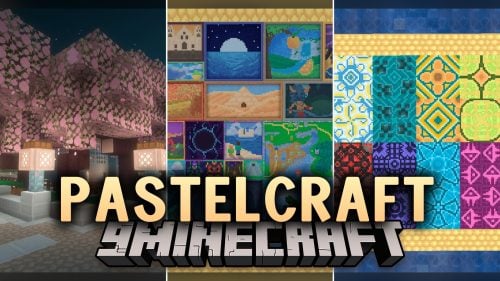 Pastelcraft Model – Brings Soft Pastel Colors and 3D Redstone Blocks
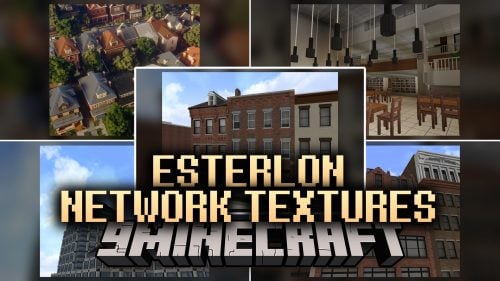 Esterlon Network Textures Model – Brings Realistic Modern City Streets
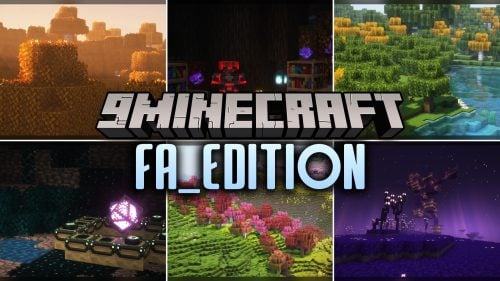 FA_edition Model – Transforms Vanilla Foliage and Blocks with 3D Shapes
 Simply Alive Model – Brings Animated 3D Blocks and Capybara Totems
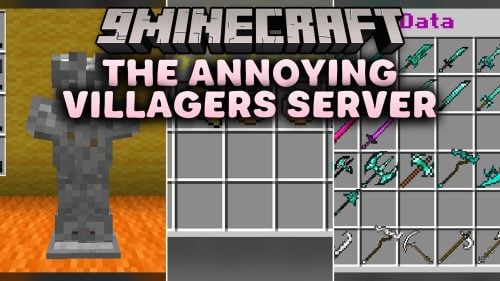 The Annoying Villagers Server Model – Equips Animated 3D Combat Weapons
 Mickey Joe’s CIT Namables Model – Unlocks Custom Spin-Off Gear at Anvils
 Tooniverse Texture Pack 64x Model – Brings Cute 3D Cartoon Visuals to Worlds
 Dimensionalized 3D Essentials Model – Adds 248 Vanilla-Style 3D Block Models
 Night UI – Transforms Game Menus and Glass Panes with Sleek Dark Visuals
 Redstone Tweaks For Bare Bones Model – Brings Clear 3D Signal States
 Lucipo’s Hoplite PvP Pack – Transforms Combat With Animated 3D Blocks
Most viewed in Models over the last 7 days
 Jenny Mod Skin Pack Mega Collection – 310+ Characters
 The Most Complete Collection of Jenny Mod Resources – Models, Animations, Structures,…
 Halloween Pack Jenny Mod Model – Transforms Companions with Spooky Costumes
 750 Models Addon for Yes Steve Model Mod
 Albedo Rework Jenny Mod Model
 Power Model – Custom Girl for PleasureCraft Mod
 Galath Rework Model – Custom Girl for PleasureCraft Mod
 Ram Model – Custom Girl for PleasureCraft Mod
 100+ Custom Animations For Jenny Mod
 Femboy Ellie Rework Jenny Mod Model
 Steve (Jenny & Zoey) Pack Jenny Mod Model
 Ellie Rework Jenny Mod Model
More from Models
 ThirtyFangs’ 3D Swords Model – Brings 3D Swords, Tools, And Zelda Blades
 Navi Repaints Model – Brings Thirteen Fresh Train Colors To Worlds
 Pack PBR Galactic Block Empire’s Legacy Model – Brings Star Wars 3D Architecture
 Vanilla 3d Tools Model – Transforms Flat Vanilla Gear Into Sculpted 3D Shapes
 R160 R143 For MTR Model – Brings New York City Subway Trains To Railways
 Glowing Blocks Model – Transforms Dark Caves With Bright Ores And Redstone
 IIAhmadGamer’s 3D Tools Model – Transforms Flat Tools Into Sculpted 3D Gear
 Jacob’s 3D Ladder With Flowers Model – Brings Natural Floral Charm To Builds
 Denower234 Model – Brings 3D PvP Gear, Low Fire, And Dark Mode
 Copper De-Ironing Model – Transforms Copper Lighting, Bars, And Waxed Blocks
 Archery Revamped Model – Brings 3D Animated Bows And Tipped Crossbow Arrows
 Chocolate Bars Model – Transforms Vanilla Blocks Into Clean Chunky 3D Shapes

This post has no comments yet. Be the first — your comment will appear here.