
Vanilla 3d Tools Model – Transforms Flat Vanilla Gear Into Sculpted 3D Shapes

 0


Vanilla 3d Tools Model transforms flat Minecraft tools, weapons, and utility items into sculpted 3D models while keeping the original blocky look intact. Across 77 custom 3D models and 4 texture files, this pack adds physical depth to Copper and Diamond gear, animated bows and crossbows, spears with dedicated in-hand models, and everyday utility items. Pulling back a bow or loading an arrow or firework into a crossbow plays through multi-stage 3D draw animations so gear looks alive in first-person and third-person views. Everything loads directly as a standard vanilla resource pack with no extra mods required.

Features:
- 77 Custom 3D Models: Replaces flat 2D sprites across tools, weapons, projectiles, and utility gear with volumetric 3D shapes built to match vanilla textures.
- Animated Bow and Crossbow Draw States: Updates bows with three distinct pulling stages and crossbows with three draw frames plus separate loaded arrow and loaded firework models.
- Dedicated In-Hand Spear Models: Gives both Copper and Diamond Spears custom held-in-hand 3D geometry when equipped alongside their standard item models.
- Classic Vanilla Aesthetic: Uses just 4 custom texture files paired with vanilla styling so every upgraded tool blends naturally with default blocks and armor.
- 3D Utility and End Gear: Extends volumetric modeling beyond tools to cover Arrows, Carrot on a Stick, Ender Pearls, Eyes of Ender, End Crystals, and Firework Rockets.
- Works out of the box in vanilla Minecraft without needing external mods.
Copper and Diamond Tools and Weapons:
- Copper Gear: Full 3D models for Copper Axe, Copper Hoe, Copper Pickaxe, Copper Shovel, Copper Sword, and Copper Spear (with a dedicated in-hand spear model).
- Diamond Gear: Full 3D models for Diamond Axe, Diamond Hoe, Diamond Pickaxe, Diamond Shovel, Diamond Sword, and Diamond Spear (with a dedicated in-hand spear model).
Animated Bows and Crossbows:
- Bow and Arrow: Full 3D Bow with three animated pulling stages (
bow_pulling_0,bow_pulling_1, andbow_pulling_2) paired with a 3D Arrow model. - Crossbow: Full 3D Crossbow featuring three draw frames (
crossbow_pulling_0,crossbow_pulling_1, andcrossbow_pulling_2) plus distinct 3D loaded models for an Arrow (crossbow_arrow) and a Firework Rocket (crossbow_firework).
Utility and End Items:
- Carrot on a Stick: Sculpted 3D fishing rod and carrot model for pig riding.
- Ender Pearl and Eye of Ender: Volumetric 3D orbs for teleporting and locating strongholds.
- End Crystal: Detailed 3D item model matching the crystal’s iconic shape.
- Firework Rocket: Three-dimensional rocket body visible in hand and when loaded into a crossbow.
How to Use:
- Drop the downloaded pack file into your Minecraft
resourcepacksfolder, press Esc in-game, open Options and then Resource Packs, and move the pack into the Selected column to turn on all 77 3D models. - Craft Copper or Diamond Axes, Hoes, Pickaxes, Shovels, and Swords at a crafting table-or press E in Creative mode to grab them from the Tools and Combat tabs-and hold each one in your hand or switch to third-person view to see its full 3D shape.
- Obtain a Copper Spear or Diamond Spear and equip it in your main hand to watch the item switch from its inventory icon into its dedicated 3D in-hand spear model.
- Grab a Bow with Arrows in your inventory and hold Right-Click to pull the string back slowly, watching the 3D bow bend cleanly through all three pulling animation stages.
- Craft or take a Crossbow along with Arrows and Firework Rockets, hold Right-Click to watch its three 3D charging stages, and load first an Arrow and then a Firework Rocket (held in your off-hand) to compare both distinct 3D loaded crossbow models.
- Pick up a Carrot on a Stick, Ender Pearl, Eye of Ender, End Crystal, and Firework Rocket from survival crafting or the Creative tabs to inspect their upgraded 3D item models directly in your hand.
Screenshots:


Vanilla 3d Tools Model Download Links
How many mods do you usually have active at the same time?
25 responses · See the full results →
You May Also Like
Picked for this page
 Northern Wonderer Model – Adds 660 Custom 3D Models to Doors and Rails
 Gui’s Better Vanilla Model – Brings Animated 3D Torches and Plants
 Simply Alive Model – Brings Animated 3D Blocks and Capybara Totems
 FA_edition Model – Transforms Vanilla Foliage and Blocks with 3D Shapes
 Tooniverse Texture Pack 64x Model – Brings Cute 3D Cartoon Visuals to Worlds
 3D Items-Vanillaism Model – Transforms Flat Vanilla Gear Into 3D Shapes
 Weskerson’s 3D Food Model – Adds Animated Bite Stages to Everyday Snacks
 Dimensionalized 3D Essentials Model – Adds 248 Vanilla-Style 3D Block Models
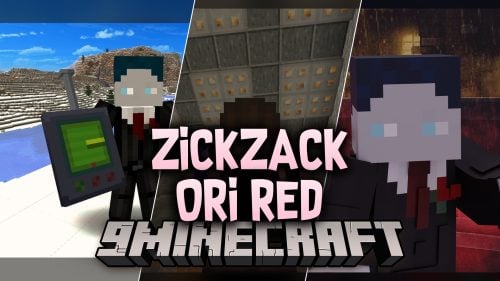 ZickZack ORI Red Model – Brings 3D Pen Bows, Trackers, and Custom Skies
 Mace 3D Model – Transforms Flat Maces and Wind Charges Into Heavy 3D Weapons
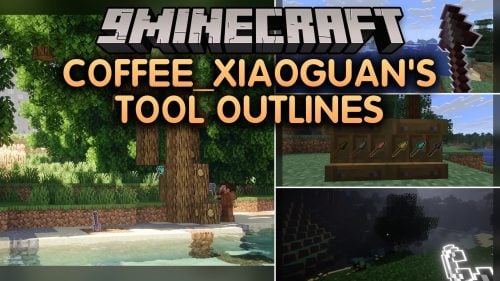 Coffee_XiaoGuan’s Tool Outlines Model – Adds Glowing 3D Outlines to Your Gear
 CREATIVE TEXURE Model – Transforms Everyday Blocks and Fishing Rods Into 3D
Most viewed in Models over the last 7 days
 Jenny Mod Skin Pack Mega Collection – 310+ Characters
 The Most Complete Collection of Jenny Mod Resources – Models, Animations, Structures,…
 Halloween Pack Jenny Mod Model – Transforms Companions with Spooky Costumes
 750 Models Addon for Yes Steve Model Mod
 Albedo Rework Jenny Mod Model
 Power Model – Custom Girl for PleasureCraft Mod
 Galath Rework Model – Custom Girl for PleasureCraft Mod
 Ram Model – Custom Girl for PleasureCraft Mod
 100+ Custom Animations For Jenny Mod
 Femboy Ellie Rework Jenny Mod Model
 Steve (Jenny & Zoey) Pack Jenny Mod Model
 Ellie Rework Jenny Mod Model
More from Models
 RRG Model – Adds Custom 3D Train Designs and Detailed Railway Visuals to Worlds
 3D Potion Model – Transforms Flat Vanilla Bottles Into Detailed 3D Vials
 Overgrown Model – Brings Warm 3D Wood and Copper Blocks to Worlds
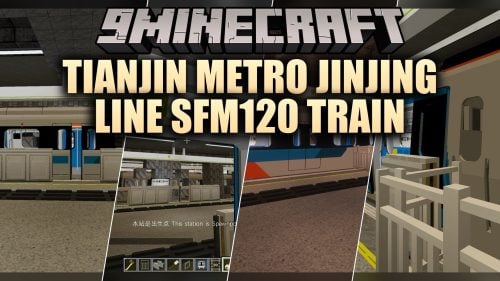 Tianjin Metro Jinjing Line SFM120 Train Model – Adds 3-Car MTR Metro Trains
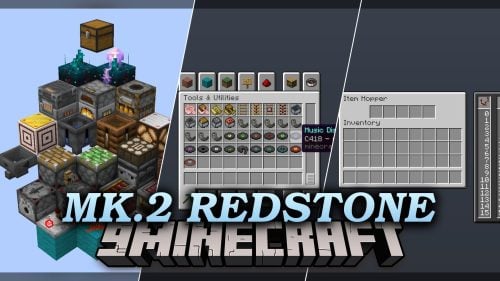 Mk.2 Redstone Model – Upgrades Redstone Circuits with Clear Animated 3D Signals
 The Annoying Villagers Server Model – Equips Animated 3D Combat Weapons
 3D Spear – Equips Every Spear Tier with Movie-Inspired 3D In-Hand Weapons
 Stemtacular Green Model – Transforms Flat Melon and Pumpkin Stems Into 3D Crops
 Eurotram – Brings Working Strasbourg Trams with Two Liveries to MTR4 Railways
 Bunnyberg’s PBR 3D Items Model – Transforms Flat Sprites Into Animated 3D Gear
 Survival Model – Adds 3D Redstone Blocks and Visual Durability Stages
 Vanilla Emissive Ores Model – Brings Glowing Mineral Veins to Dark Caves

This post has no comments yet. Be the first — your comment will appear here.