
Interactic Mod (1.21.1, 1.20.1) – Turn Thrown Weapons Into Deadly Projectiles

 0


Interactic Mod adds new ways to handle dropped items in Minecraft on Fabric. Inspired by ItemPhysic, this mod makes dropped items spin as they fall and lie flat in neat stacks on the ground. You can hold the drop key to throw items farther, and thrown weapons like swords and axes deal damage when they hit a target. It also lets you right-click to pick up items from a few blocks away, see item tooltips below your crosshair, and control auto-pickup with an Item Filter item. A client-only mode keeps the improved rendering and tooltips active without server features, and you can turn each feature on or off in the config.
Features:
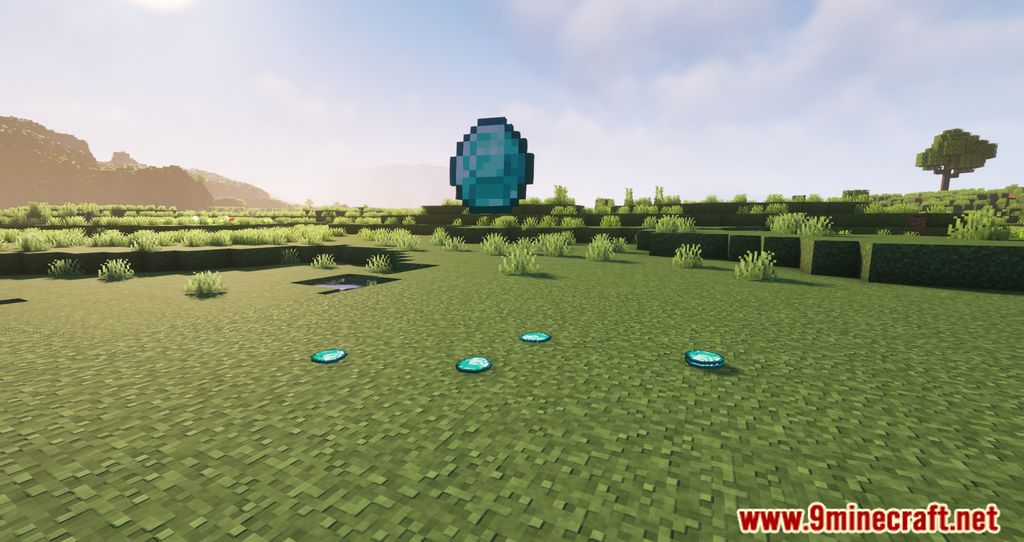
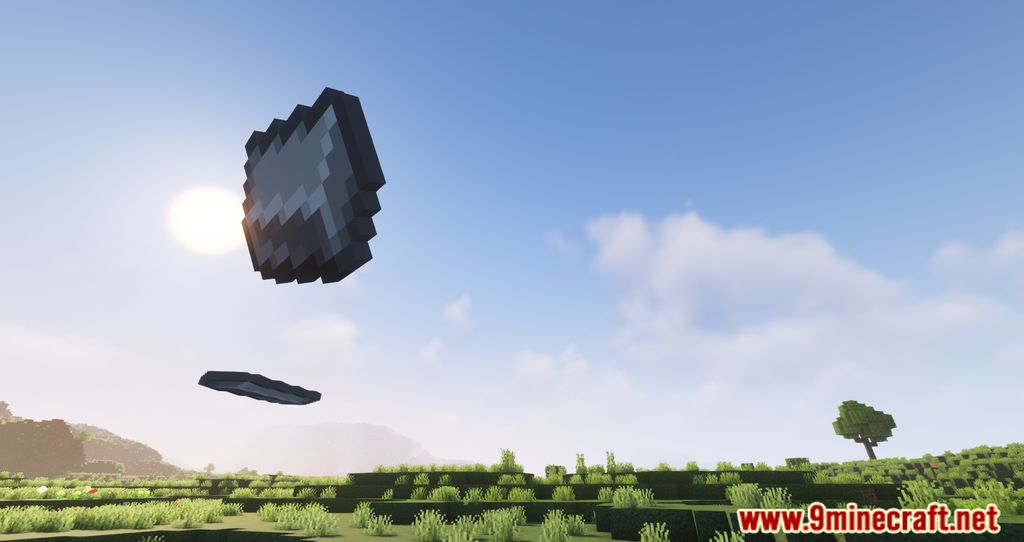
- Adds fancy item rendering that makes dropped items spin as they fall, changing speed based on how fast they drop, and lie flat in compact stacks on the ground.
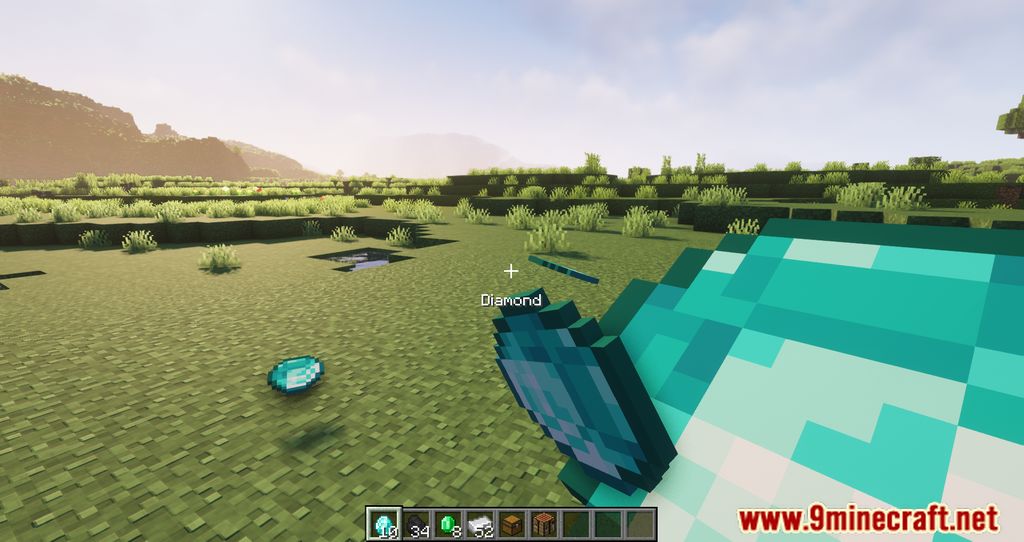
- Lets you pick up dropped items from a few blocks away by right-clicking them, and displays each item’s tooltip below your crosshair when you look at it.
- Adds an Item Filter item that controls which items you pick up automatically using a whitelist or blacklist, requiring you to right-click or sneak to pick up filtered items manually.
- Allows you to turn off auto-pickup globally in the config so every player has to pick up all items manually.
- Lets you hold the drop key to throw items farther the longer you hold it, and makes thrown items with a damage modifier like swords and axes deal damage when they hit something.
- Includes a client-only mode that automatically turns off all server-side features and keeps only the improved item rendering and tooltips active.
- Lets you turn each feature on or off on its own in the config.
How to Use:
- Point your crosshair at a dropped item to see its tooltip right below your crosshair.
- Press Right-Click on a dropped item to pick it up, even from a few blocks away.
- Hold down the Drop key to throw an item farther; the longer you hold it, the farther the item flies.
- Throw items with a damage modifier, such as swords and axes, by holding the Drop key to deal damage when they hit a target.
- Set up an Item Filter item as a whitelist or blacklist to control automatic pickup; for items affected by the list, Right-click them or Sneak to pick them up manually.
- Open the config to toggle individual features on or off, turn off auto-pickup globally for everyone, or turn on client-only mode to keep only the improved rendering and tooltips.
Screenshots:
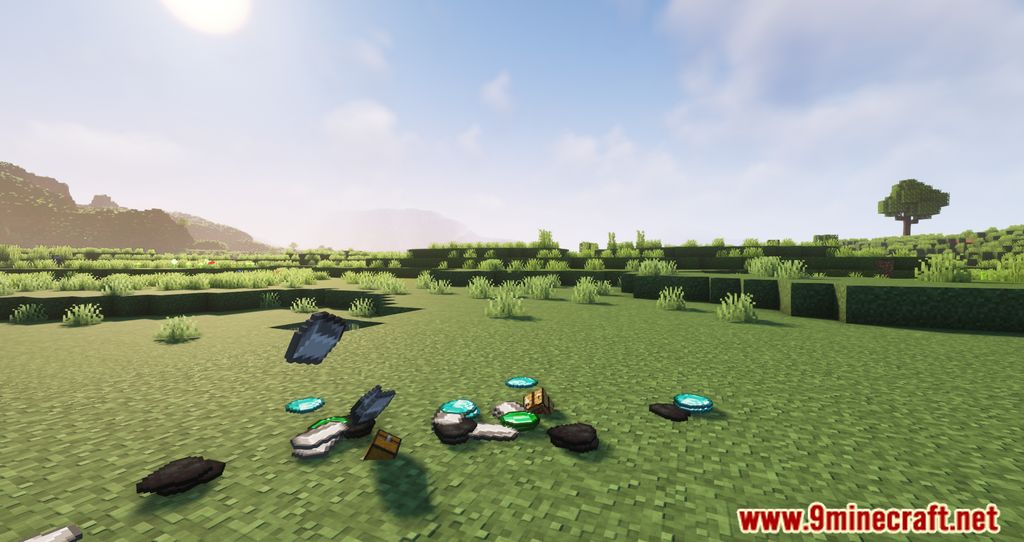
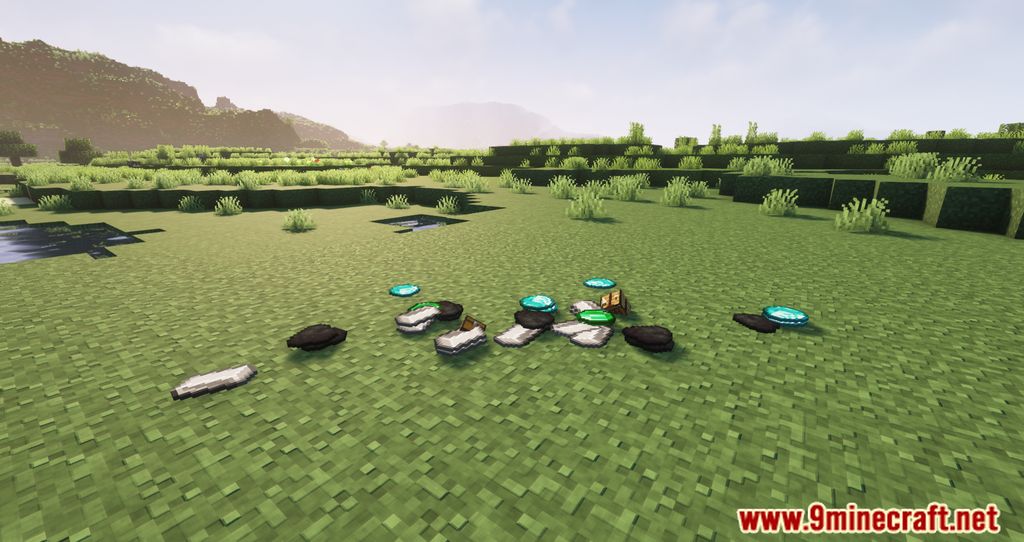
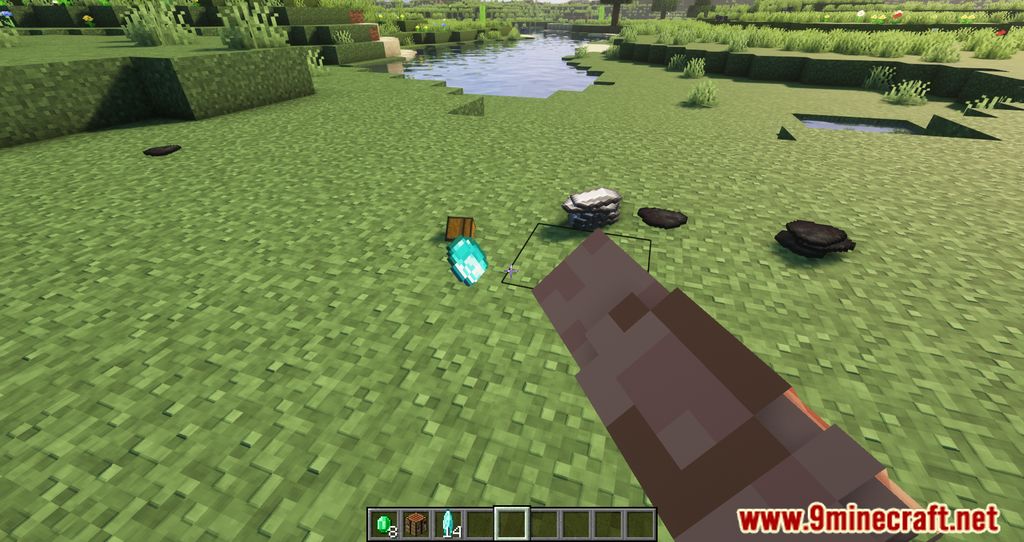
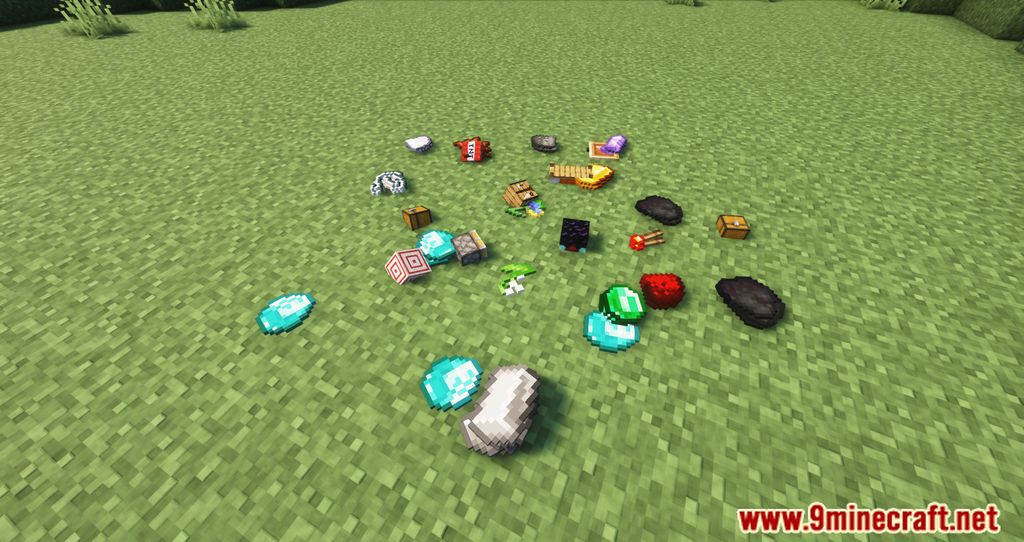
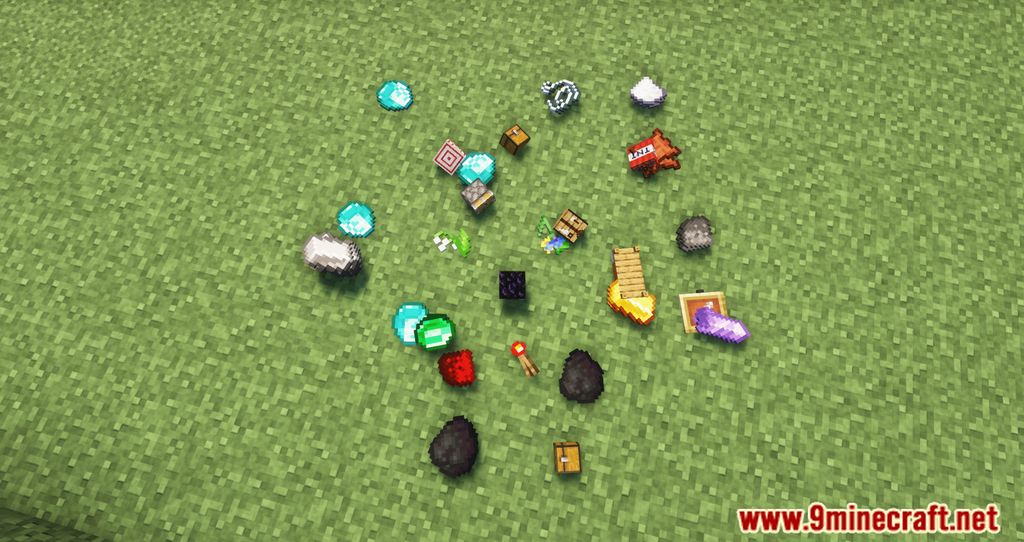
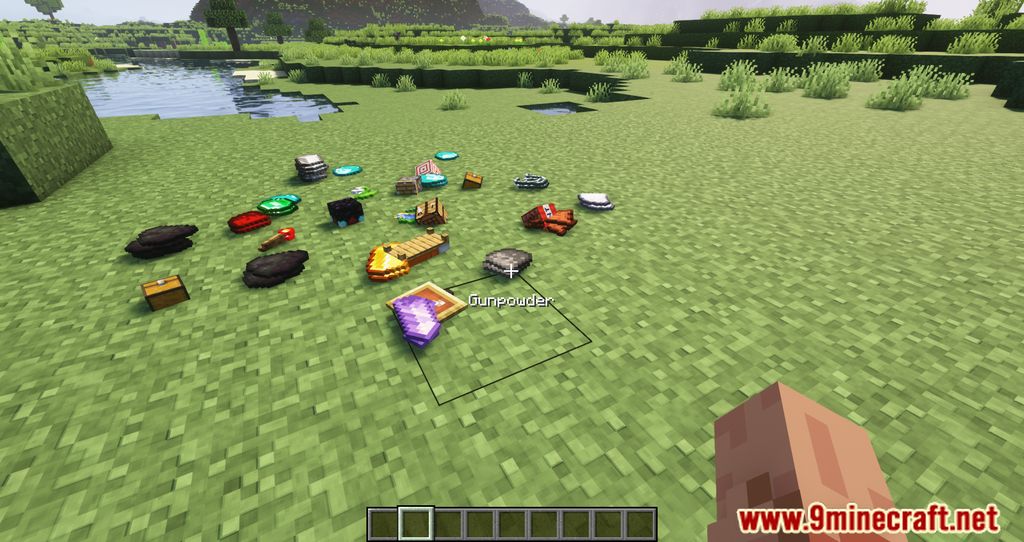
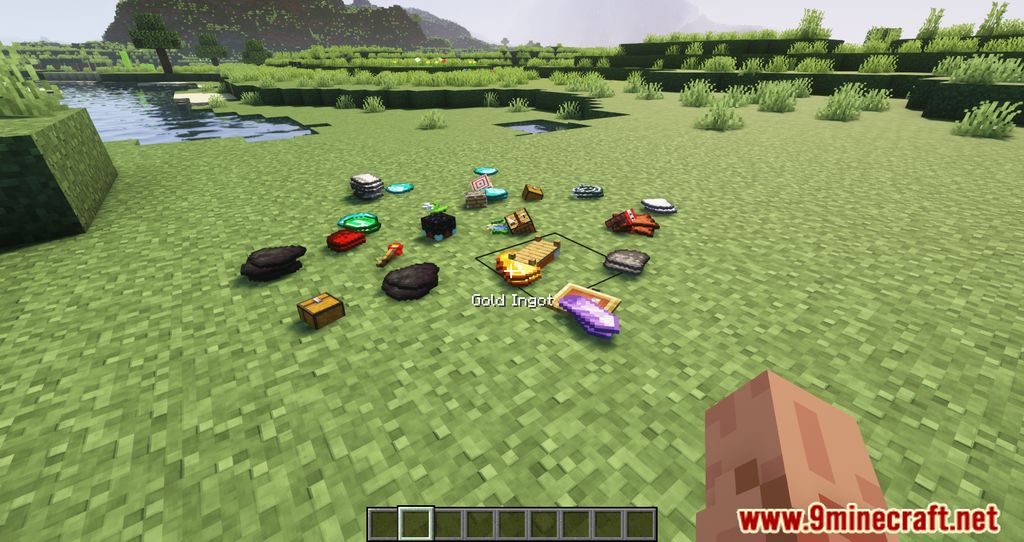
How to Install:
New to Minecraft? Follow our step-by-step guide to install Mods on your PC.View Guide
Requirements:
 Cloth Config API Required
Interactic Mod Download Links
For Minecraft 1.21.1, 1.21
Fabric/Quilt version: Download from Server 1 – Download from Server 2
For Minecraft 1.20.4
Fabric/Quilt version: Download from Server 1 – Download from Server 2
For Minecraft 1.20.2
Fabric/Quilt version: Download from Server 1 – Download from Server 2
For Minecraft 1.20.1, 1.20
Fabric/Quilt version: Download from Server 1 – Download from Server 2
For Minecraft 1.19.4
Fabric/Quilt version: Download from Server 1 – Download from Server 2
For Minecraft 1.19.3
Fabric/Quilt version: Download from Server 1 – Download from Server 2
For Minecraft 1.19.2
Fabric version: Download from Server 1 – Download from Server 2
For Minecraft 1.19
Fabric version: Download from Server 1
For Minecraft 1.18.2
Fabric version: Download from Server 1
For Minecraft 1.18.1
Fabric version: Download from Server 1
For Minecraft 1.17.1
Fabric version: Download from Server 1
You May Also Like
Picked for this page
 No Hostiles Around Campfire Mod (26.3, 1.20.1) for Minecraft
 Ctrl Q Mod (26.1, 1.20.1) – Take Control Of Your Inventory
 IBE Editor Mod (1.20.4, 1.20.1) – Simple GUI to Edit Item, Block or Entity
 Necronomicon API (26.1.2, 1.20.1) – Library for ElocinDev’s Mods
 Banner Flags Mod (26.3, 1.20.1) – Customize Your World With Banner Flags
 FastQuit Mod (26.3, 1.20.1) – Exit Your World Instantly
 Arcane Lanterns Mod (26.3, 1.20.1) – The Power of Light
 Reacharound Mod (26.3, 1.20.1) – The Ultimate Block Placement Mod
 Blocks + Mod (1.21.1, 1.20.1) – Build with Diamond & Bamboo
 Boat Break Fix Mod (26.2, 1.20.1) – Hotfix to Prevent Accidental Deaths
 Suggestion Tweaker Mod (26.1, 1.20.1) – A Client And Server Mod
 Camo Creepers Mod (26.2, 1.20.1) – Masters Of Disguise In Minecraft
Most viewed in Mods over the last 7 days
 Ala Industrial Mod (26.3) – Run Electric Power Grids and Automated Factories
 PleasureCraft Mod (26.3, 1.21.1) – Jenny Mod Remake for Fabric
 Jennycraft Mod (26.3, 1.20.1) – Virtual Girlfriend in Minecraft
 Fapcraft Mod (26.3, 1.12.2) – Comprehensive and Detailed Content
 Jenny Mod (Fapcraft) Official Complete Guide – How to use, Tutorial
 BangCraft Mod (1.20.1) – Jenny, Ellie and Elliot
 Fabric Loader (26.3, 1.20.1) – Fabric Installer for All Minecraft Versions
 The Shooting Star Demo Mod (26.3, 1.20.1) – Vaporize Terrain From Orbit
 Meteor Client Mod (26.3, 1.20.1) – Xray, HUD, Fly
 OptiFine HD (26.3, 1.20.1) – Run Faster, FPS Boost, Shaders Support
 Aristois Client Mod (1.21.4, 1.20.1) – World Class Minecraft Utility
 Prestige Client Mod (1.21.11, 1.21.4) – Powerful Ghost Features for Crystal & Sword PvP
More from Mods
 Beli’s SkyLyrics Mod (1.21.11) – Sing Along to Desktop Tracks Projected in the Night Sky
 Explainstone and Songmelyn Mod (1.21.1) – Broadcast Custom Music Across Your Base
 Rockstar Shaders Mod (26.3) – Cast Ray-Traced Light Across Vast Distant Horizons
 ERYDON Mod (1.20.1) – Design Grand Courtyards with Carved Marble Pillars
 Infinity Bound Mod (1.21.1) – Snap Away Enemies with Legendary Superhero Gear
 Legacy Gecko Lib Fabric Mod (1.16.5) – Power Animated Creatures in Modpacks
 The Man from the Shadow Horror Mod (1.20.1) – Fight Hallucinations to Survive
 Shade & Saturation Slider Mod (26.2, 1.21.11) – Make Every Biome Vibrant
 Cataclysm X Yung’s Better Nether Fortresses Compat Mod (1.21.1, 1.20.1)
 Patchouli 9minecraft Mod (26.3) – Read Mod Guides Without Leaving Minecraft
 Paintings ++ 9minecraft Mod (26.3) – Pick the Exact Painting You Want
 owo-lib 9minecraft Mod (26.3) – Run Your Favorite Mods Without Errors

This post has no comments yet. Be the first — your comment will appear here.