
Enchanted ToolTips Mod (1.20.1, 1.19.2) – Know Every Enchantment at a Glance
 5,936
 0


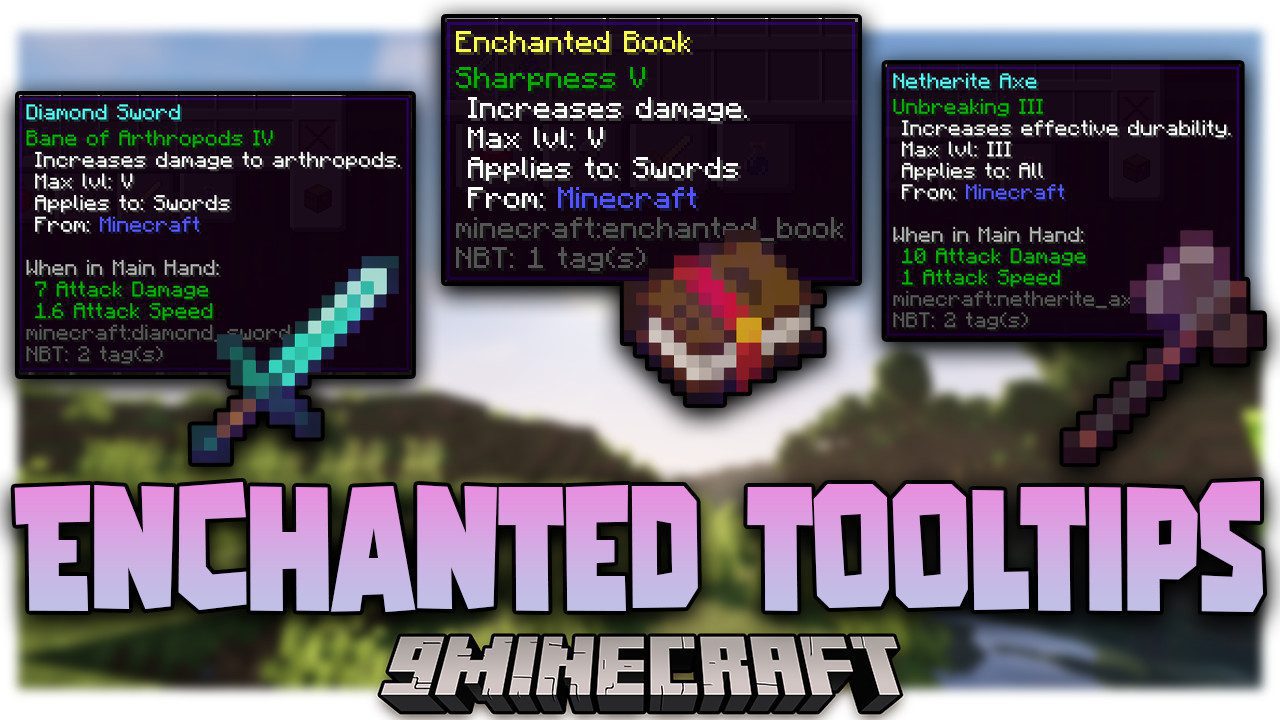
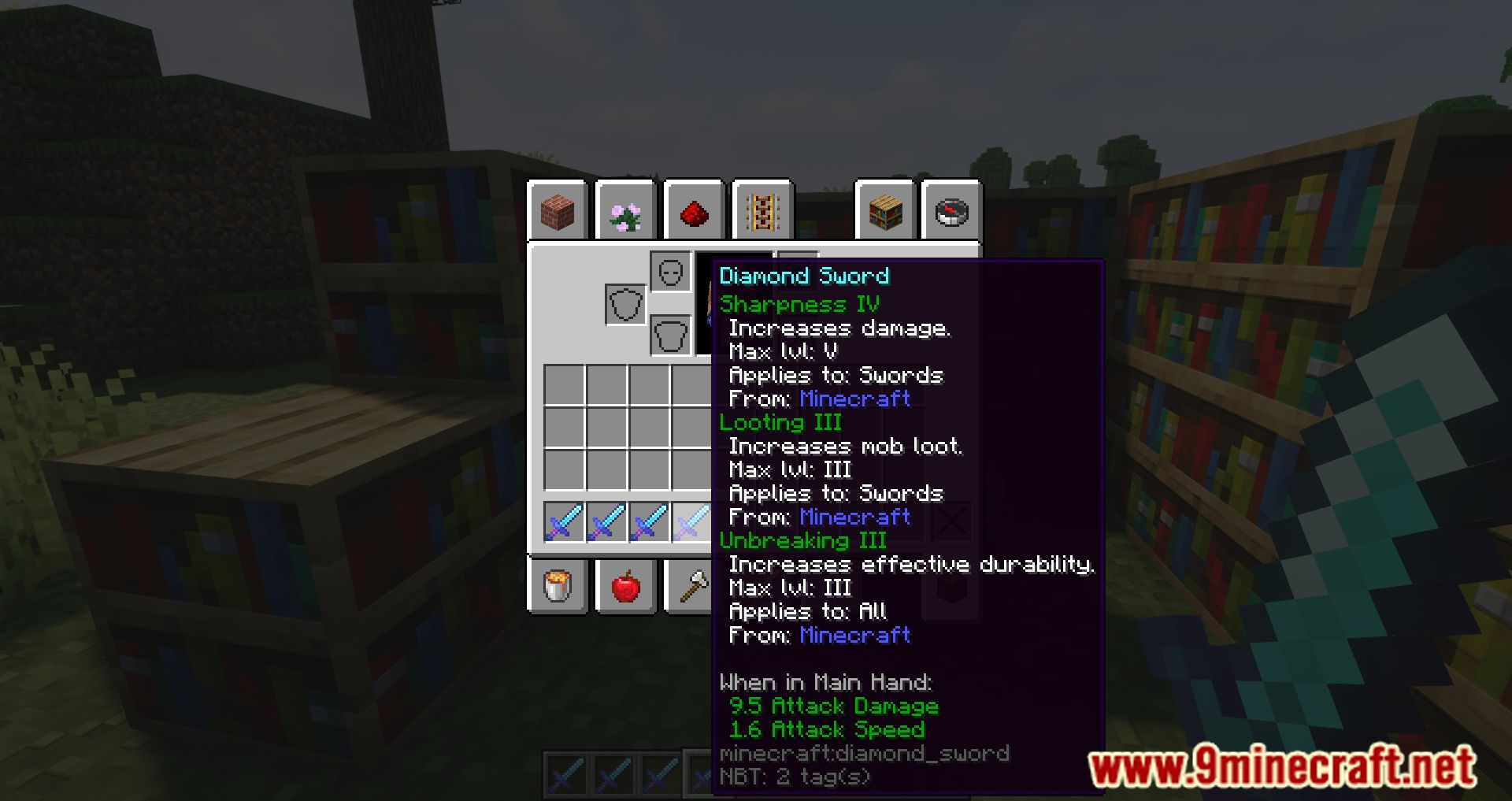
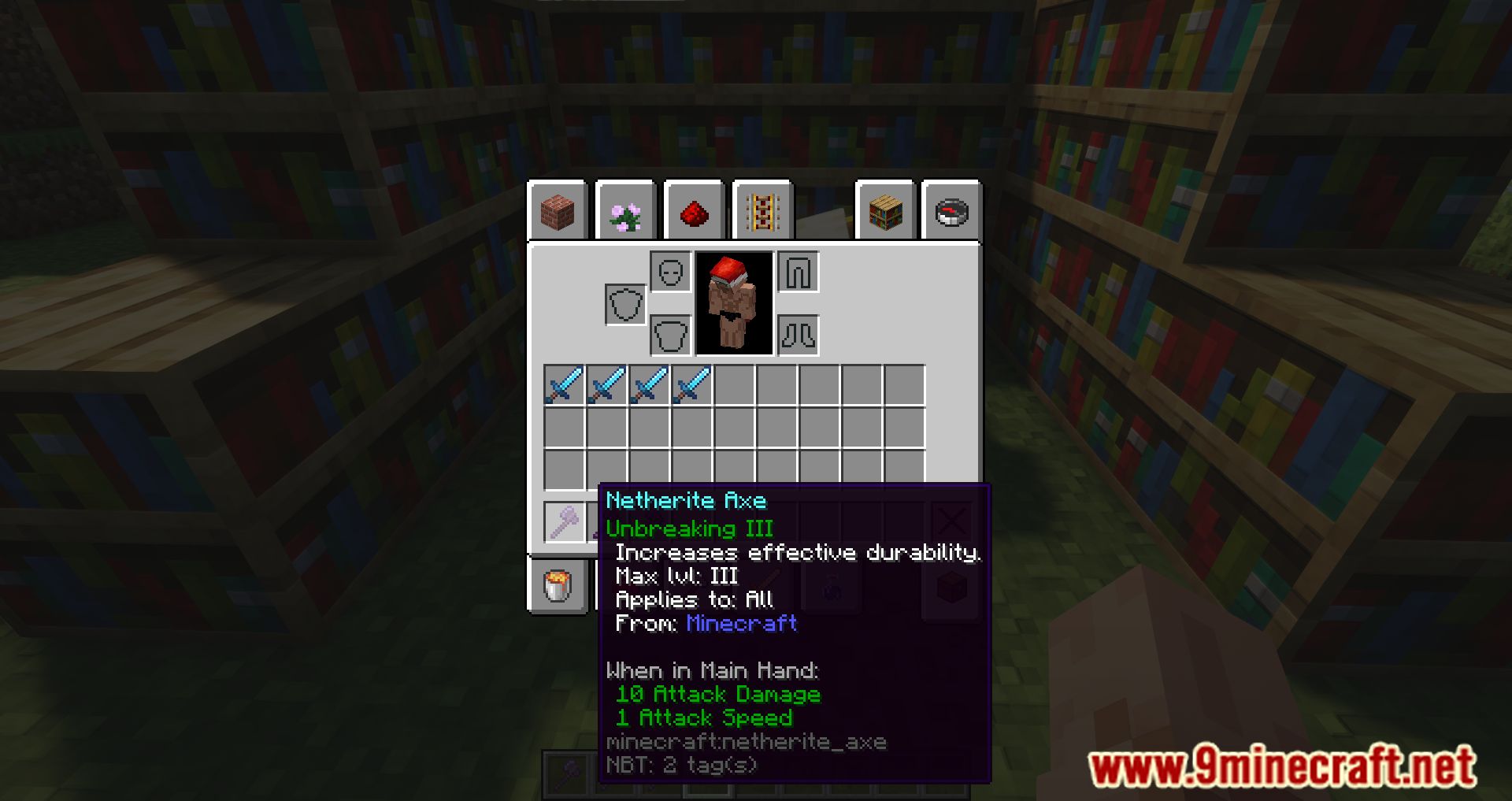
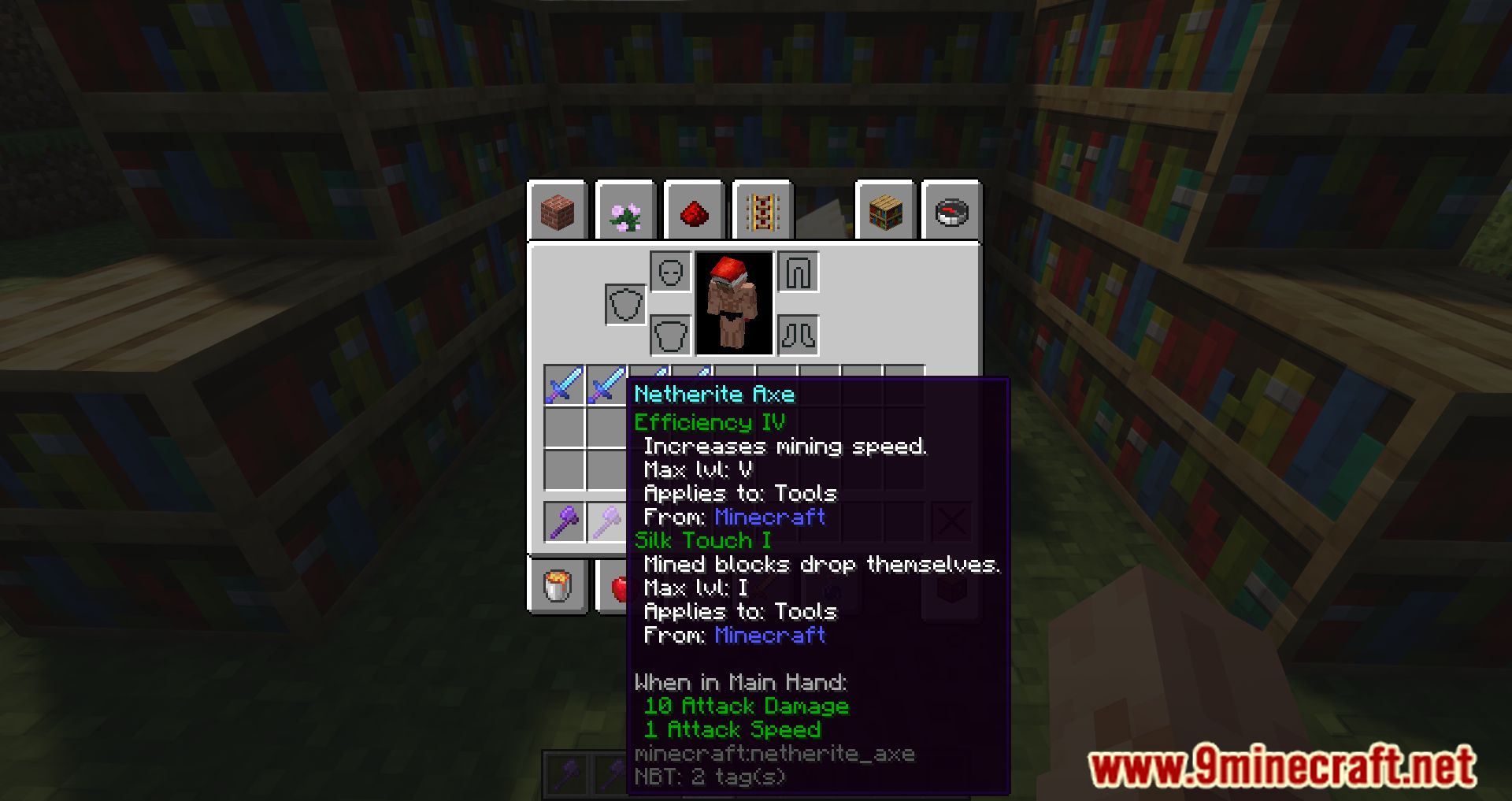
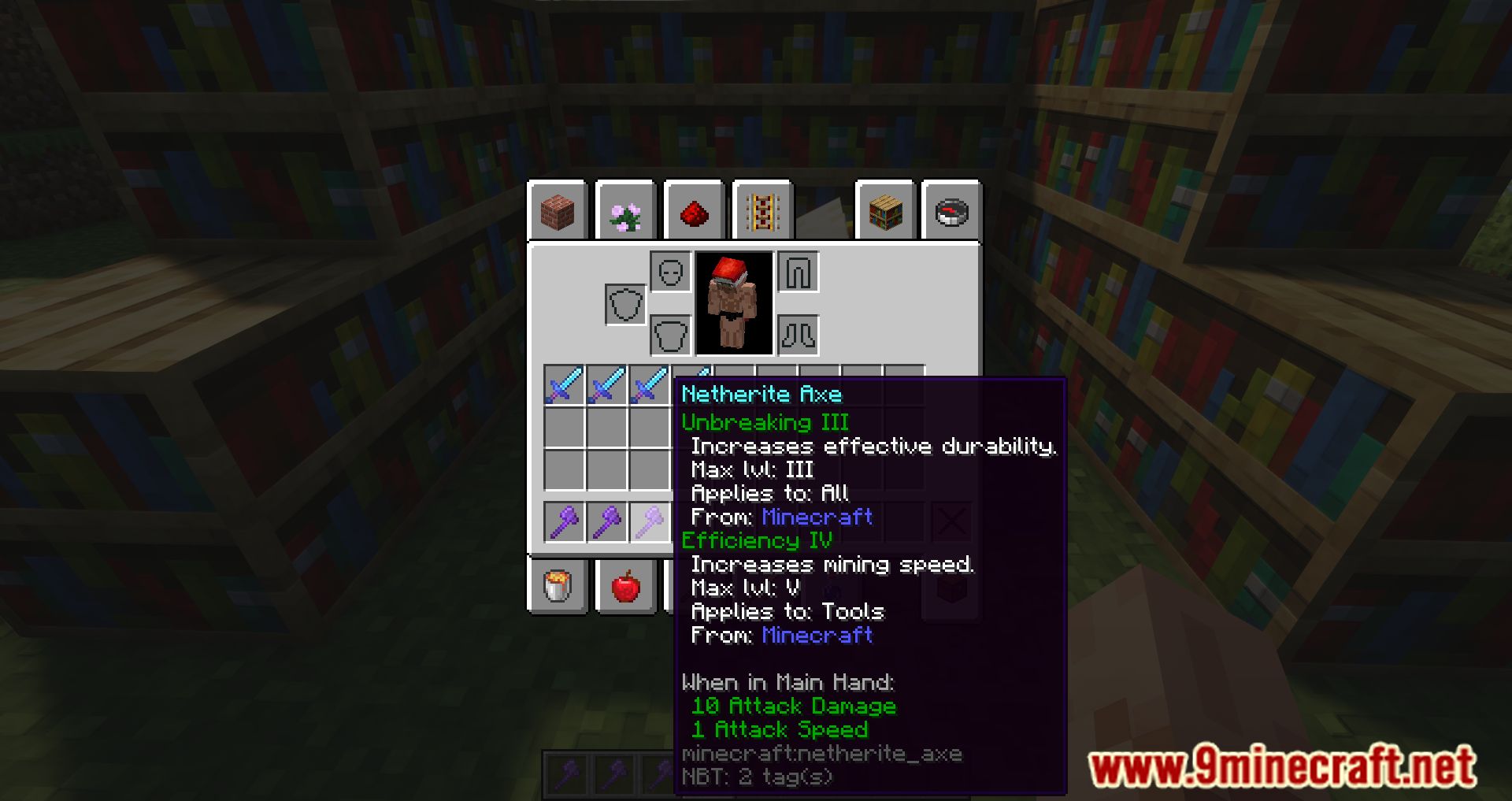
Enchanted ToolTips Mod adds extra enchantment information directly to item tooltips. It works on any enchanted item in your inventory, including enchanted books. You can pick what shows up in tooltips and change enchantment descriptions with full Mod Menu support. This mod also works with enchantments from More Enchantments and Aquarius out of the box.
Features:
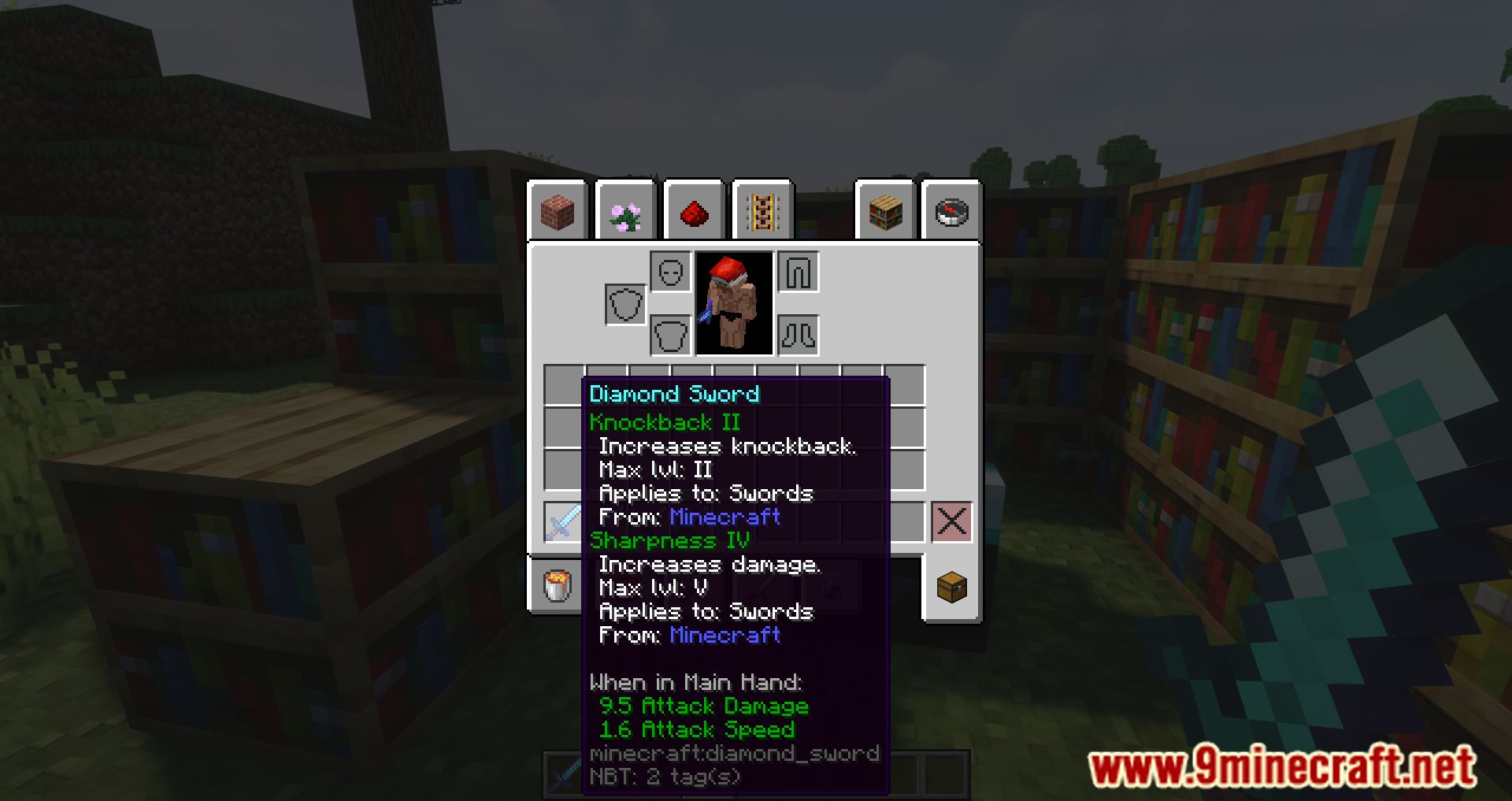
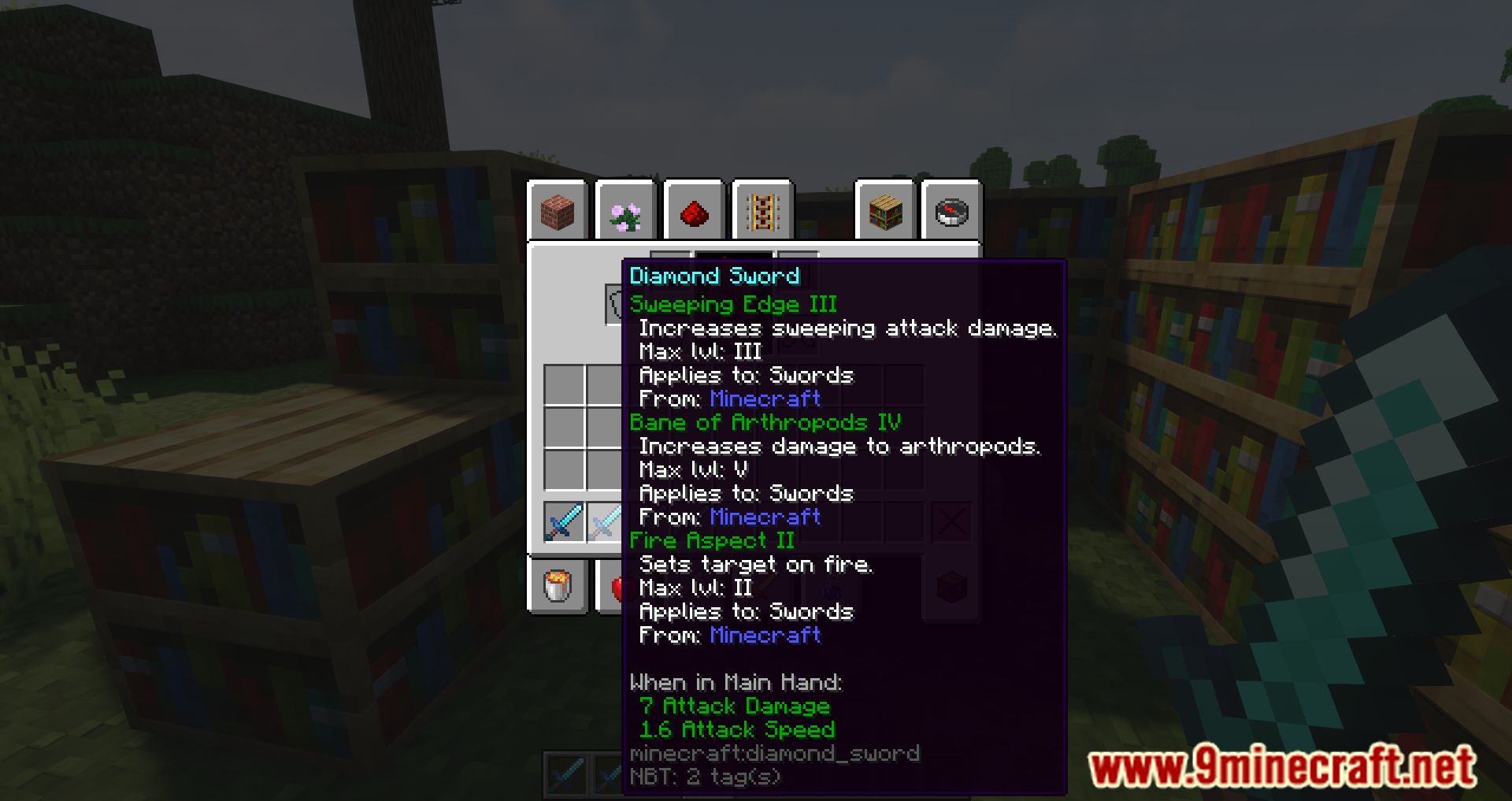
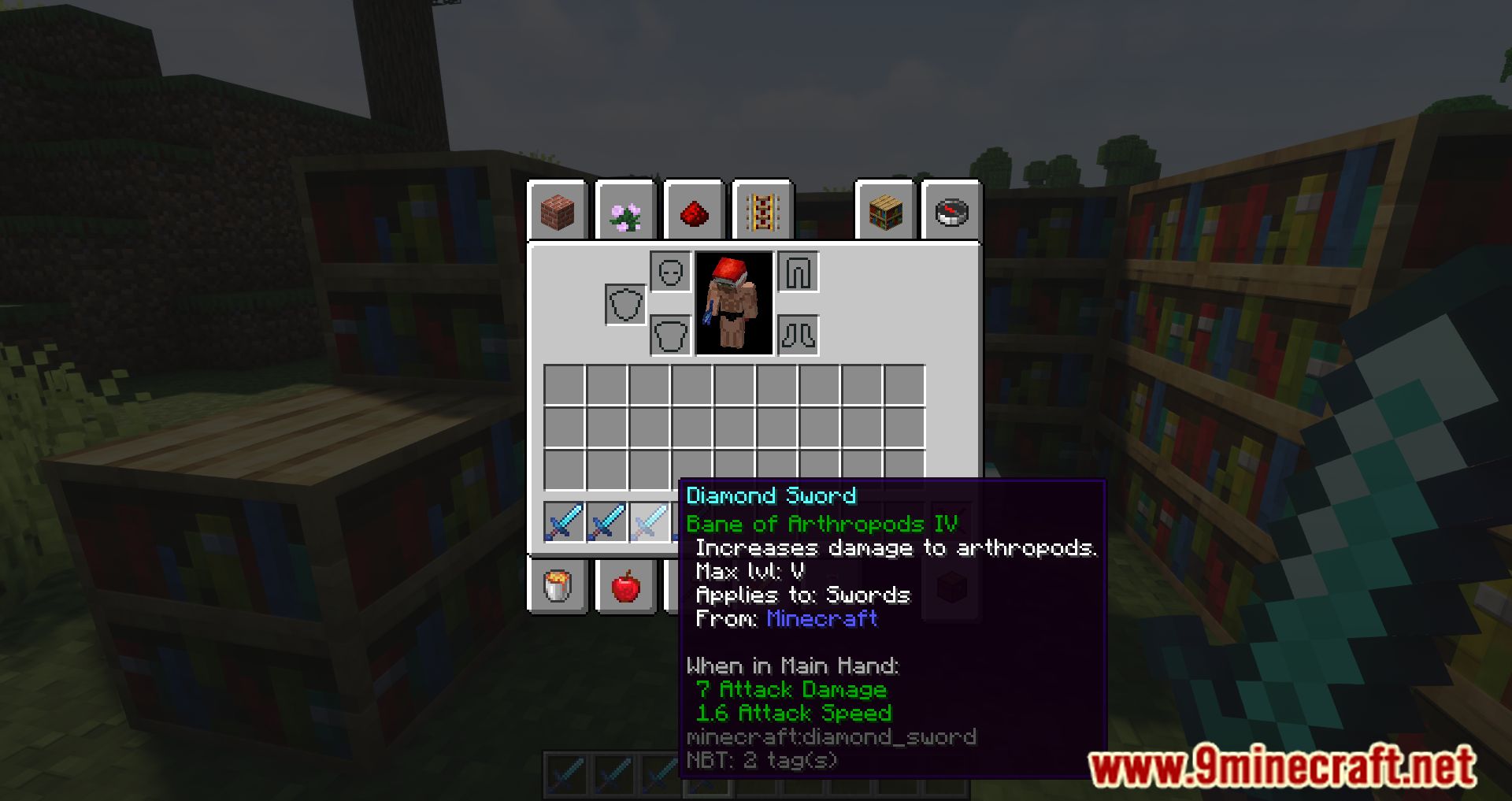
- Shows enchantment details and descriptions right inside item tooltips.
- Works on any enchanted item, including enchanted books.
- Lets you choose which information appears in each tooltip.
- Allows you to edit and adjust enchantment descriptions.
- Includes full Mod Menu support so you can change settings easily.
- Supports enchantments added by More Enchantments and Aquarius by default.
- Pairs with ToolTipFix to fix issues with larger tooltips.
How to Use:
- Open your inventory and hover your mouse over any enchanted item or enchanted book to view its tooltip.
- Read the enchantment information and descriptions shown in the pop-up box.
- Open Mod Menu to change which details appear and adjust any enchantment descriptions.
Screenshots:
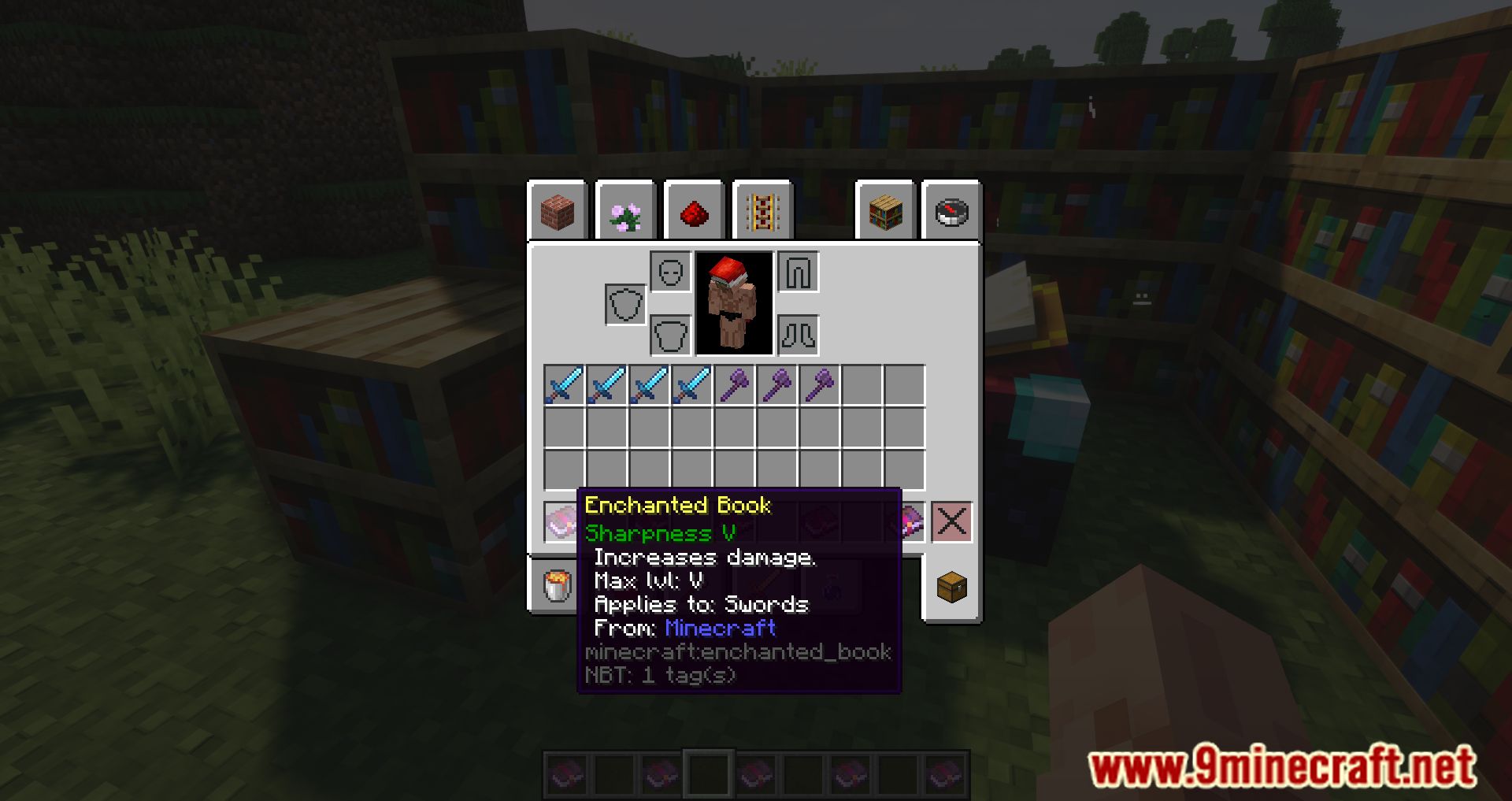
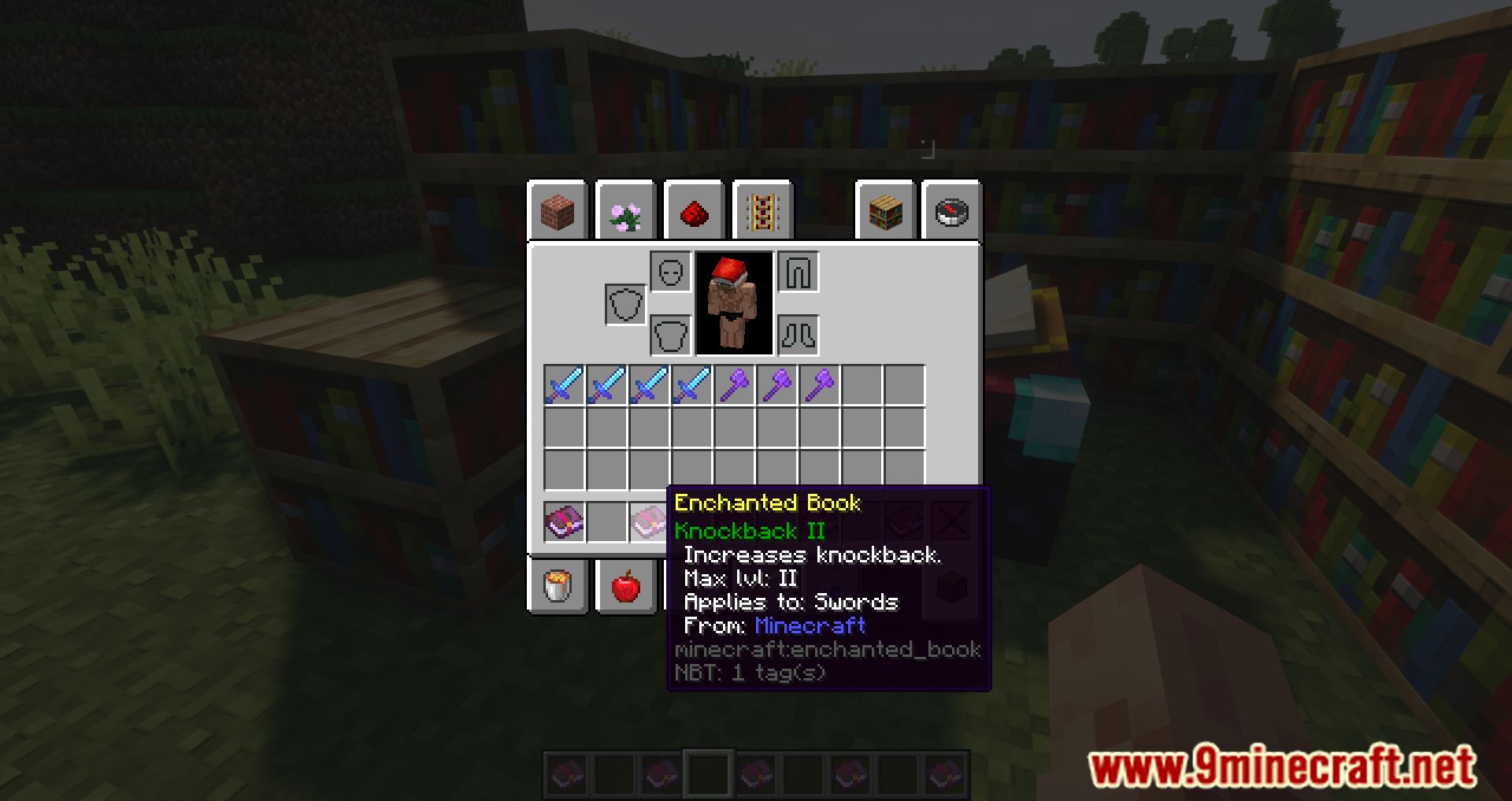
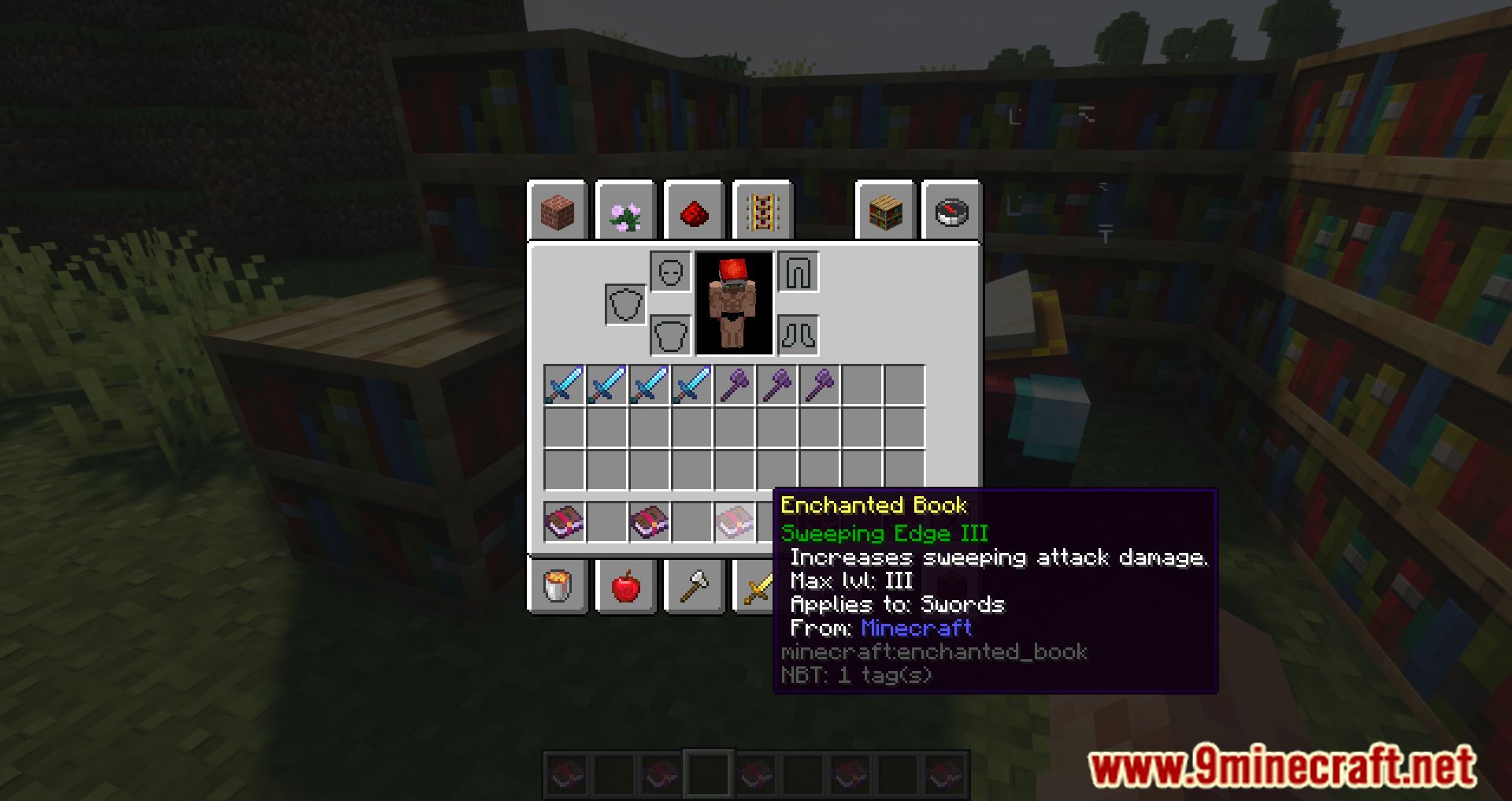
How to Install:
New to Minecraft? Follow our step-by-step guide to install Mods on your PC.View Guide
Enchanted ToolTips Mod Download Links
For Minecraft 1.20.1, 1.20
Fabric version: Download from Server 1 – Download from Server 2
For Minecraft 1.19.3
Fabric version: Download from Server 1 – Download from Server 2
For Minecraft 1.19.2
Fabric version: Download from Server 1 – Download from Server 2
For Minecraft 1.19
Fabric version: Download from Server 2
For Minecraft 1.18.2
Fabric version: Download from Server 2
For Minecraft 1.18.1
Fabric version: Download from Server 1
For Minecraft 1.17.1
Fabric version: Download from Server 1
For Minecraft 1.16.5
Fabric version: Download from Server 2
For Minecraft 1.15.2
Fabric version: Download from Server 1
For Minecraft 1.14.4
Fabric version: Download from Server 1
You May Also Like
Picked for this page
 Enchantment Descriptions Mod (26.3, 1.20.1) – Display a Brief Description
 Ocean Floor Mod (1.21.1, 1.20.1) – Clay, Sand and Dirt
 Wynntils Mod (1.21.11, 1.21.1) – Utilities for Wynncraft
 Hit Range Mod (26.3, 1.20.1) – Reach Visualization
 Additional Lanterns Mod (26.3, 1.20.1) – Lamps Made from New Materials
 Searchables Mod (26.3, 1.20.1) – Find Any Item in Modpacks
 AntiGhost Mod (1.20.1) – Remove Ghost Blocks in Minecraft
 Brick Hopper Mod (26.3, 1.20.1) – Perfect for Rustic or Medieval Builds
 Client Maps Mod (26.3, 1.20.1) – Stores Map Data On Client Side
 Improved Grindstone Mod (26.1.2, 1.20.1) – Enhanced Enchantment Management
 FPS Boost Mod (26.1.2, 1.20.1) – Optimize Minecraft For Smoother Gameplay
 Berk Furniture Mod (1.20.1, 1.18.2) – Decorate Your Viking House
Most viewed in Mods over the last 7 days
 Ala Industrial Mod (26.3) – Run Electric Power Grids and Automated Factories
 PleasureCraft Mod (26.3, 1.21.1) – Jenny Mod Remake for Fabric
 Jennycraft Mod (26.3, 1.20.1) – Virtual Girlfriend in Minecraft
 Fapcraft Mod (26.3, 1.12.2) – Comprehensive and Detailed Content
 Jenny Mod (Fapcraft) Official Complete Guide – How to use, Tutorial
 BangCraft Mod (1.20.1) – Jenny, Ellie and Elliot
 Fabric Loader (26.3, 1.20.1) – Fabric Installer for All Minecraft Versions
 The Shooting Star Demo Mod (26.3, 1.20.1) – Vaporize Terrain From Orbit
 Meteor Client Mod (26.3, 1.20.1) – Xray, HUD, Fly
 OptiFine HD (26.3, 1.20.1) – Run Faster, FPS Boost, Shaders Support
 Aristois Client Mod (1.21.4, 1.20.1) – World Class Minecraft Utility
 Prestige Client Mod (1.21.11, 1.21.4) – Powerful Ghost Features for Crystal & Sword PvP
More from Mods
 Archangel Client Mod (1.21.11) – Master Every PvP Duel with Clean Screen Stats
 Block Front Survival Patch Mod (1.21.1) – Wage Tactical Warfare in Survival
 Better Enchantment Bookshelf Placement Mod (26.2, 1.20.1)
 SimpleRPGCore Mod (1.21.4, 1.21.1) – Fight with Classic RPG Stats
 Bard RPG Series Plus by Fichte Mod (1.21.1, 1.20.1) – Buff Allies in Combat
 Fabric Gui ImGui Mod (26.3, 1.21.11) – Clean Custom Menus and In-Game Control
 Multi Item Lib Mod (1.20.1) – Wield Custom Gear with Flawless Hand Animations
 Universe3090 Mod (1.20.1) – Survive Corrupted Dimensions Filled
 Wireless Automate Mod (1.21.1) – Automate Base Logistics Without Messy Pipes
 Vaskars Opus Faction War Quests & Bosses Mod (1.21.11, 1.20.1)
 Multitools and More Mod (26.3, 1.20.1) – Clear Your Hotbar and Travel
 Luxium Let There Be Light Mod (1.20.1) – Stunning Lighting on Low-End Computers

This post has no comments yet. Be the first — your comment will appear here.