
DeathLog Mod (1.21.3, 1.20.1) – Never Lose Items on Death

 0


DeathLog Mod tracks every time you die in single-player worlds and multiplayer servers. It runs client-side to save key details like your coordinates, dimension, and full inventory from each death. Servers can also run this mod to record deaths for all players and restore saved death snapshots without needing it on both sides. A built-in search bar lets you look up past deaths by item name, coordinates, world or server name, or death message. You can get lost items back in Creative mode with a mouse wheel click, or copy a matching /give command when Creative mode is not available.

Features:
- Tracks your deaths across all single-player worlds and multiplayer servers.
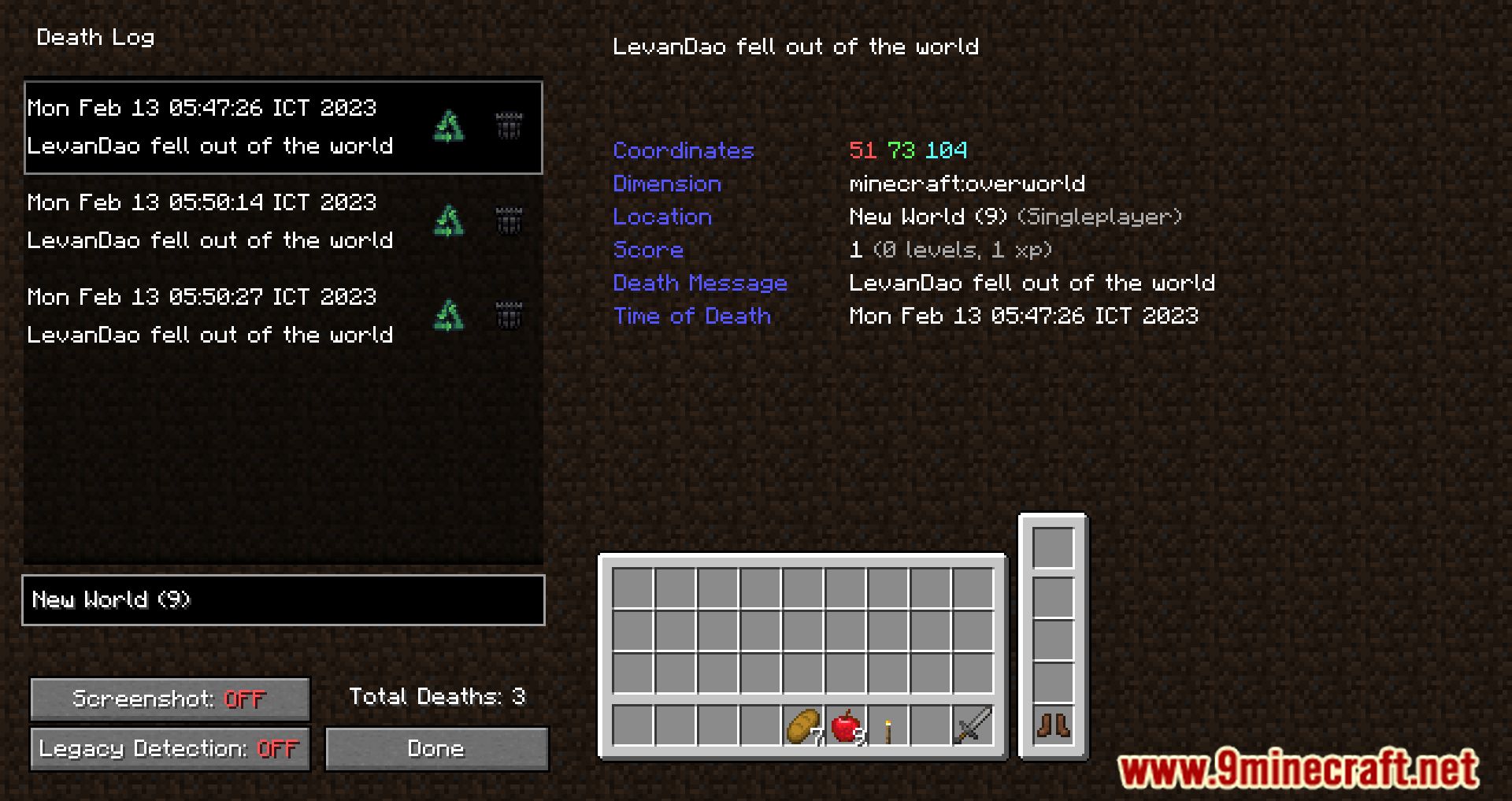
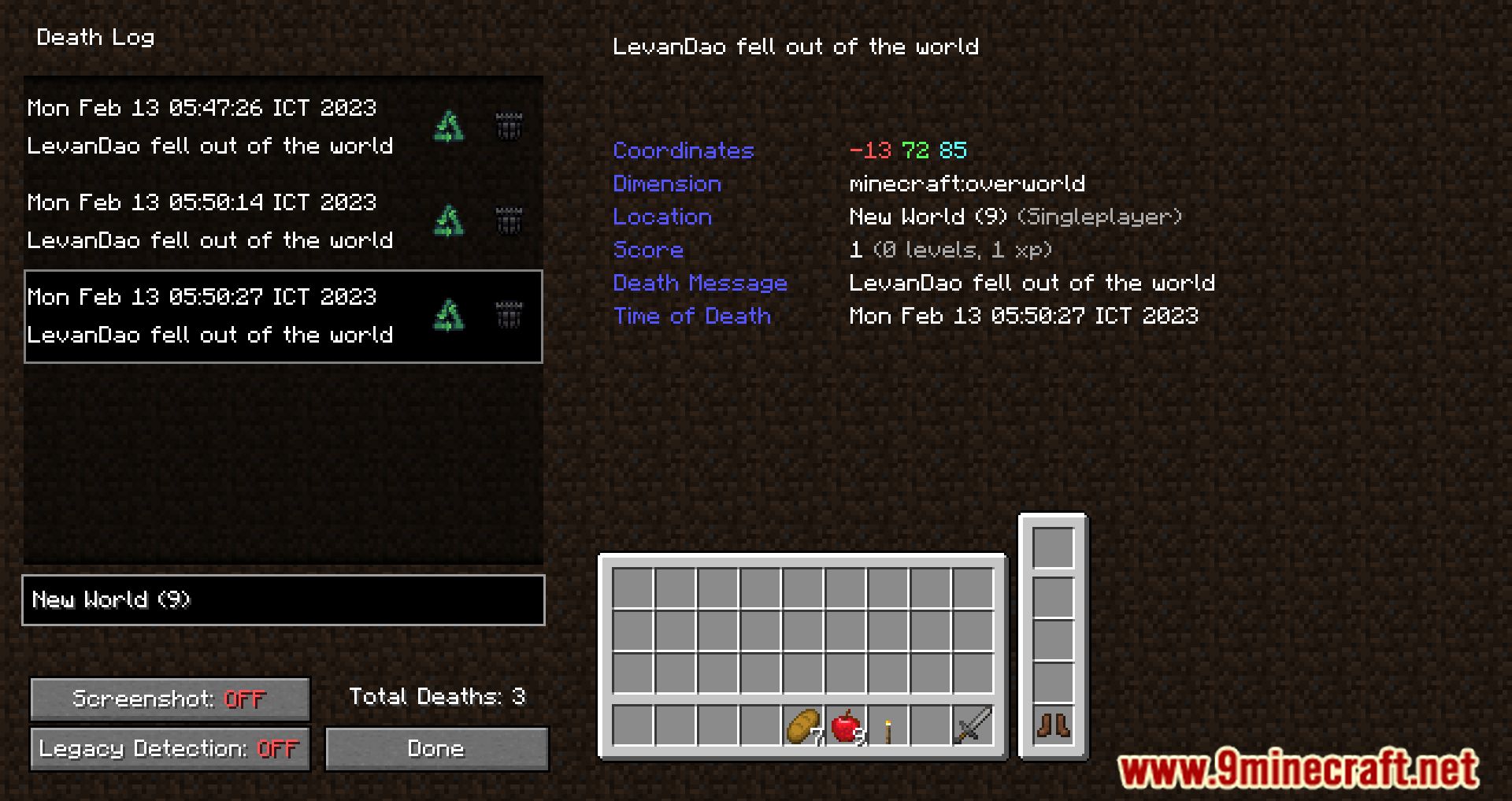
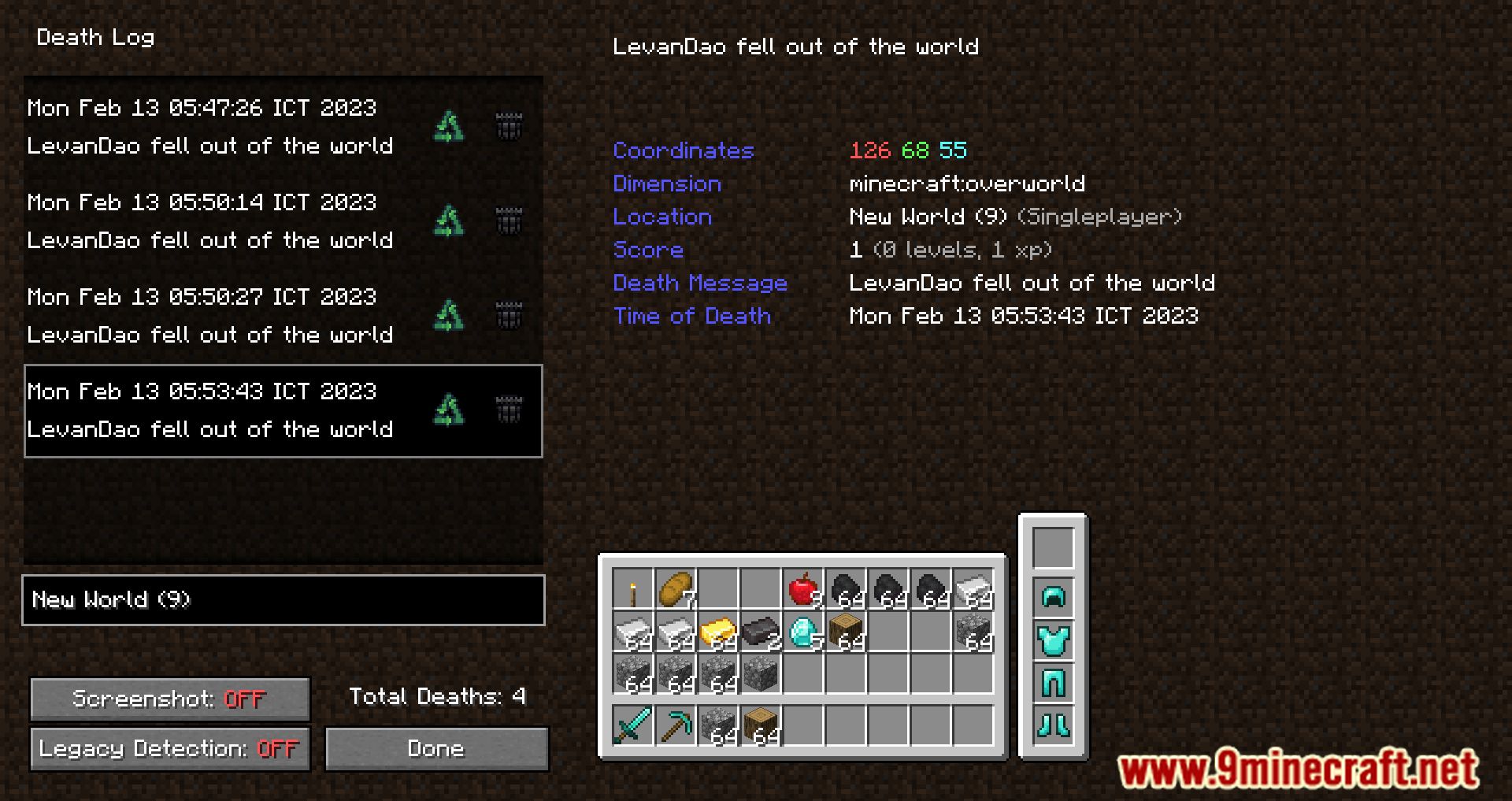
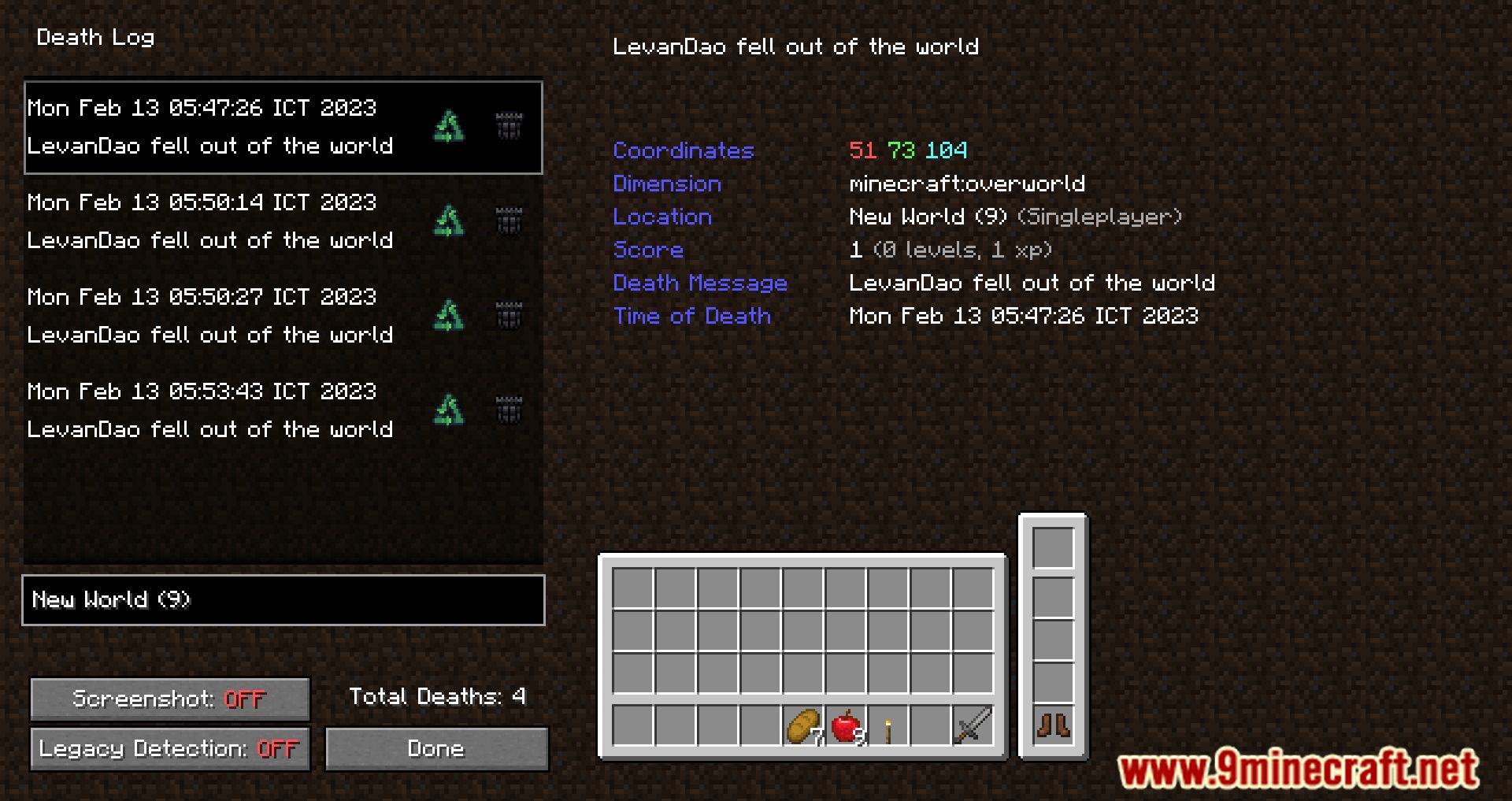
- Records key details for every death, including coordinates, the dimension, and your entire inventory.
- Works fully client-side on its own, or runs server-side to track all deaths for every player on a server.
- Supports restoring saved death snapshots on servers, and makes managing the server database much easier when clients also use this mod.
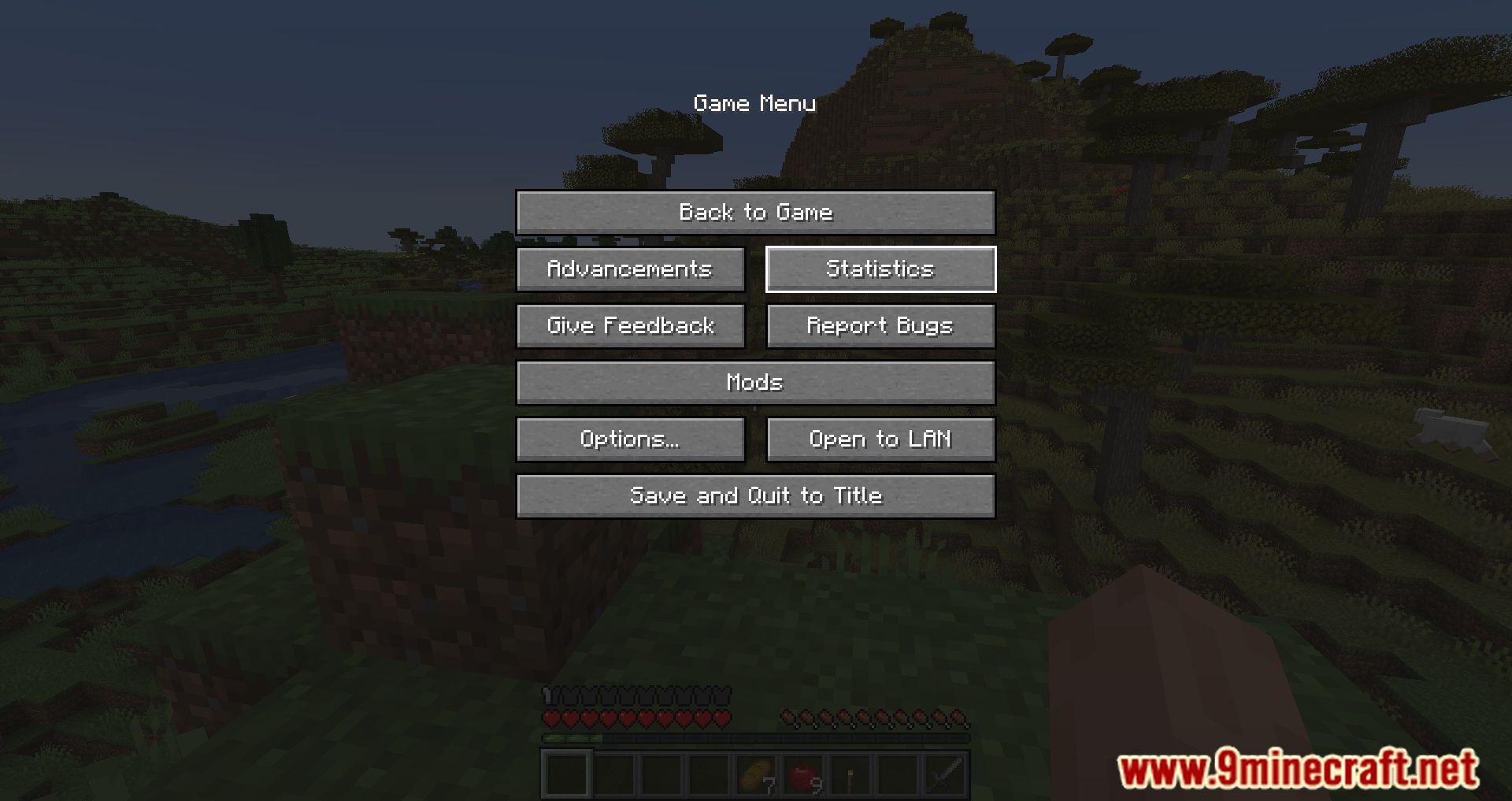
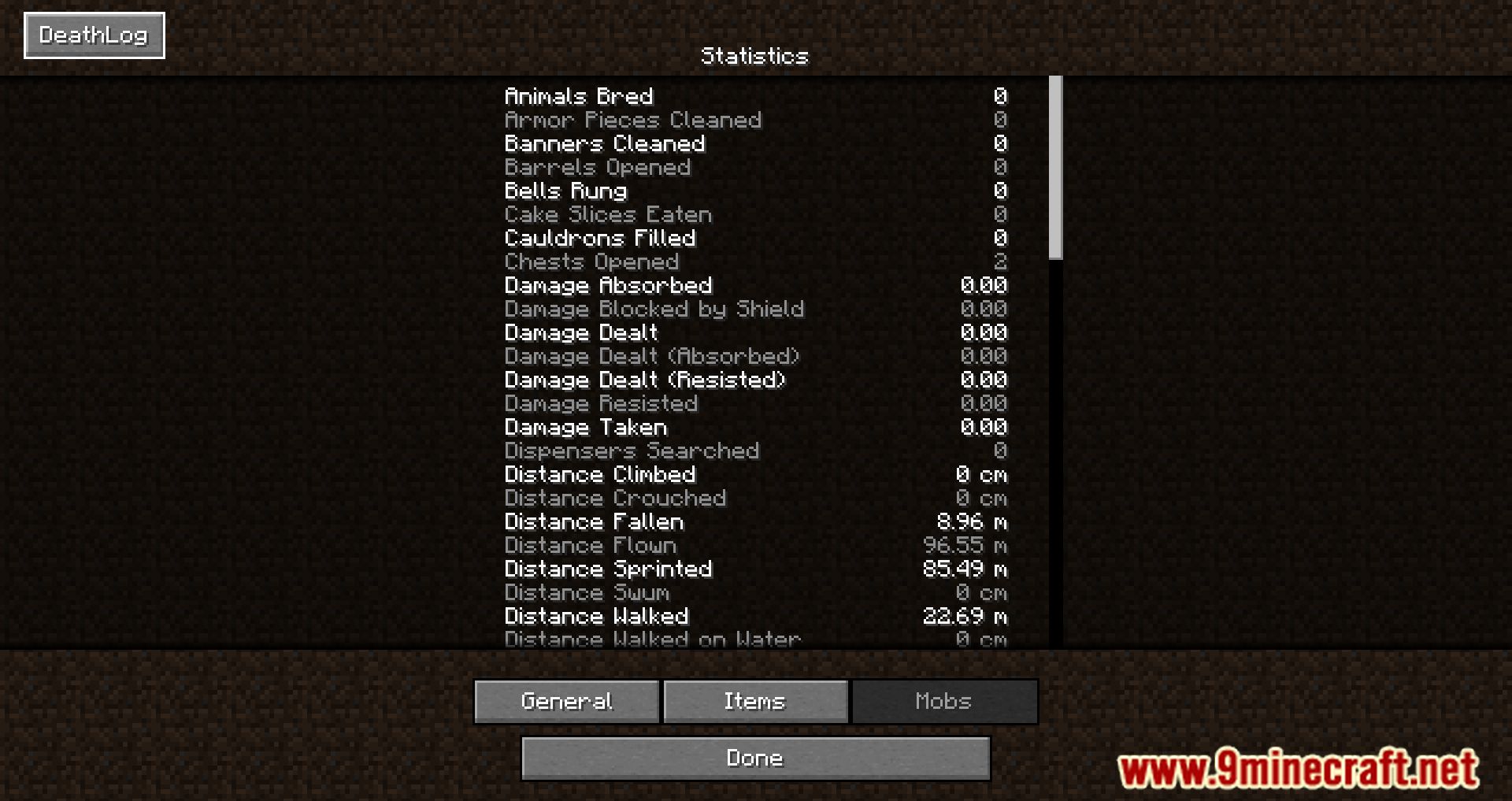
- Opens your death history straight from the vanilla Statistics screen.
- Includes a search bar that filters past deaths by item names, coordinates, world or server names, and death messages.
- Lets you get lost items back in Creative mode by clicking on them with your mouse wheel.
- Copies a matching
/givecommand when you click a lost item without Creative mode access.
How to Use:
- Open the vanilla Statistics screen from the game menu and open the death log to view your saved deaths.
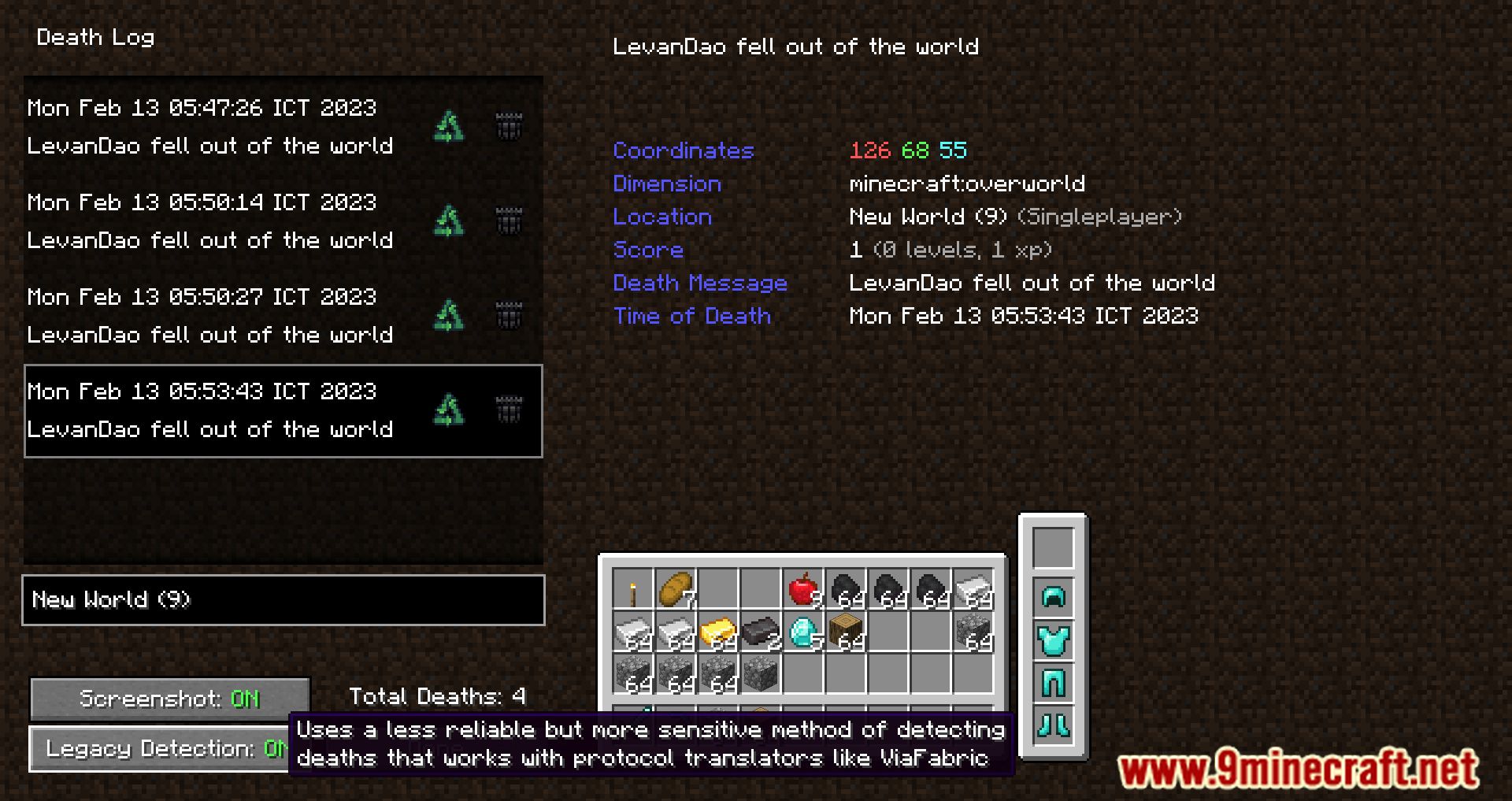
- Select any entry in the list to check its coordinates, dimension, and full saved inventory.
- Type an item name, coordinates, world or server name, or death message into the search bar to find a specific death quickly.
- Click any saved item with your Mouse wheel in Creative mode to get it back right away.
- Click a saved item with your Mouse wheel without Creative mode access to copy a matching
/givecommand.
Screenshots:


How to Install:
New to Minecraft? Follow our step-by-step guide to install Mods on your PC.View Guide
Requirements:
 OwO Lib Mod Required
DeathLog Mod Download Links
For Minecraft 1.21.3, 1.21.2
Fabric/Quilt version: Download from Server 1 – Download from Server 2
For Minecraft 1.21.1, 1.21
Fabric/Quilt version: Download from Server 1 – Download from Server 2
For Minecraft 1.20.4
Fabric/Quilt version: Download from Server 1 – Download from Server 2
For Minecraft 1.20.2
Fabric/Quilt version: Download from Server 1 – Download from Server 2
For Minecraft 1.20.1
Fabric/Quilt version: Download from Server 1 – Download from Server 2
For Minecraft 1.20
Fabric/Quilt version: Download from Server 1 – Download from Server 2
For Minecraft 1.19.4
Fabric/Quilt version: Download from Server 1 – Download from Server 2
For Minecraft 1.19.3
Fabric version: Download from Server 1 – Download from Server 2
For Minecraft 1.19.2, 1.19.1, 1.19
Fabric version: Download from Server 1 – Download from Server 2
For Minecraft 1.18.2
Fabric version: Download from Server 1 – Download from Server 2
For Minecraft 1.18.1
Fabric version: Download from Server 1 – Download from Server 2
For Minecraft 1.17.1
Fabric version: Download from Server 1 – Download from Server 2
For Minecraft 1.16.5
Fabric version: Download from Server 1 – Download from Server 2
You May Also Like
Picked for this page
 Large Fluid Tank Mod (26.3, 1.20.1) – Max 1048576000mB
 Simple Voice Chat Mod (26.3, 1.20.1) – Hear Players Around You
 Macro Keybinds Mod (26.2, 1.20.1) – Macro Creation, Keybind Execution
 Universal Enchants Mod (26.3, 1.20.1) – Better Enchantments
 Sound Physics Mod (26.3, 1.20.1) – Amazing Sound Shaders in Minecraft
 Overpowered Mending Mod (26.3, 1.20.1) – Improving The Mending Enchantment
 Coords Mod (26.3, 1.20.1) – Shows Player Coordinates In Overlay
 Servux Mod (26.3, 1.20.1) – Essential Server-Side Support
 Two Players One Horse Mod (1.21.4, 1.20.1) – Join The Ride
 Energy Meter Mod (1.21.1, 1.20.1) – Diagnose Your Power Grid
 Cycle Title Screen Splash Mod (26.3, 1.20.1) – Configurable Splash Text
 Atmospheric Paintings Pack Mod (1.21.4, 1.20.1) – Pixelated Real Life Paintings
Most viewed in Mods over the last 7 days
 Ala Industrial Mod (26.3) – Run Electric Power Grids and Automated Factories
 PleasureCraft Mod (26.3, 1.21.1) – Jenny Mod Remake for Fabric
 Jennycraft Mod (26.3, 1.20.1) – Virtual Girlfriend in Minecraft
 Fapcraft Mod (26.3, 1.12.2) – Comprehensive and Detailed Content
 Jenny Mod (Fapcraft) Official Complete Guide – How to use, Tutorial
 BangCraft Mod (1.20.1) – Jenny, Ellie and Elliot
 Fabric Loader (26.3, 1.20.1) – Fabric Installer for All Minecraft Versions
 The Shooting Star Demo Mod (26.3, 1.20.1) – Vaporize Terrain From Orbit
 Meteor Client Mod (26.3, 1.20.1) – Xray, HUD, Fly
 OptiFine HD (26.3, 1.20.1) – Run Faster, FPS Boost, Shaders Support
 Aristois Client Mod (1.21.4, 1.20.1) – World Class Minecraft Utility
 Prestige Client Mod (1.21.11, 1.21.4) – Powerful Ghost Features for Crystal & Sword PvP
More from Mods
 Swing Through Grass 9minecraft Mod (26.3, 26.2) – Fight Mobs Without Breaking Tall Grass
 Improved Boss Bars 9minecraft Mod (26.3) – Unique Health Bars for Every Boss Fight
 Cozy’s Improved Wolves Mod (26.3, 1.20.1) – Bond with Loyal Dogs That Never Die
 Cuisine Craft Mod (1.21.11, 1.20.1) – Cook Restaurant Dishes with Fresh Farm
 XinexLib Mod (1.21.1) – Keep Your Ultreon Studios Mods Running
 Libvulpes – Fixed Mod (1.12.2) – Launch Rockets with Fewer Bugs
 Freelook Perspective Mod (26.3, 1.21.1) – Watch Your Back While Sprinting
 FAUNA Engine Mod (1.21.1, 1.20.1) – Powering Legendary Dragons
 Avali Nexus Mod (26.3) – Settle Frozen Frontiers with High-Tech Bird Tribes
 Orient’s Hotpot Chronicles Mod (1.20.1) – Boil Fresh Hotpot Meals Over Open Flames
 Far Lands Traveler Mod (26.1.2) – Survive the Long Trek to the Edge of the World
 Beli’s SkyLyrics Mod (1.21.11) – Sing Along to Desktop Tracks Projected in the Night Sky

This post has no comments yet. Be the first — your comment will appear here.